


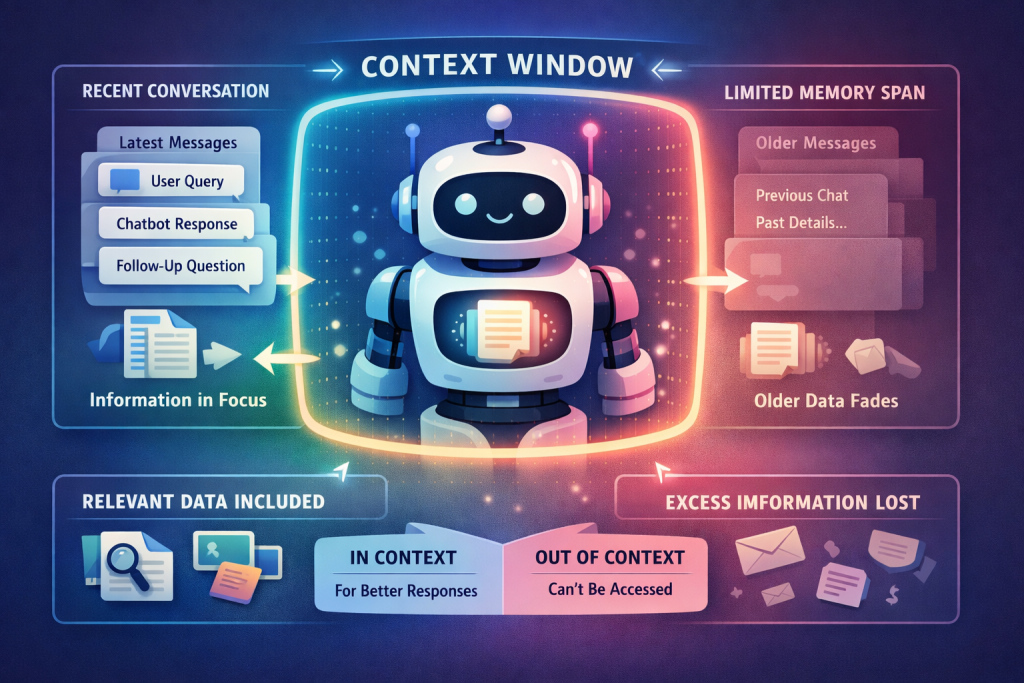
After using a chatbot for a long time, sometimes you find out it seems to lag, didn’t answer what it is expected. This depends on a lot of things and one of them is context window. So, in this blog, we will focus on understanding AI context window and what to pay attention when testing an AI chatbot related to context window
What is Context Window
A context window is the total amount of information an AI model can “hold in mind” at one time during a conversation. It includes everything the model is currently aware of, not only your latest question.
So, inside a context window, there are:
- Your prompts: questions, instructions, follow-up messages
- AI responses: every answer it generates is added back to the context
- Upload contents: documents, files, long-pasted text
- Multimodal contents: images, chart, table, …, anything the processes as input/output
It means that the context is filled up continuously. This can be illustrated as the image below:
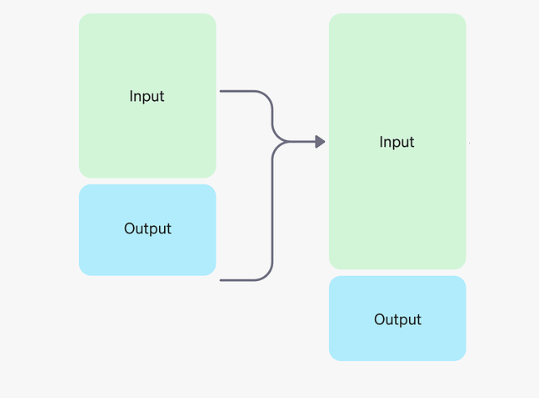
Image from OpenAI
How context is measured
Context window is the AI model’s short-term memory, measured in tokens (parts of words, about 4 characters or ¾ of a word), dictating how much information (prompt + history) it can process to generate a response; different GPT models (like GPT-4o, GPT-4) have varying sizes (e.g., 8k, 128k tokens), enabling them to handle longer conversations or documents, with newer models and features like GPT-5.2’s compact endpoint expanding this capacity for complex, long-running tasks. So 1000 word is about 1300 to 1400 tokens.
Why context windows size matter
When the context window is full, the AI may show its technical limitation:
- Forget earlier instructions
- Lose constraint you said at the beginning.
- Mix up things
- Generate confident but incorrect information
When the context window is full?
- Long conversation: The above things show that the longer the conversation, the more context is consumed then older information is forgotten or pushed out.
- Large documents: The chatbot allows users to upload documents consume a large portion of context windows immediately.
What happens when the context window is full?
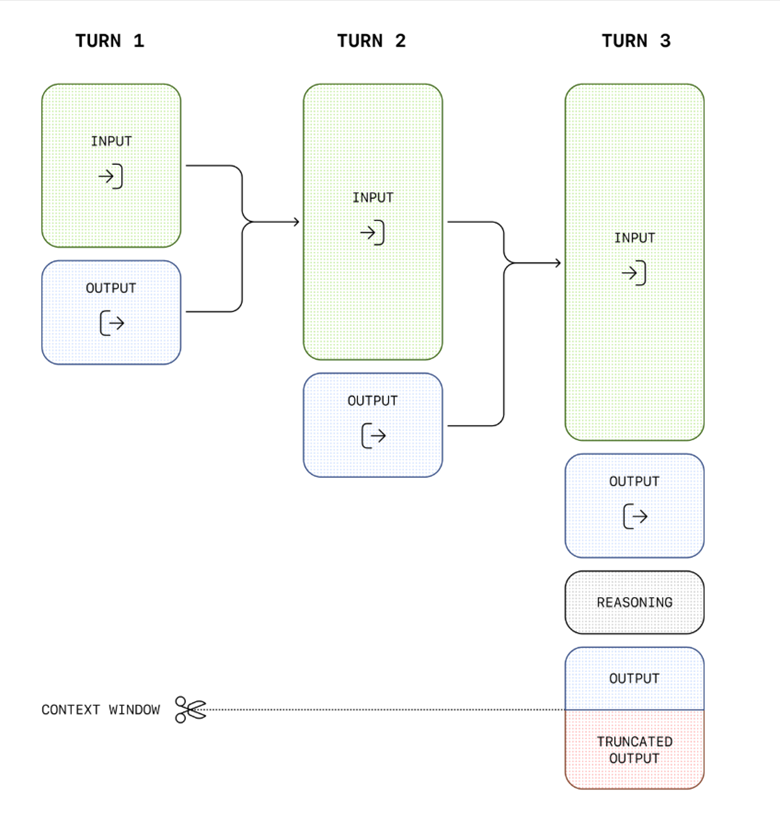
Because older information is forgotten or pushed out, so the context windows fills, accuracy decrease and hallucinations appear. This is also mentioned in OpenAI platform as below image:
The NoLiMa benchmark showed that at 32k tokens, 11 out of 12 tested models dropped below 50% of their performance in short contexts.

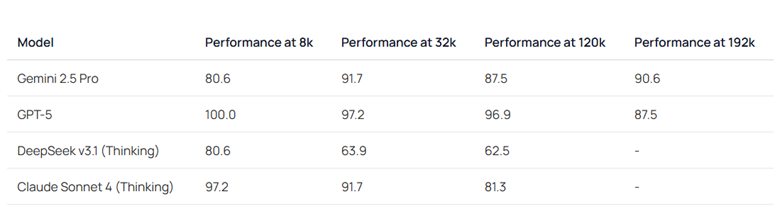
For new models, from Fiction.liveBench:
What to focus when testing AI chatbot in term of context window?
Context window capacity awareness
The chatbot might appear to remember everything but silently forget earlier context. So we have to test with long conversations, compare result between early and late instruction. We also need to know the maximum conversation length before degradation.
We verify the chatbot handles right short conversations. For long conversations, it doesn’t lost the intent and the early messages still accessible.
Instruction retention
Another risk is that the chatbot follows the rule at the start, ignore later. So we have to test the system rule (for example, format, tone, constraints), requirement such as “used only provided data”, “don’t assume” are retain during long conversations.
Context overload behavior
As a tester, we have to know when the context window is full, how the chatbot react? Does it warn the user? Ask to reset or it continue blindly?
And how the chatbot forget things? The key is to ensure critical constraint remains and the chatbot acknowledges when the context is lost.
Files and multimodal context interaction
Uploaded content might consume a lot of token, for example a 10 pages pdf file after about 50 questions may reach 500 pages, which means around 200,000 tokens. This number is where the performance of GPT-5 might drop according to Fiction.liveBench.
So testing with large file and long chat, file upload early vs late of the conversation to see how the different situations compete for the context and the quality of the chat.
Context drift
The user can ask the chatbot anything although the question doesn’t relate to the previous ones then returning to original goal. This is what to call context drift. For testing, after the context drift, does the chatbot still follow the system instructions and the answer still consistent, relevant?
Consistency
Tester also has to text with similar context usage, provide the similar output. For example, with the same prompt length, same file size, same conversation flow, the answer should be consistent.
Security and safety
After a long conversation, can we override the safety instructions? Or the chatbot becomes confusing the permission and role? These check to ensure the safety rule still always applies.
Final thought
Context window focus when testing AI chatbot is important to ensure the chatbot remembers the right things, safely and request instructions when the instructions are lost.