


Introduction
When dealing with Amazon RDS database backups and restoration, a common challenge is that you can only recover the data to the point in time when the backup was created. While backups can help restore all the data, what happens if you need to recover the data from a specific point in time? The solution to this problem is Amazon RDS point-in-time recovery feature. What is it, and how does it work? We’ll explore everything in this blog, so grab your coffee and let’s get started!
An intro to Point in time recovery
Amazon Point in time recovery is a feature provided by AWS for RDS that allows you to restore data to a specified time. To understand this in simple terms, let’s create a scenario: suppose Bob, a normal developer, takes a backup/snapshot of his RDS at 1 PM daily.
Now, one day a problem occurs with the data inside the database, and he wants to recover the data from 7 PM on the same day. However, when he tries to recover the data, he realizes that he can only restore the database to 7 PM the day before the incident happened.
By using the point-in-time recovery feature, he can restore his database to exactly 7 PM on the day of the incident.
Point-in-time recovery does not affect the existing database data; instead, it creates a new database, so your current database will remain unaffected.
Prerequisites for Point in time recovery
Here is the list of prerequisites for using point-in-time recovery:
Comparision between point in time recovery and snapshot recovery
When you recover the database using a snapshot, you get the data from the exact time the snapshot was created. However, when you use the point-in-time recovery feature, you can specify a particular date and time. Both snapshot recovery and point-in-time recovery create a new database and do not affect the existing database.
Point-in-time recovery is helpful when you want to recover data from an exact date and time, while snapshot recovery is useful for creating a duplicate copy of the database or for recovering the database to a specific date when the exact time doesn’t matter.
Demo: How to create point-in-time recovery
Step 1: Database selection
Go to the AWS RDS console, select the database you want to create a point-in-time recovery for, and click.
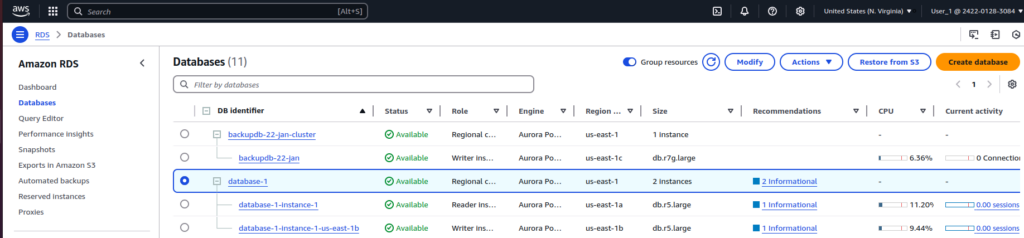
Here I have two Aurora RDS cluster and lets say, I want to create the point-in-time recovery for database 1
Step 2: Select Point in time recovery option
Select the database and then click Action-> Restore to point in time option
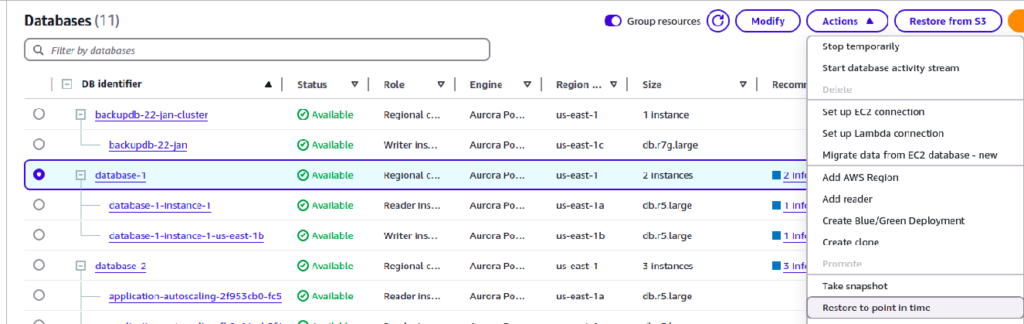
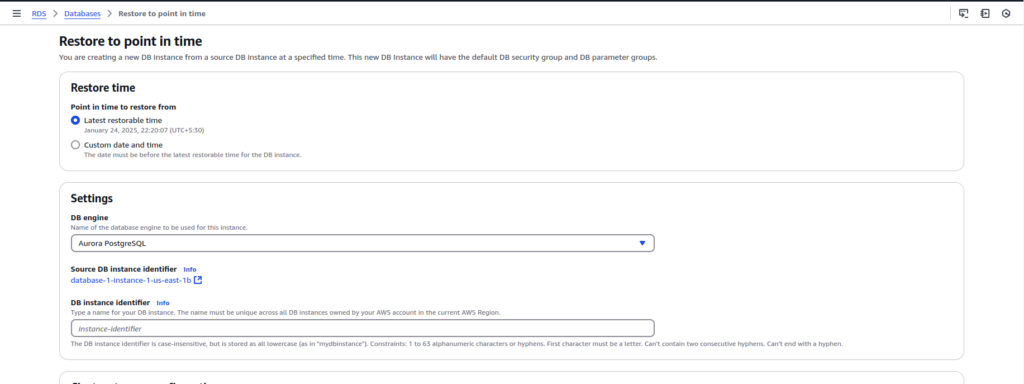
Here, you can see two options: “Latest Restorable Time” and “Custom Date and Time.” The “Latest Restorable Time” is the most recent time you can restore to, while the “Custom Date and Time” option allows you to specify a particular date and time.
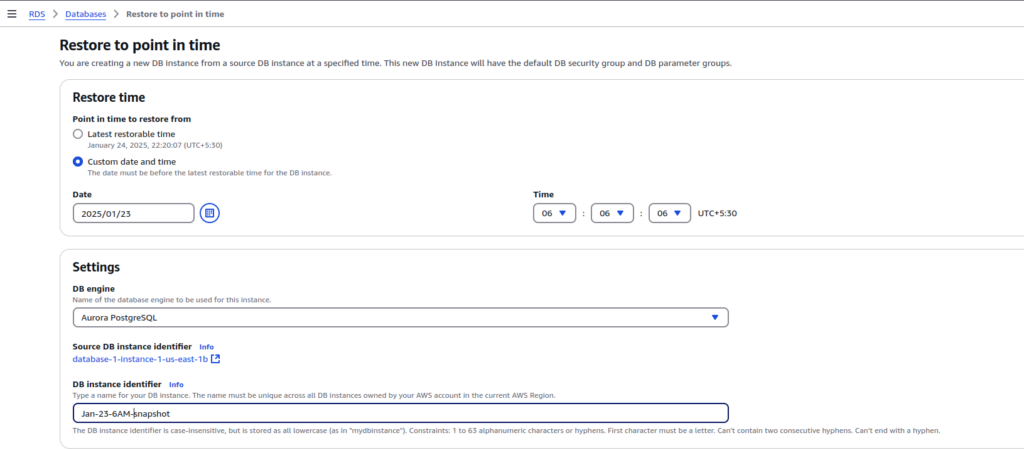
Here, I am restoring my database to Jan 1, 2025, at 06:06:06 AM. Provide a name for the new instance identifier, and if you want to make it publicly accessible, click the “Publicly Accessible” option and set it to “Yes.”

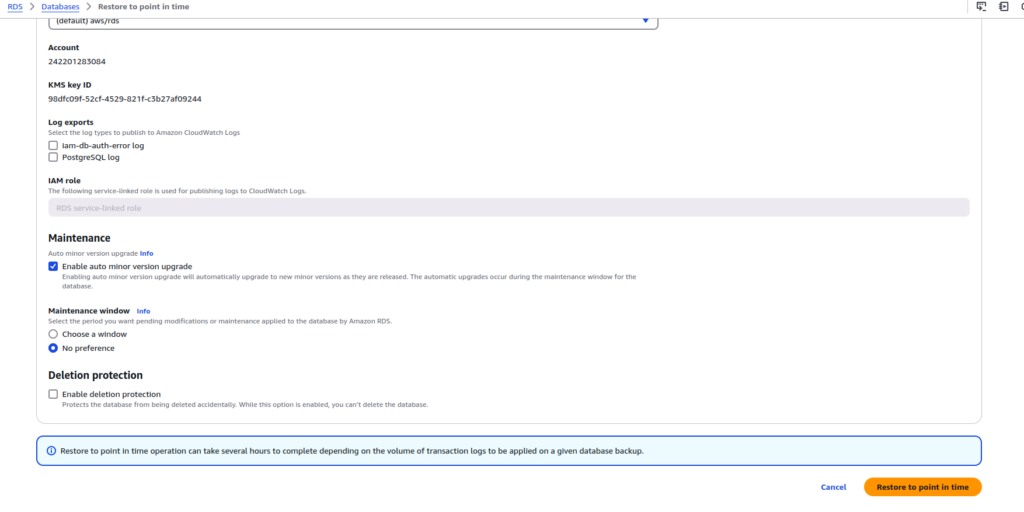
Then click on restore to point in time below button
Now you see that your database instance started creating
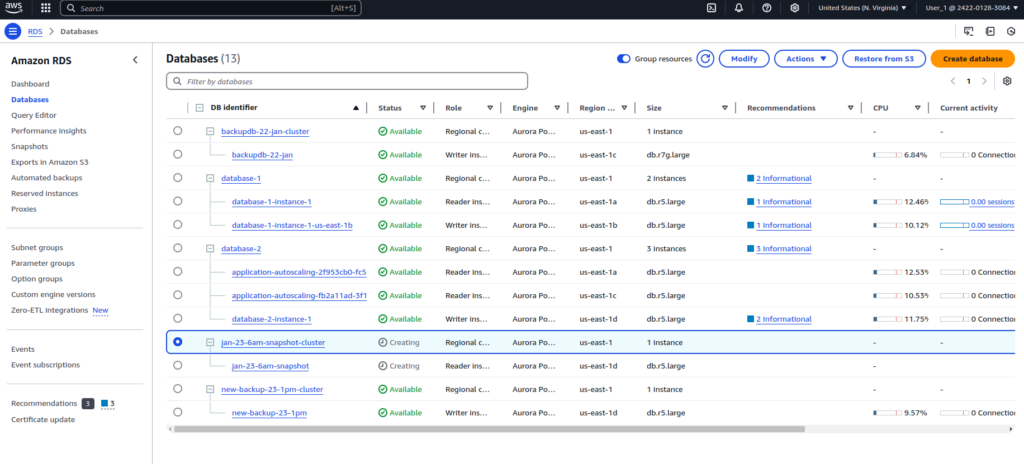
After some time, it will transition to the “Available” state and be ready to use.
NOTE: Use the same username and password that you are using with the old database.
Conclusion
Point-in-time recovery is not just a feature, but a lifesaver for many developers and DevOps engineers. Whether it’s a migration failure or the need to inspect the state of a database at a specified point in time, point-in-time recovery plays a vital role.
So, that’s all for Amazon RDS point in time recovery We hope this guide was helpful. Stay tuned for our next blog where we’ll dive into more AWS tips and tricks. Until then, take care and keep exploring!