



Introduction to Parallel Testing/Concurrent Testing
Parallel testing is a testing approach where multiple test cases or test suites are executed concurrently across different environments or devices. This simultaneous execution significantly reduces the overall test execution time.
Parallel testing is a shining example of effectiveness. Fundamentally, it is a dynamic method that coordinates the execution of test cases concurrently, reducing the total time required for test execution.
In Concurrent testing, we test different modules and applications on multiple browsers rather than running them one by one.
Benefits of Parallel Testing

- Speed and Efficiency:- Parallel testing accelerates the testing process by distributing test cases across multiple environments simultaneously. This results in faster feedback loops, enabling quicker release.
Parallel testing is like having multiple friends help clean a room at the same time, making the job faster. Similarly, in software testing, it means running different tests simultaneously in various environments, speeding up the process and providing quicker feedback for faster releases. - Optimized resource utilization:- In parallel testing by running tests concurrently, teams can utilize their testing infrastructure more efficiently, reducing idle time and maximizing resource utilization.
- Increase test coverage:- Parallel testing allows teams to cover a broader range of test scenarios in a shorter time, contributing to more comprehensive test coverage. Increased test coverage lowers the likelihood of releasing a product with escaped bugs and mitigates risk.
- Faster Detection of Defects:- Rapid test execution facilitates the early detection of defects, allowing teams to address issues promptly and reduce the cost of fixing defects in later stages. This reduces developers bug fixing time and gives them more time to innovate and create new features.
Parallel testing in CI/CD pipeline
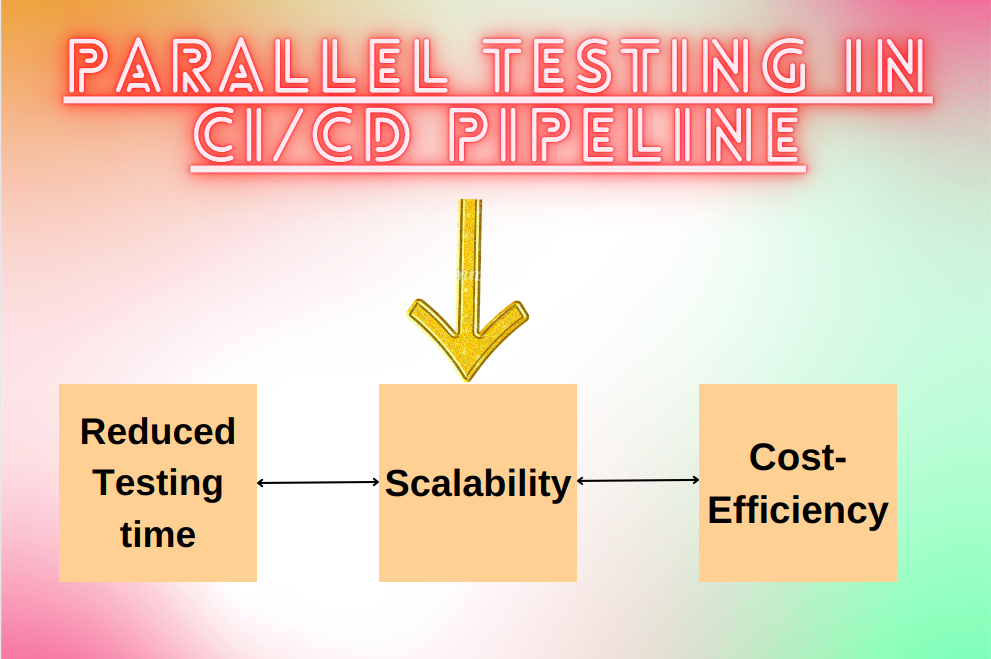
Parallel testing in continuous Integration/ continuous Deployment(CI/CD) pipelines provides several benefits that contribute to faster and more efficient software delivery:-
- Reduced Testing time:- Parallel testing allows multiple tests to run concurrently, significantly reducing the overall testing time. This is crucial in CI/CD, where quick feedback on the code’s health is essential to maintain a rapid development pace.
- Scalability:- As software projects grow, so does the number of tests. Parallel testing provides a scalable solution to handle the increasing number of test cases, ensuring that testing remains efficient even as the code base expands.
- Cost-Efficiency:- Parallel testing can be more cost-effective than sequential testing since it enables the use of distributed resources. This is especially important in cloud-based CI/CD environments, where costs may be associated with resource usage.
Strategies for implementing Parallel Testing:-
- Test suite Decomposition: Divide large test suites into smaller, independent subsets that can be executed concurrently. This strategy enhances parallelism and simplifies test maintenance.
- Browser and device parallelism: Execute tests simultaneously across different browsers and devices to ensure cross-browser and cross-device compatibility. This is crucial for web applications with diverse user bases.
- Data parallelism: Distribute data sets across multiple test cases, allowing each test to operate on its subset of data. This is particularly useful for data-driven testing scenarios.
Best practice for parallel testing

- Automation Framework compatibility: Ensure that your test automation framework supports parallel execution. Popular frameworks like TestNG, JUnit, pytest, Selenium, and Nightwatchjs provide robust support for parallel testing.
- Test case Independence: Design test cases to be independent of each other to avoid dependencies that may hinder parallel execution. Each test should be able to run in isolation without relying on the results of other tests.
- Parallel environment configuration: Set up parallel testing environments with care. Avoid resource contention by properly configuring the environments to handle concurrent test executions
- Monitoring and reporting: Implementing a robust monitoring and reporting system to track the progress of parallel test executions. This ensures visibility into test results and facilitates quick identification of issues.
- Scalability considerations: Plan for scalability to accommodate the growth of your test suite, as the number of test cases increases, the testing infrastructure should be scalable to maintain optimal performance.
Running parallel/concurrent tests in selenium
TestNG is a popular testing framework for java that supports parallel tests.
Create a TestNG XML configuration file specifying the test classes we want to run in parallel
<suite name="ParallelTestSuite" parallel="tests" thread-count="2"> /* thread-count is used to specify how many test we want to run in parallel */
    <test name="Test1" parallel="classes" thread-count="2"> /* parallel="classes" is used to run classes parallel  */
        <classes>
            <class name="TestClass1"/>
        </classes>
    </test>
    <test name="Test2">
        <classes>
            <class name="TestClass2"/>
        </classes>
    </test>
</suite>
Running parallel test in Nightwatch.js and Typescript
Nightwatch.js inherently supports parallel test execution, and you can take advantage of this without additional configuration.
We just need to check some configurations in our nightwatch.conf.js file for test workers like
 test_workers: {
    enabled: true,
    workers: 'auto'
  },
we just have to be in src folder where our test cases are written and just need to execute the following command

If we didn’t mention –env firefox then it will run on default browser like given below:-

For more blogs regarding various technologies please visit: NashtechBlogs
For more reference in TestNG please visit: Official TestNG
For getting into Rust Ecosystem visit my blog: Rust Ecosystem