



1. What real device testing is
Real device testing, to put it simply, is testing software applications on actual, physical devices in order to evaluate their performance and functionality. It is a crucial component of the software testing because it enables tester and developers to detect and resolve issues that may occur when the application is used on variety of devices such as smartphones, tablets, and wearable devices.
2. Why real device testing is important
Software development benefits greatly from real device testing for a number of reasons:
2.1 Straightforward user experience feedback
Testers can thoroughly evaluate a range of user experience aspects including responsiveness, loading times and overall usability thanks to real device testing. In order to guarantee visual attractiveness and functionality across a broad range of devices, it also entails accessing how the application adapts to different screen sizes and resolutions. That helps provide valuable feedback from the users who use the application on their own devices.
2.2 Ensuring software compatibility
Given the wide range of devices available in the market, the software must work seamlessly across different platforms, operating system versions and their updates. Compatibility issues can be found through physical device testing, which empowers developers to make necessary adjustments for optimal performance.
2.3 Recognizing possible issues
Real device testing is a powerful tool for identifying any problems that arise in practical situations. Testers can discover functional defects, crashes, and performance issues, leading to a smoother and more reliable user experience. Unlike simulators or emulators, real devices provide a kind of testing environment that is characterized by real-world interruptions including calls, notifications, network connection variance, low battery warning, etc.
To conclude, better coverage in testing software can be achieved by performing test on various physical devices to uncover potential issues, enhance user experience. This may essentially improve user satisfaction and engagement.
3. Best practices in real device testing
3.1 Device selection
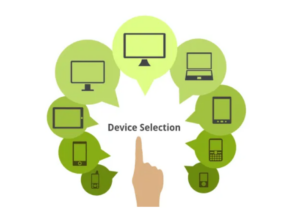
- Consider the target users: one of the crucial questions to address is who the software’s intended customer is. Then, identify relevant test strategy. In order to achieve that, useful customer data should be analyzed: traffic volume, region, platform, screen size, OS version …
- Select the variety of devices and decide on their distribution: since manual tests are time-consuming, we should think about a strategic combination of device models, screen size, operating system versions, device type (smartphone, tablet, smart watch …), hardware specification that will ensure optimal coverage. This should be based on customer data collected from the app. If we don’t yet have enough user data, we can start by examining at external data sources to determine which devices are popular in our intended region/market.
- Reselect devices to test on a regular basis: The market for mobile devices is ever evolving. For example, Apple or Samsung release their new devices and new OS version annually, then the popularity may fluctuate. Therefore, tester should update test strategy with device distribution frequently.
3.2 Gesture control (Interaction testing)
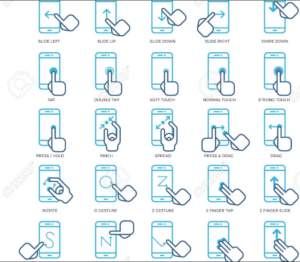
User may interact with the app by various physical actions called gestures. Tester needs to check what happens when each kind of interaction is done. Below are some common gestures:
- Tap, touch to select
- Double tap, double touch
- Touch and hold, long touch, long press
- Drag, swipe, fling
- Zoom/pinch, pinch open/zoom in, pinch close/zoom out
- Swipe to move back and forth
3.3 Orientation
When user rotates the device from landscape to portrait and back again, does this have an impact on the display? This frequently causes a number of display and text issues, particularly in forms. Further functional bug may be produced when rotating device such as failure to scroll screen, select items.
3.4 Network impacts
How does the application behave in different network connection? Does the application still work in a good manner if the connection speed is reduced to 3G or less? If the network is completely down (airplane mode, Wi-Fi disabled), does it attempt to load again, or does it notify the user of a connection error message? What occurs when the connection is broken and then established again?
3.5 Compatibility with OS versions
What is the minimum OS version the app is compatible with? Does it actually function in the operating system on various phones and tablets?
3.6 Colors, brightness
Make sure to compare the actual display to the design because the colors displayed on real devices will vary from those displayed on emulators. Moreover, verify there is adequate contrast between the color options, which is especially crucial for elder users. Also ensure the GUI is visible when user switches between dark mode and light mode.
3.7 Interruption testing
This validates the app’s response to a number of interruptions. The followings are common disruptions: background the app, open notification tray, incoming call, text notification, switching between apps, battery warning, forced updates, lock and unlock the screen … The purpose of this is to comprehend how the app behaves under certain disturbances before resuming to its initial state.
Finally, given the growing dominance of mobile usage, it is imperative that you make sure your applications work properly on various devices. By lowering software performance risk, real device testing enhances user experience.