


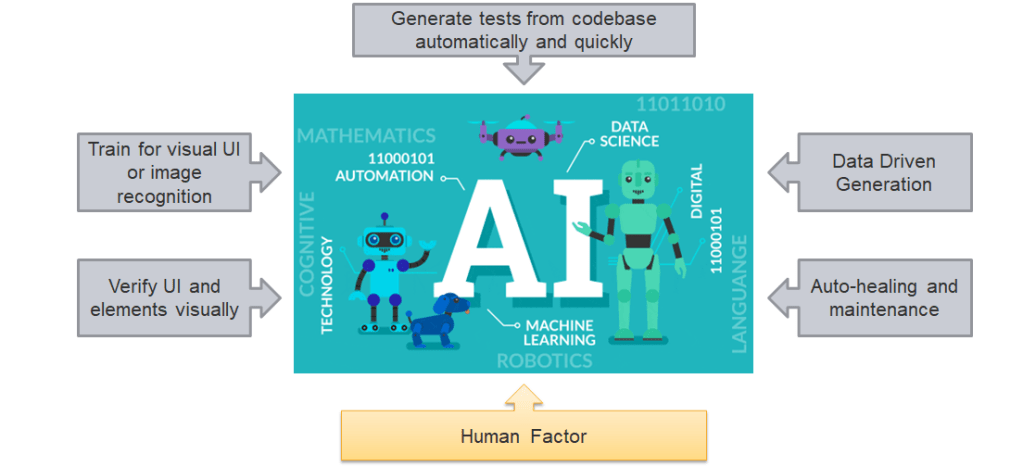
Visual testing is a software testing technique that focuses on evaluating the visual aspects of a software application’s user interface (UI) or graphical elements. It aims to ensure that the visual elements of the software, such as images, fonts, colors, layout, and overall design, appear correctly and as intended to users.
Here’s how visual testing typically works:
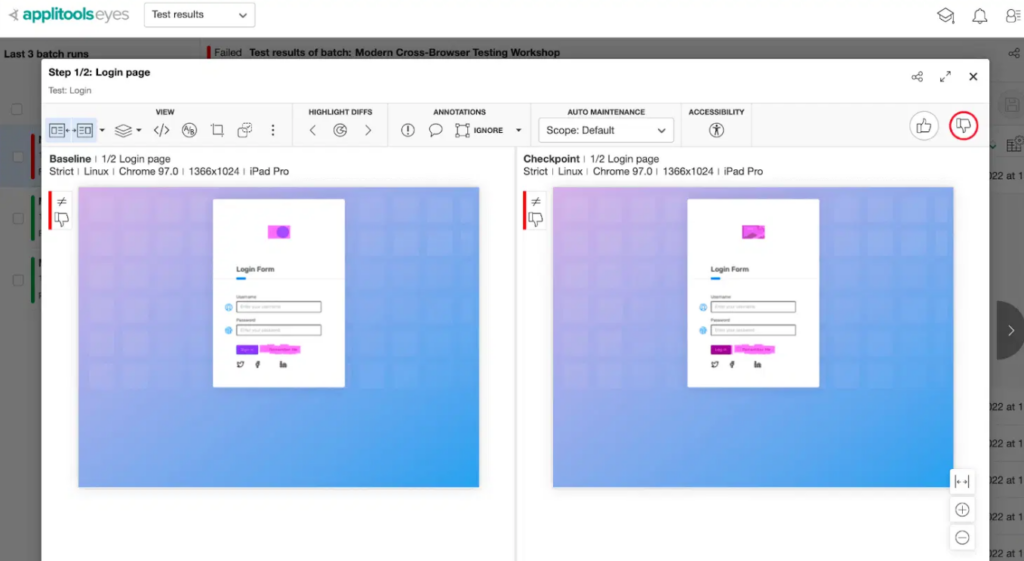
Baseline Images: Testers capture baseline images of the application’s UI under various conditions, such as different screen resolutions, browsers, or devices. These images serve as reference points.
Automated Comparisons: Visual testing tools or scripts are used to automatically capture new screenshots of the application’s UI during testing. These screenshots are then compared to the baseline images. It’s also called “Automated Visual Testing”.
Comparison Analysis: The tools or scripts analyze the differences between the new and baseline images. If discrepancies are found, such as missing elements, layout issues, or color variations, the test may fail.
In this post, I want to explore automated Visual Testing using Applitools in detail.
Benefits of Automated Visual Testing
Automated visual testing is a software testing technique that automate the process of comparing the visual elements to identify defects or issues in the UI, and to detect the changes in the UI that do not match the baseline snapshot.
The automated visual testing also has some advantages for software testing, such as:
- Quick execution: Automated test scripts can help reduce the test cases execution, and quickly report.
- Increase accuracy: Normal eyes usually miss of some minor issues. By using automate visual testing, it can helps detect even small changes between versions of UI.
- Improve test coverage: the automated visual testing helps cover the testing of application UI across platforms, devices, and browsers. It helps detect the issues that normal eyes would miss, even the minor defects, to ensure the UI consistency.
How to utilize AI in Automated Visual Testing
AI is now playing an important role not just in software development but in testing also. With AI in visual testing, it can help development team in reducing visual regression defects, saving time, and increasing the reliability.
There are many of advantages of using AI in visual testing, such as:
- Generate test cases
- Automate screen comparing
- Smart detecting and analyzing the changes from baseline
- Improve the accuracy
- Reduce time of fixing and maintenance
- Increase the reliability
Visual Testing with Applitools
Applitools is a next generation test automation platform powered by Visual AI. It helps to perform automated visual testing with the advantages of AI technology.
The AI technology from Applitools can help to capture, compare, and detect even the minor changes that might be missed by human eyes. The Applitools Eyes can validate UI elements, content. It can also perform execute tests on many browsers, devices, cross-platforms.
The tool provides a powerful dashboard, and test management which easily setup and executes tests for multiple projects in multi-languages.

How AI works in Applitools Eyes
Applitools Eyes uses AI, which is powered by Visual AI, that replicates the human eyes to quickly find functional and visual regressions. Visual AI can compare dynamic content, smartly detect, or ignore regions that contain ads. It is faster, more stable, and more reliable. In addition, tests powered by Visual AI can take the advantage of using the Ultra-fast test grid from Applitools cloud.
Deep Learning
Visual AI uses complex algorithms to automatically clean up and tag data, then uses for training the machine learning and deep learning models.
The Visual AI engine has analyzed over 1 billion images and has access to an endless supply of diverse data that has been collected over many years from tens of thousands of different products that is uniquely available in the Applitools network.
AI Powered Accuracy
Using AI algorithms of the network called ‘Layout Match’, a complex algorithm that utilizes dozens of algorithms to accurately compare the layout and structure of the UI.
With analyzing and training over 1 billion images, the Applitools Visual AI engine has achieved 99.9999% accuracy.
AI Powered Auto-maintenance
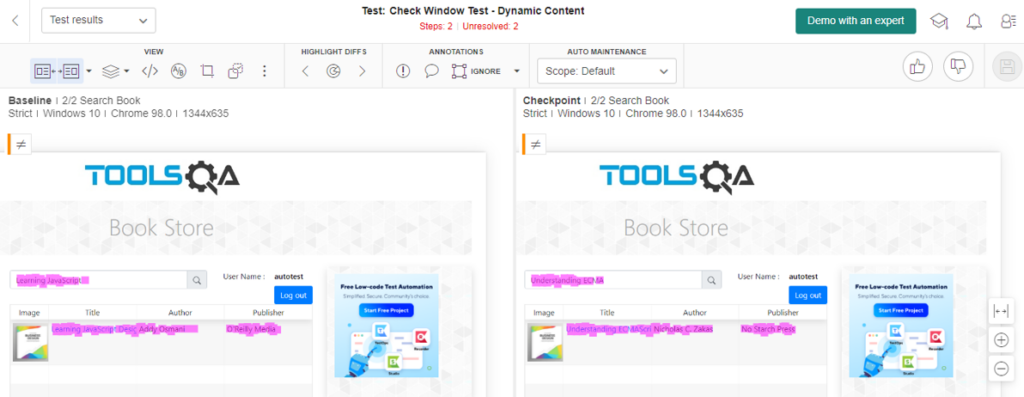
In visual testing, the maintenance of a big number of screenshots comparison takes a lot of resources. Using AI auto-maintenance, this could help save costs and resources by resolving similar differences instantly by leveraging algorithms that automatically analyze differences across all the test cases.
Approve or reject changes that will automatically apply across all similar changes within the entire test suites.
Conclusion
AI in visual testing is a cutting-edge technology that can help development team to ensure the quality and functionality of the applications. AI in visual testing has a lot of advantages:
- Automatically compare the baseline images and detect visual and functional differences using deep learning algorithms.
- AI powered accuracy with Layout Match helps increase the stability, and reliability of test cases.
- The AI with network of algorithms can easily recognize dynamic content and ignore or compare it and apply rules, and settings across different screens and tests automatically.
- Help create tests faster, automatically maintenance to allow pass/failed of the test cases.
References: