



I. Introduction
This blog will show you the advantages and disadvantages of SoapUI and its use in automating functional API testing.
SoapUI supports comprehensive testing for both RESTful APIs and SOAP Web Services. With its user-friendly interface, you can easily create, execute, and analyze API tests. It offers a wide range of testing capabilities, including Functional Testing, Performance Testing, Interoperability Testing, Regression Testing, and more.
II. Advantages of SoapUI
- It is available as open-source software, with an optional paid PRO version also offered.
- It enables functional testing.
- It enables service simulation (mocking).
- It facilitates load testing.
- It includes a feature for conducting security tests.
- SoapUI is not only a tool for functional API testing but also allows for non-functional testing, such as performance and security testing.
- The simple interface of SoapUI allows both technical and non-technical users to use it continuously.
- SoapUI is widely recognized as a leading tool for automated testing of REST and SOAP services
III. Disadvantages of SoapUI
- Cannot access script libraries: This means that SoapUI does not support advanced reporting.
- In some cases, SoapUI requires encryption for authentication.
- SoapUI is heavy and consumes a lot of CPU memory. Because of this, SoapUI can sometimes cause your machine to freeze while running. You may also easily lose unsaved data.
- For load testing, SoapUI is only suitable for small-scale projects. It is not the best choice for handling complex tasks.
- Cannot test Web UI and mobile applications.
- The user interface can be difficult to navigate and may feel outdated, which can slow down productivity and make the tool less intuitive for new users
IV. Installation
- We will download SoapUI Open Source from the following link: https://www.soapui.org/downloads/soapui/
- Open the file to start the installation wizard, then proceed through the suggested setup process.
V. SoapUI Workspace Structure
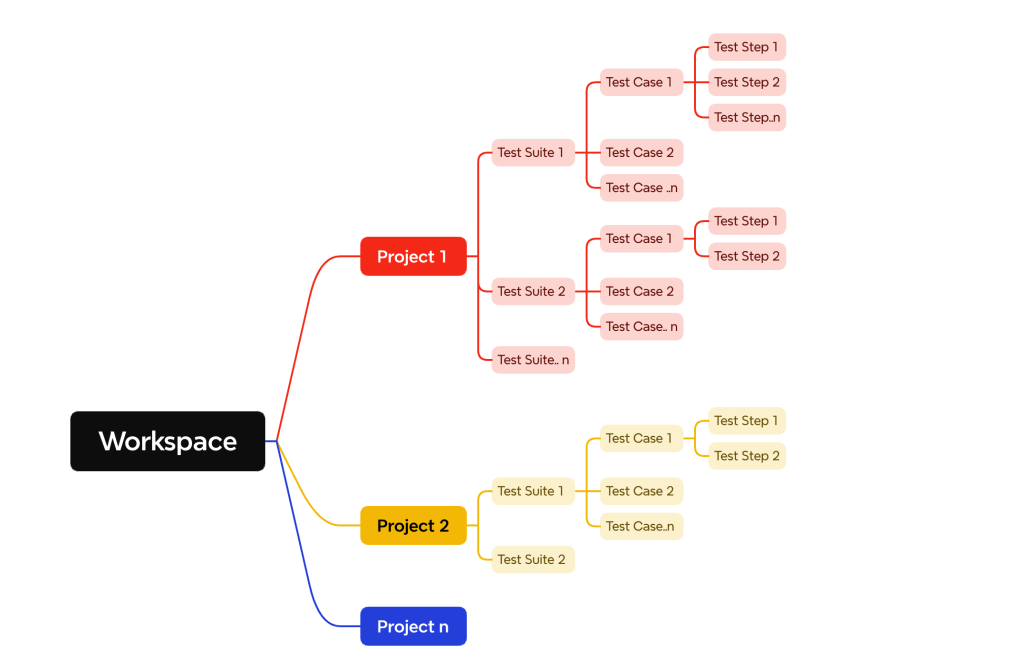
The SoapUI architecture follows a hierarchical structure where a workspace encompasses multiple projects, with each project hosting various test suites, which in turn contain multiple test cases, and each test case comprising numerous test steps.
VI. Create a project and perform API testing
- SoapUI supports creating a REST or SOAP project, but in this example, I will proceed with REST. First, we will create a REST project on which we will add our tests. To do this, we need to follow these steps.
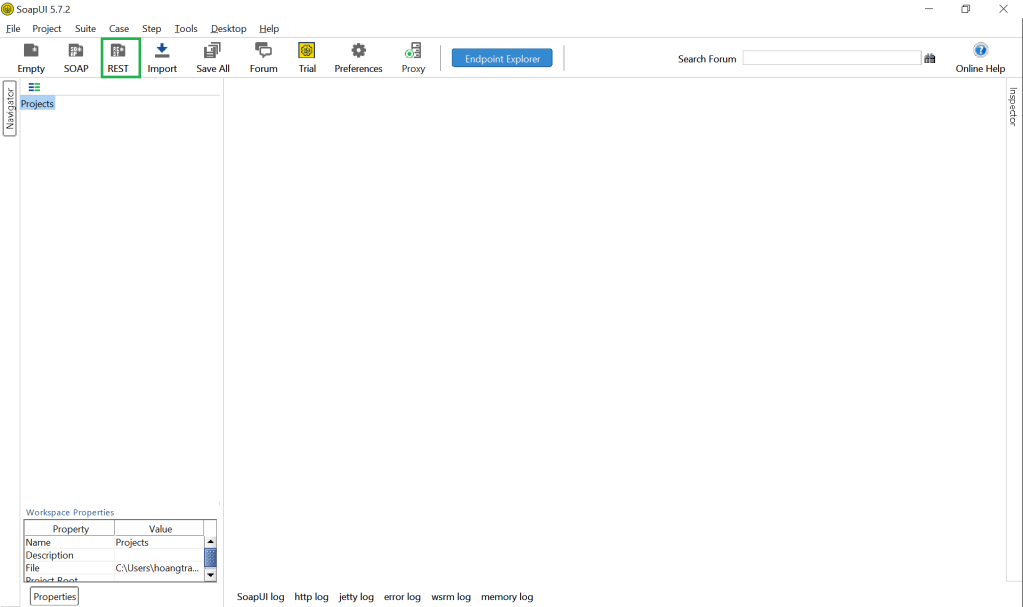
- Step 1: Open the SoapUI and click on REST:
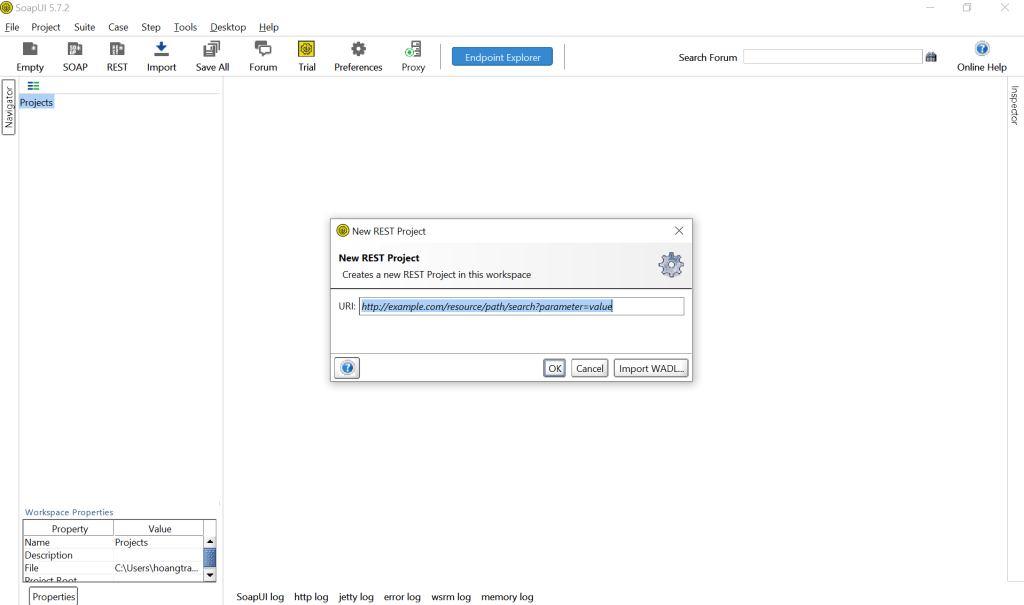
- Step 2: The next step is that a pop-up will be displayed as follows:
- Step 3: Copy the link to be tested into the input URL field displayed on the popup and click on OK button:
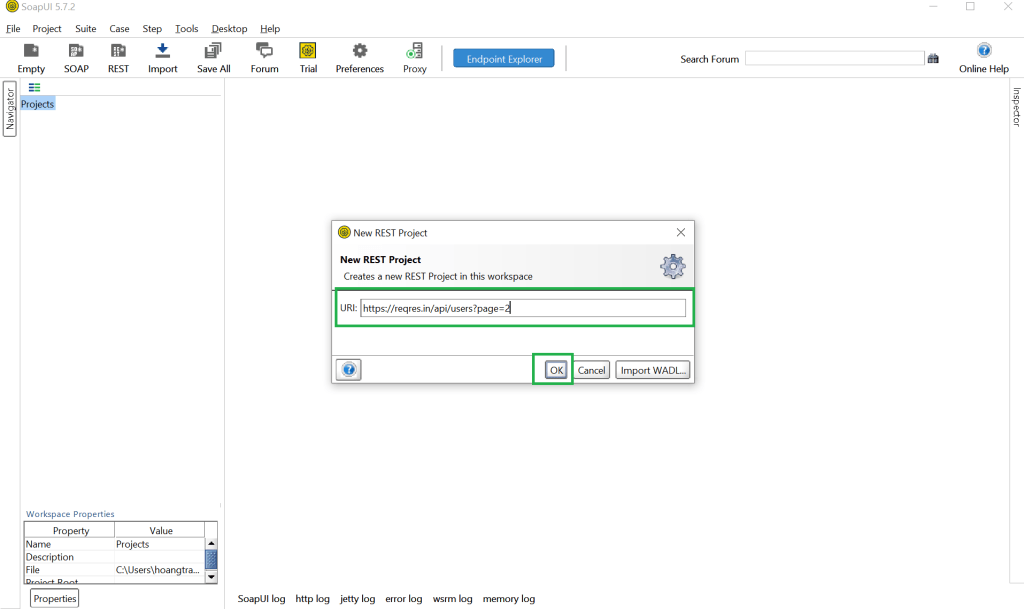
- Step 4: This will set up the basic structure of our project, which we will populate incrementally:
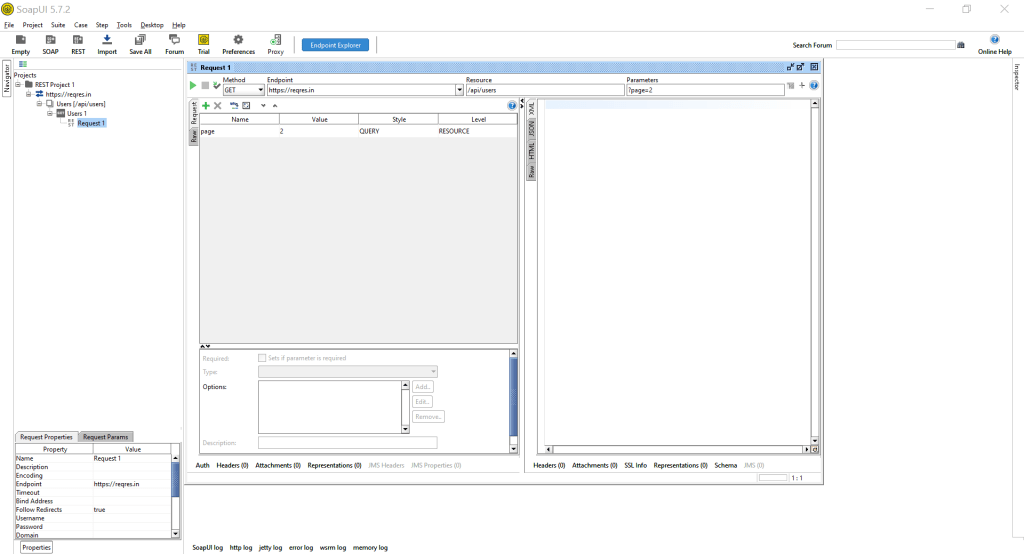
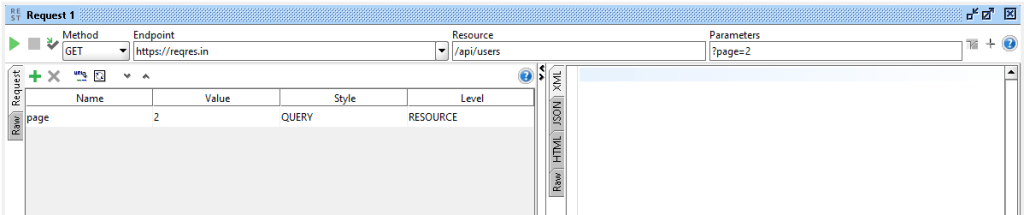
- Step 5: SoapUI supports multiple methods for testing APIs. For the test case we are currently using, we are employing the GET method, endpoint: https://reqres.in, resource: /api/users, query Parameter: page=2, full URL: https://reqres.in/api/users?page=2
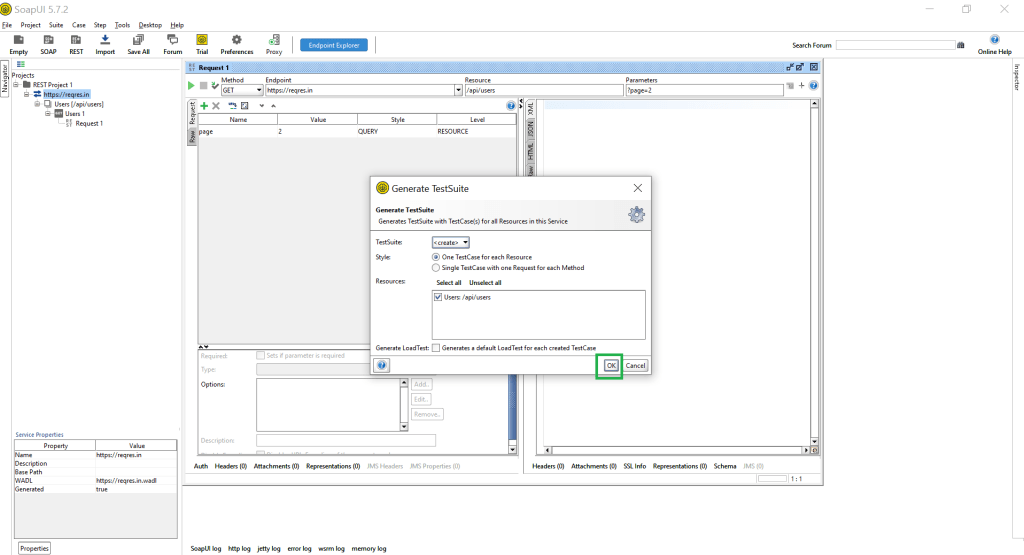
- Step 6: SoapUI also supports users in generating Test Suites:

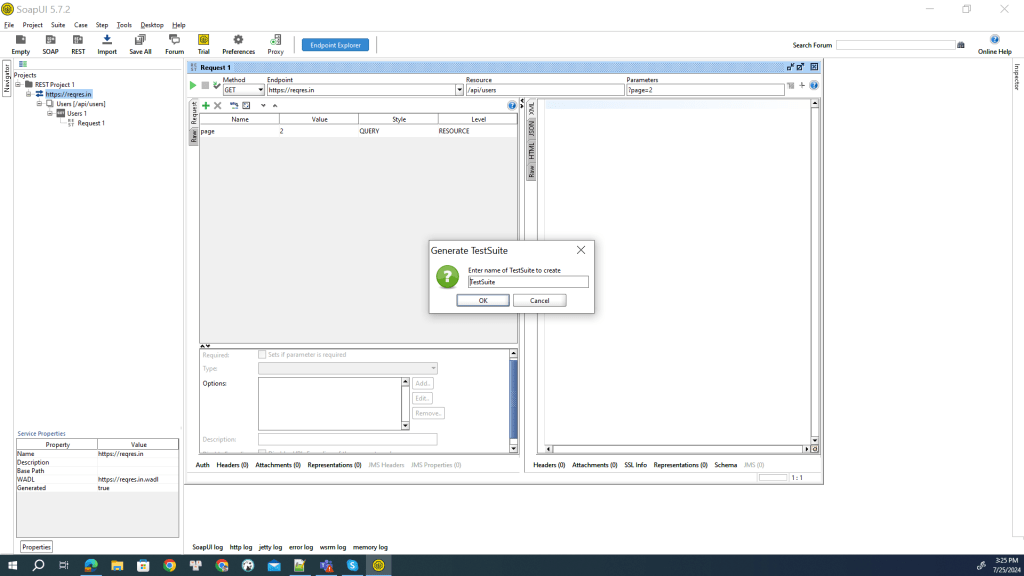
- Step 7: Name your Test Suites folder:
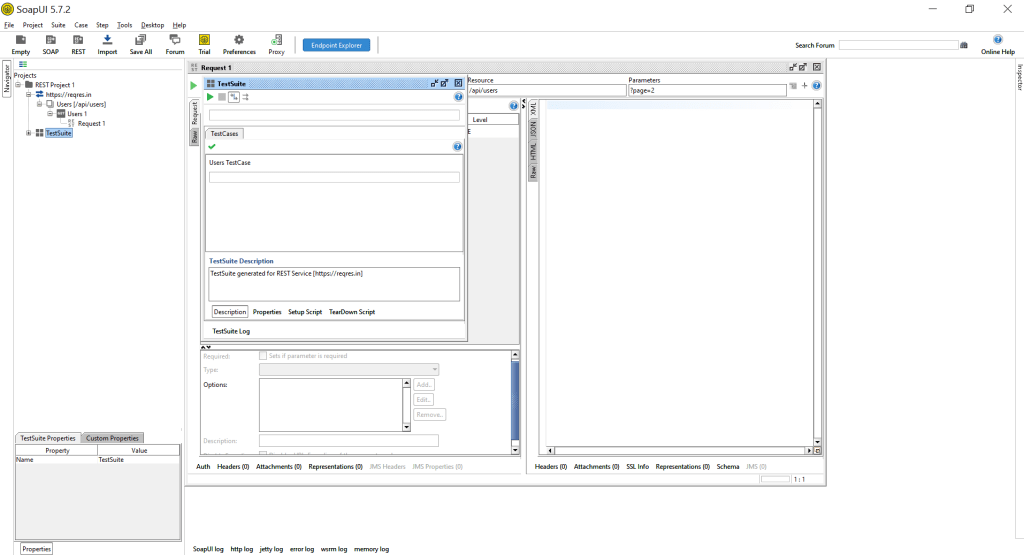
- Step 8: Inside the Test Suite folder, users can create test cases within it.
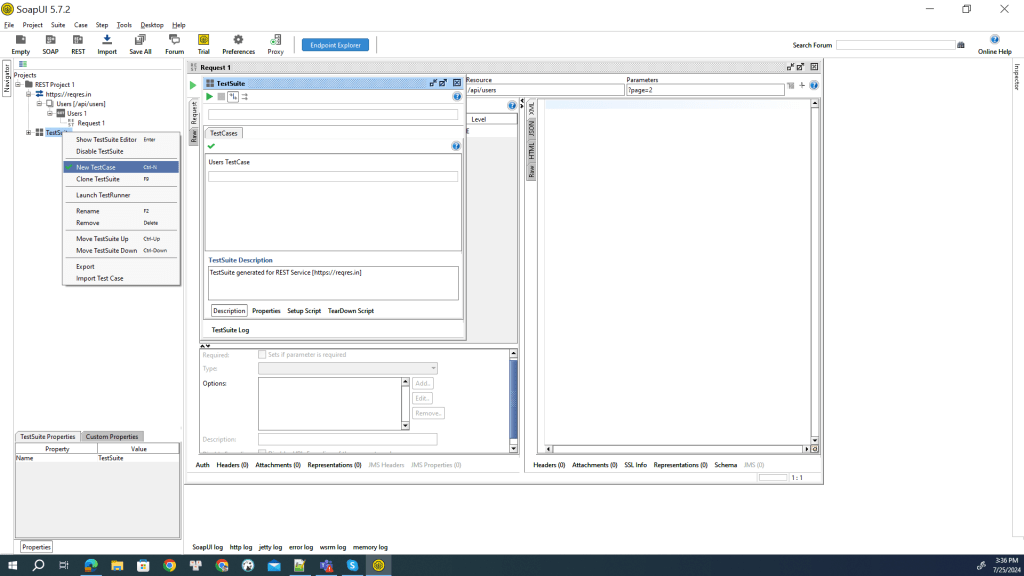
- Step 9: We will create a test case to check the number of users on page 2 using the GET method:

- Step 10: Inside the created test case, there are Test Steps, Load Tests, and Security Tests:

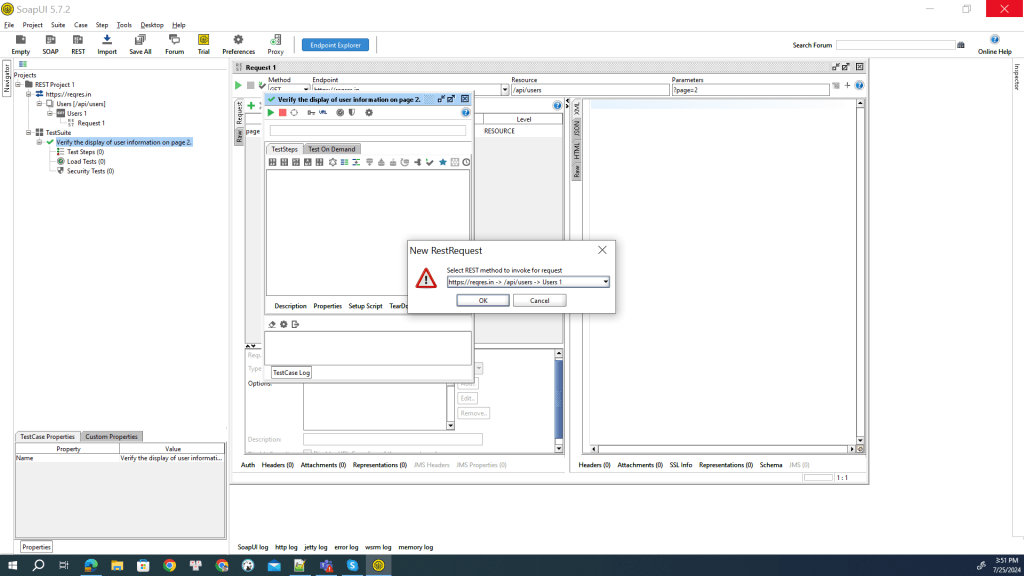
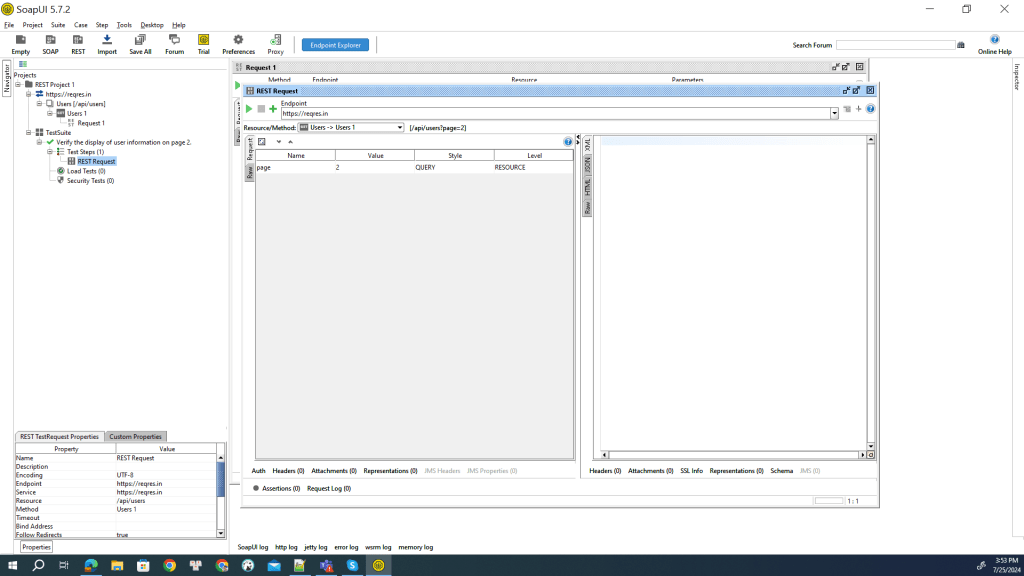
- Step 11: This is the expected result I want to receive: a list of users as follows and Response: 200:

- Step 12: The user clicks the play button to send the request:

- Step 13: This is the result returned after the request:
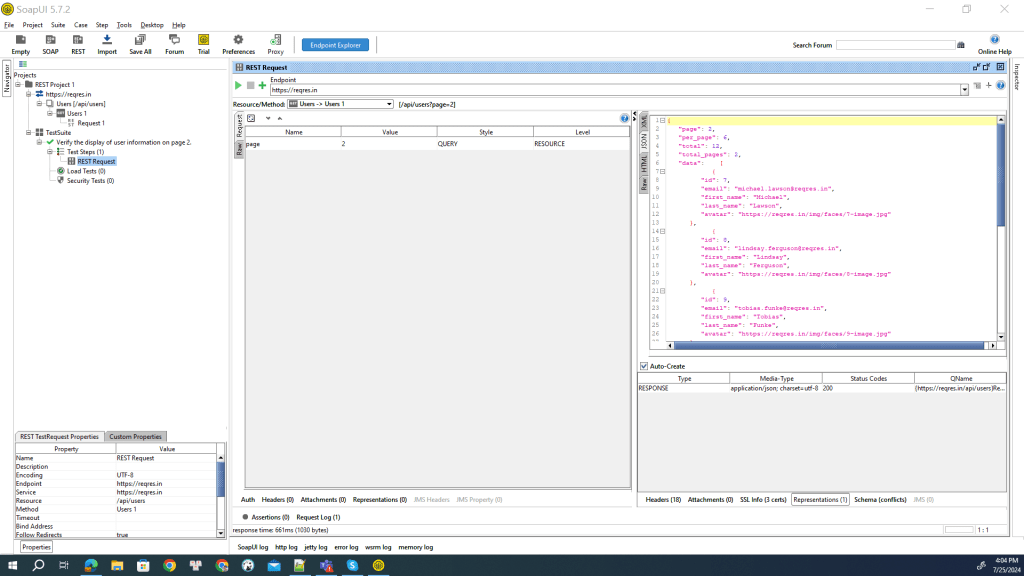
- Step 14: Adding assertions:
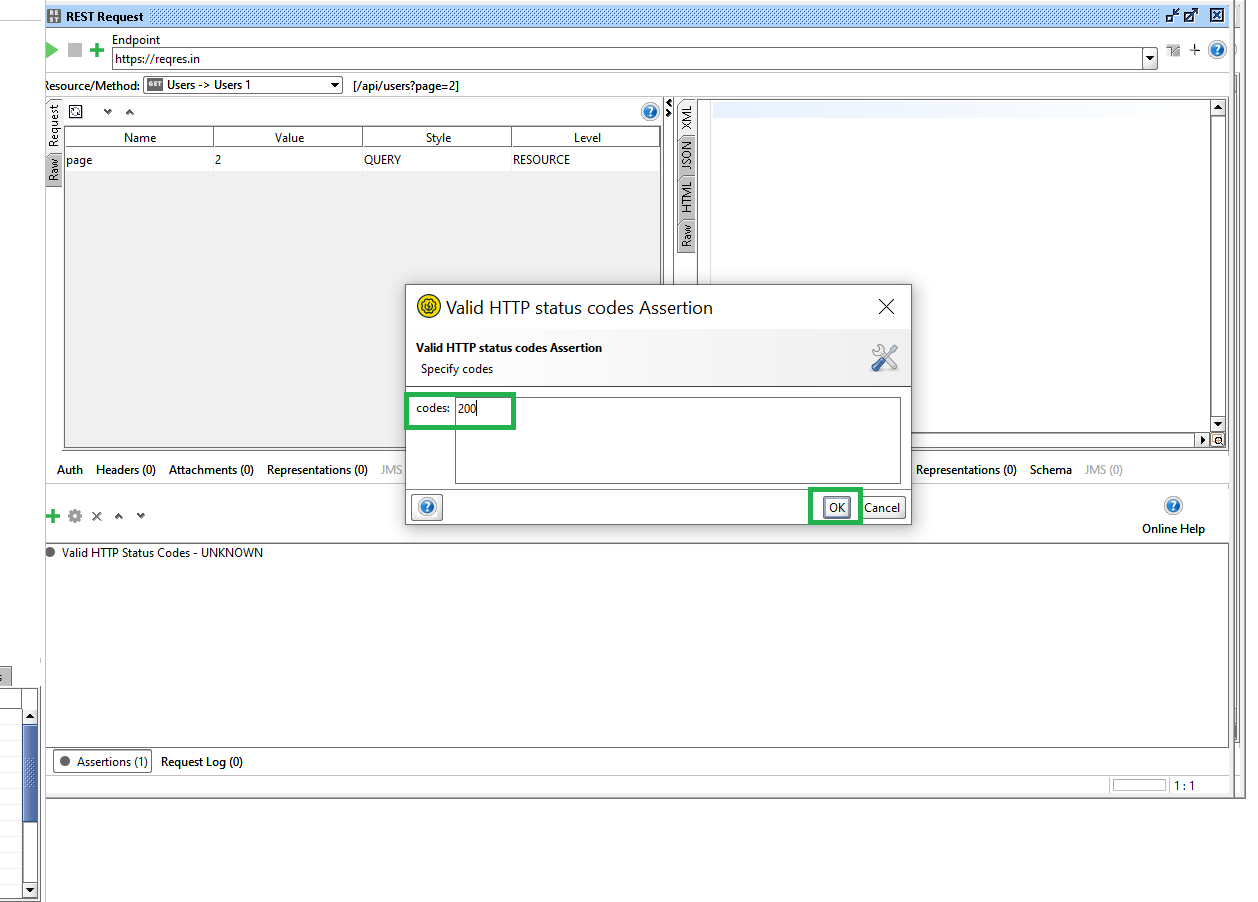
- The assertion section is where you’ll verify whether or not the call is working correctly. To do so, introduce as many assertions as are considered necessary. The most common query in this type of request is about the response status code. Since we’re checking a GET method, the code that we’ll verify is a 200. We will create an Assertion to check if the returned status code is exactly 200. We click on the Assertions section, click the green plus button, and select Valid HTTP Status Codes.

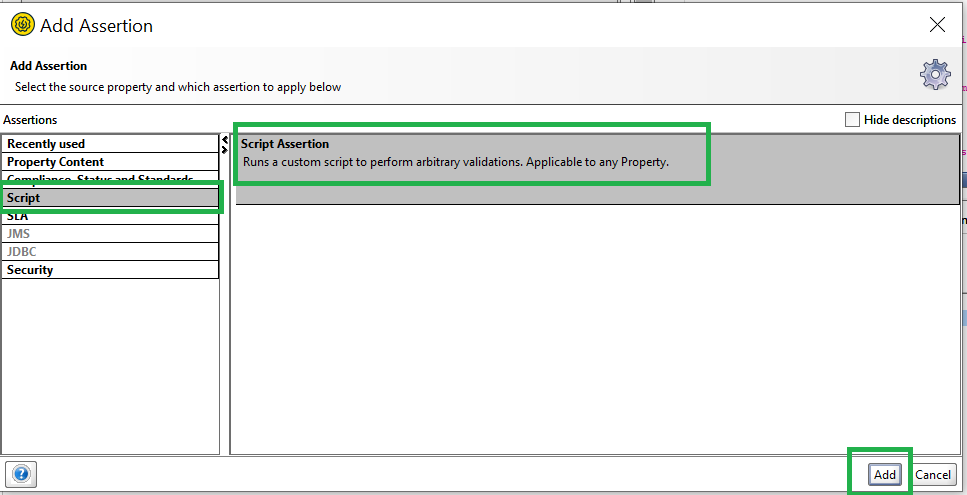
- For the case of creating assertions to verify the returned JSON is accurate, I write a script to: Verify basic fields such as page, per_page, total, and total_pages. Check the number of elements in the data array. Verify the information of each user in the data array, including id, email, first_name, last_name, and avatar. Verify the information in the support section.

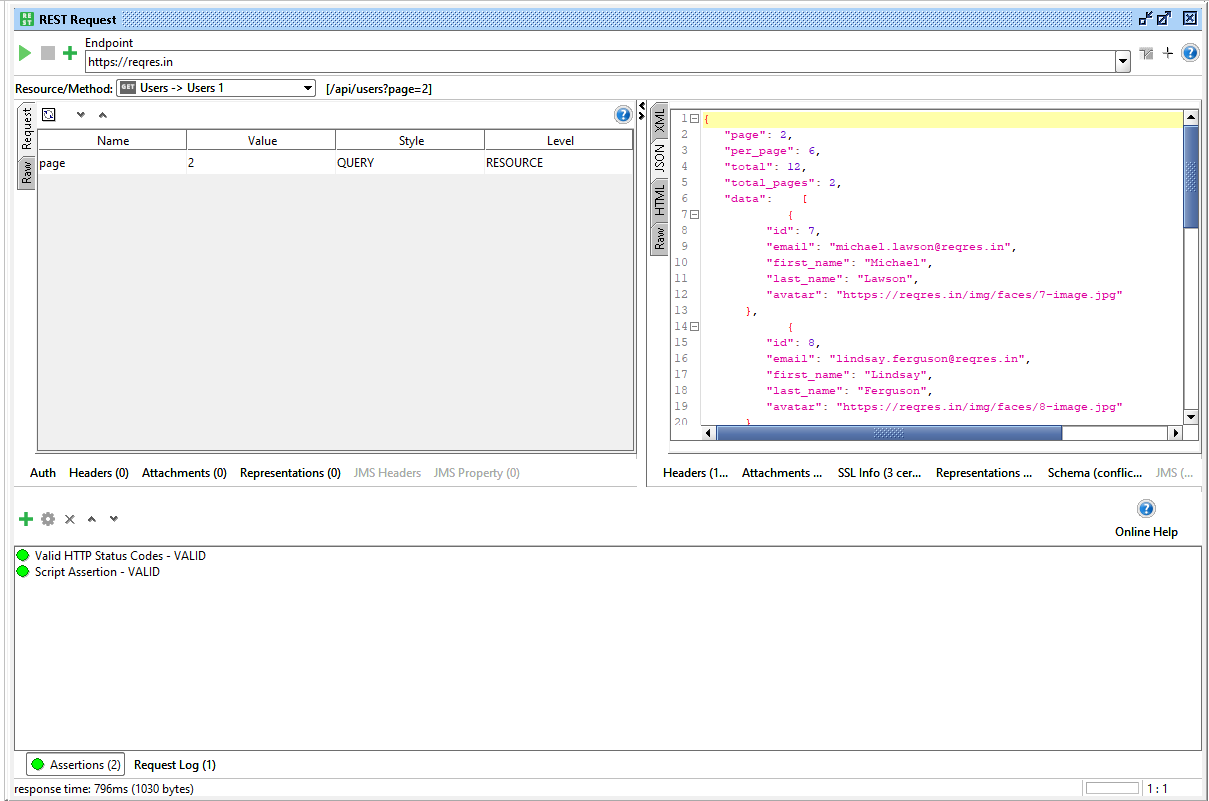
- This is the result after creating 2 Assertions.

- The assertion section is where you’ll verify whether or not the call is working correctly. To do so, introduce as many assertions as are considered necessary. The most common query in this type of request is about the response status code. Since we’re checking a GET method, the code that we’ll verify is a 200. We will create an Assertion to check if the returned status code is exactly 200. We click on the Assertions section, click the green plus button, and select Valid HTTP Status Codes.
- Step 15: This test case passes with a response returning a status code of 200, and the JSON displayed correctly.
- Step 16: The user can rerun their Test Suite. This is the display screen showing information after running the Test Suite, and currently, one test case has run successfully.

VII. Conclusion
SoapUI stands out as a powerful platform for testing web services, encompassing both SOAP and REST protocols. It offers enhanced complexity and adaptability compared to many similar tools in the market.
In summary, if you’re looking for an application to carry out a suite of tests that are well structured for a complicated project in the mid-long term, SoapUI is your tool. If you’re looking for something quicker, dynamic and with a smaller learning curve, you’ll probably want to look into other alternatives.