


When businesses go digital, the demand for automation is increasing. From software testing to business process automation, a wide range of tools have emerged to reduce manual work, increase efficiency, and lower costs.
Two common types are Automation Testing Tools and Robotic Process Automation (RPA) Tools. While they might sound similar, they actually serve very different purposes.
In this blog, we will explore the differences between them, starting with what RPA is and how it’s differs from traditional automation testing.
I. What are RPA Tools?
Imagine your company has numerous repetitive business process tasks that should be done daily. This is where RPA can help by automating those tasks. RPA simulates human actions and automate rule-based work, such as:
- Logging into applications.
- Do some actions to get data
- Copying and pasting data.
- Doing calculations or generating reports.
- Sending emails.
The special thing about RPA is that it works at the user interface (UI) level, just like a person would. It doesn’t require complex coding or deep system access; the bots simply “watch and learn” what you do and then repeat it.
Key Features of RPA Tools:
- Easy to install and use: Most RPA tools is easy to install and it has simple drag-and-drop interfaces (low-code/no-code), so even people without programming skills can build automation bots.
- Works everywhere: RPA can run smoothly on many different applications, from desktop software and websites to older business systems.
- Connects with other systems: These bots can easily interact with major business platforms like ERP and CRM.
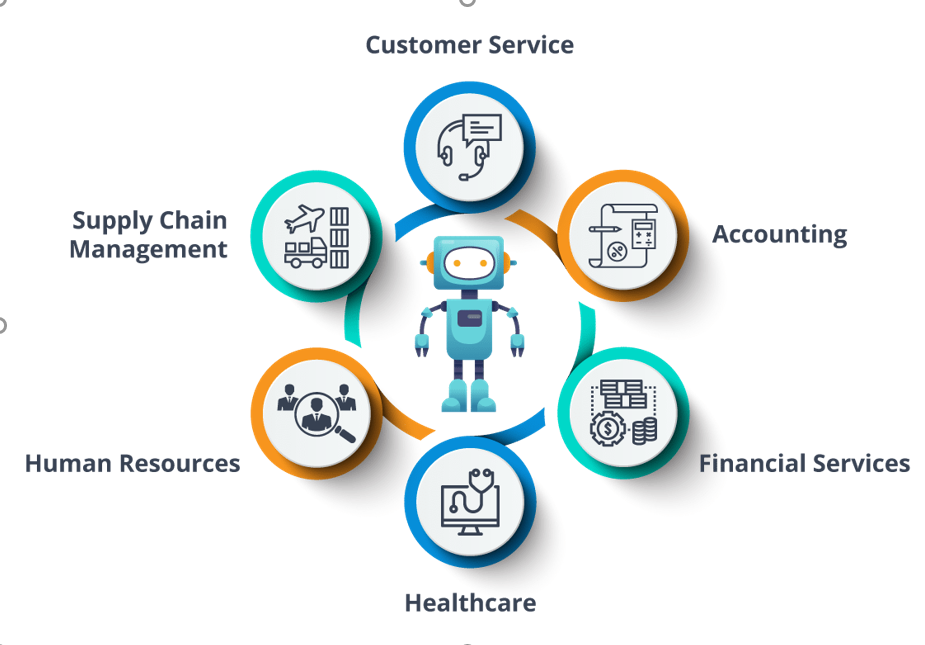
- Great for office tasks: RPA is perfect for jobs like data entry, invoice processing, and report generation, freeing up employees to focus on more creative and strategic work.
- Security: Supports authorization to update and deploy project
Source: https://www.edureka.co
II. Difference Between Automation Testing Tools and RPA Tools
Although both tools involve automation, there are still some key differences between them. The included infographics provide a clear visual summary of these contrasts.
| Aspect | Automation Testing Tools | RPA Tools |
| Primary Purpose | Automate software testing | Automate business processes |
| Scope | Test cases | Business processes |
| User | Test Engineers, Developers | Business Analysts, Operations users |
| Execution Layer | Works on application’s code/backend | Works on UI layer (like a human user) |
| Skills Required | Programming/scripting knowledge | Low-code, minimal to moderate tech knowledge |
| Examples of Use | Unit tests, regression tests, performance tests, end to end tests | Invoice processing, data scraping, report generation |
| Execution Environment | Staging or UAT environment | Production environment |
| Tools Examples | Selenium, JUnit, TestNG, Cypress,… | UiPath, Blue Prism, Automation Anywhere,… |
| Integration Focus | Application development lifecycle (CI/CD) | Cross-application workflow automation |
| Cost | Most tools are free to use | Most tools have 2 versions: free and paid version |
| Verification at checkpoints | Yes | Depends on the requirements |
III. Demostration using UI Path
Now, I will demonstrate how an RPA tool works using UiPath, one of the most powerful RPA platforms available today. UiPath offers both free and paid versions; for this demonstration, I will be using the free version.
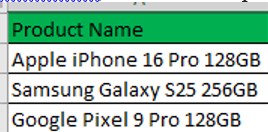
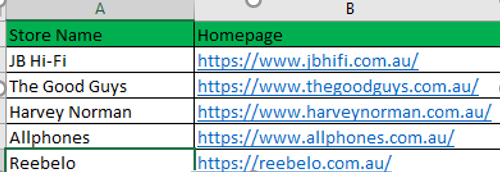
The objective of this sample project is to build an automation that tracks the daily prices of specific tech products across multiple retail websites and records the lowest price in an Excel file. The idea is to visit each retail website, search for the product, filter the results by lowest price, and then record the lowest price found on each site into an Excel spreadsheet. Finally, the Excel file will be sent to the user via email.
First of all, we create simple files containing products and destination sites.
Then, we start to do an automation by UI Path. This is the main interface of UI Path
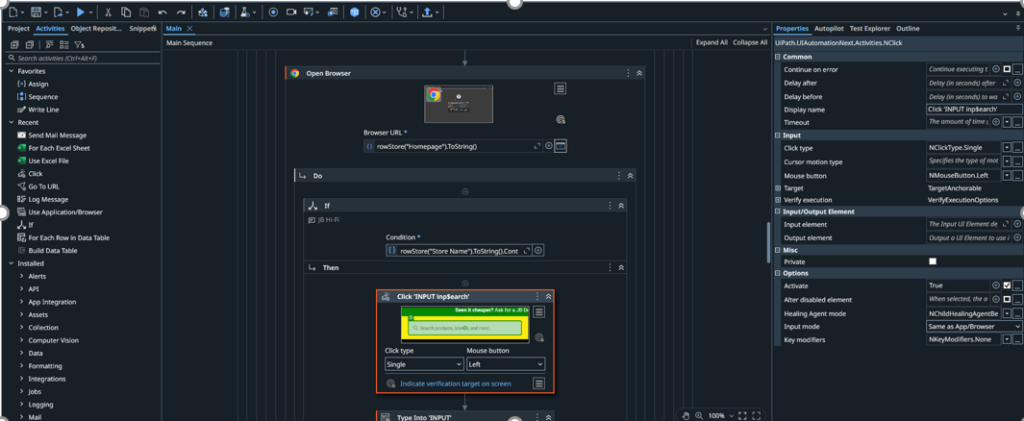
We can simulate user activities using the items in the left column (the Activities panel). To do this, we simply drag and drop activities onto the Sequence section in the center of the screen. In the image above, I am demonstrating how to open a website and search for a product.
To select a webpage element in UiPath, you need to install a browser extension for the browser you wish to automate. For example, you can use the UiPath Browser Automation extension for Google Chrome. Once installed, click this button o begin selecting an element on the screen.

UiPath will automatically detect and capture the element using attributes such as id, name, title, etc.
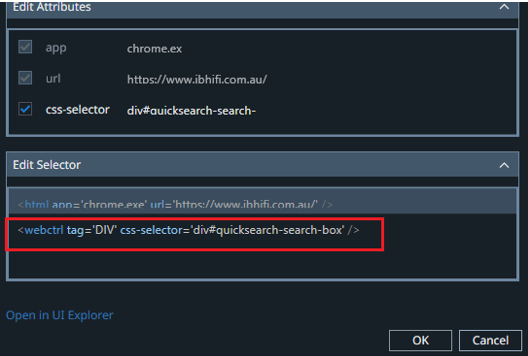
In most cases, there’s no need to manually adjust the captured attributes. However, if the selection isn’t accurate or stable enough, you can modify it using a CSS selector to ensure the element is correctly and reliably captured.
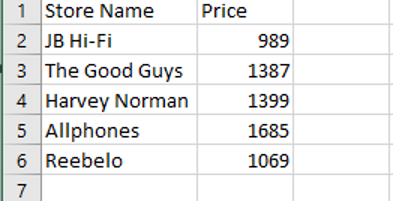
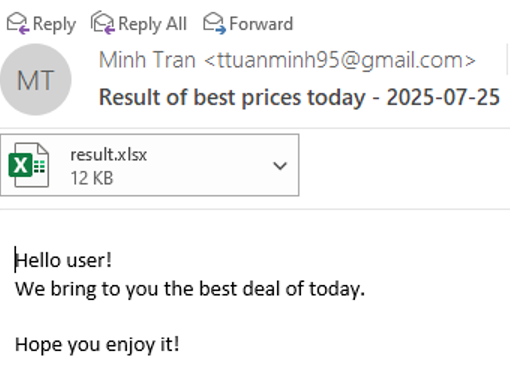
Finally, once we’ve obtained the lowest price, we record it in an Excel file and email it to the user.
Conclusion
Both automation testing tools and RPA tools are essential in their respective domains, but they serve different purposes. Understanding the difference is crucial when deciding which tool to implement:
- Use automation testing tools when your goal is to test software efficiently and improve the quality assurance (QA) process.
- On the other hand, use RPA tools when your goal is to automate repetitive, manual business processes and enhance operational efficiency.
In the era of digital transformation, knowing when and how to use each type of automation tool can give businesses a significant advantage.