



Introduction
In the world of modern application development, APIs (Application Programming Interfaces) play a crucial role in enabling communication and data exchange between different systems, services, and applications. As organizations embrace microservices architectures and adopt cloud-native practices, the need for a robust and scalable API management solution becomes paramount. This is where Azure API Management (APIM) comes into play.
What is Azure API Management (APIM)?
Azure API Management is a fully managed cloud service provided by Microsoft Azure that helps organizations publish, secure, monitor, and manage their APIs at scale. It acts as a centralized gateway so enabling developers to securely expose their APIs to internal and external consumers while providing a suite of features for API lifecycle management, security, analytics, and more.
APIM is designed to provide API publishers with the tools they need to create a successful API program, including the following core components:
- API Gateway: Acts as a single point of entry for APIs so that handling requests from clients, routing them to the appropriate backend services, and applying policies to ensure security and performance.
- Developer Portal: A customizable web portal where developers can discover, test, and subscribe to APIs. It provides documentation, interactive consoles, and other tools to facilitate API consumption.
- Management Plane: Allows administrators to configure APIs, set policies, manage users, and monitor API usage through the Azure Portal or programmatically via REST APIs.
Why Use Azure API Management?
Organizations use Azure API Management for several reasons:
- Centralized Management: APIM provides a single point of control to manage all APIs, regardless of where they are hosted. This centralization simplifies administration and governance.
- Security: APIM offers robust security features, including OAuth 2.0, JWT validation, IP whitelisting, and rate limiting. These features help protect APIs from unauthorized access and abuse.
- Scalability: With APIM, APIs can handle a large number of requests efficiently. Azure’s global infrastructure ensures that APIs are highly available and can scale automatically to meet demand.
- Analytics and Monitoring: APIM provides detailed analytics and monitoring capabilities. It tracks API usage, identifies trends, and monitors performance metrics to help optimize API operations.
- Policy Enforcement: APIM allows administrators to enforce policies at the gateway level. These policies can include caching, transformation, authentication, and authorization rules that ensure APIs are used correctly and efficiently.
Creating an Azure API Management Instance Using Terraform
Terraform is an open-source infrastructure as code (IaC) tool that simplifies the provisioning and management of cloud resources. Here are the steps to create an Azure API Management instance using Terraform:
- Install Terraform: First, ensure that you have Terraform installed on your machine. You can download the appropriate package for your operating system from the official Terraform website (https://www.terraform.io/downloads.html).
- Configure Terraform with Azure: Authenticate Terraform with your Azure subscription using the Azure CLI or by providing the required credentials (client_id, client_secret, subscription_id, and tenant_id) in the
providerblock of your Terraform configuration file. - Create a Terraform Configuration File: Create a new file and define the necessary resources for your APIM instance. Here’s an example configuration:
Create a new directory for your Terraform project and navigate to it. Inside this directory, create a file namedmain.tf.provider "azurerm" {
features {}
}resource "azurerm_resource_group" "example" {name = "Demo-RG"location = "East US"
}resource "azurerm_api_management" "example" {name = "nas-apim-01"location = azurerm_resource_group.example.locationresource_group_name = azurerm_resource_group.example.namepublisher_name = "example@example.com"publisher_email = "example@example.com"sku_name = "Developer_1"}
So This configuration creates a new resource group and an APIM instance within that resource group. Moreover You can customize thesku_nameparameter to select the desired pricing tier for your APIM instance. - Initialize Terraform: In the same directory as your Terraform configuration file, run the
terraform initcommand to initialize the Terraform working directory and download the necessary provider plugins. - Plan and Apply the Configuration: Run
terraform planto review the changes that Terraform will make to your Azure infrastructure. If the plan looks correct, runterraform applyto create the APIM instance and the associated resources. - Configure and Manage APIM: After successfully creating your APIM instance, you can then configure and manage it furthermore using the Azure Portal, PowerShell, or the Azure CLI. You can import existing APIs, set up policies, configure security settings, and more.
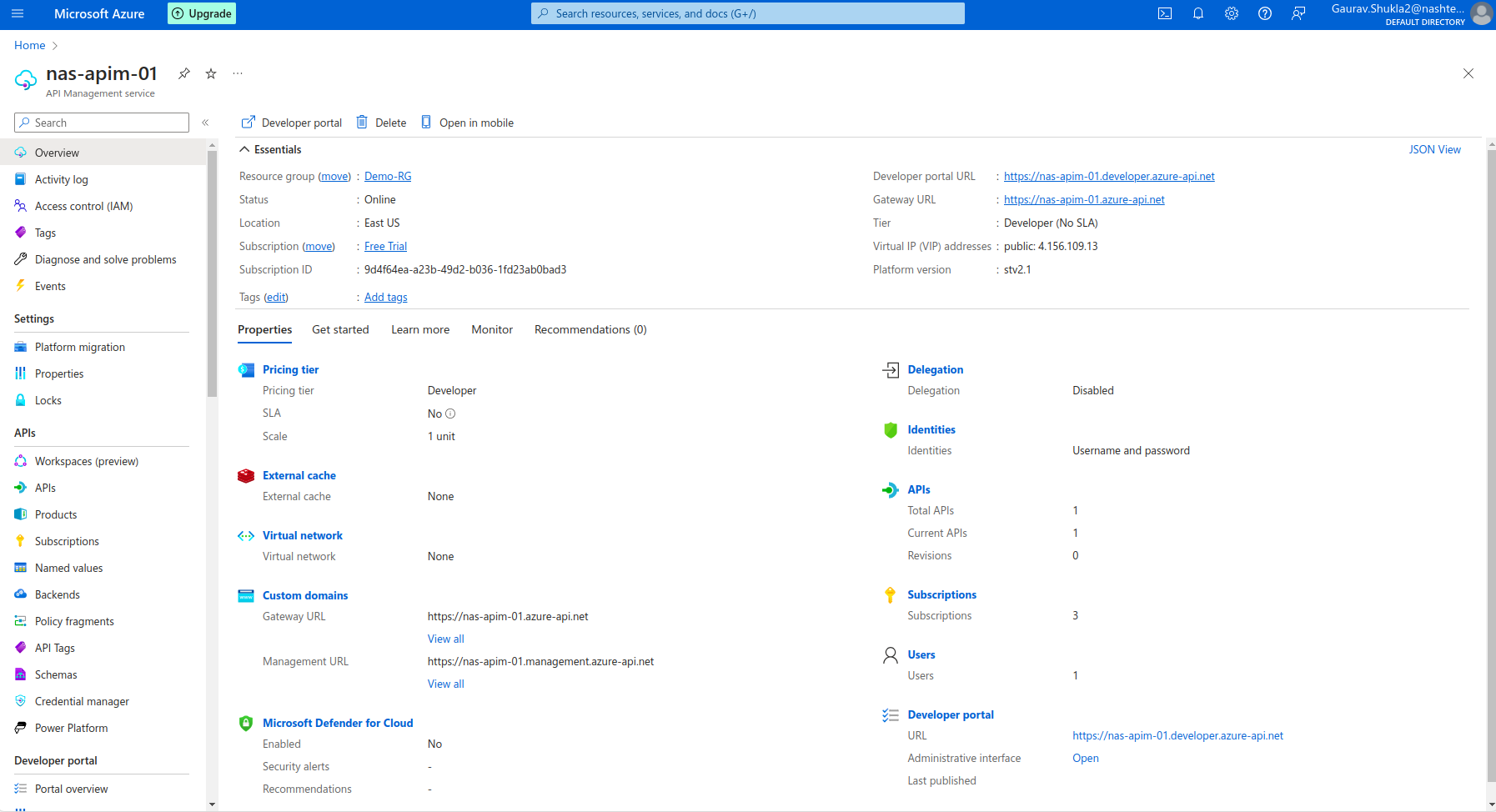
This is the overview panel of the Azure API Management. We can see all our APIs registered with APIM.
Conclusion
Azure API Management is a powerful service that simplifies the management and governance of APIs in the cloud. Azure API Management is a powerful tool for organizations looking to effectively manage their APIs. So It offers a robust set of features that enhance security, performance, and developer engagement while providing valuable insights through analytics. However, these benefits come with considerations such as cost, complexity, and potential performance overhead. So By carefully evaluating these factors, organizations can leverage APIM to build a scalable and secure API infrastructure that meets their business needs.