



1. What is Chaos Engineering?
Chaos engineering is the technique which will inject the fault into the system to test its resilience and ability to recover. It’s designed to test the weakness or vulnerability of our application during unexpected conditions like network issues, hardware problems or high traffic load.
Chaos engineering will be implemented based on the following principles

- Build a Hypothesis: We need to define the weak points which can impact the stability of our system. Create a hypothesis that the system will continue to operate even in the event of certain failures.
- Introduce Controlled Chaos: We’ll simulate the failure scenarios like shutting down servers, cutting off or reducing network connections, or database performance issues in production or a production-like environment. These failures should be carried out randomly.
- Minimize the Blast Radius: When we start Chaos Engineering, we should define the small scope. We can start by targeting a specific microservice, feature, or environment before expanding to a larger system so that any unforeseen issues don’t cause serious damage.
- Monitor the System: While running Chaos Engineering, we should monitor how the system behaves to the failures. Metrics like logs, and user feedback should be collected to understand the impact of the failure on performance, reliability, and user experience.
- Automate Experiments: The activities in Chaos Engineering should be automated and integrated with CI/CD tools to ensure that resilience is continuously validated.
- Learn from Failures: Based on the results of Chaos Engineer activities, we can create plans to improve our product as well as prepare for handling the failure better in the future.
2. Benefits of Chaos Engineering
- Improved System Resilience: By determining the weakness of the system proactively, we can make it more robust and fault tolerant.
- High Availability: According to the chaos experiments, we can fix issues and improve the system before they occur on production environments. Thanks to this, our product availability can be high.
- Faster Recovery: Team will be aware of how their system behaves under stress, and it will help them to develop better strategies for scalability and recovery.
- Increased Confidence: Chaos testing ensures that your system can handle failures gracefully, giving teams and stakeholders confidence in its reliability.
- Better Incident Response: As a result of chaos engineering, our team will have a stronger knowledge of different failure kinds, and we can create more efficient strategies for the actual incidents.
3. Step of implementing Chaos Engineering
3.1 Identify Critical Systems and Services
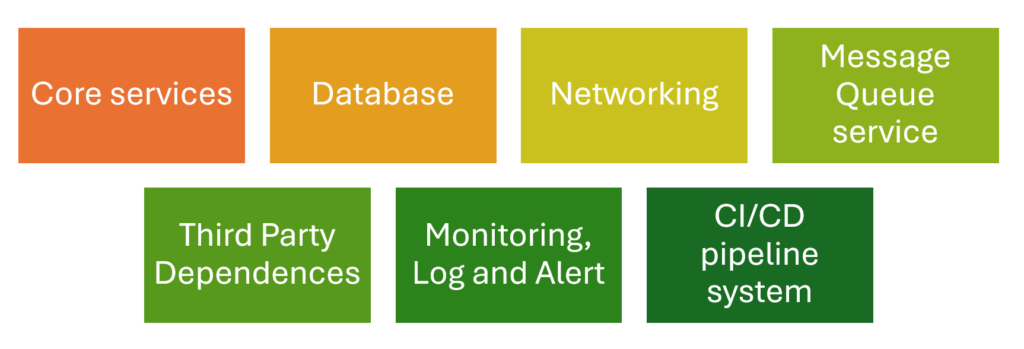
Based on the requirements of our product, we can identify the important components. They include the infrastructure or applications which must always be available like:
- Core application service: authentication and authorization service, microservices, API Gateways and Load Balancer
- Databases
- Networking
- Message Queue service
- Third Party Dependences
- Monitoring, Log and Alert
- CI/CD pipeline system
3.2 Develop a Hypothesis
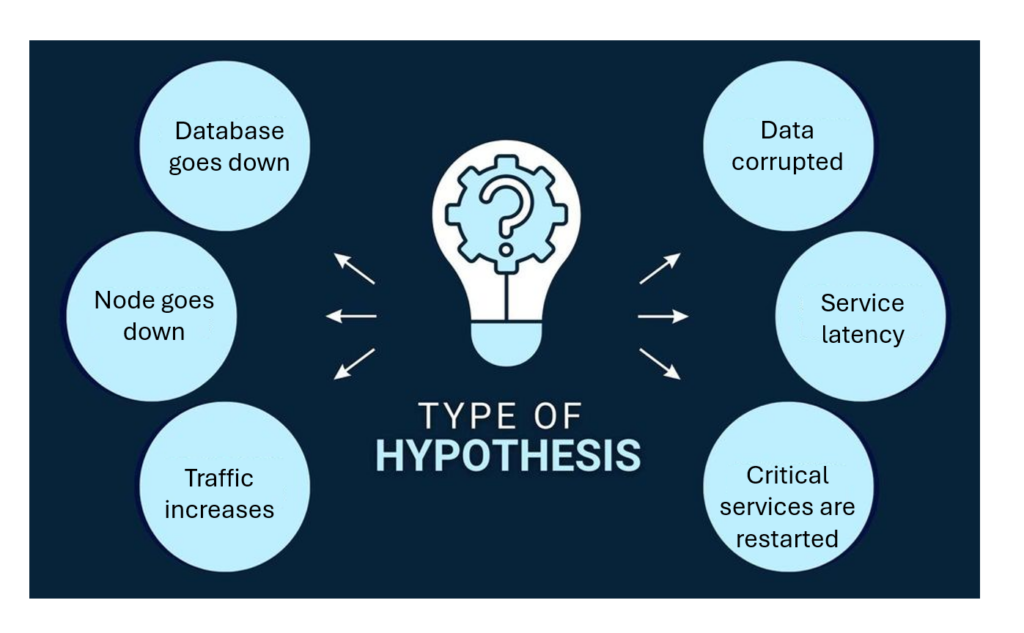
Create hypothesis for specific conditions. Here are some popular hypotheses we can consider
- If a database instance goes down, the application should continue running without downtime because of load balancing.
- If one or more nodes fail, the system should automatically re-route traffic or redistribute workloads without service interruption
- If a dependent service experiences latency, the application should degrade gracefully and maintain core functionality
- If a sudden increase in traffic occurs, the system should scale up resources automatically to handle the load
- If a critical component fails, the monitoring and alerting system should trigger alerts within a specific timeframe.
- If a network partition occurs, the system should continue operating with minimal disruption and recover gracefully when the network is restored
- If critical services are restarted, they should return to a healthy state and resume their intended functions without manual intervention.
- If there is a data loss or corruption event, the system should be able to recover quickly using backups with minimal data loss
3.3 Set Up Monitoring and Observability
Nowadays, there are many tool stacks supporting us to monitor our application as well as its infrastructure. It can help us track metrics like system health, error rates, response times, and traffic patterns during the tests. We can choose various kinds of tool like ELK stack, Data Dog, Prometheus, Grafana, Checkly or New Relic. Please make sure that the alert mechanism is also enable so that we can get the health status as soon as possible.
3.4 Design Chaos Experiments
Based on the hypothesis, we can select chaos scenarios that simulate real-world failures. Common experiments include:
- Killing random microservices or processes.
- Simulating network failures (high latency, dropped packets).
- Introducing memory or CPU exhaustion on servers.
- Disrupting dependencies like databases or third-party APIs.
- Create huge data in the database
- Simulate data corruption or deletion, and test whether data can be restored from recent backups.
3.5 Execute Experiments in Controlled Environments:
Start small by testing in staging environments that mimic production. Of course, we can do it manually, create automation script or use tools like Chaos Monkey, Gremlin, or LitmusChaos to execute controlled failures.
3.6 Analyze Results
After each chaos experiment, review the system’s behavior.
- Did it fail gracefully?
- Did failover mechanisms work?
- Were users impacted?
Based on the problem, we can identify bottlenecks and weaknesses.
3.7 Iterate and Improve
After analyzing, we can create a plan for improving our application to overcome the occurred problem. After improving, we should retest to check if the issues still happen.
3.8 Automate Chaos Experiments
We can use tools or develop the automation script for carrying out the Chaos Experiments. Then, we can integrate them with the CI/CD tool so that we can test system periodically. Especially, if there is new development, the pipeline for Chaos testing can be triggered immediately.
3.9 Expand to Production:
Once we have confidence in our chaos engineering practices in a staging environment, we can consider expanding chaos experiments to production. Of course, we still start with low-risk experiments that won’t disrupt users and minimize the blast radius by focusing on individual microservices or small user groups.
4. Popular tool for chaos engineering
| Tool | Description | Features | Best For | Platform |
| Gremlin | Controlled fault injection platform | Easy-to-use GUI, pre-defined failure scenarios (e.g., latency, DNS failure), supports hybrid environments | Robust Chaos Engineering solution | Linux, Kubernetes, Windows, Cloud |
| Chaos Monkey | Tool by Netflix to randomly terminate instances | Focused on killing random instances, part of Netflix’s Simian Army | Microservices architecture on AWS | AWS, Spinnaker, compatible cloud |
| LitmusChaos | Kubernetes-native Chaos Engineering tool | Extensive Kubernetes experiments, CI/CD integration, ChaosHub library | Open-source for Kubernetes environments | Kubernetes, Cloud-native |
| Chaos Mesh | Open-source, advanced chaos tool for Kubernetes | Web dashboard, advanced Kubernetes tests (e.g., latency, IO chaos, time-based tests) | Kubernetes users | Kubernetes |
| AWS Fault Injection Simulator (FIS) | Fully-managed chaos service for AWS | Integration with AWS (e.g., EC2, RDS), templates for network latency and instance termination, CloudWatch monitoring | AWS-centric organizations | AWS |
| Azure Chaos Studio | Managed Chaos Engineering service for Azure | Faults targeted at VMs and PaaS, Azure Monitor integration | Azure-focused teams | Azure |
| Toxiproxy | Proxy tool for network fault simulation | Injects latency, bandwidth constraints, and network failures, configurable API | Network-related fault testing | Any platform supporting Docker |
| Steadybit | Platform for uncovering reliability gaps in complex systems | Scenario-based experiments (e.g., network disruptions, CPU spikes), supports cloud and container environments, visual interface for orchestration | Distributed systems | Kubernetes, Cloud, On-premises |
| Pumba | Open-source chaos tool for Docker | CLI-based, Docker container failures, network delays, integrates with CI/CD | Docker container testing | Docker, compatible with Kubernetes |
| PowerfulSeal | Open-source tool for Kubernetes | Automates chaos scripts, modes for interaction, network failure and pod-killing experiments | Basic Kubernetes chaos experiments | Kubernetes |
Conclusion
Chaos engineering allows us to simulate adverse conditions so that we can test how our system behaves to them and improve the system’s overall resilience. In the next articles, we’ll deep delves into some specific tools to see how we can leverage them to implement Chaos engineering.