



Have we ever considered how our build system will respond when it faces a critical outage?
When having that critical, will it be resilient to disruption? When the disruption occurs, can they remain available to the user?
What is Chaos Engineering?
In today’s digital landscape, where systems and applications are becoming increasingly complex, ensuring reliability and resilience is paramount. Chaos engineering has emerged as a powerful methodology for proactively identifying weaknesses in systems and enhancing their resilience.
Chaos Engineering is a method to test the trustworthiness of a software system by injecting chaos into it. This method experiments with the functionality and reliability of a system in the face of any unexpected disturbance or problem.
Using Chaos Engineering, an organization can create backup software components or functions that keep the software running during unexpected problems.
Chaos Engineering with Azure Chaos Studio
What is Azure Chaos Studio?
Azure Chaos Studio is Microsoft’s answer to the growing demand for Chaos Engineering capabilities within the Azure ecosystem. Designed to seamlessly integrate with Azure services, Azure Chaos Studio provides engineers with a comprehensive platform to design, execute, and analyze Chaos Engineering experiments. Whether our running virtual machines, containers, or serverless functions on Azure, Azure Chaos Studio offers the tools and insights needed to enhance our system’s resilience.
Resilience is the capability of a system to handle and recover from disruptions. Application disruptions can cause errors and failures that adversely affect our business or mission. Whether we are developing, migrating, or operating Azure applications, validating and improving the application’s resilience is important.
Chaos Studio helps us avoid negative consequences by validating that our application responds effectively to disruptions and failures. We can use Chaos Studio to test resilience against real-world incidents, like outages or high CPU utilization on virtual machines (VMs).
 –>
–> 
Chaos Studio is an experimentation platform for improving app resilience:
-
- Improve application resilience with chaos engineering and testing by deliberately introducing faults that simulate real-world outages.
- Fully managed chaos engineering experimentation platform for accelerating the discovery of hard-to-find problems, from late-stage development through production.
- Disrupt our apps intentionally to identify gaps and plan mitigations before the customers are impacted by a problem.
Chaos Studio provides:
-
- A fully managed service to validate Microsoft Azure application and service resilience.
- Deep Azure integration, including an Azure Portal user interface, Azure Resource Manager compliant REST APIs, and integration with Azure Monitor and Azure Load Testing—all of which enable manual and automated creation, provisioning, and execution of fault injection experiments.
- An expanding library of common resource pressure and dependency disruption faults and actions that work with our Azure infrastructure as a service (IaaS) and Azure platform as a service (PaaS) resource.
- Advanced workflow orchestration of parallel and sequential fault actions enables the simulation of real-world disruption and outage scenarios.
- Safeguards that minimize the impact radius and enable control of who performs experiments and in what environments.
Key Features and Capabilities
- User-Friendly Interface: Azure Chaos Studio boasts an intuitive user interface that makes designing and managing chaos experiments a breeze. Engineers can easily define the scope of their experiments, select target resources, and specify chaos actions—all within a few clicks.
- Built-In Chaos Actions: From network latency injections to VM instance terminations, Azure Chaos Studio offers a wide range of built-in chaos actions to simulate real-world failures. Engineers can customize the duration, frequency, and severity of each chaos action to suit their experimentation needs.
- Integration with Azure Services: Leveraging the power of Azure’s extensive service portfolio, Azure Chaos Studio seamlessly integrates with various Azure services such as Azure Monitor, Azure DevOps, and Azure Kubernetes Service (AKS). This tight integration allows engineers to monitor experiment impact in real-time and incorporate chaos testing into their CI/CD pipelines.
- Experiment Analysis and Insights: Post-experiment analysis is made easy with Azure Chaos Studio’s rich visualization and reporting capabilities. Engineers can review experiment results, analyze system behavior, and identify areas for improvement—all through interactive dashboards and visualizations.
How does the Azure Chaos Studio work?
With Chaos Studio, we can orchestrate safe, controlled fault injection on our Azure resources.
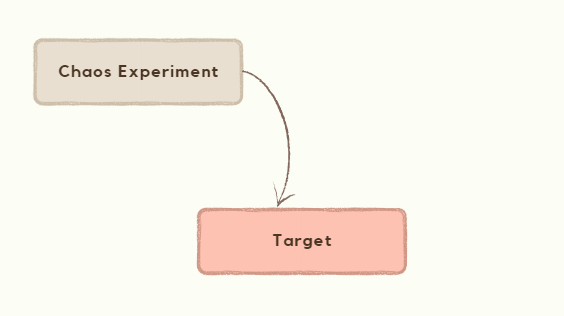
The core of Chaos Studio is its Chaos experiments. A chaos experiment describes the faults to run and the resources (target) to run against. Faults in each experiment can be organized to run in parallel or sequence, depending on our needs.
Target
Before we can inject a fault against an Azure resource, the resource must first have corresponding targets and capabilities enabled. Targets and capabilities control which resources are enabled for fault injection and which faults can run against those resources.
A target is an extension resource created as a child of the resource that’s being onboarded to Chaos Studio. Examples are a virtual machine or a network security group. A target defines the target type that’s enabled on the resource.
A chaos target enables Chaos Studio to interact with a resource for a particular target type. A target type represents the method of injecting faults against a resource.
Chaos Experiment
Experiment by subjecting our Azure apps to real or simulated faults in a controlled manner to better understand application resilience. Observe how our apps will respond to real-world disruptions such as network latency, an unexpected storage outage, expiring secrets, or even a full data center outage with chaos engineering and testing.
Chaos Studio supports two types of faults:
-
-
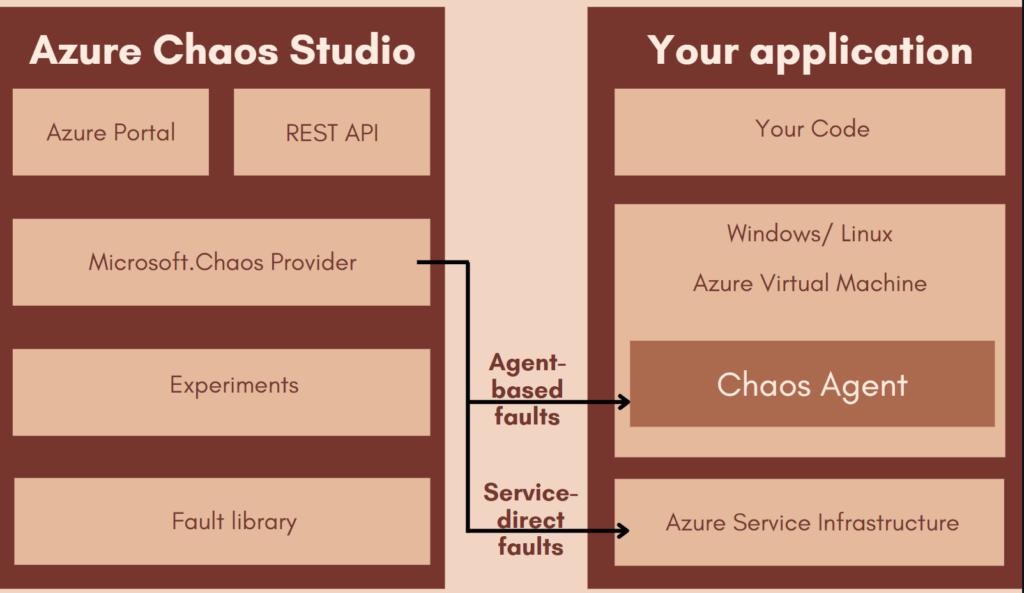
- Service-direct: These faults run directly against an Azure resource, without any installation or instrumentation. Examples include rebooting an Azure Cache for Redis cluster or adding network latency to Azure Kubernetes Service pods.
-
-
-
- Agent-based: These faults run in VMs or virtual machine scale sets to do in-guest failures. Examples include applying virtual memory pressure or killing a process.
- Agent-based: These faults run in VMs or virtual machine scale sets to do in-guest failures. Examples include applying virtual memory pressure or killing a process.
-
Each fault has specific parameters that we can configure, like which process to kill or how much memory pressure to generate.
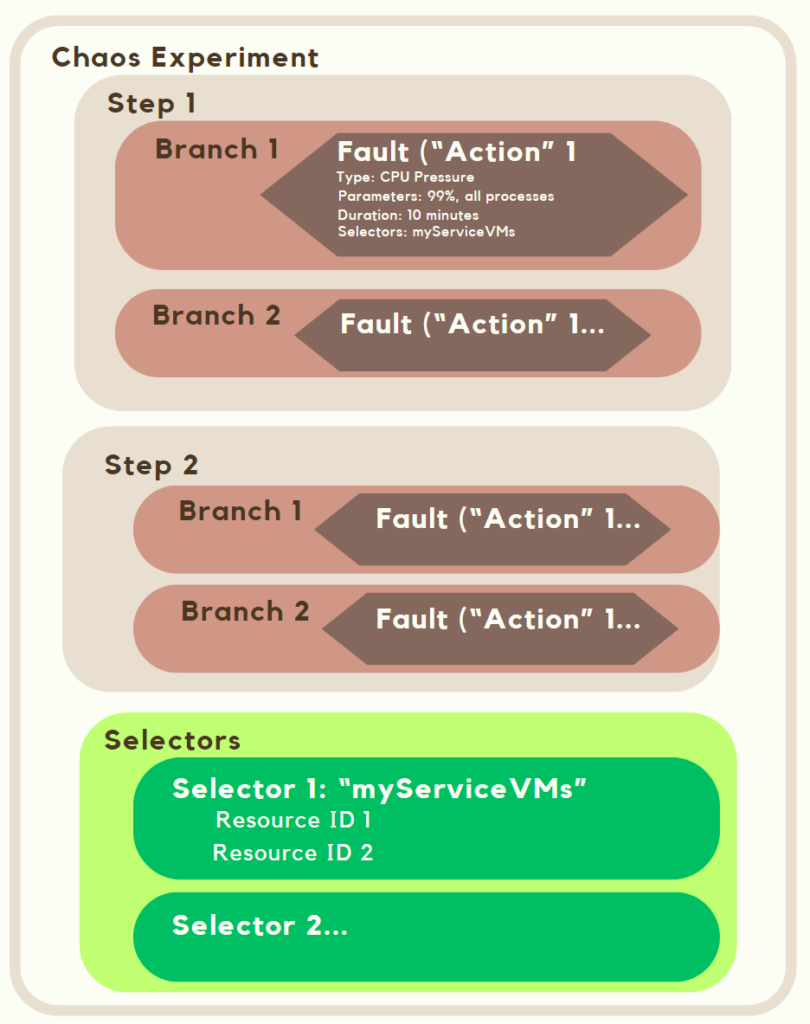
When building a chaos experiment, we define one or more steps that execute sequentially. Each step contains one or more branches that run in parallel within the step. Each branch contains one or more actions, such as injecting a fault or waiting for a certain duration.
Let’s create and run our first experiment
1. Create the VM
1.1 Go to Azure Portal and click on Virtual machines

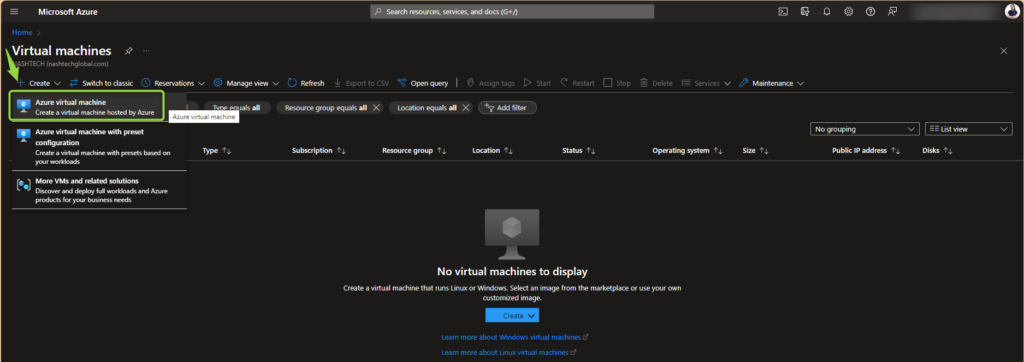
1.2 Click on Create and select Azure virtual machine
1.3 Under Instance details, enter myVM for the Virtual machine name and choose Image. Leave the other defaults.
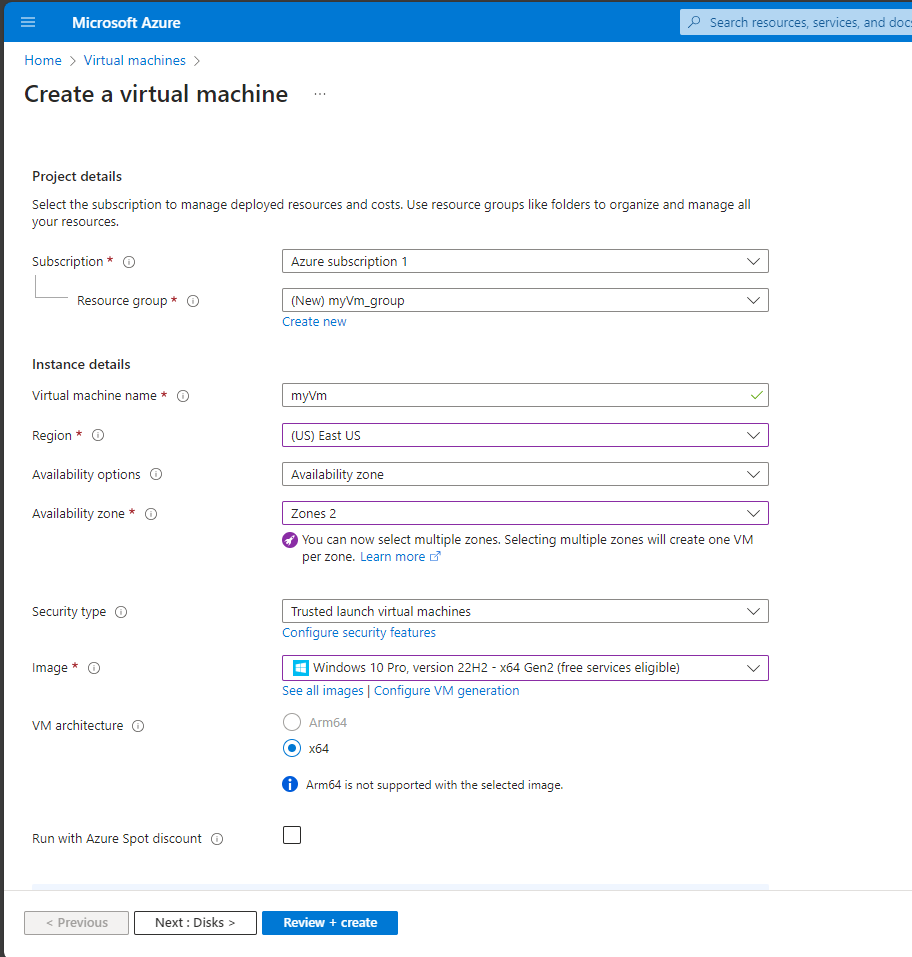
1.4 Under the Administrator account, provide a username, such as azureuser, and a password.
1.5 Under Inbound port rules, choose Allow selected ports and then select RDP (3389) and HTTP (80) from the drop-down.
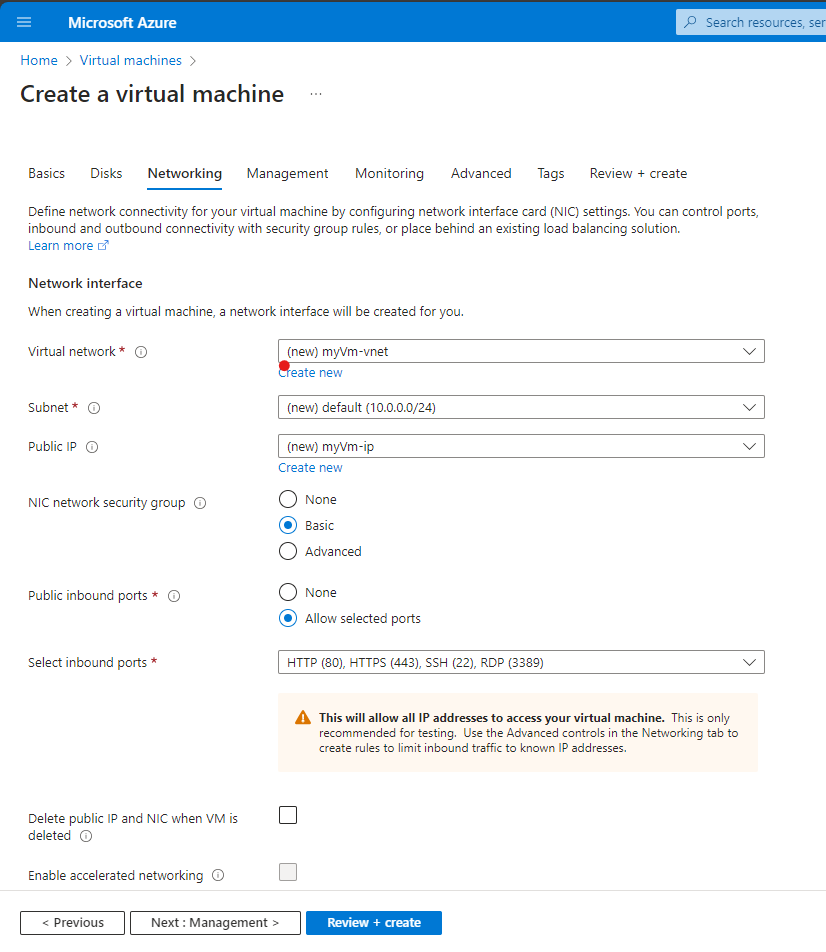
1.6 Leave the remaining defaults and then select the Review + create button at the bottom of the page.
1.7 After validation runs, select the Create button at the bottom of the page.
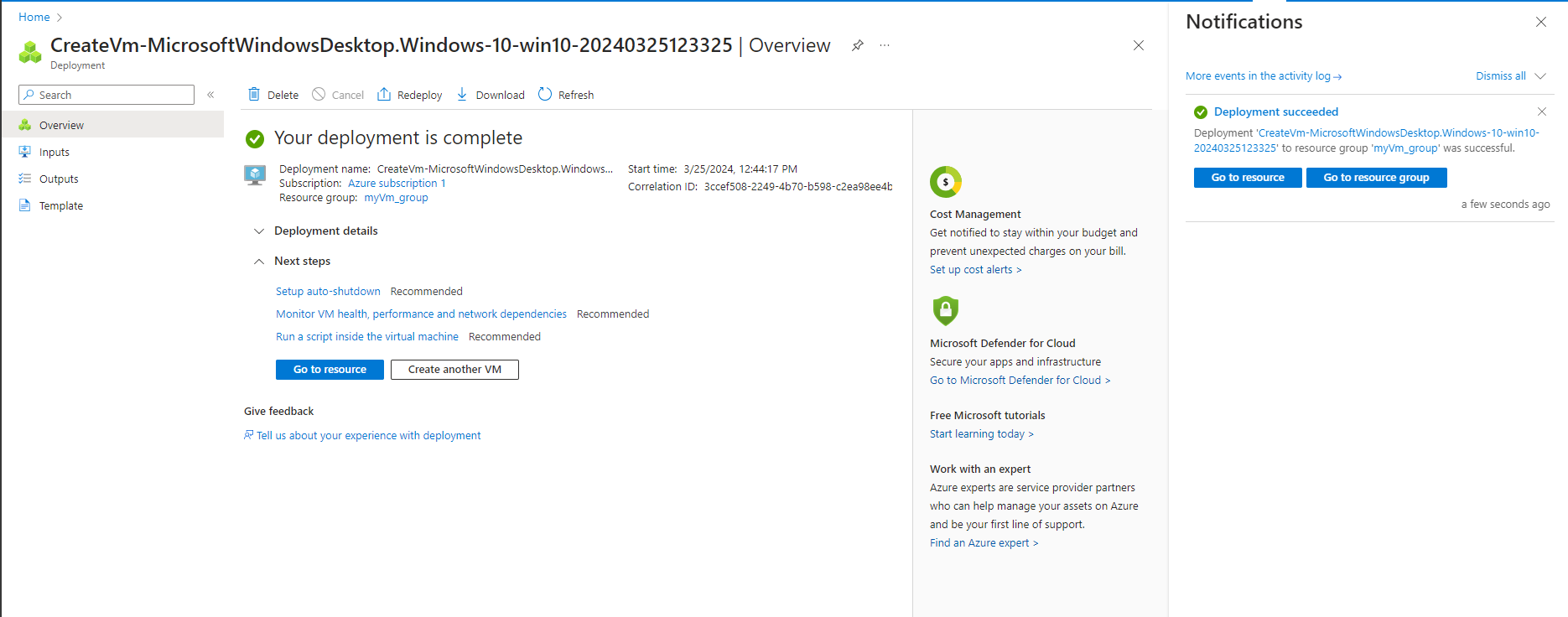
1.8 After deployment is complete, we could move to the next step
2. Enable Chaos Studio on the VM we created
2.1 Go back to the homepage and click on Chaos Studio
2.2 Select Targets and click on the created VM
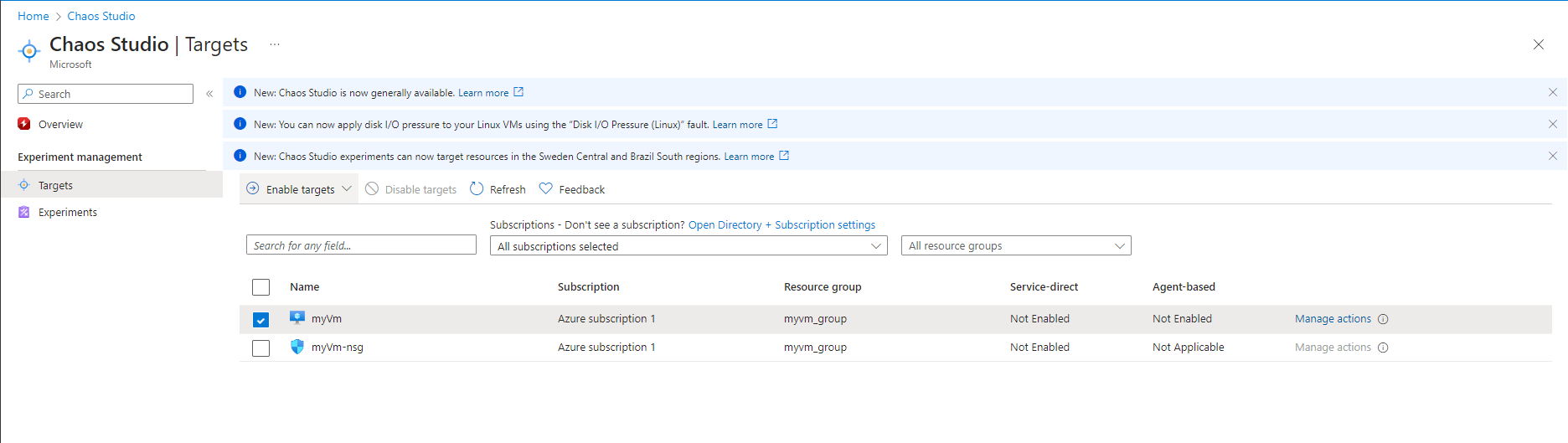
2.3 Select the checkbox next to our VM. Select Enable targets > Enable service-direct targets from the dropdown menu.
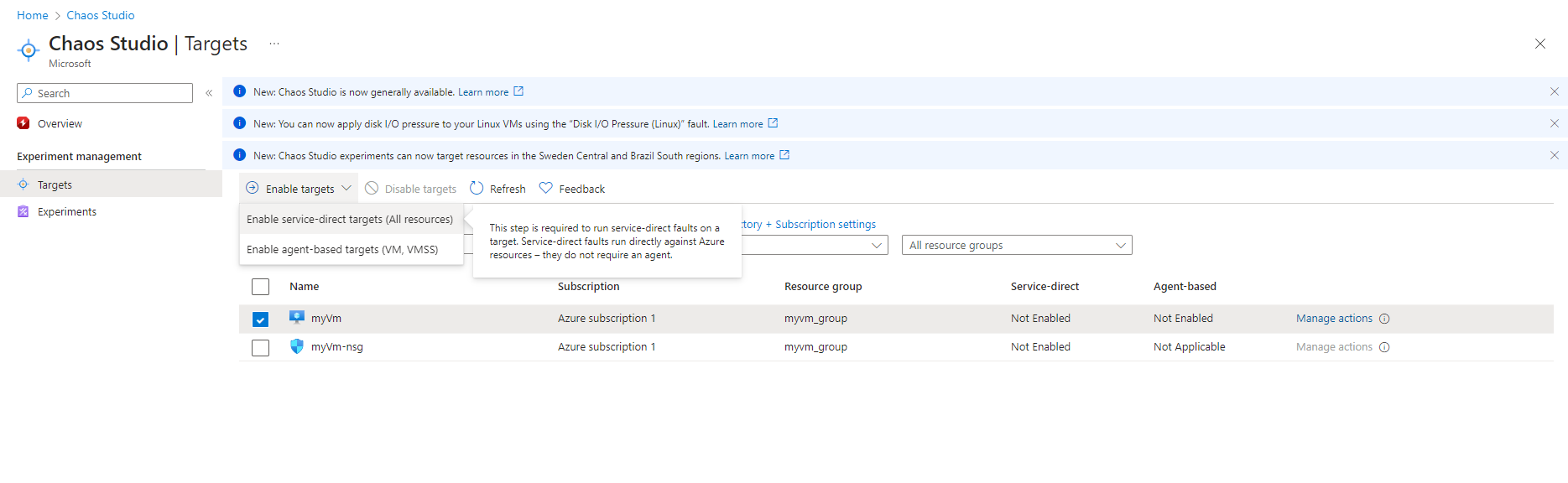
2.4 Confirm that the desired resource is listed. Select Review + Enable, then Enable
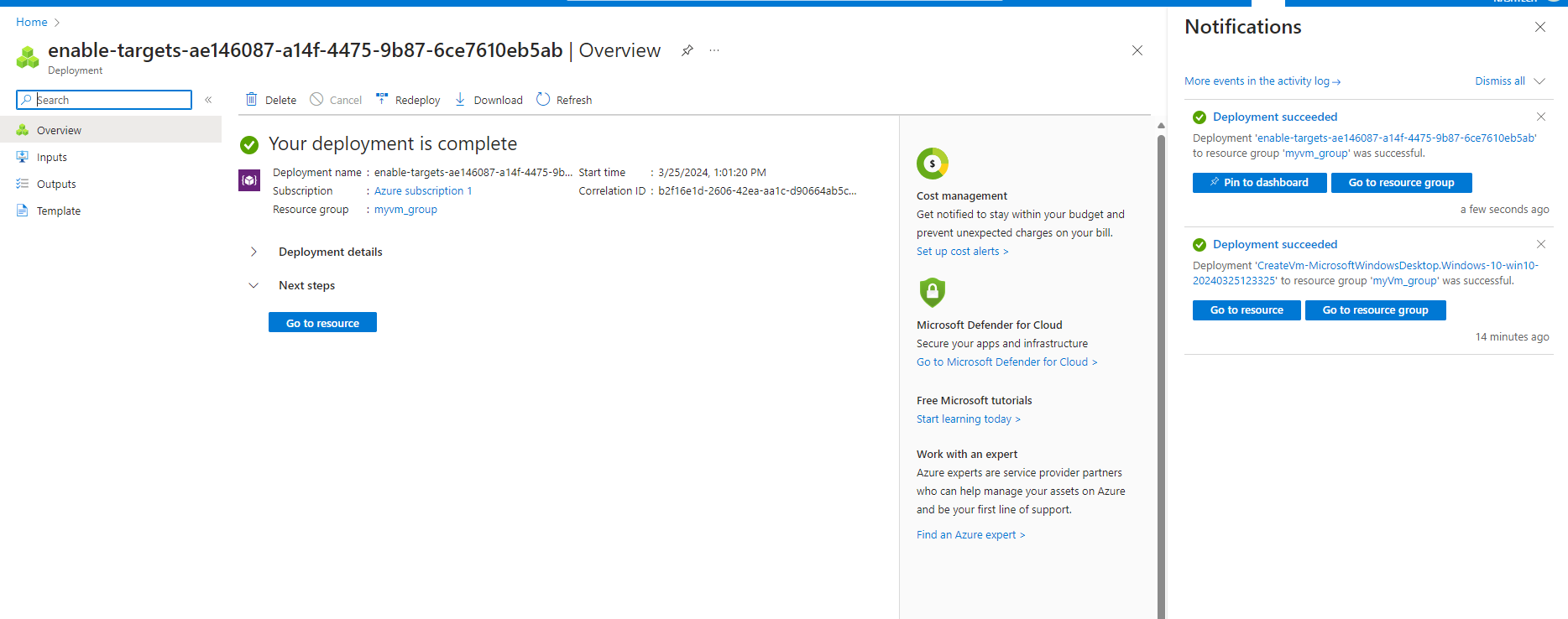
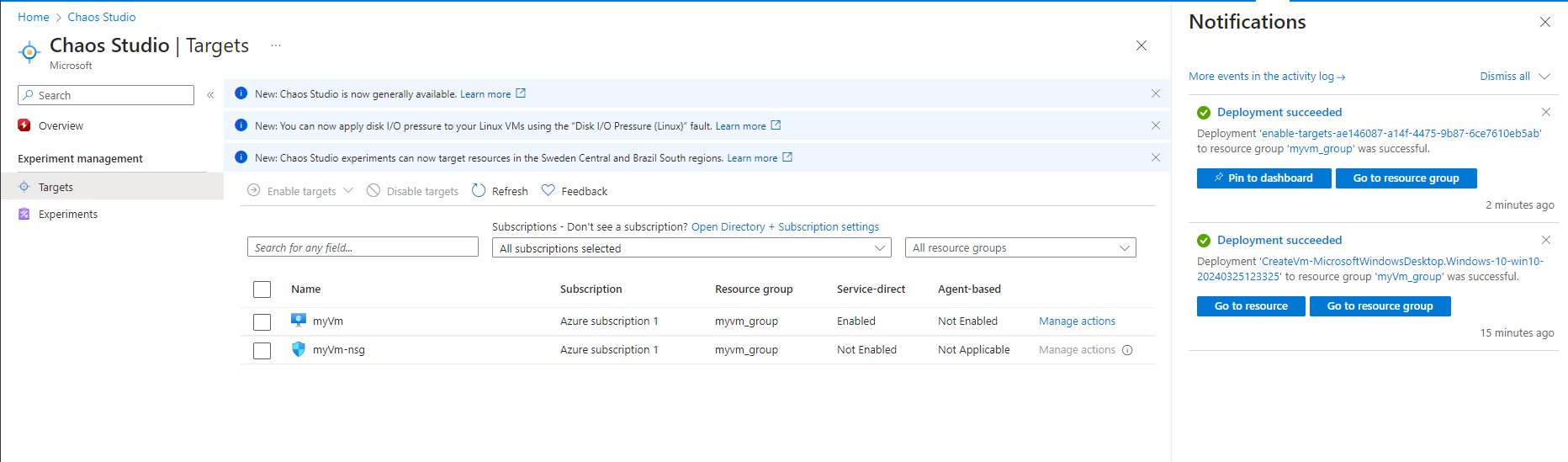
-> After this step, we will receive a notification that our resource has been successfully enabled.
3. Create an experiment
3.1 Select Experiments.
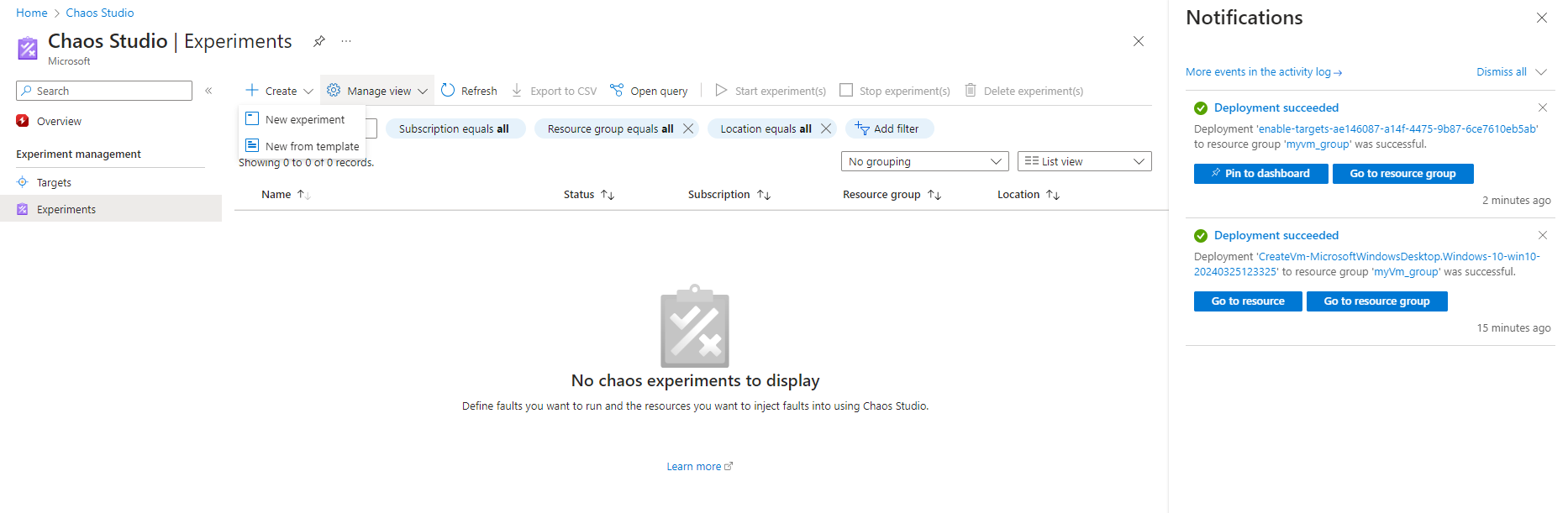
3.2 Select Create > New experiment
3.3 Fill in the Subscription, Resource Group, Name, and Location (should be US region). Select Next: Experiment designer.
3.4 In the Chaos Studio experiment designer, give the name to the Step and Branch. Select Add action > Add fault.
3.5 Select the fault (in this case VM Shutdown) from the dropdown list. Then fill in the Duration box with the number of minutes that we want the failure to last.
3.6 Select Next: Target resources
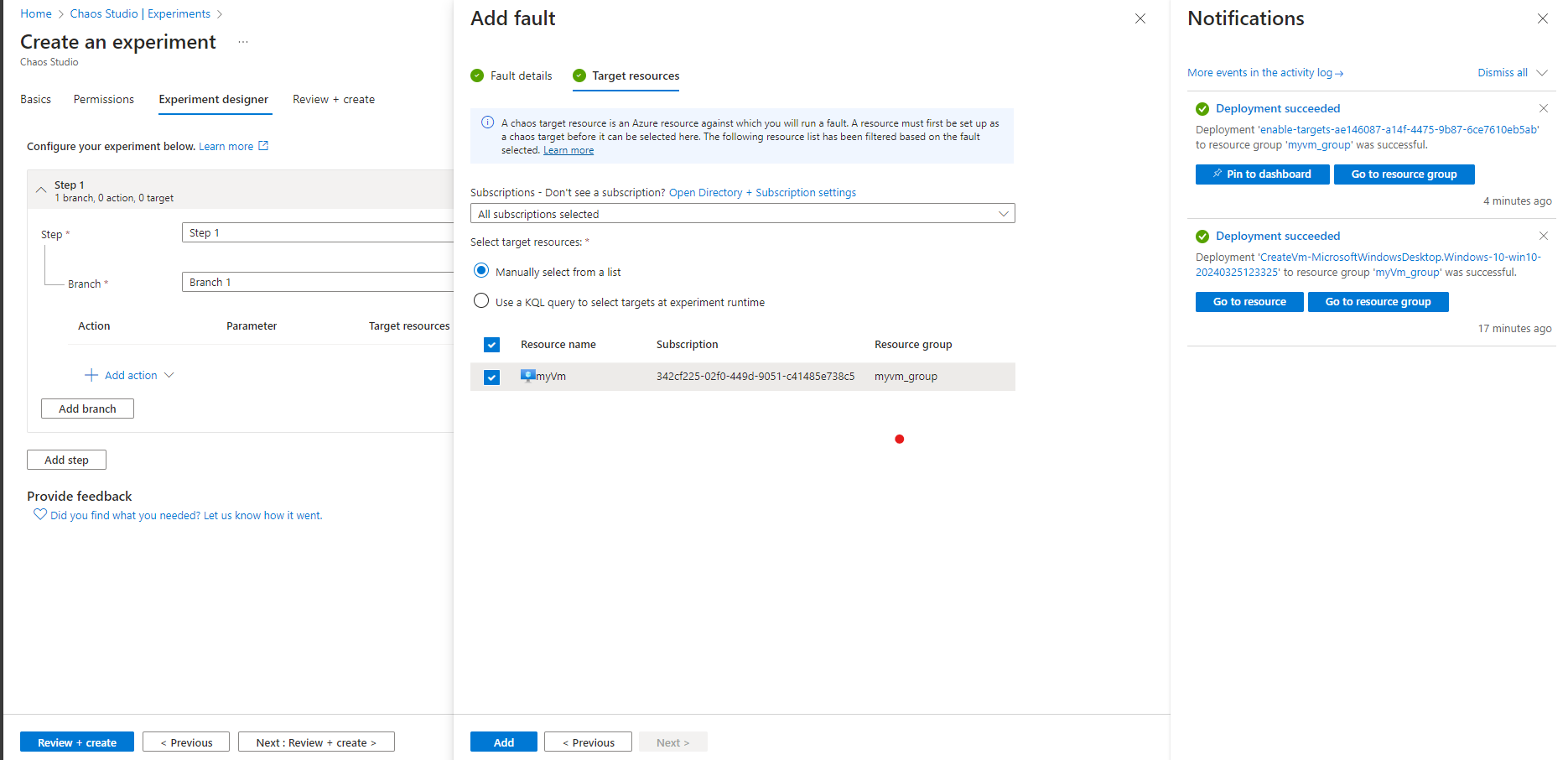
3.7 Select Add.
3.8 select Review + create > Create
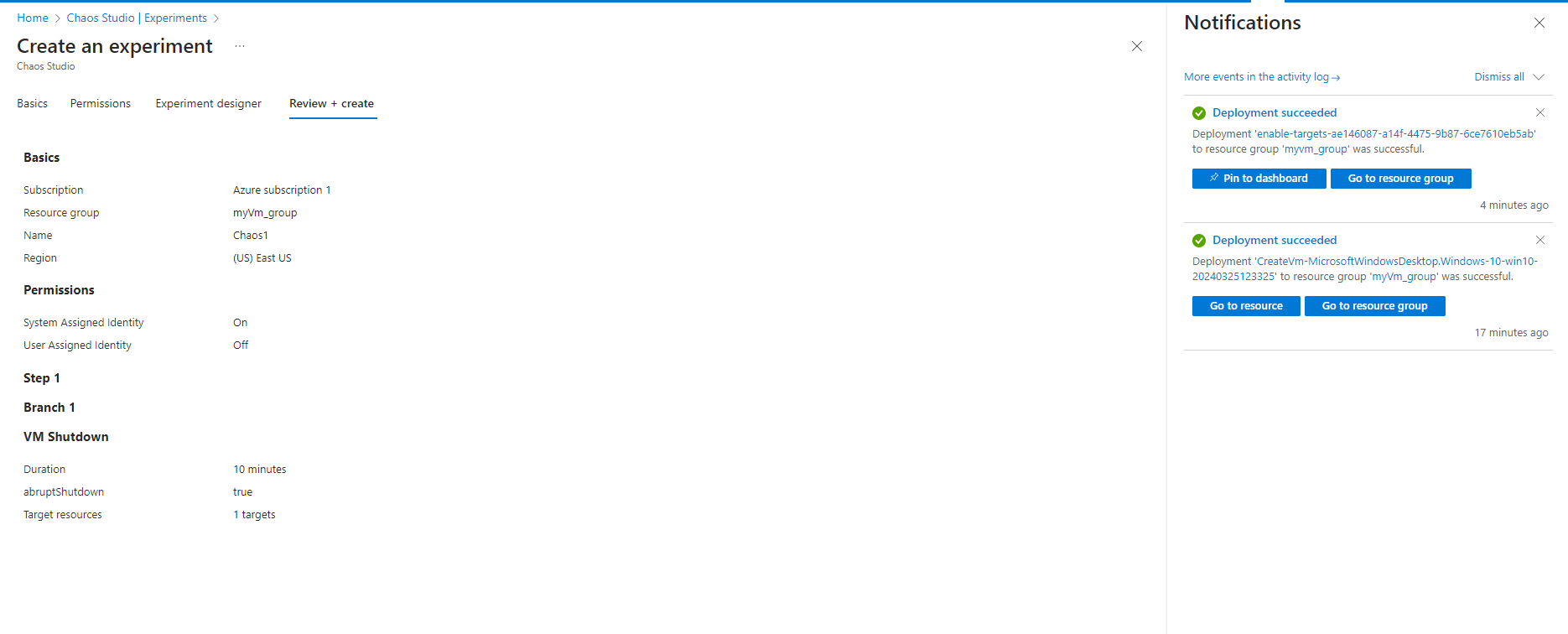
-> After this step, we successfully created an experiment.
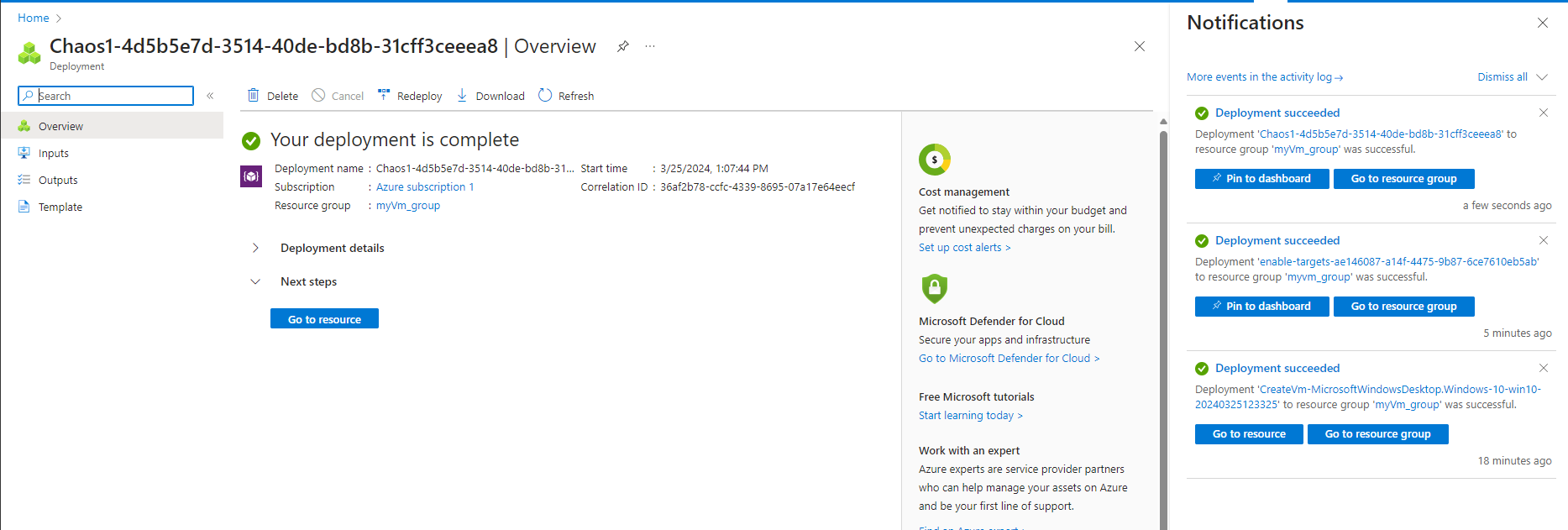
4. Give experiment permission to our VM
4.1 Go to our VM and select Access control (IAM)
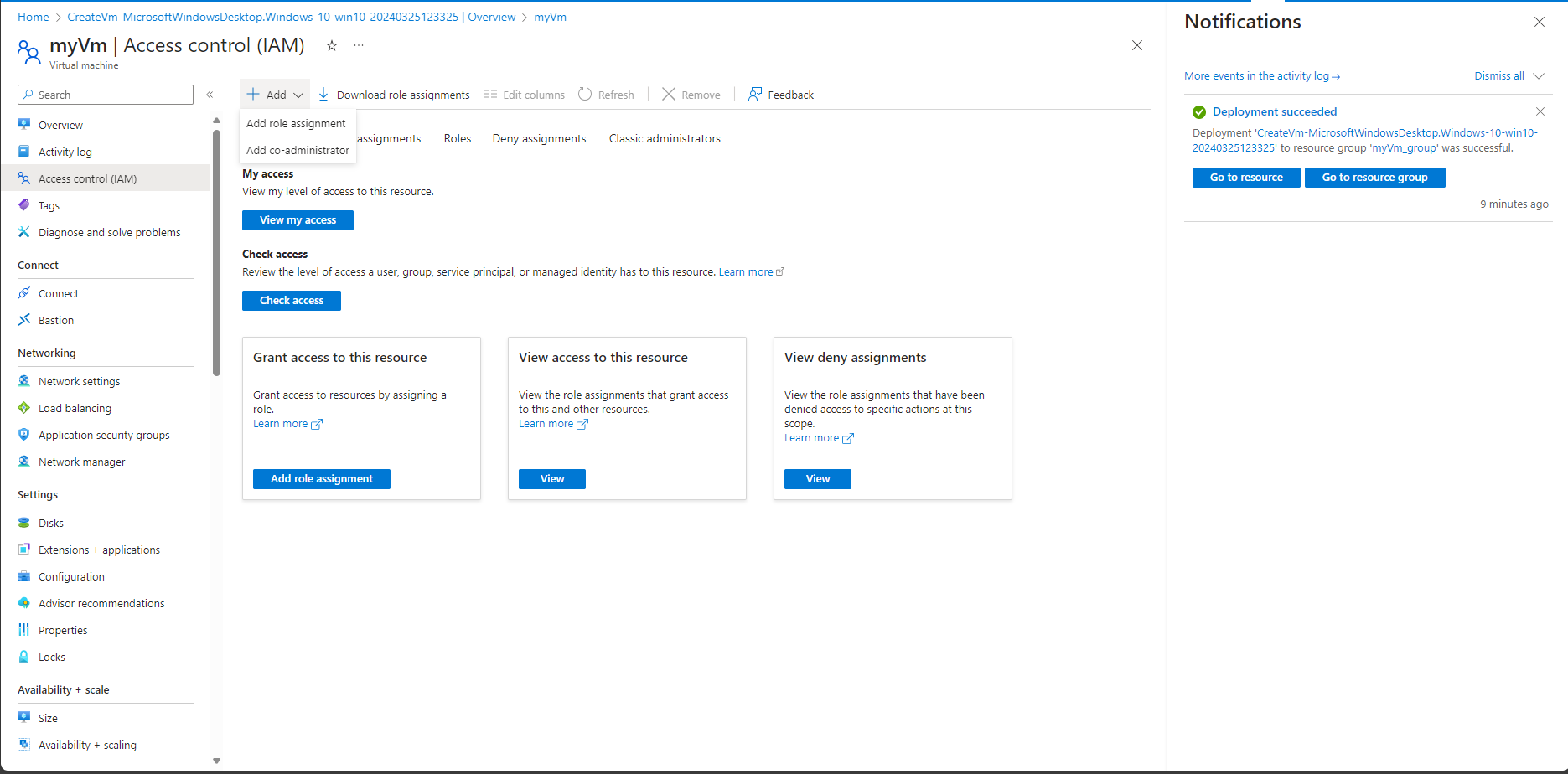
4.2 Select Add and Select Add role assignment
4.3 Search for Virtual Machine Contributor and select the role. Select Next.
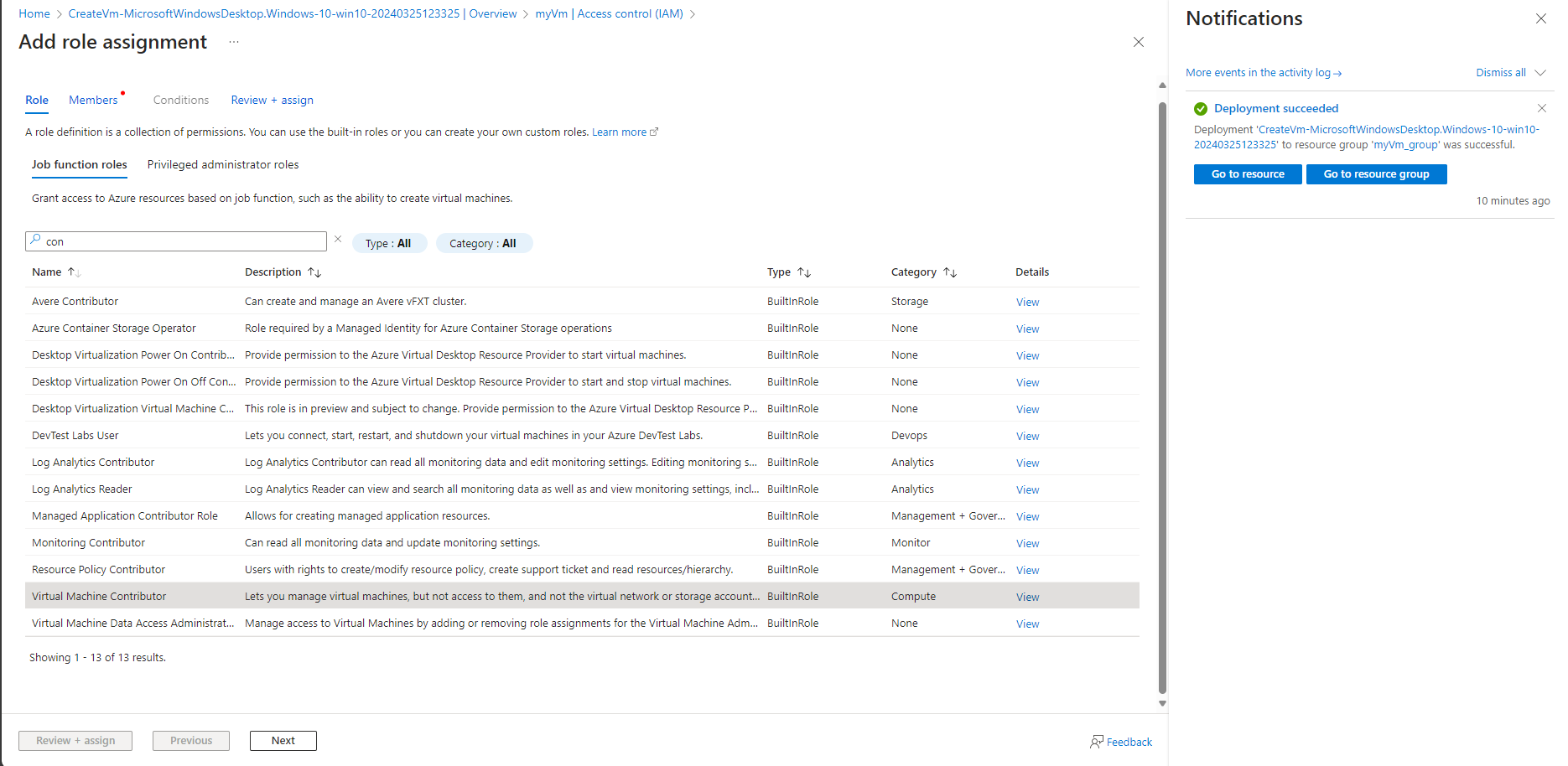
4.4 Select Managed identity option
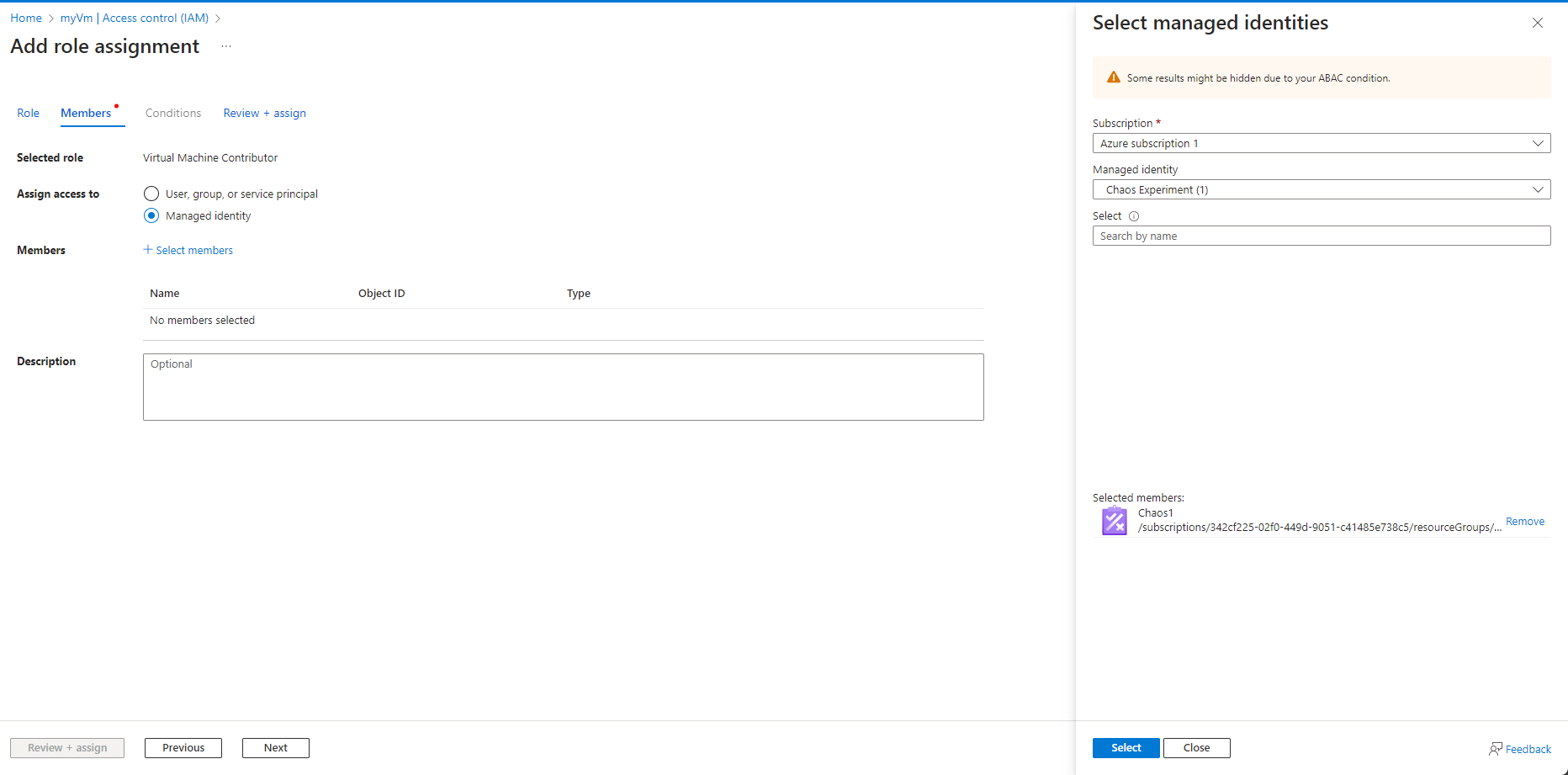
4.5 Choose Select members and search for our experiment name. Select our experiment and choose Select
4.6 Select Review + assign
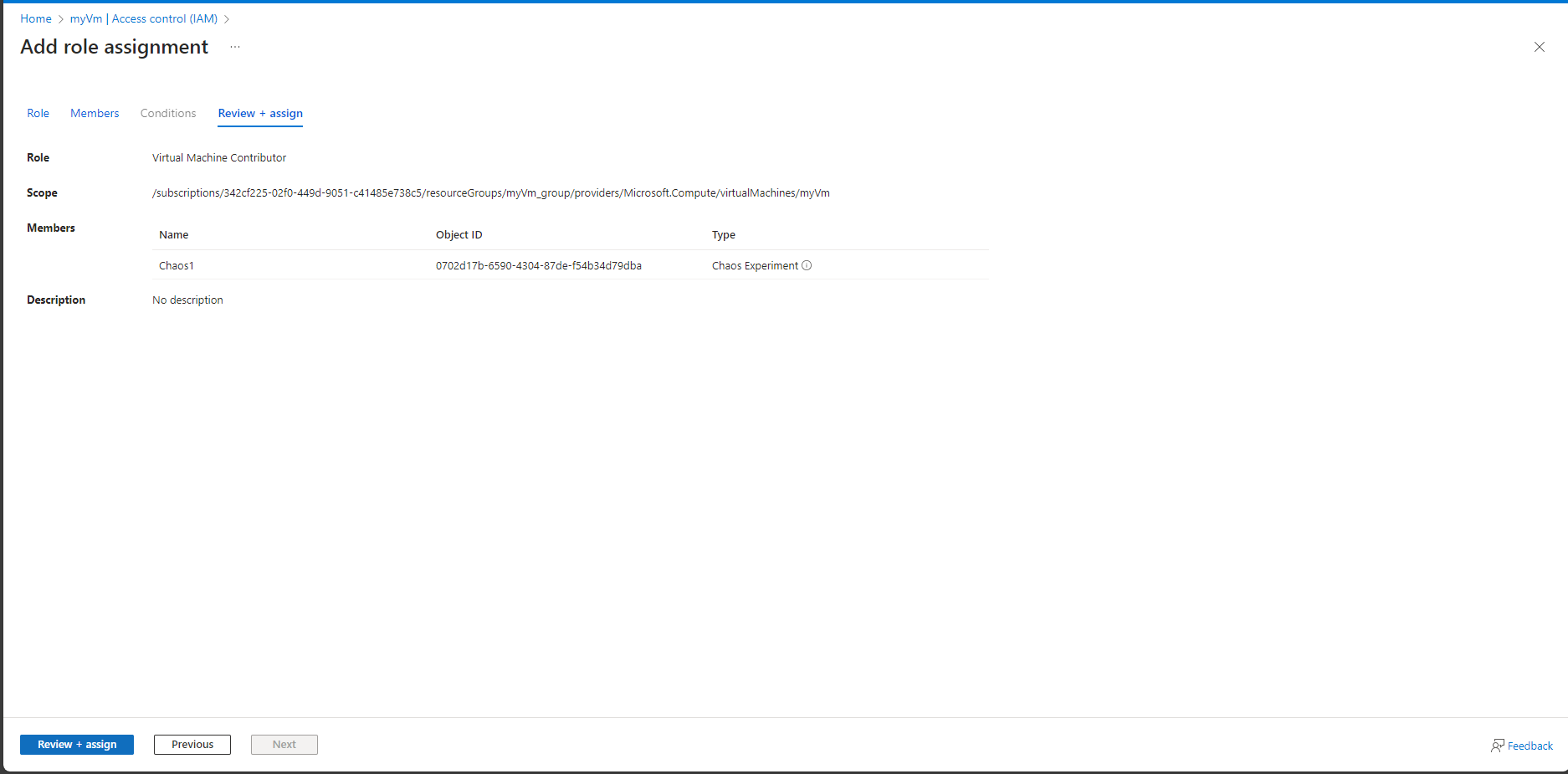
-> Finished this, we are successfully granted permission for our experiment to our VM
5. Run the chaos experiment
5.1 Select the checkbox next to the experiment name and select Start Experiment
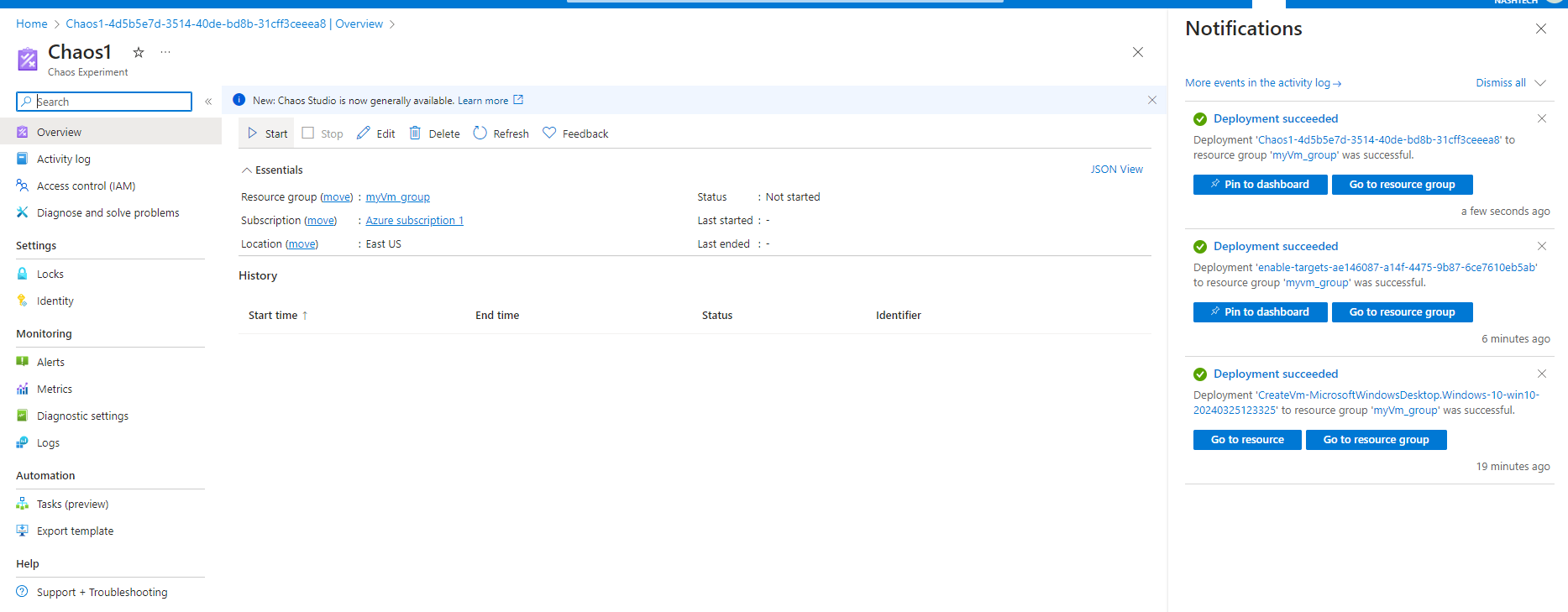
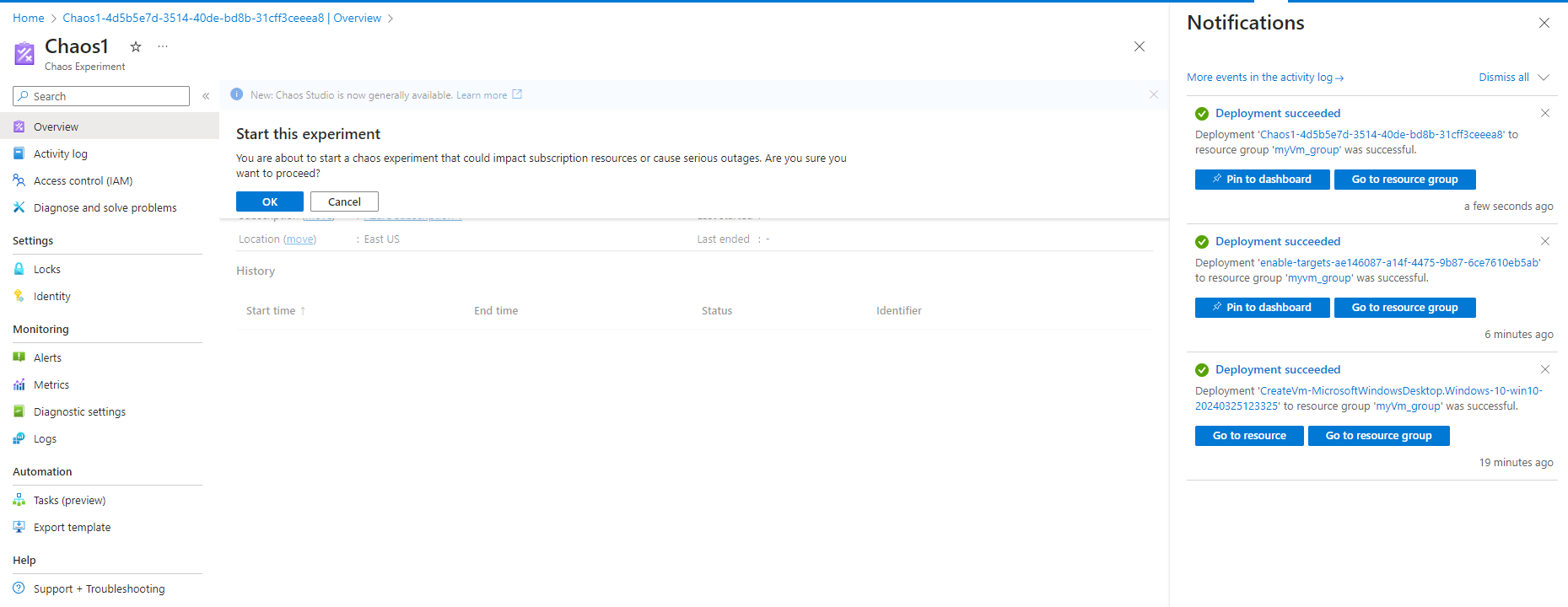
5.2 Select OK to confirm that we want to start the chaos experiment
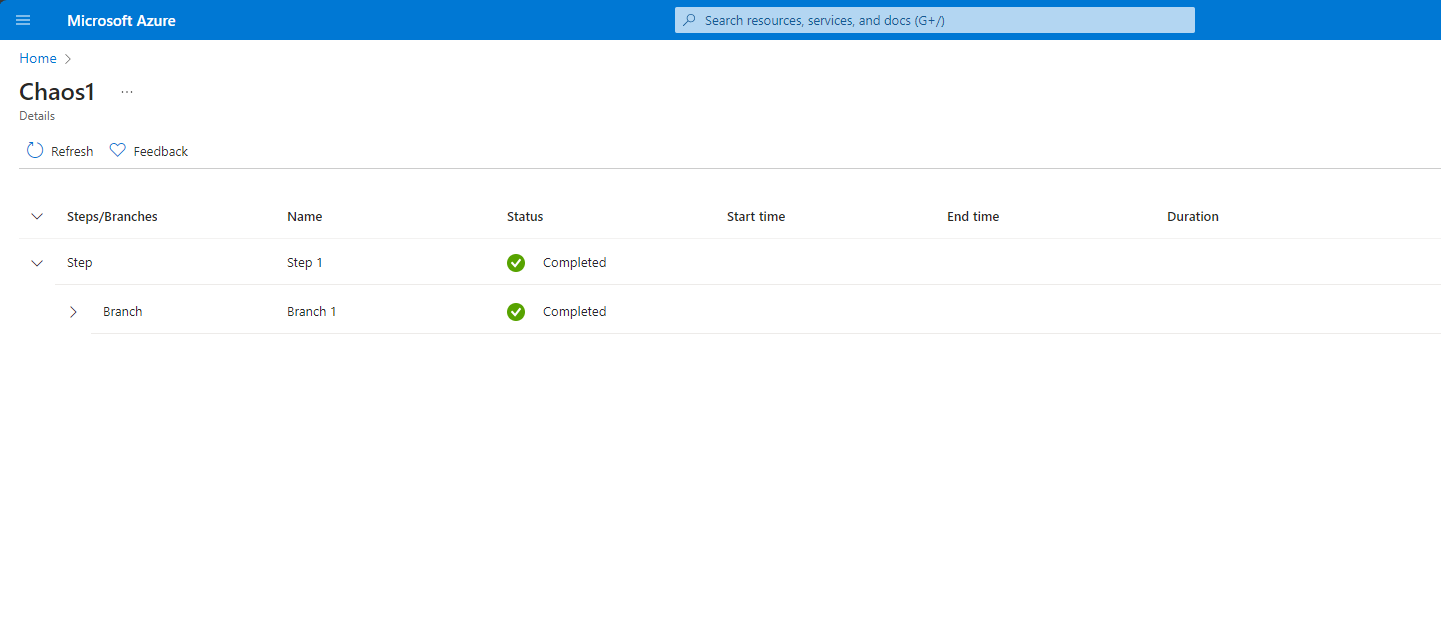
5.3 Select the experiment name to see a detailed view of the execution status of the experiment
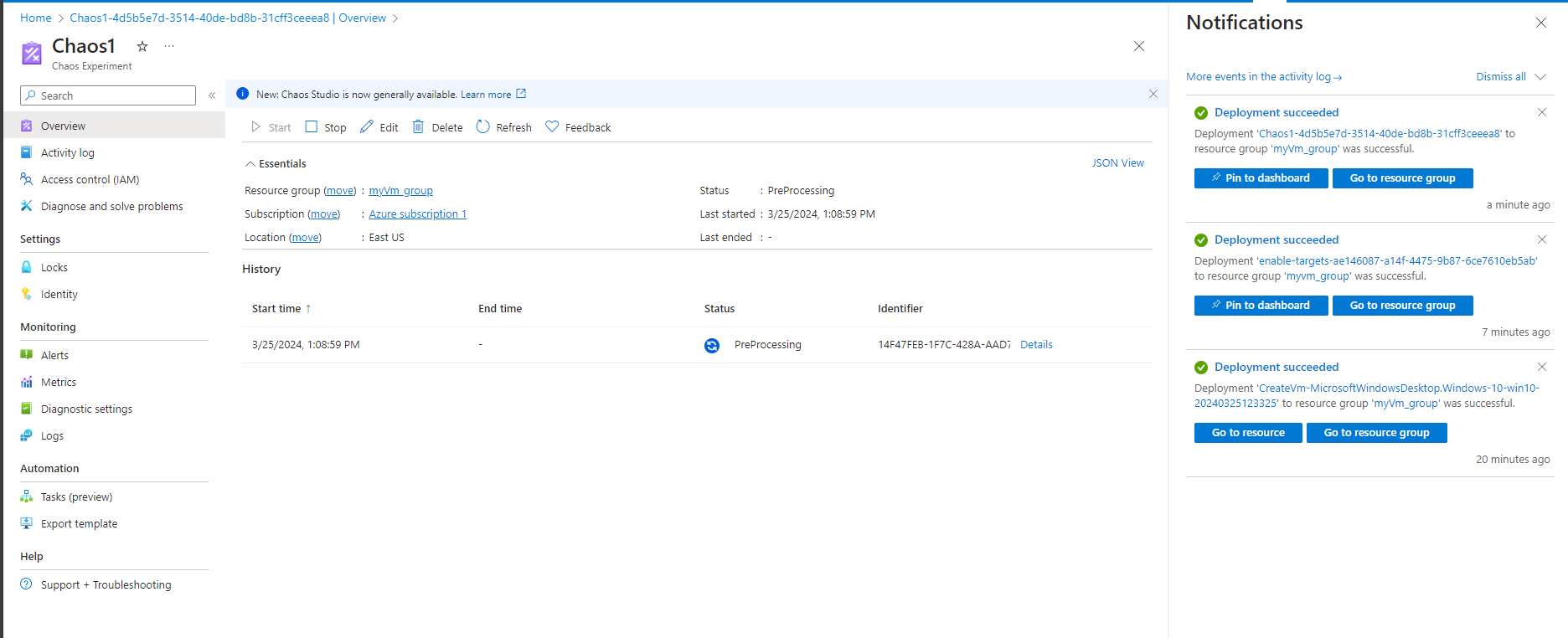
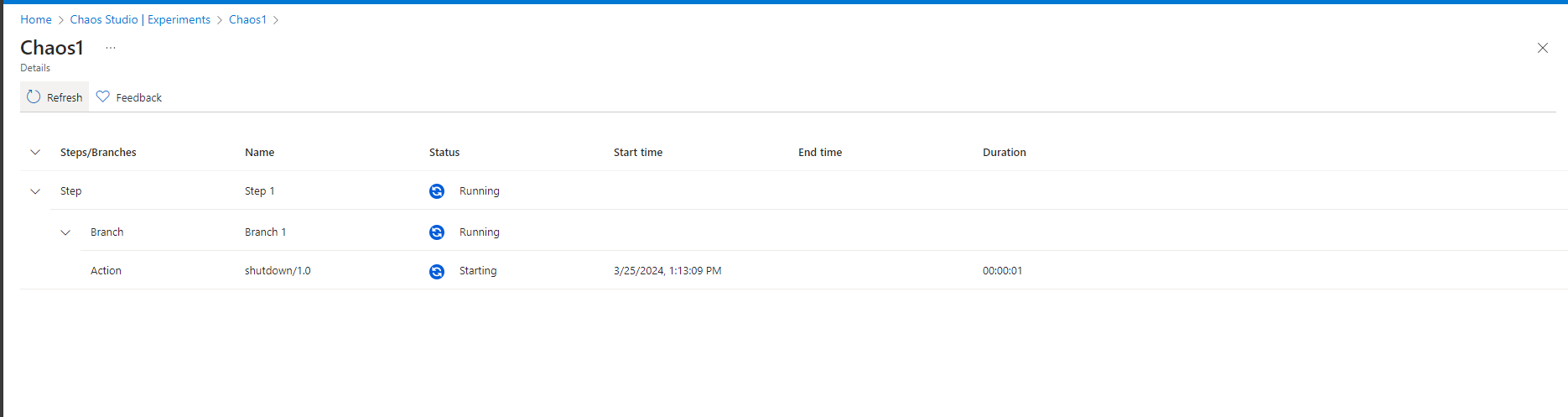
-> After our experiment, it will return with pass status on its detail page.
Conclusion
In today’s dynamic cloud environment, building resilient applications is no longer optional but necessary. With Azure Chaos Studio, Microsoft Azure provides engineers with a powerful platform to embrace Chaos Engineering principles, strengthen system resilience, and drive innovation with confidence. By proactively identifying and addressing weaknesses in system architecture, organizations can ensure their applications remain robust, scalable, and reliable in the face of uncertainty.
By proactively subjecting their systems to controlled chaos, teams can identify weaknesses, refine their recovery strategies, and ultimately deliver better experiences for their users. As organizations continue to embrace cloud-native architectures and DevOps practices, Azure Chaos Studio stands as a valuable tool in their arsenal, ensuring that innovation and stability go hand in hand.
Reference
- Documents, articles, and papers on the Internet.
(What is Azure Chaos Studio? | Microsoft Learn
Create and run a chaos experiment by using Azure Chaos Studio | Microsoft Learn) - Images on the Internet.
- Images created by Canvas.