


Cypress is one of the most popular automation frameworks now. It’s well known as the automation testing framework which supports us to implement the script and run tests quickly. Thanks to Cypress, we also can save the effort for building automation framework or maintaining the test script. In this article, I’d like to share some Cypress features that impress me the most.
1. Cypress solution
While Selenium or Selenium based tools interact with the browser through the browser API, Cypress is executed inside the browser. It run on the Node server process, and they will communicate or synchronize with each other. Cypress can know exactly whether the page/element finishes loading or all the background APIs are sent. This solution supports Cypress to make the script more stable and be executed faster. Besides, it’s also able to log all information/errors for each stage of the application during the test.
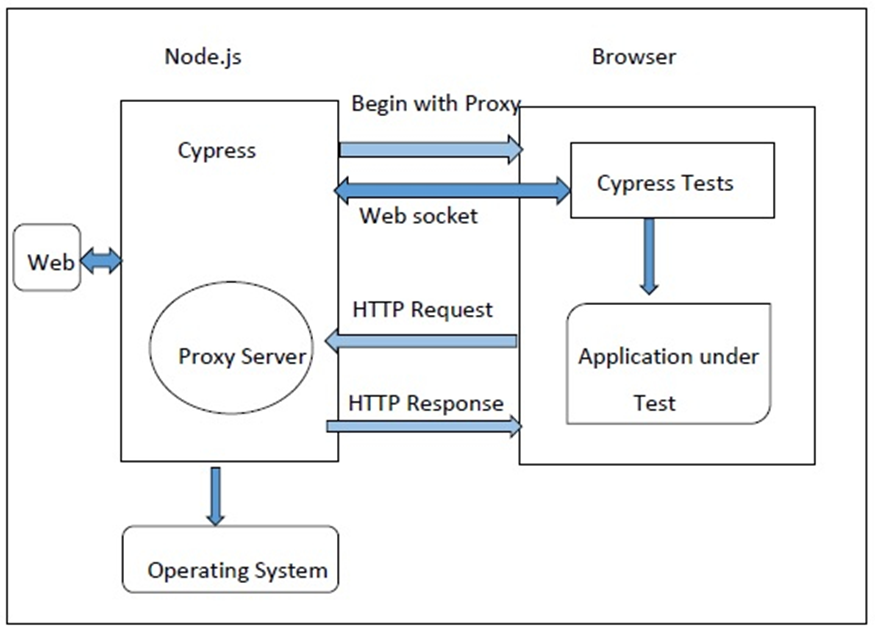
2. Cypress sample project
After installing Cypress with the command “npm install cypress –save-dev”, a sample project will be created. The folder in this sample project is well organized, and we can save a lot effort in building automation framework. Cypress already supports most of the necessary features for an automation framework like running tests with cross browsers, running tests in parallel, filter test cases or test reports. Here are the sample project folders.
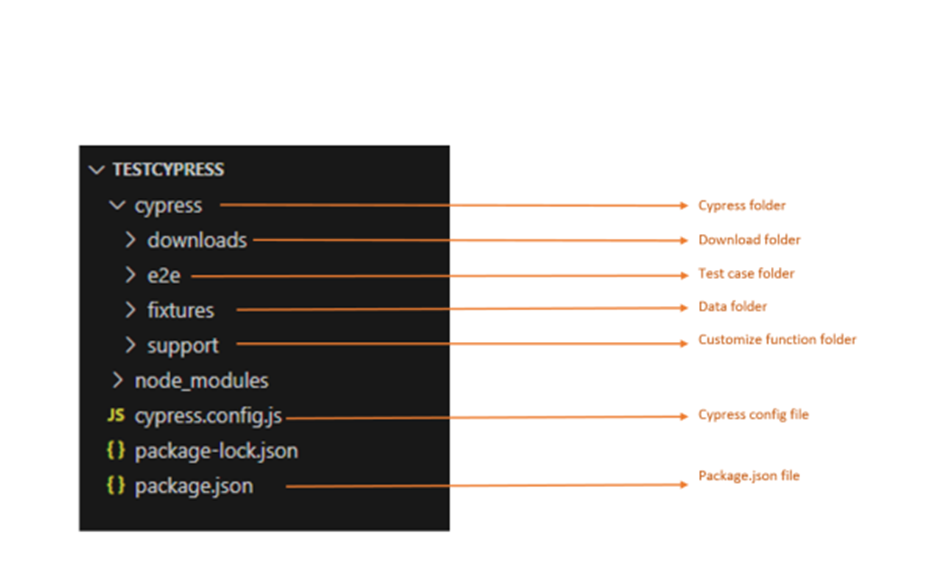
The well-organized folder supports us to get acquainted and maintain the project easily.
3. Cypress Studio
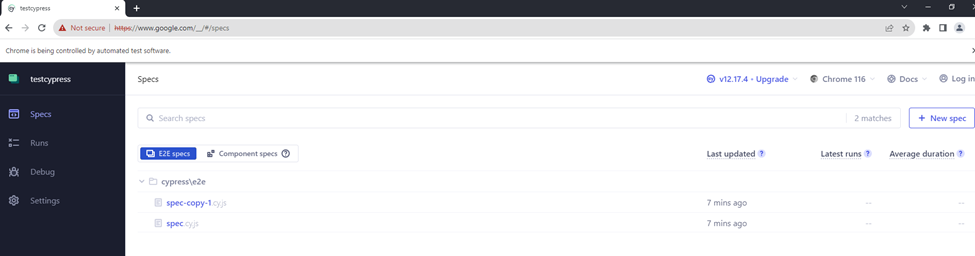
Cypress Studio can support us in running the test easily. We can choose the type of browser and the test cases we want to run via the UI.
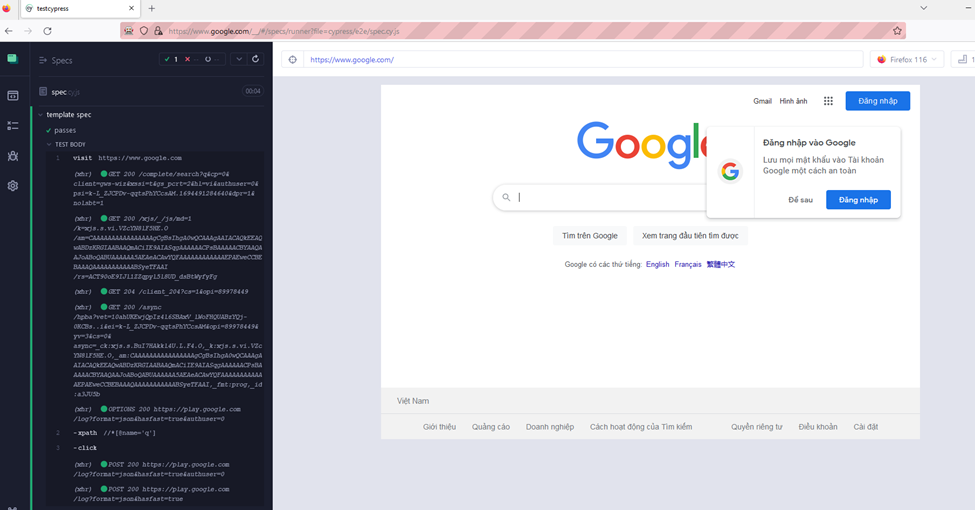
When the test is running we can see the detailed steps. All the changes on UI and the executed background APIs are shown on the Cypress studio.
4. Auto-wait
Making the test script stable is one of the core features of Cypress. Based on the solution of Cypress, it’s able to wait for the page to finish loading automatically. Before interacting with the web element, Cypress will wait for the element visible, enabled and clickable. Whenever there is a change on the web page, it will pause the Cypress command until everything is done. Moreover, Cypress is also able to wait for the API to run in the background as you can see in the picture of Cypress studio in section 3. Therefore, we don’t need to spend much effort in handling the timing issue or flaky test when working with Cypress.
5. API Intercept
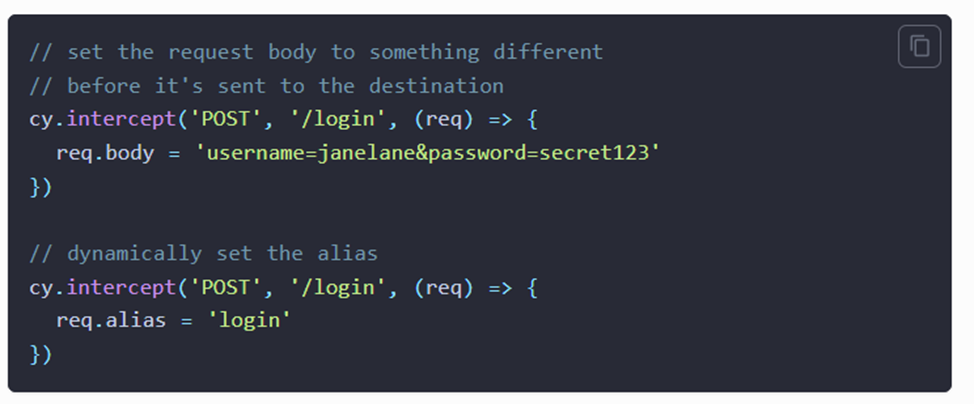
Cypress not only supports us in testing API but also provides an interesting feature called intercept request. With this feature, we can catch the request and override the headers or body of the request, so we can apply it in security testing. Intercept request also can be used for waiting for a specific API to finish executing. Moreover, we can stub a response with API intercept.
6. Cypress dashboard
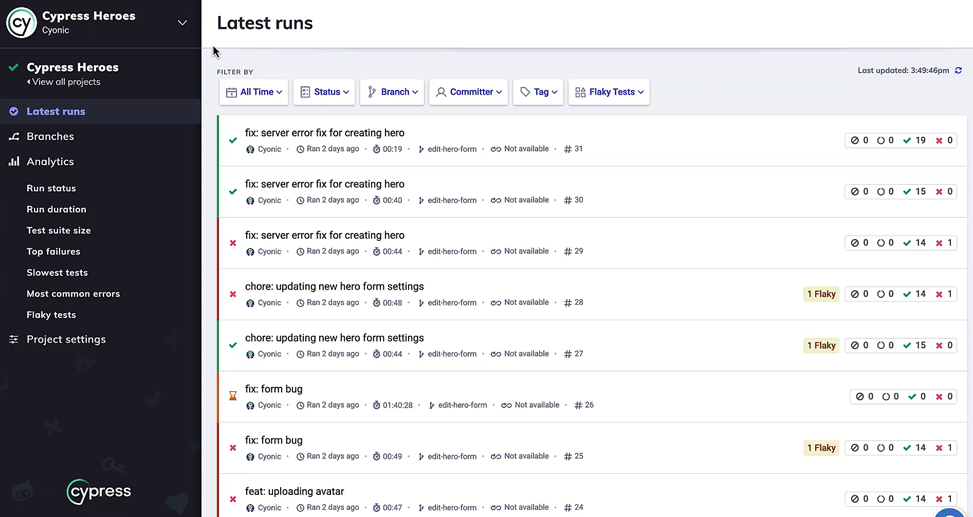
Cypress dashboard is an enterprise component of Cypress. With Cypress Cloud, we can retrieve the history of the test results. For each test case, we can find the log or screenshot or video related to this test case. On Cypress dashboard, we also can filter the test run by status, branch, time, etc. Especially, based on the history of the test result, we can detect the flaky test or slowest test with Cypress dashboard. This can help us save a lot of effort for test management and improve the current test cases.
7. Running test in parallel
When we have a huge number of test cases, one of the ways to reduce the time for test execution is executing tests in parallel, and Cypress can support us to do it easily with Cypress cloud.
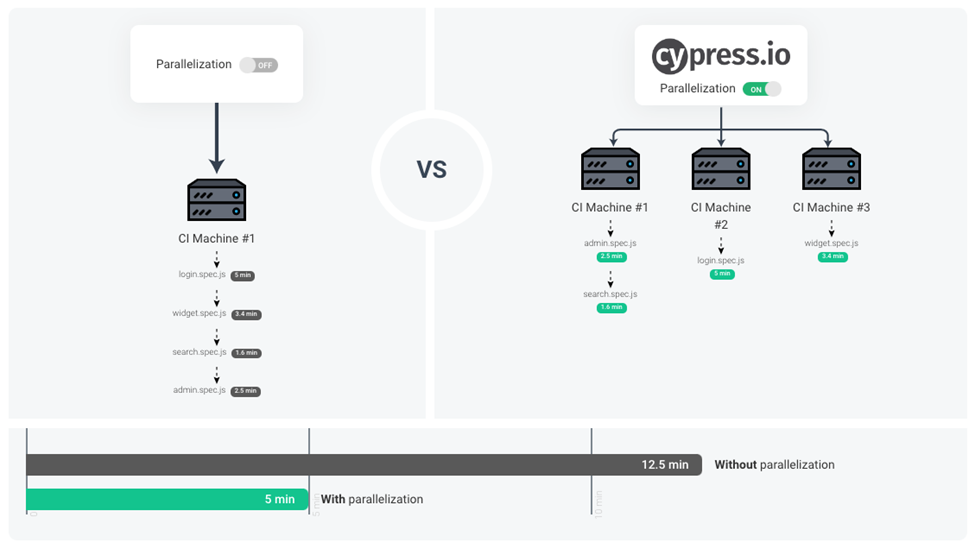
After receiving the request, Cypress Cloud with distribute the test cases to agent machines so that they can run different test cases at the same time. Cypress has the history of the test case execution, so it can know how long each test case will be run. Based on that, it can calculate and distribute the test case to agents efficiently. It’s a really impressive feature of Cypress.
Conclusion
The above features are not all the interesting feature of Cypress, but they are the most impressive features for me when using Cypress. That’s also the answer to the question of why Cypress is used very much now. Their community becomes larger day by day, and you can find the solution for Cypress problem easily. However, we still need to consider the trade–off here before choosing the automation tool for our project.
References:
- https://docs.cypress.io/guides/overview/why-cypress
- https://www.tutorialspoint.com/cypress/cypress_architecture_and_environment_setup.htm
- https://www.tutorialspoint.com/cypress-architecture-test-automation