


Test data management is essential to producing dependable, high-calibre software in the fast-paced development environment of today. The way we link databases and testing environments is one of the main components that facilitates this process. This is where database integration patterns come in.
These patterns are proven ways to move, manage, and share test data across systems in a consistent and secure manner. Each approach serves a different need, depending on the system structure, the type of testing, and the volume of data involved. In this post, we will look at some widely used integration patterns that help teams manage their test data more effectively.
Why It Matters
Selecting the best integration pattern has an impact on accuracy, productivity, and compliance; it’s not just a technical choice. With the right pattern in place:
- Test results are more reliable
- Time and resources are saved
- Sensitive data is protected
- Teams can move faster with a low number of errors
Each pattern has its pros and cons. What matters is selecting the one that fits the purpose and context of our testing needs.
1. Data Replication
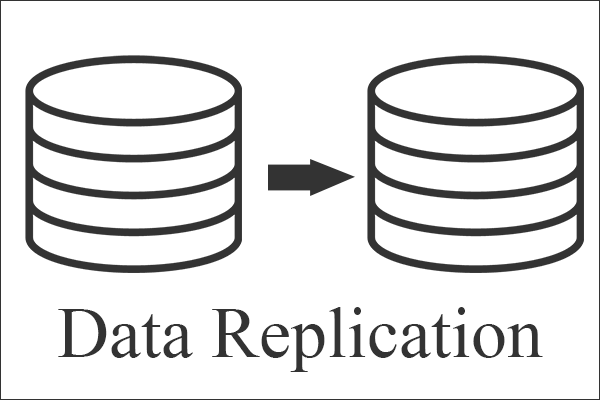
Data Replication is one of the most common integration patterns. It involves copying data from a live or production environment into a test environment. Making test data as realistic as possible while protecting private information is the aim.
Teams can test against scenarios that closely resemble actual circumstances using this method. However, care must be taken to anonymise or mask any private or regulated data in order to continue to comply with data protection laws.
2. Virtualisation

Instead of copying the data into the test environment, data virtualisation allows the team to view the data in real time.
It provides fast, on-demand access to the data without requiring physical data transfers between systems.
This pattern can drastically shorten testing cycles and lower maintenance and storage expenses.
When multiple teams are working concurrently, it’s very useful because it enables consistent, rapid access without duplication.
3. Data Subsetting
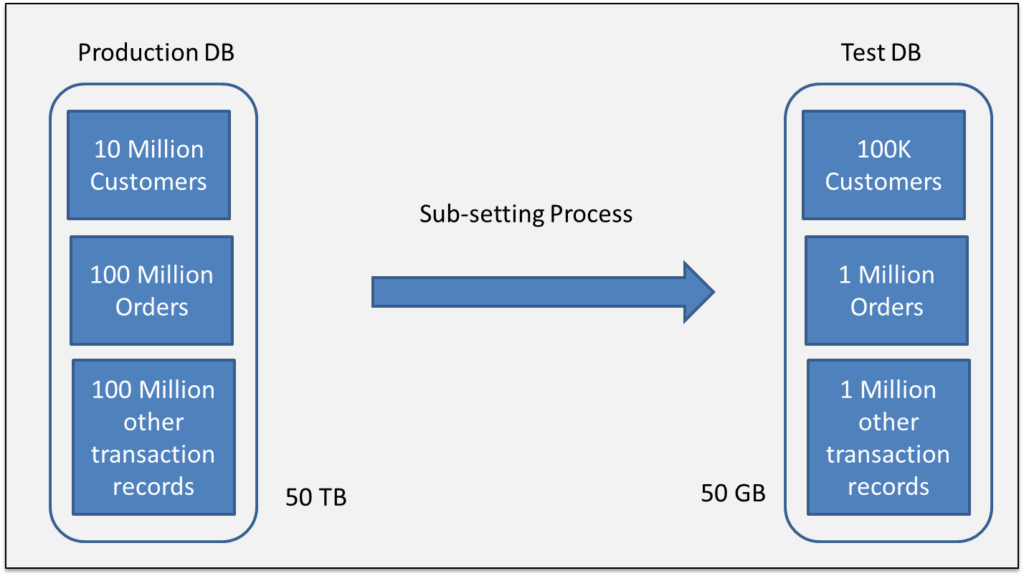
A complete copy of the production database is not required for every test. Teams frequently only need a small, pertinent slice.
A technique called data sub-setting is used to extract a specific portion of data, small enough to minimise processing time and making the best use of resources while still running tests effectively
When working with large databases, where storage and time are major considerations, it is especially helpful. Without the additional burden, a well-defined subset still captures the relationships and rules of the entire database.
4. API-Based Integration
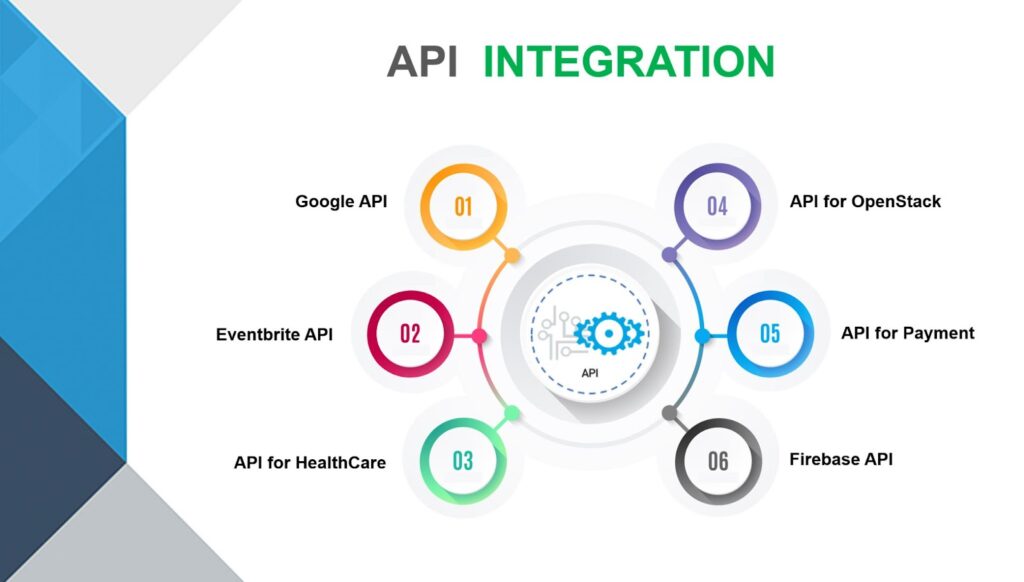
Data is moved in and out of the test system using APIs rather than a direct database link. It provides a more controlled and safe method of working with test data, which is particularly helpful when systems are distributed across various platforms or services.
Since the API applies the same rules as the main system, the way data is handled, whether adding, updating or pulling it remains consistent throughout. This helps avoid mistakes or odd behaviour during testing. It also makes it easier to copy real user actions and test how different parts of the system work together, which is useful when checking workflows or making sure the data is right.
API-based integration is scalable, secure, and flexible—making it an excellent fit for modern, cloud-native applications.
5. Change Data Capture (CDC)
CDC is a way of tracking changes in the main database whenever something new is added, updated, or removed, then sending just those changes to the test system.
By avoiding the need to reload everything from scratch every time, this method saves time.
In environments where testing occurs frequently, it is especially beneficial because it keeps the test system current with changes occurring in the real one.
CDC also supports faster and more regular testing. It can keep different environments updated almost in real time, which is a big plus in automated pipelines like CI/CD, where speed and accuracy really matter. It also helps avoid problems caused by outdated or incorrect data during important test runs.
6. Manual Import and Export
Though Manual Import and Export is slow and not easy to scale like automated tools. Manually handling data through export and import still has its place. It is often used by smaller teams that do not have automation in place or while working with older systems.
This method involves taking data out of one system manually, or using spreadsheets, flat files or SQL exports, then loading it into the test environment. While it takes more effort and can lead to mistakes, it does give teams more control over what data is moved and when.
There may be no choice but to use manual methods when:
- There are no system integrations available.
- There are no APIs.
- There must be a quick one-time data load.
It might not be the best option for everything, but this method can still be a solid backup when testing early on or in specific situations.
Final Thoughts
Good test data management plays a vital role in developing dependable software. Teams can guarantee the realism, security, and effectiveness of their tests by comprehending and utilising appropriate database integration patterns. Proper data management lays the groundwork for software that functions as intended, whether that is achieved through replication, virtualisation, or synthetic generation.
Useful link: How to do database integration with Cypress? – NashTech Blog