


Hello Readers!! We are again back with an exciting topic where in this blog we will see how we can deploy a web application to azure kubernetes service cluster (AKS). In my previous blog we have already taken a deep dive into AKS. We had already seen how we can create it. Please refer my below blog if want to explore more about AKS.
In this blog we are going to see everything in a steop by step way:
- Create an AKS cluster using the Azure portal.
- Connect to the cluster.
- Run a sample multi-container application with a web front-end and a Redis instance in the cluster.
- Test the application.
Create an AKS cluster using the Azure portal:
Login to Azure cloud subscription. Move to kubernetes service. Create a cluster.
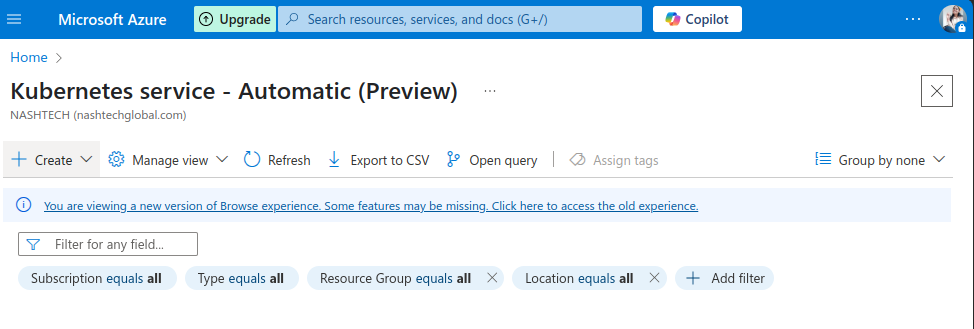
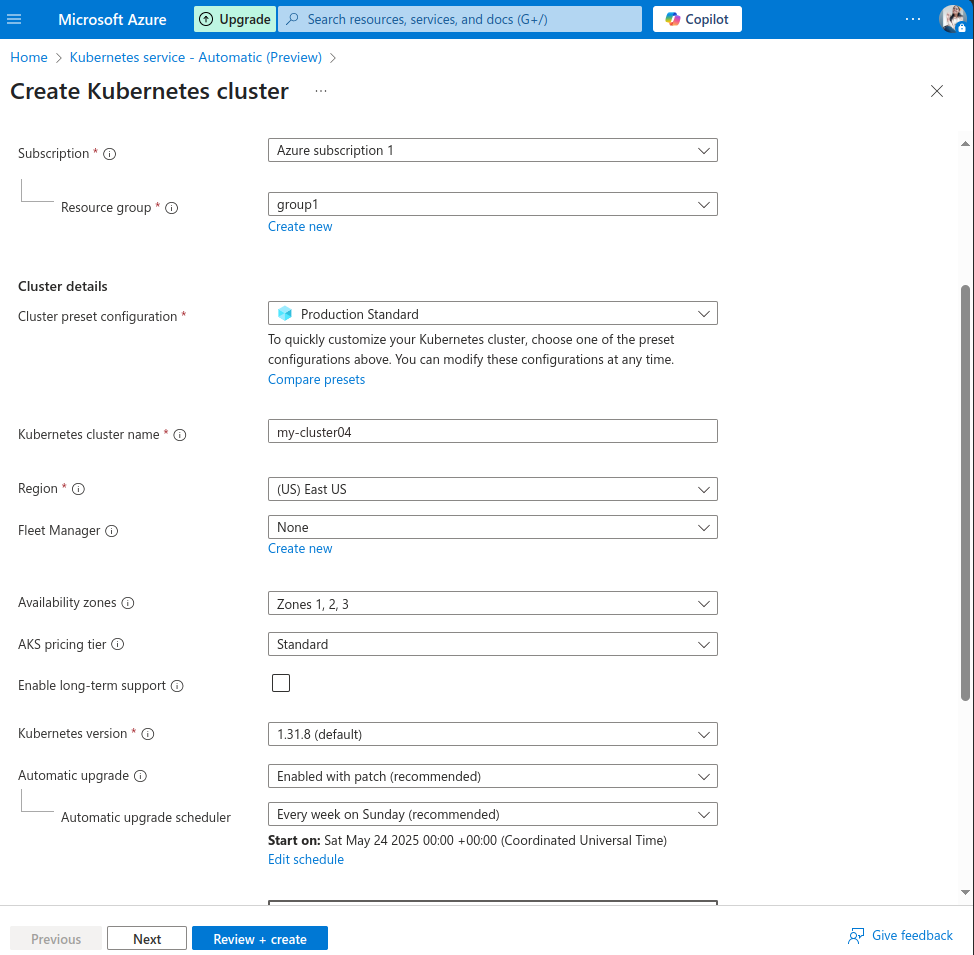
Choose subscription > resource group > cluster preset configuration > provide cluster name > select region.
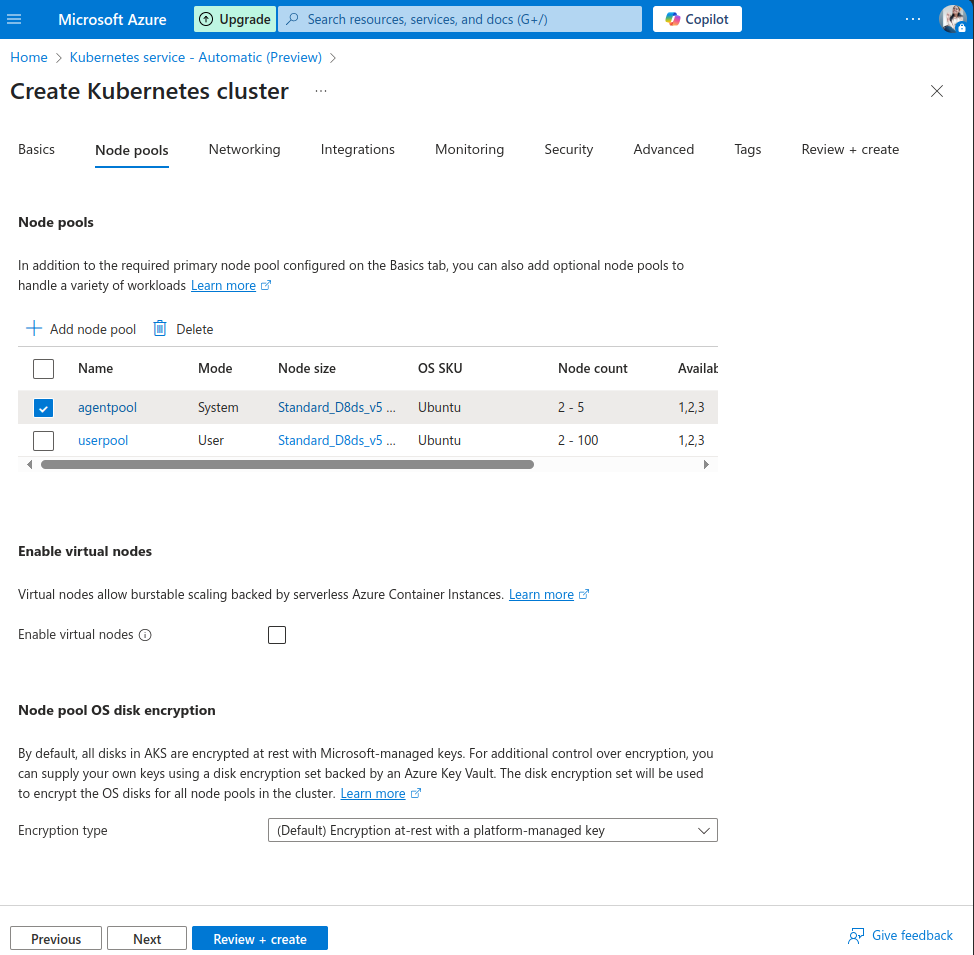
Select node pools for our AKS cluster.
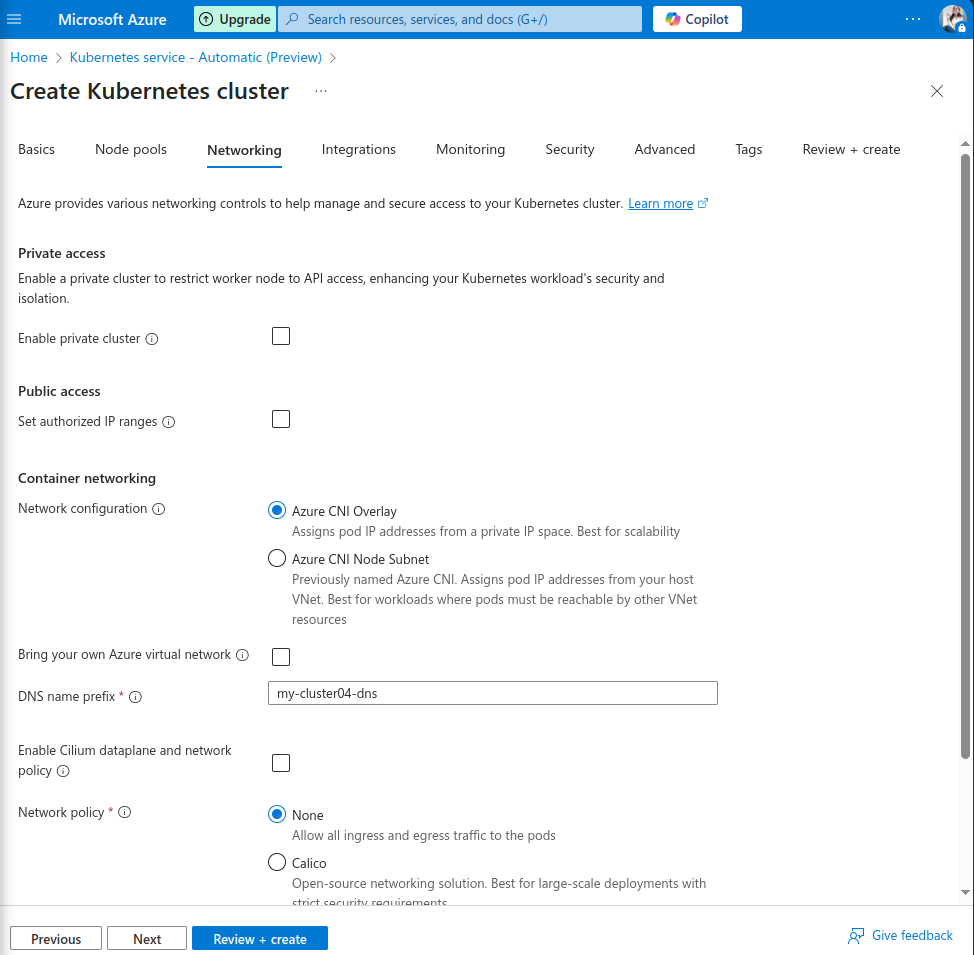
Configure Networking here.
After doing all the configurations, click on Review+create.
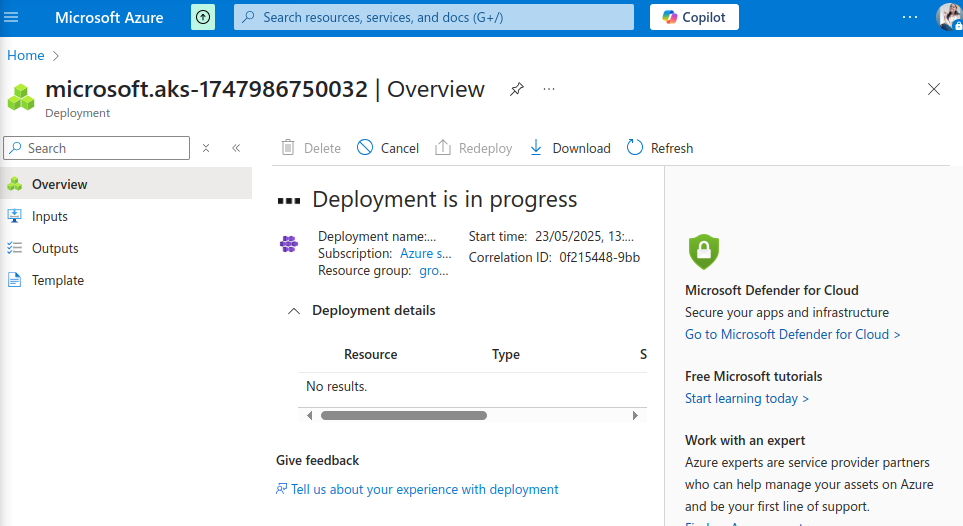
Deployment is in progress now.
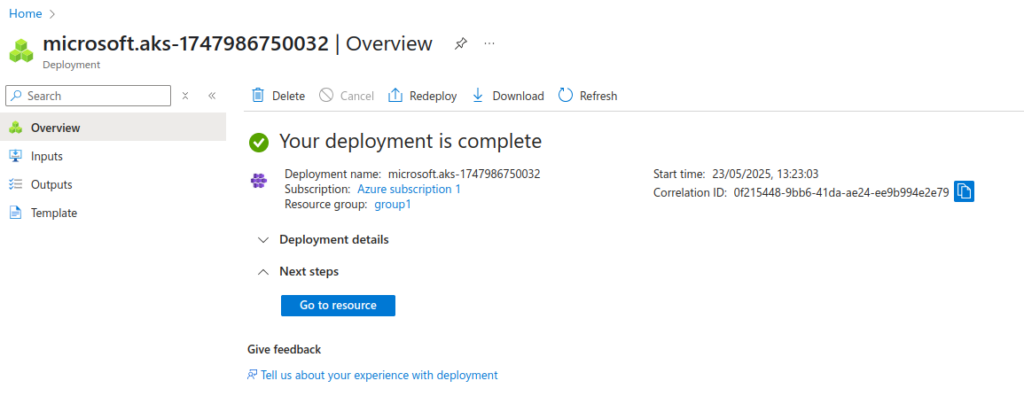
Now, it’s complete.
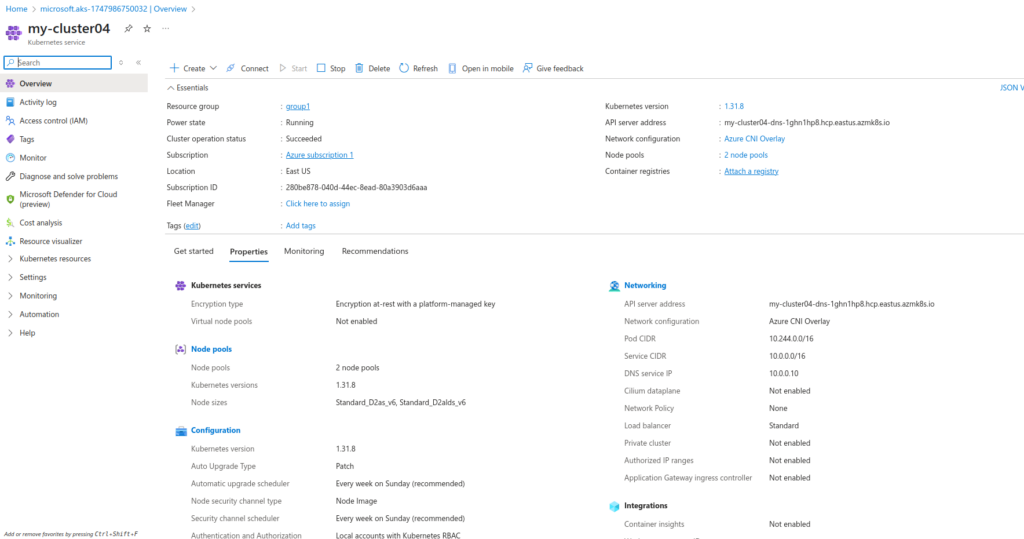
AKS cluster got creates successfully.
Connect to the cluster:
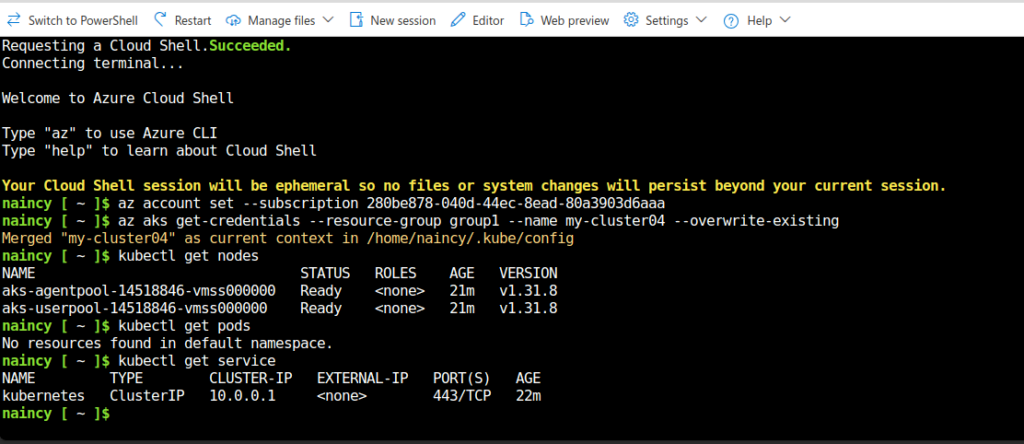
As the AKS cluster got created, let’s connect to the cluster using azure shell.
Click on open cloud shell.
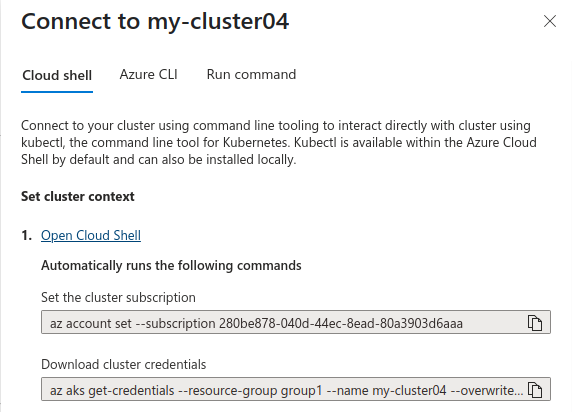
We got connected to the cluster here. As we can see currently, there are no pods running inside the cluster.
Run a sample multi-container application with a web front-end and a Redis instance in the cluster:
Now, here we have a single YAML file to deploy a multi-container application on our AKS cluster. This application will consist of a web front-end and a Redis instance.
apiVersion: apps/v1
kind: Deployment
metadata:
  name: redis-deployment
  labels:
    app: redis
spec:
  replicas: 1 # Typically 1 replica for Redis unless you set up replication
  selector:
    matchLabels:
      app: redis
  template:
    metadata:
      labels:
        app: redis
    spec:
      containers:
      - name: redis
        image: redis:6.2.13-alpine # Using a specific stable version for Redis
        ports:
        - containerPort: 6379
---
apiVersion: v1
kind: Service
metadata:
  name: redis-service
spec:
  selector:
    app: redis
  ports:
    - protocol: TCP
      port: 6379
      targetPort: 6379
  type: ClusterIP # Internal service, only accessible within the cluster
---
apiVersion: apps/v1
kind: Deployment
metadata:
  name: web-frontend-deployment
  labels:
    app: web-frontend
spec:
  replicas: 2 # You can scale this based on your needs
  selector:
    matchLabels:
      app: web-frontend
  template:
    metadata:
      labels:
        app: web-frontend
    spec:
      containers:
      - name: web-frontend
        image: nginx:latest # Replace with your actual web application image
        ports:
        - containerPort: 80 # Assuming your web app listens on port 80
        env: # Example of how you might pass Redis host to your web app
        - name: REDIS_HOST
          value: "redis-service" # This is the name of the Redis internal service
        - name: REDIS_PORT
          value: "6379"
        # Add other environment variables your web app needs
        # such as database connection strings, etc.
---
apiVersion: v1
kind: Service
metadata:
  name: web-frontend-service
spec:
  selector:
    app: web-frontend
  ports:
    - protocol: TCP
      port: 80
      targetPort: 80 # The port your web app is listening on
  type: LoadBalancer # Exposes the service externally via an Azure Load Balancer
Let’s deploy this application in our AKS cluster.
We have created here a app.yaml file for deployment.
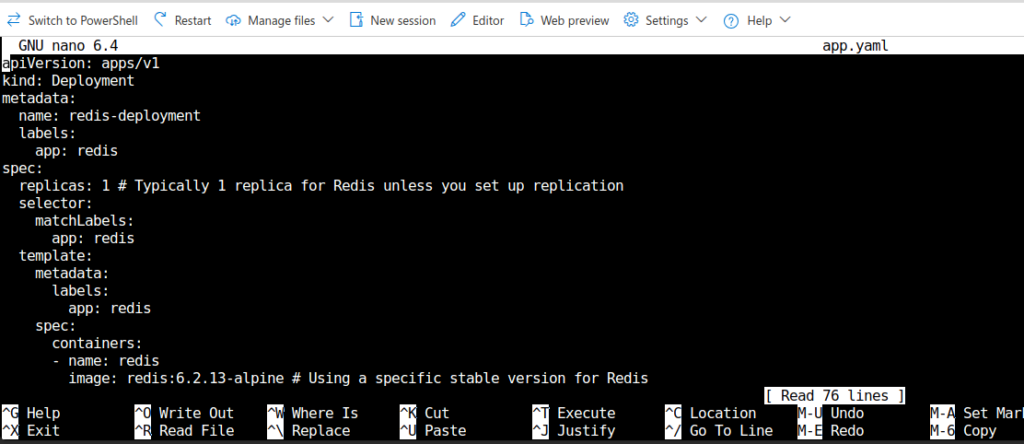
Deploy the application.

Pods and services got deployed to the AKS cluster.

Test the application:
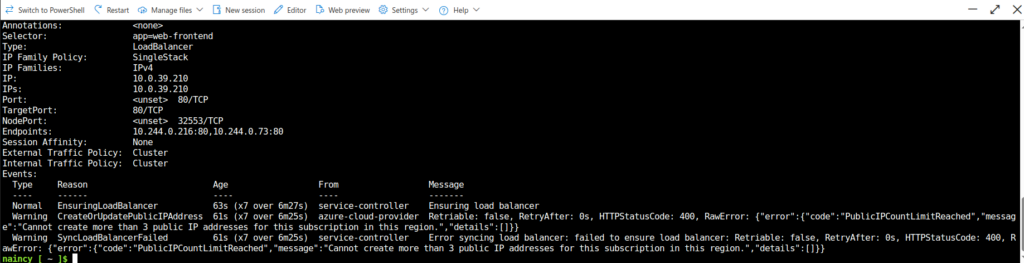
Once the web-frontend-service shows an EXTERNAL-IP, you can access your web front-end application by navigating to that IP address in your web browser.
I am not able to currently get because i am using free azure subscription and quota got exceeded. But you can easily access the application using external ip granted.
We are all done now!! Hope you enjoyed learning this.
Conclusion
Thanks for being with me till end. So, in this blog we have learnt all about Microsoft Azure Kubernetes Cluster Service. How we can deploy an application to azure kubernetes cluster. Therefore, it’s quite really interesting and easy to explore. If this blog helped you somewhere do like and share this blog with the needful.
HAPPY READING!!!