



Code quality is essential for high-quality test automation scripts, just as it is for development and writing code. SonarQube is a popular code quality check tool that can be integrated with test automation to ensure high-quality test scripts. This article will introduce SonarQube and its benefits, as well as how to use SonarLint (an extension of SonarQube) and set up a SonarQube server.
I. What is SonarQube?
SonarQube is an open-source platform for continuous code quality inspection. It automatically reviews code to detect bugs, code smells, and security vulnerabilities. SonarQube supports over 29 programming languages, including Java, Python, JavaScript, C/C++, and Go. You can integrate SonarQube into your continuous integration (CI) pipeline to automatically analyze your code after each commit. This allows you to identify and fix quality issues early in the development process, before they become expensive to fix.
Next, we will learn about the features of SonarQube.
II. Features of SonarQube
- Static analysis: SonarQube scans your code for potential bugs, security vulnerabilities, and code smells.
- Code duplication detection: SonarQube identifies duplicate code across your codebase.
- Code coverage analysis: SonarQube measures the percentage of your code that is covered by unit tests.
- Code complexity analysis: SonarQube identifies complex code that may be difficult to maintain.
- Coding standards analysis: SonarQube checks your code for compliance with your team’s coding standards.
Now that we have learned about the features of SonarQube, let’s move on to its benefits.
III. Benefits of SonarQube
- Improved code quality: SonarQube helps you to identify and fix code quality issues early on in the development process. This can lead to fewer bugs, more maintainable code, and more secure software.
- Reduced costs: By fixing code quality issues early on, you can avoid the cost of fixing them later in the development process, or even after the software has been released to production.
- Increased productivity: SonarQube can help your developers to be more productive by automating code reviews and providing them with feedback on their code quality.
- Improved team collaboration: SonarQube can help your team to collaborate more effectively by providing a shared view of your code quality metrics.
Before we discuss SonarQube, let’s take a look at a lightweight and easy-to-use code analysis tool, SonarLint.
IV. SonarLint
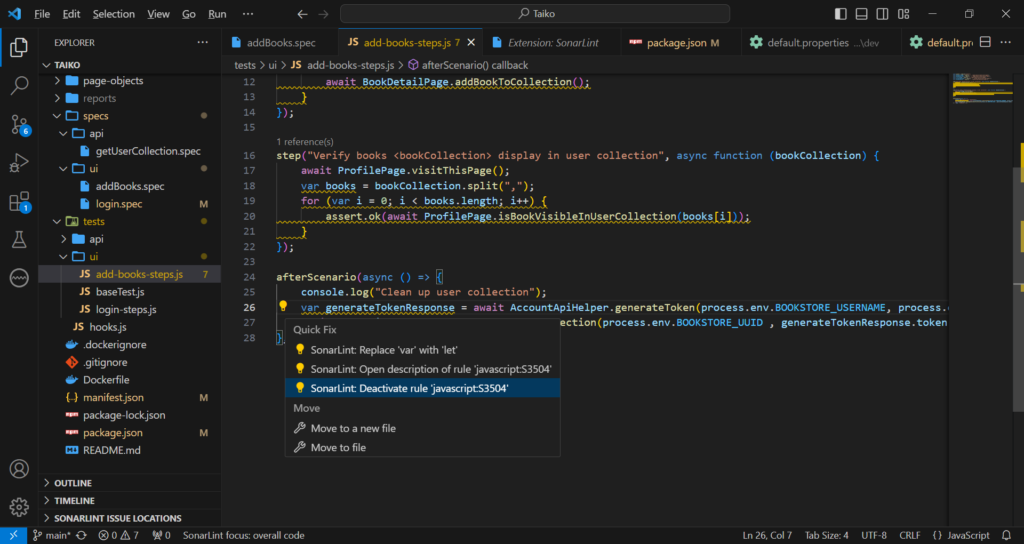
SonarLint is an IDE extension that helps developers detect and fix quality issues as they write code. It is a static code analyzer that integrates with popular IDEs, such as Eclipse, IntelliJ IDEA, and Visual Studio Code. SonarLint analyzes code in real time and provides feedback to developers through squiggles and warning messages.
SonarLint can help us detect code issues early and fix them before committing the code, reducing the time we spend on bug fixes. Therefore, I recommend installing this extension to your IDE so you can catch code issues early.
Here is an example of how to use SonarLint:
In the next section, I’ll show you how to set up a SonarQube server, scan your repository, and view the SonarQube scan result.
V. SonarQube Server Setup
a. Prerequisites:
Hardware requirements:
- 2GB of RAM (4GB recommended)
- 1GB of free disk space
Software requirements:
- Java version 17 : https://www.oracle.com/java/technologies/downloads/#java17
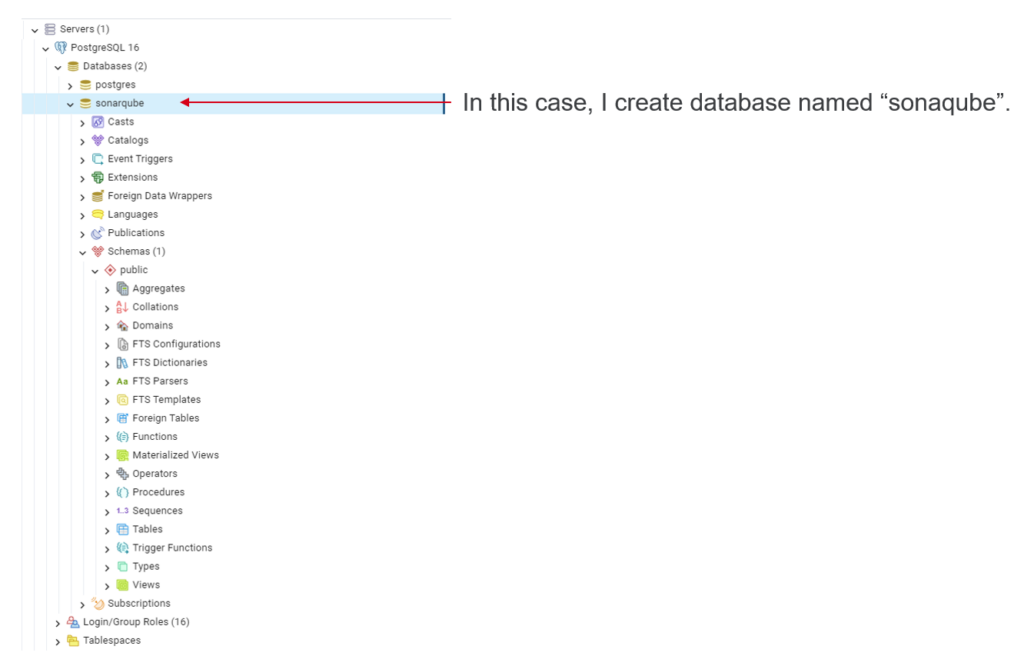
- SonarQube supports PostgreSQL, Microsoft SQL Server, and Oracle databases. For this article, I’m using PostgreSQL. (https://www.postgresql.org/download/)
b. Download SonarQube Community version and SonarScanner
You can download SonarQube Community version from here https://www.sonarsource.com/products/sonarqube/downloads/ and Sonar Scanner from here https://docs.sonarsource.com/sonarqube/latest/analyzing-source-code/overview/
Once you have downloaded the two zip files, extract them and remove the version number from the folder name like below:

c. Set Environment variables
By default, the scripts will use the Java executable available in the path. If there are multiple versions of Java installed on your server, you may need to explicitly define which version of Java is used by adding SONAR_JAVA_PATH to user variable:

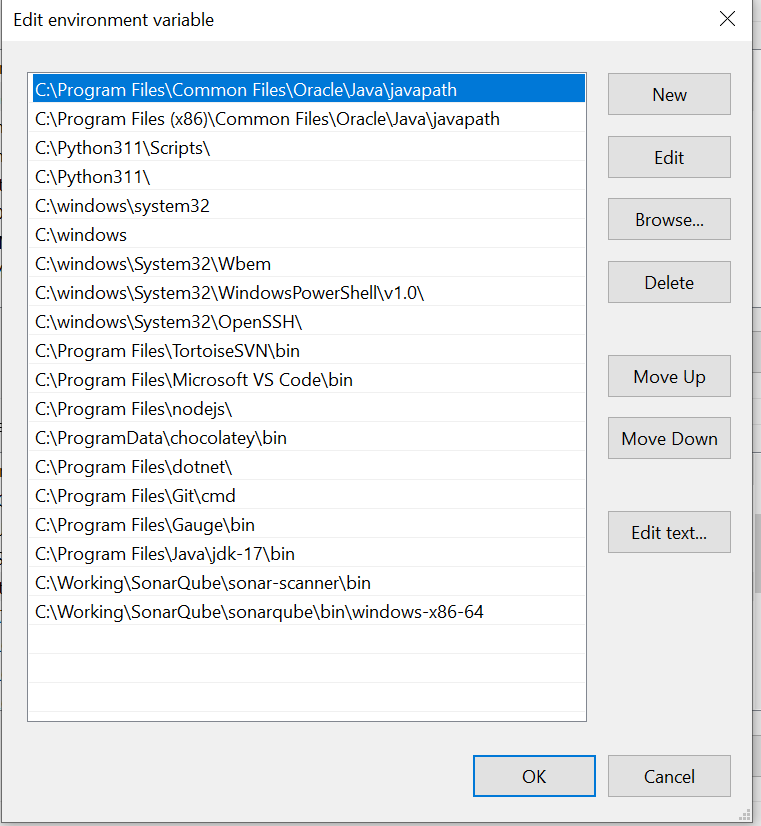
We also need to set SonarQube and Sonar Scanner bin folder to Path in System variables:
d. Create new Database for SonarQube in PotgreSQL
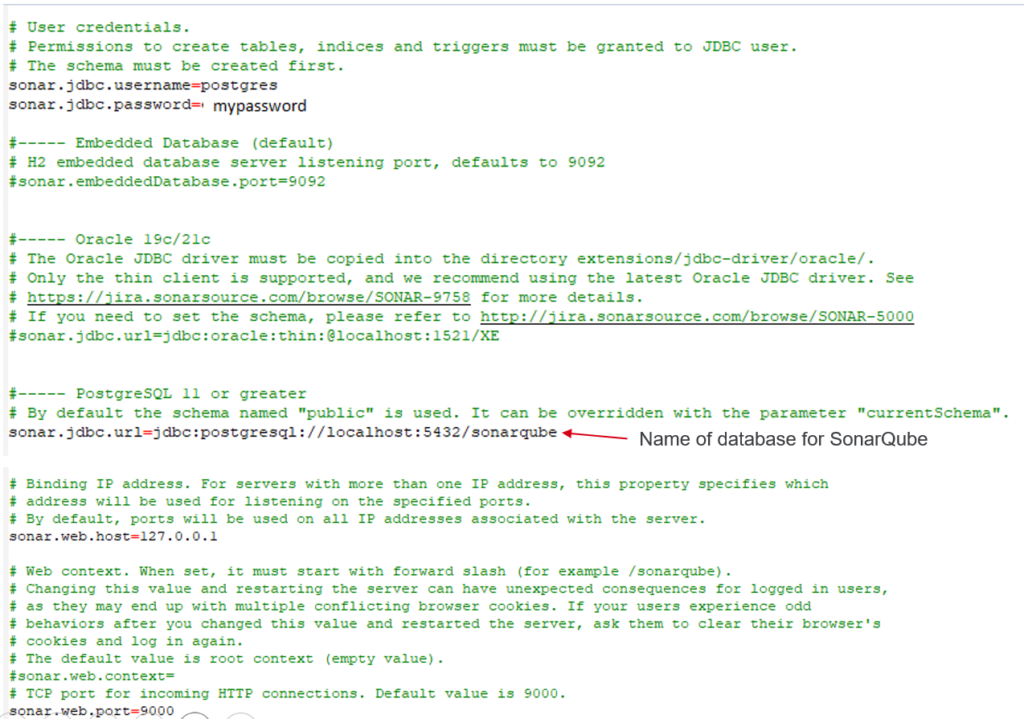
e. Update sonar.properties (location: sonarqubeconf)
f. Start SonarQube server
Now, we can open Command Prompt windows with Admin permission then run the “StartSonar” command in order to start SonarQube server.
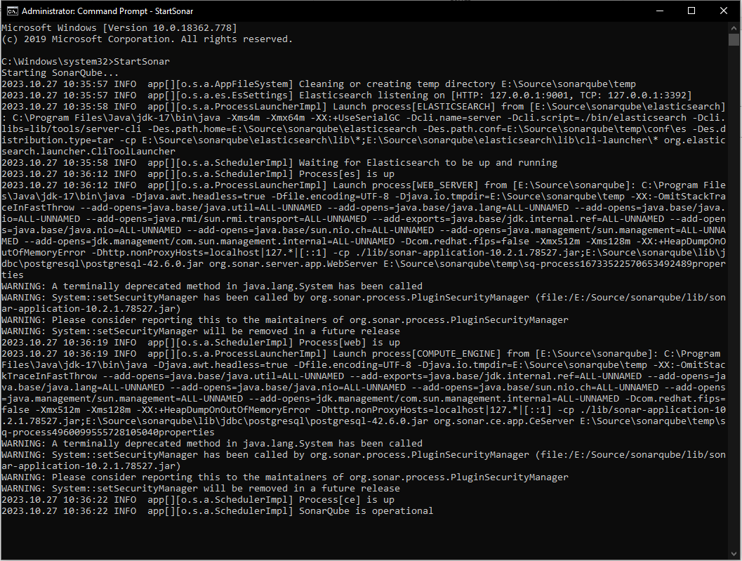
VI. Scan a project
Once we have successfully started the SonarQube server, we can open the SonarQube Login Page at the following URL:http://localhost:9000/
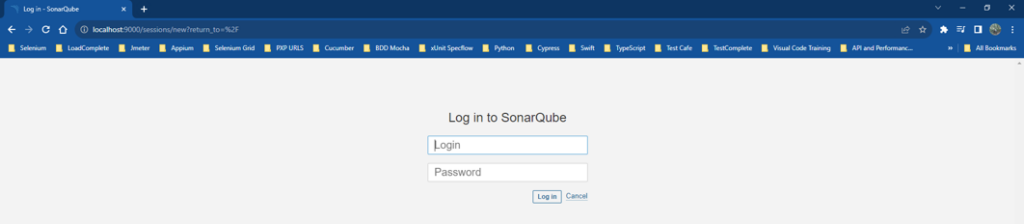
To log in for the first time, use the default username and password: admin/admin. You can then change the password for the admin user. After login successfully, we will see the SonarQube home page.
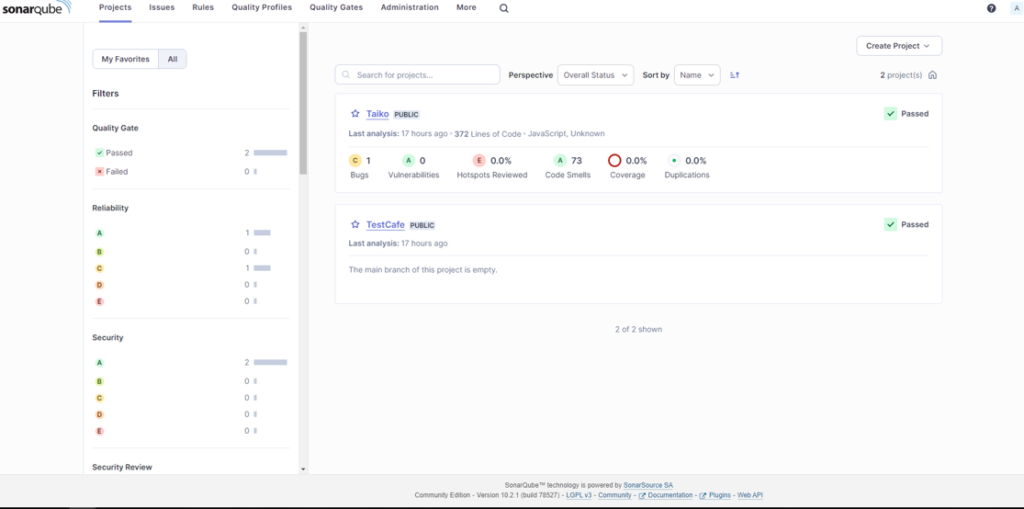
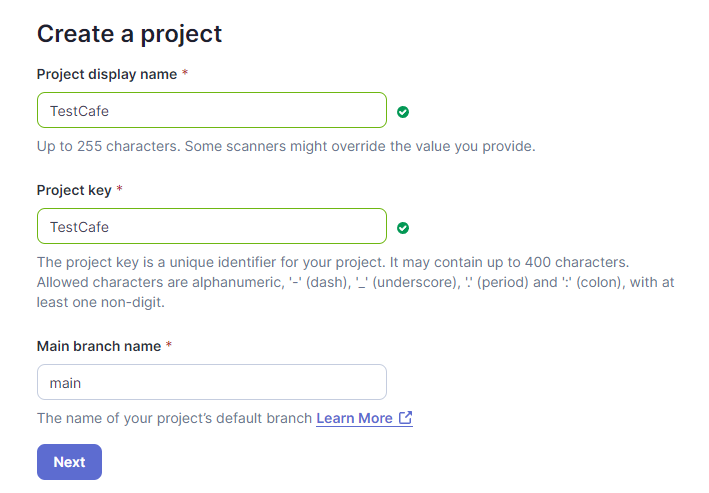
First of all, we must create a new project in SonarQube to scan our code.
After creating a new project successfully, we can copy the “Execute the Scanner” command to begin scan our code.
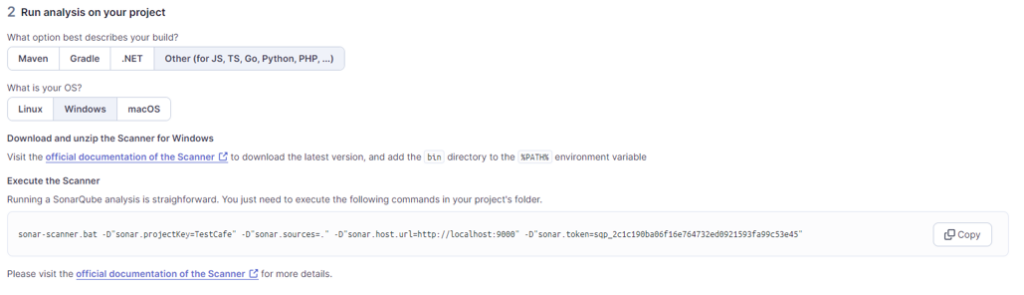
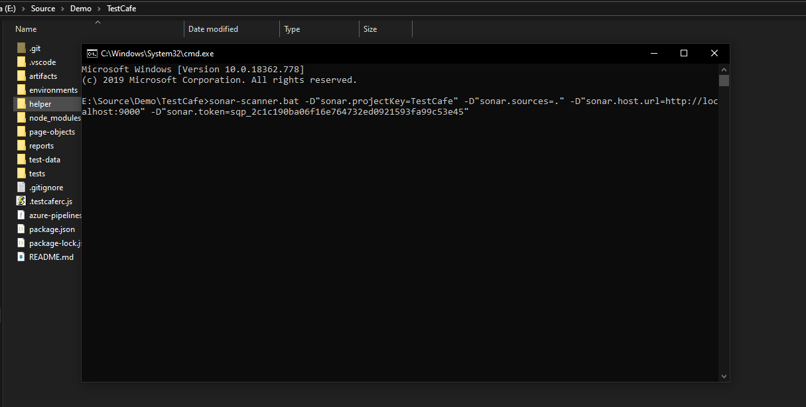
To scan your code, do the following:
- Open a command prompt window.
- Navigate to the source code folder.
- Run the Execute then Scanner command.
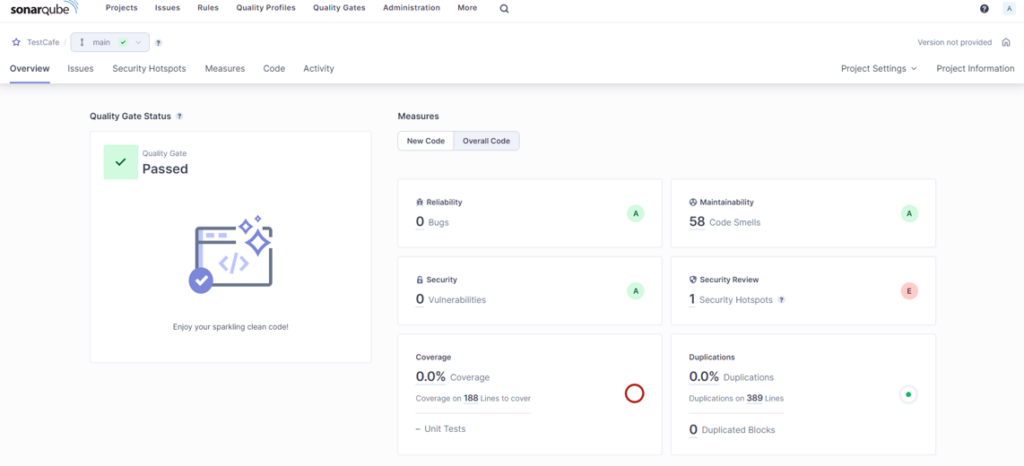
- Wait for the scan to complete and check the results on the SonarQube web page.
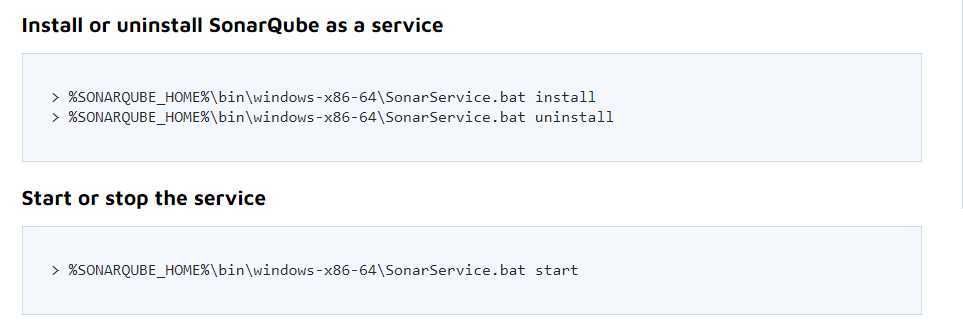
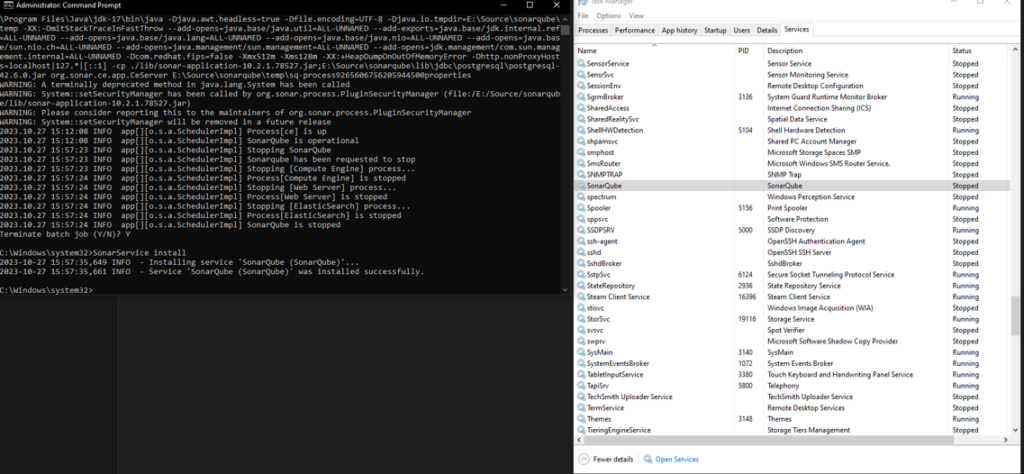
VII. Install SonarQube as a Windows Service
I recommend that we install SonarQube as a Windows service because of the following benefits:
- Automatic startup: SonarQube will automatically start when the Windows server starts, so you don’t have to manually start it each time.
- Background execution: SonarQube can run in the background, so it won’t interfere with other tasks that you are running on the server.
- High availability: SonarQube will continue to run even if the user who started it logs off or the server reboots.
- Service management: You can use the Windows Service Control Manager to manage SonarQube, including starting, stopping, and restarting it.
- Security: SonarQube can be configured to run under a specific user account, which can help to improve security.
VIII. Conclusion
Even though our automation test scripts may not go to production, they play a vital role in verifying the code created by developers. Therefore, it is important to ensure the quality of our automation test scripts. SonarQube can help us do that. Additionally, incorporating SonarQube into our project can significantly improve our code quality, maintainability, and security.
I hope that after reading this article, you will know how to apply SonarQube to your project.