



Introduction
In software testing, we usually use test cases or automation scripts to check if everything works. But sometimes, bugs hide in places where scripts can’t find them. That’s when exploratory testing becomes very useful. It means testing while learning, designing tests, and finding bugs all at the same time.
Exploratory testing lets testers be creative and curious — testing like a real user, not just following steps.
What Is Exploratory Testing?
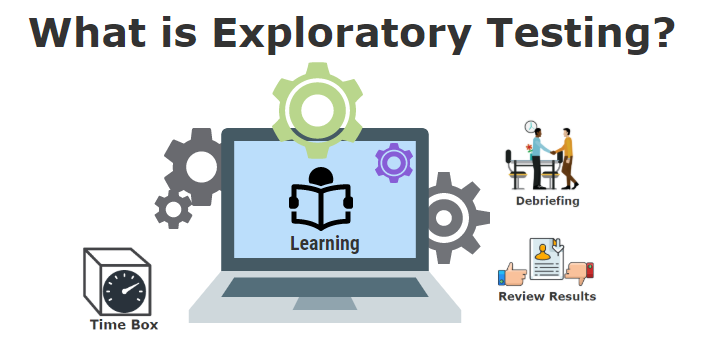
Exploratory testing is a testing approach where learning, test design, and test execution happen at the same time. Instead of following a fixed script, the tester explores the software in real-time, making decisions based on how the system behaves.
This approach helps testers find bugs that are often missed by structured test cases. These include issues related to timing, user behavior, or unusual combinations of actions.
Example:
You’re testing a sign-up form. Instead of simply entering valid data and clicking Submit, you try something unusual: you fill out only half the form, switch browser tabs, leave it idle for 10 minutes, then come back and finish the form. When you click Submit, the app logs you out or throws a server error. This bug would not be found in scripted testing because no test case would imagine such a time-based interaction. Only by actively exploring the software, reacting to what you see, and trying out “what if” scenarios can you discover issues like this.
Why Is It Important for Manual Testers?
Manual testers often deal with fast-changing features, unclear requirements, or last-minute changes. In these situations, exploratory testing helps them adapt quickly and still find critical bugs, even without the time to write or update detailed test cases.
It gives manual testers the freedom to think creatively, test like real users, and respond in real time to unexpected behaviors.
Example:
You’re testing a mobile e-commerce app. A scripted test checks that you can add and remove items from the cart. But as an exploratory tester, you try something different: you add an item, then quickly tap the “Remove” button three times in a row while switching to another screen. The app crashes. This happens because the rapid sequence of taps triggered a race condition. Bugs like this appear due to human behavior that is fast, unpredictable, or out of order. These are things that automation or scripted tests typically do not account for.
How Is It Different from Scripted Testing?
| Scripted Testing | Exploratory Testing |
| Follows a detailed plan | Tests are designed while testing |
| Repeatable exactly the same way | Tests can change based on results |
| Good for checking known issues | Good for finding new or hidden bugs |
| Requires time to prepare tests | Can start immediately |
When Should You Use Exploratory Testing?
- When there is no time to write detailed test cases
- When the feature is new or not fully finished
- When you want to quickly check if something works
- When you need to test complex flows or UI
- When automation tests are not available yet
Example:
You get a new feature at the end of a sprint and only one day to test it. Instead of writing full test cases, you explore the feature: click buttons in different orders, try invalid inputs, reload pages, and see if any errors happen.
Key Skills for Exploratory Testers
- Curiosity: always ask, “What if?”
- Observation: pay attention to how the system behaves
- Creativity: try different inputs and actions
- Note-taking: write down what you tested and what you find
- Communication: report bugs clearly and explain how to repeat them
Real Examples from Testing
Here are some real-life actions you can take when doing exploratory testing:
- After logging in, press the browser back button. Does it log you out or allow access to private pages?
- Enter a very long text or special symbols in form fields. Does the system accept or crash?
- Start uploading a file, then cancel or disconnect the internet. How does the app behave?
- Change language settings in the middle of a process. Are translations correct and complete?
- Use multiple tabs or devices to test if data syncs correctly.
These examples show how exploratory testing helps find bugs that normal tests might miss.
Tips for Doing Exploratory Testing Well
- Set a time limit (e.g., 45 minutes) to stay focused
- Create a small test goal or charter for each session (e.g., “Test login with invalid inputs”)
- Write quick notes during testing
- Record bugs with clear steps and screenshots
- Work with a teammate to get fresh ideas
- Review and plan new sessions based on previous findings
Conclusion
Exploratory testing is a powerful way to find hidden bugs fast and improve software quality. It needs curiosity, careful thinking, and flexibility. Especially for manual testers, it is an important skill that complements scripted and automated testing. Remember: you don’t always need a script to find important bugs. Your creativity and attention make the difference.
References
- GeeksforGeeks – Exploratory Testing – https://www.geeksforgeeks.org/software-testing/exploratory-testing/
- Satisfice – Exploratory Testing by James Bach – https://www.satisfice.com/exploratory-testing
- Test IO Academy – Exploratory Testing Guide – https://academy.test.io/en/articles/2541957-exploratory-testing
- Agile Alliance – Exploratory Testing Glossary – https://agilealliance.org/glossary/exploratory-testing/