




Nowadays, there are a lot of frameworks emerging to support us develop applications not only running on iOS, Android devices but also trying to support Desktop and Browser as well. They all have same a target of sharing as much as possible code base for multiple platforms from that we can utilize current resources or form a new team with same programing languge, such as Kotlin Multiplatform for Mobile, Ionic or React Native with JavaScript/TypeScript, Flutter with Dart.
Similarly, Microsoft also helps us in this case that we can build multi-platform applications across mobile and desktop platform including iOS, Android, macOS, and Windows with Blazor Hybrid and .NET MAUI. If your team prefers using .NET/C# as a core programming, .NET MAUI is the best option, it supports Blazor Components, an interesting feature that you can share UI elements with web applications.
As the result, using .NET MAUI + Blazor in our projects to build mobile/web/desktop applications can reduce a lot of effort spent to build multiple applications for multiple platforms. By sharing the same source code we can manage the quality of our applications and be flexible in resource planning. Last but not least C# is a well-known language, so we may be easy to find resources for our projects.
By reading this line, you guys may agree with me about the benefit of .net MAUI. Let’s check out the details how it works. ✌️
What is Blazor Hybrid?
Before we go through the lesson, let’s learn what blazor is and how it uses in .NET MAUI.
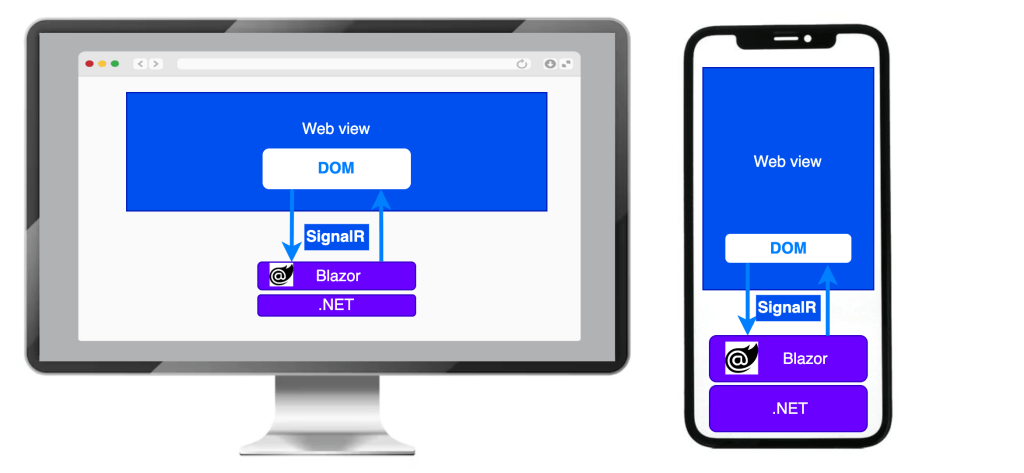
Blazor apps are composed of reusable web UI components built using C#, HTML, and CSS. With Blazor, developers can build client and server code with C#. They can also share code and libraries with the front-end client code and back-end logic. Using C# for all code simplifies sharing data between the front end and back end, enables code reuse to accelerate development, and reduces maintenance. [1]
Blazor Hybrid support is built into the .NET MAUI framework. .NET MAUI includes the BlazorWebView control that permits rendering Razor components into an embedded Web View. By using .NET MAUI and Blazor together, you can reuse one set of web UI components across mobile, desktop, and web.
How it works?
Blazor Hybrid enables developers to blend desktop and mobile native client frameworks with .NET and Blazor.
In a Blazor Hybrid app, Razor components run natively on the device. Components render to an embedded Web View control through a local interop channel. Components don’t run in the browser, and WebAssembly isn’t involved. Razor components load and execute code quickly, and components have full access to the native capabilities of the device through the .NET platform.
Project Structure and how to configure
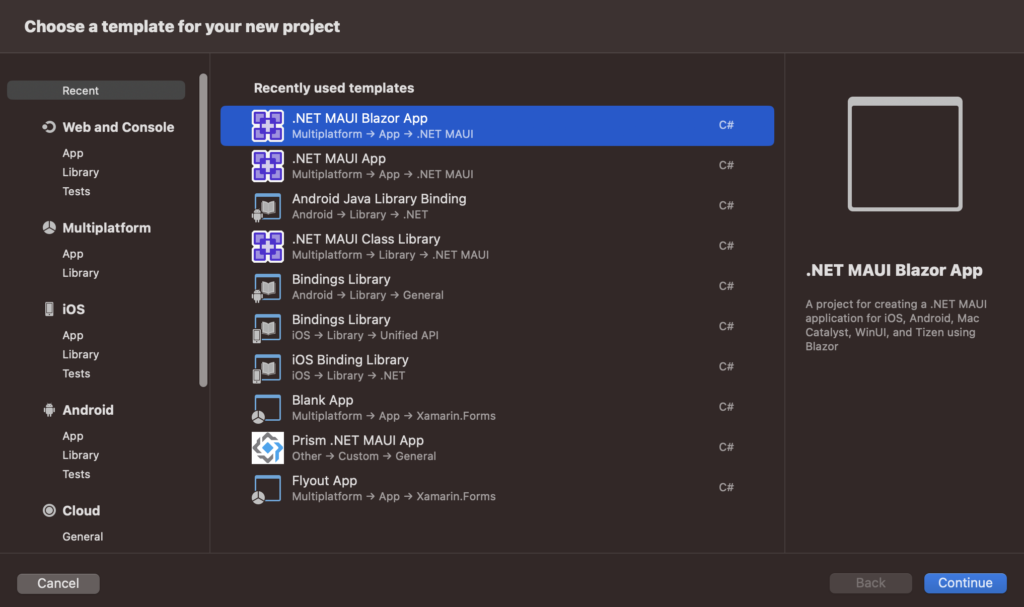
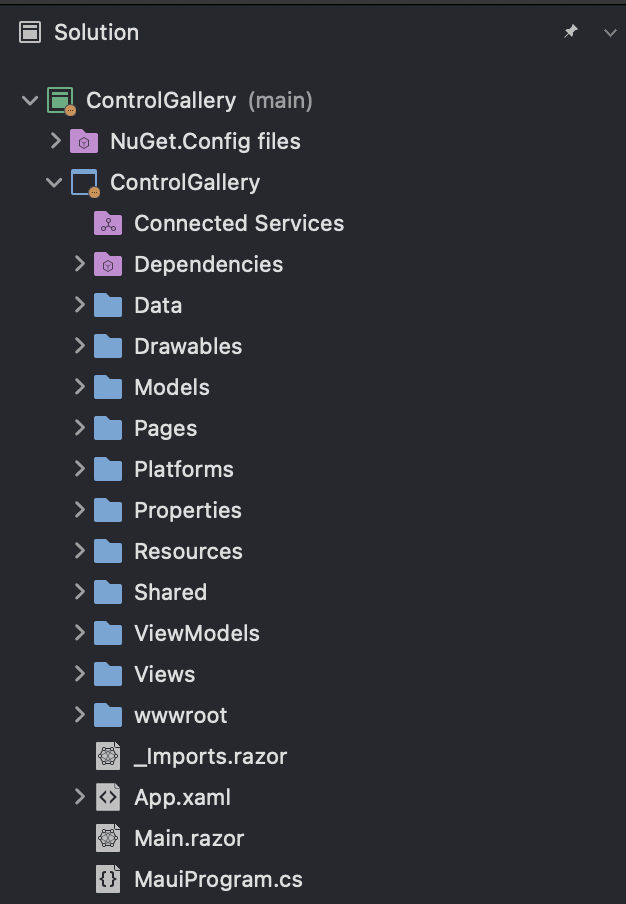
We will have a normal .NET MAUI project with some additional Blazor as the related content:
Blazor project files
The project includes in:
- Pages folder: define the pages that make up the Blazor user interface
- Shared folder: contains shared Blazor components including the main layout and navigation menu of the app.
- wwwroot folder: includes static web assets used by Blazor including HTML, CSS, JavaScript, and image files.
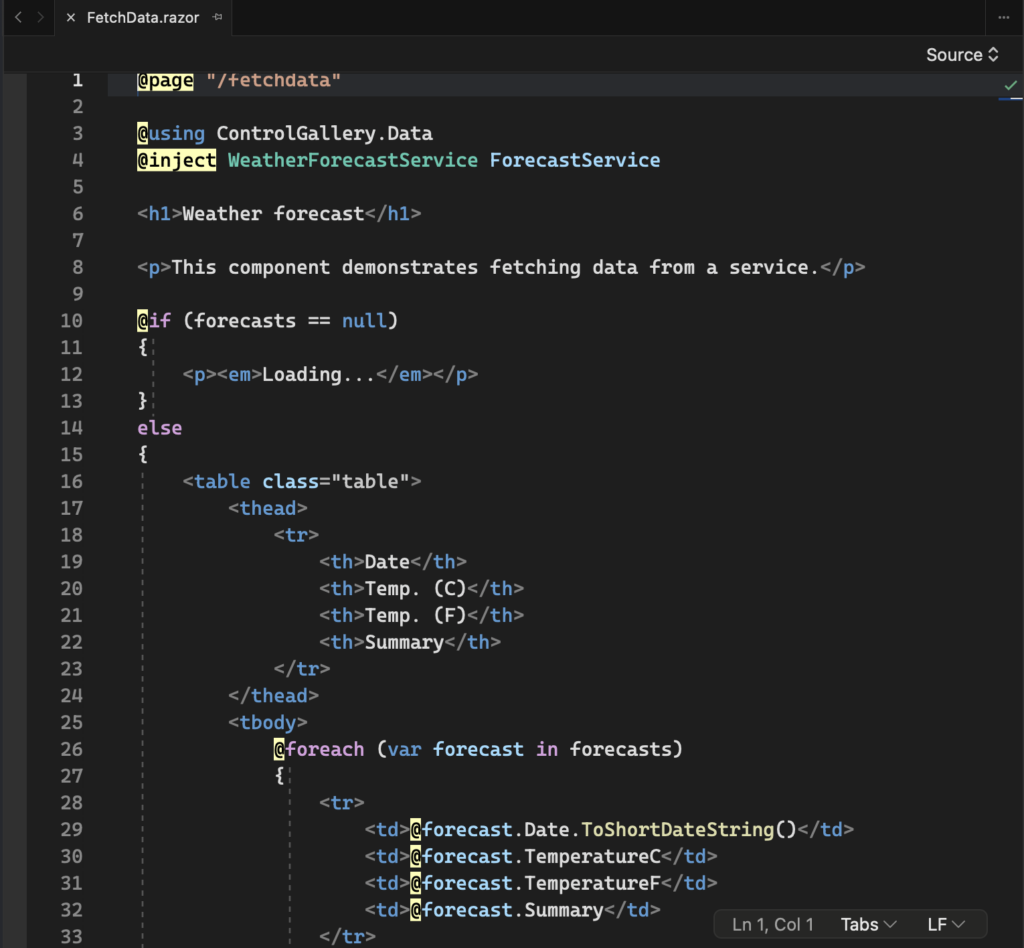
Main.razorfile: the root Razor component for the app that sets up the Blazor router to handle page navigations within the web view._Imports.razorfile: defines namespaces that are imported into each Razor component.
.NET MAUI project files
We still keep the .NET MAUI project structure (include in App.xaml, App.xaml.cs and other dependencies if any).
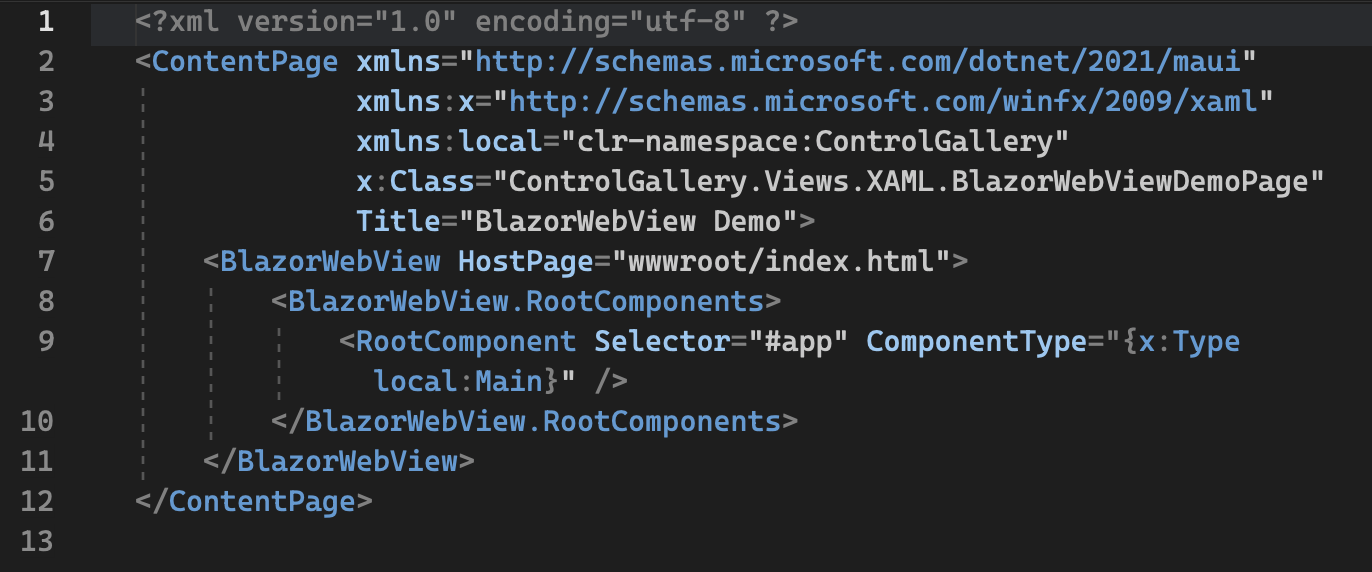
Don’t forget to edit your view’s XAML to configure a BlazorWebView that uses your content’s local URL as a start page that loads the Main component in the specified host HTML page (wwwroot/index.html) at location specified by the CSS selector (#app).
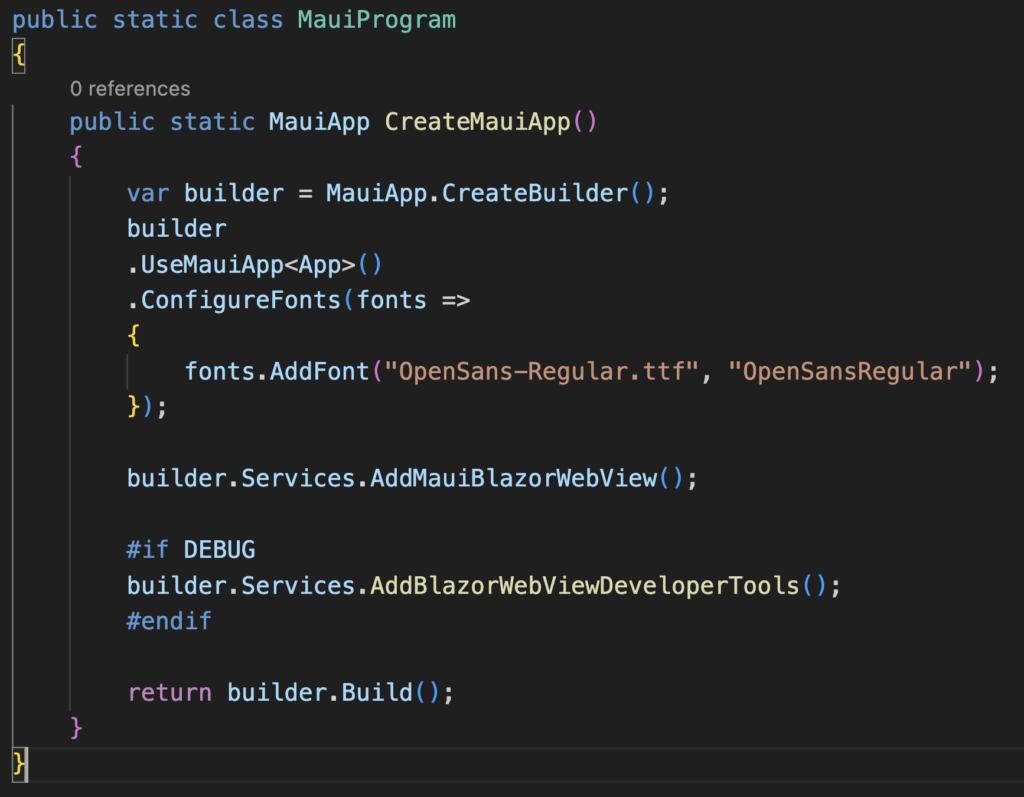
Also one more important thing, we must add support for Blazor Hybrid with the AddMauiBlazorWebView method:
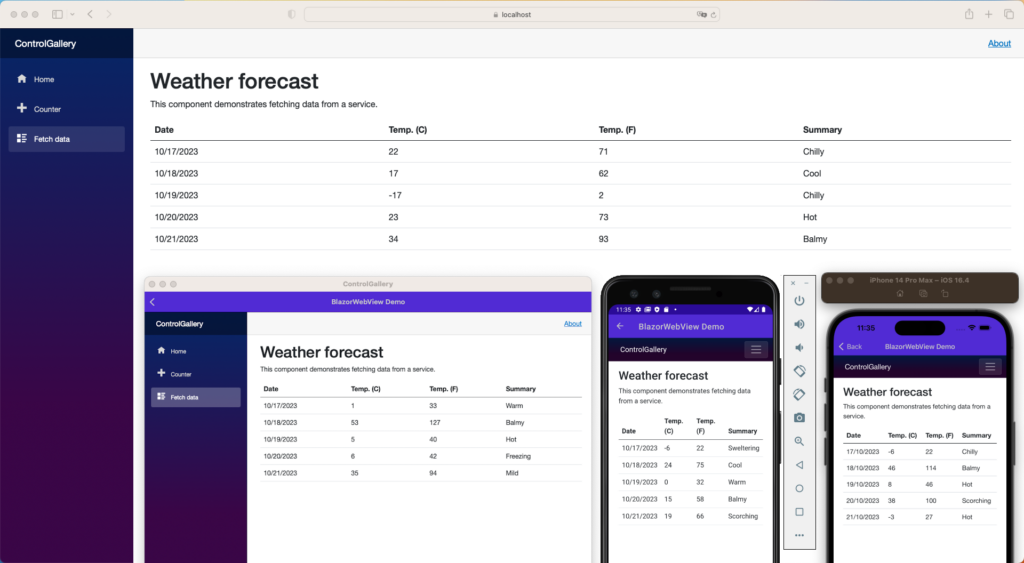
So we have a final structure and demo app like that
Hybrid Blazor components are based on HTML elements, which are rendered inside a web view on each platform. For example, a div component may look the same on different platforms, because it uses the same HTML tag and style.
Below is result of above demo app in web, desktop, iOS and Android device.
Conclusion
You now understand the fundamentals of building Blazor Hybrid apps. You can use your HTML and C# knowledge to build more complex native apps.
This is really needed for all the Web Developers as well the C# lovers who are not very familiar with Native app development or .NET MAUI/ Xamarin. We as the C# lovers will always love to work with this kind of native mobile application development. If you would like to learn more .NET MAUI, you can visit at here.
Hope you all enjoy reading this article.
References
[1] Build web applications with Blazor
[2] Create native desktop & mobile apps using web skills in Blazor Hybrid | .NET Conf 2022