


Fabric CICD – Why Microsoft provides multiple options
This blog post addresses the key considerations for implementing an CICD solution in Microsoft Fabric — the unified analytics platform.
After two years of working, researching, and building solutions with Fabric, I have often wondered why Microsoft provides multiple CI/CD options (both tools and code libraries). How are these options related to each other? Should we use them independently, or can they be combined?
In this article, I will walk you through all the available options and clarify these concerns.
Deployment Pipeline
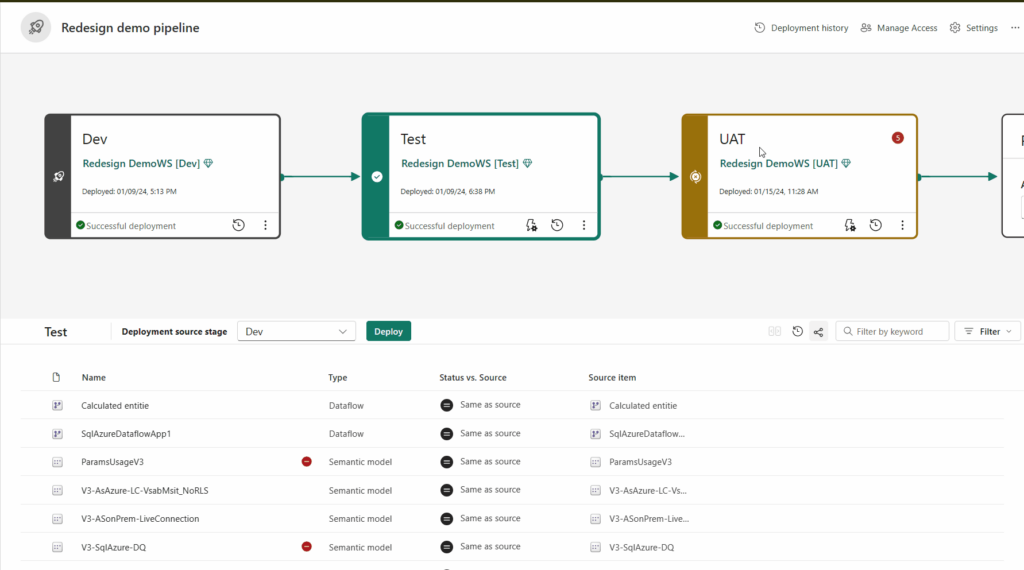
When I first started working with Fabric, I learned from Microsoft’s training materials how to use the Fabric Deployment Pipeline — the built-in tool provided to support CI/CD within the Fabric platform. Here is what I have practiced by building a demo and learned:
Advantages:
- Suitable for deploying Fabric items across workspaces directly within the Fabric Portal.
- Quick to configure, making it easy to get started.
Supports variable libraries, a new Fabric feature that helps automatically resolve object dependencies when deploying items across workspaces. This addresses a major pain point many users encountered when deploying items such as Data Pipelines or Notebooks for the first time.
Disadvantages:
- Many Fabric items are still in Preview (such as Fabric SQL DB, Lakehouse, and Data Warehouse), so you must regularly check the monthly Fabric roadmap for updates.
- Limited flexibility, as you must follow the pipeline’s fixed configuration and structure.
- Best suited for simple projects, and not recommended for multi-tenant scenarios.
Additional resource: Get started with Deployment Pipeline
Fabric API
Initially, I was a bit surprised when I discovered the Fabric REST APIs and realized that we can create most Fabric items and perform many other actions directly through REST API calls. At first, I was unsure how and when these APIs should be used.
Later, I understood that the REST APIs are one of the key options Microsoft provides to give the community greater CI/CD flexibility. For example, we can invoke these APIs from a Fabric notebook or from an Azure DevOps pipeline to create Fabric items or modify configurations, such as Power BI semantic models.
More importantly, if you implement an advanced Fabric data solution such as an App-Owns-Data architecture, you will rely heavily on these REST APIs and fully explore their capabilities.
Additional resources:
Fabric CLI
I extract Fabric CLI ‘s definition from Microsoft:
The Fabric CLI (fab) is a fast, file‑system‑inspired command‑line interface for Microsoft Fabric. Explore, automate, and script your Fabric environment—right from your terminal.
Fabric CICD.
During its initial release period, this tool received significant attention and a large number of trial installations
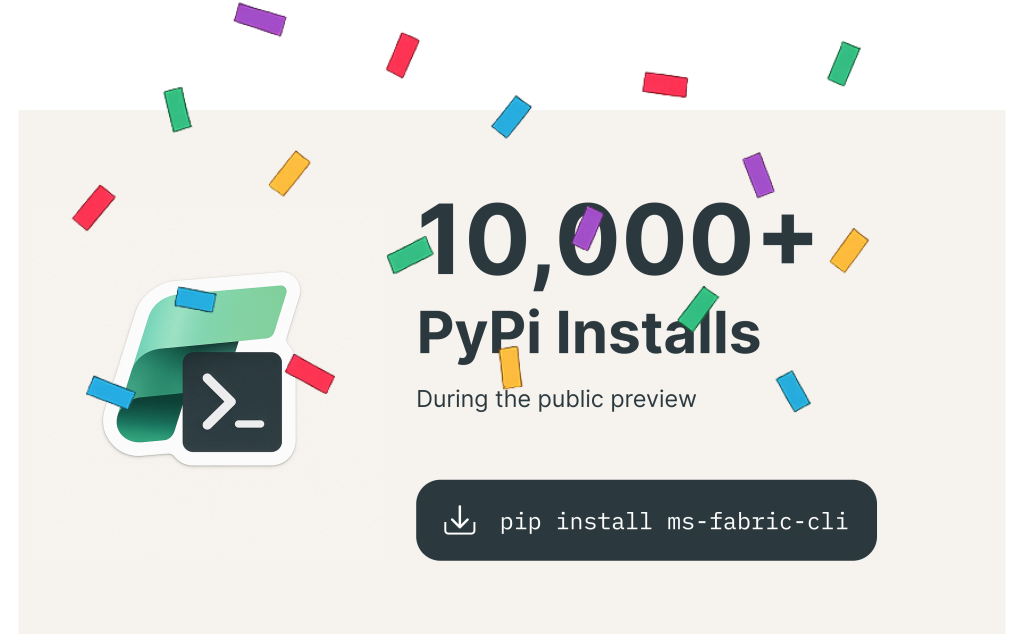
After spending significant time practicing with it and even implementing a mini project, I have gained a solid understanding of its capabilities:
- It allows you to create new Fabric workspaces, users, and most Fabric items directly from the local command line.
- It can be invoked within a Fabric notebook to programmatically create new Fabric items.
- It can also be invoked in an Azure DevOps Pipeline to automate the creation or deployment of Fabric items.
- It supports many additional actions, which you may want to explore further to uncover more advanced and interesting capabilities.
- It supports Service Principals, enabling the development of custom applications and automation workflows.
If you are responsible for the DevOps role in your project, this is a tool you simply cannot overlook.
Additional resource: https://microsoft.github.io/fabric-cli/
Fabric CICD
I use Microsoft’s definition to describe Fabric CI/CD:
Fabric CI/CD is a Python library designed for use with Microsoft Fabric workspaces. It supports code-first Continuous Integration and Continuous Deployment (CI/CD) automations, enabling Source-Controlled workspaces to be integrated into a deployment framework. The goal is to assist CI/CD developers who prefer not to interact directly with the Microsoft Fabric APIs.
After working with this library in practice, I have the following recommendations and observations:
- It works very well with Azure DevOps Pipelines, giving DevOps engineers a strong option to deploy multiple Fabric items from repositories to any Fabric workspace.
- It supports nearly all important Fabric items, making it highly applicable to real-world projects.
It provides a simple and clean syntax, which helps reduce complexity during implementation. - It includes a mechanism to automatically resolve object dependencies, similar to how variable libraries work.
- Only supports items that have Source Control, and Public Create/Update APIs
Additional resource: Fabric CICD official documentation
Azure DevOps pipeline
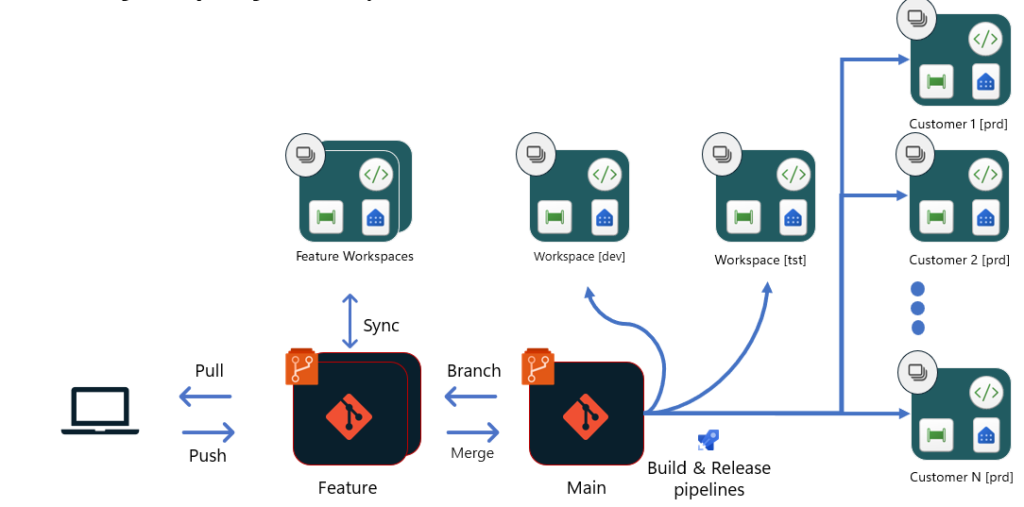
I consider this the most important part of the article. After spending significant time researching, practicing, and collaborating with many colleagues, we can conclude that if we want to implement a professional CI/CD solution for Fabric—especially for a Multi-Tenant Model project—Azure DevOps Pipelines is the best approach for the following reasons:
- It belongs to the same Microsoft ecosystem, ensuring compatibility, stability, and seamless integration with other Azure and Fabric services.
- It provides native support for invoking Fabric CLI, Fabric CI/CD tools, Fabric REST APIs, and more— enabling us to combine and fully leverage the strengths of various CI/CD techniques.
- It offers many additional powerful features that simplify and enhance the implementation of end-to-end CI/CD workflows.
Terraform
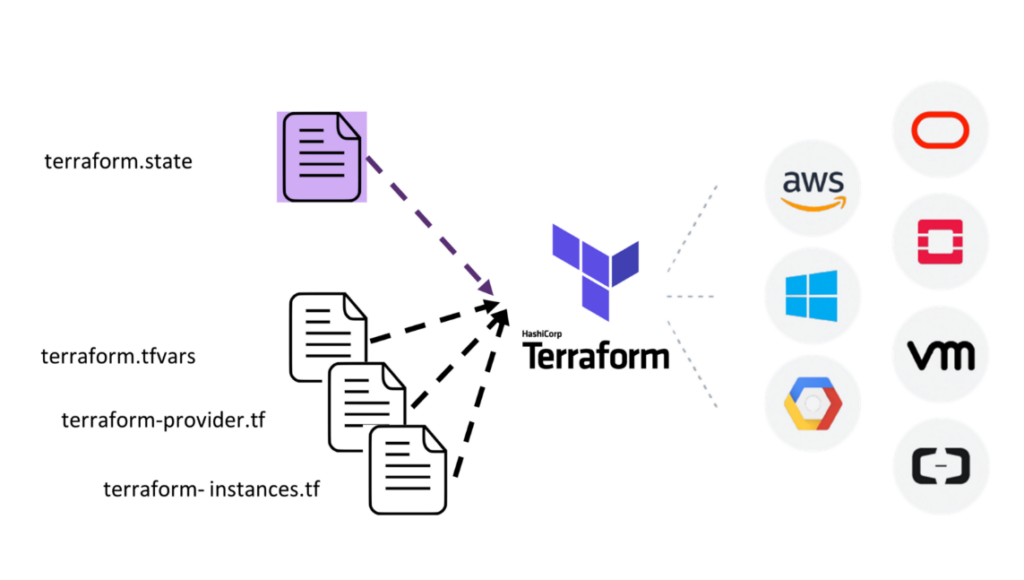
Terraform is well-known as an “Infrastructure as Code” tool. It allows us to provision infrastructure across various cloud platforms such as Microsoft Azure, AWS, and Google Cloud…
Currently, Terraform has published an official provider that supports provisioning full Fabric Capacity instances and other Fabric resources.
However, based on the tools we reviewed earlier in the article — and after extensive hands-on experience — we can see that Microsoft already provides nearly complete capabilities for implementing CI/CD. Therefore, at this moment, we can temporarily exclude Terraform from our comprehensive CI/CD solution. That said, if you still prefer to use Terraform, you will need to explore how to integrate it into an Azure DevOps pipeline.
Additional resources:
In Conclusion
When implementing a CI/CD solution for a Fabric project, it is essential to practice extensively to identify the most suitable approach—and to experience the real challenges that are often not documented anywhere on the internet. None of the tools mentioned above is perfect, but Azure DevOps Pipelines currently offers many advantages worth considering.
Thank you for taking the time to read this article. I hope the information serves as a solid starting point for you. Stay tuned for upcoming Microsoft updates in the months ahead.