


1. Introduction
In today’s digital-first world, security threats are evolving faster than ever. While cybersecurity teams play a critical role, the responsibility to detect and prevent vulnerabilities doesn’t rest on their shoulders alone. Testers, traditionally focused on functionality and usability, are now expected to have a security-first mindset.
Enter Microsoft Security Copilot—an AI-powered tool designed to supercharge threat detection and response. But what many don’t realize is that it’s also a powerful assistant for testers. Whether you’re performing exploratory checks or verifying access control, Security Copilot can elevate your role from simply testing features to actively defending the system.
This blog explores how Security Copilot is reshaping the landscape of software testing.
2. Why We Need to Use Microsoft Security Copilot
Security is no longer a post-deployment activity—it must be built into the earliest stages of the software development lifecycle. However, many testers face challenges:
- Limited exposure to security concepts
- Lack of access to detailed security logs
- Time constraints during sprints
- Difficulty simulating real-world attacks
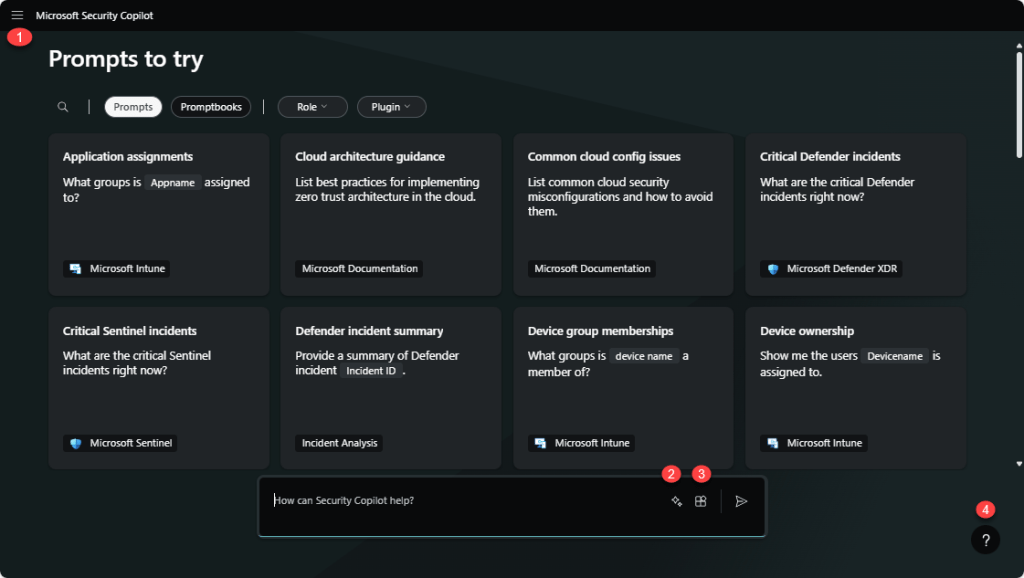
Microsoft Security Copilot addresses these challenges by allowing testers to:
- Investigate suspicious activities without writing complex queries
- Analyze logs using natural language
- Simulate threat scenarios based on Microsoft’s threat intelligence
- Brainstorm security test ideas instantly
It acts as an intelligent assistant, helping testers shift left on security—even if they’re not security experts.
3. Advantages and Disadvantages of Using Microsoft Security Copilot
| Advantages | Disadvantages |
| Natural language interface | Enterprise-only access |
| Log & alert analysis | Not integrated into test tools (e.g., Azure Test Plans, Jira) |
| Security test ideation | No auto execution |
| Integration with Microsoft Defender/Sentinel | Dependent on data quality |
| Incident summarization |
4. Apply in the project
4.1 Investigating Authentication Behavior
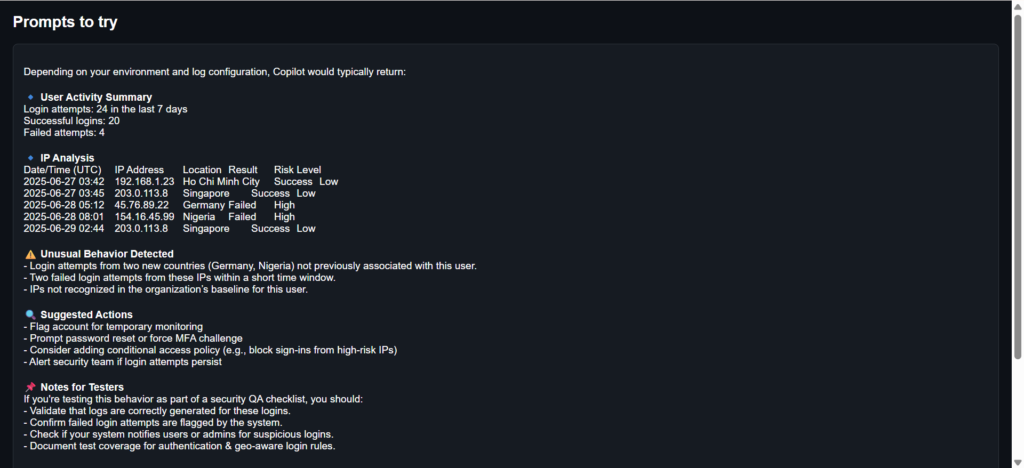
Scenario: During regression testing, you want to validate that the login system correctly handles multiple failed attempts and MFA triggers.
Prompt to Copilot: “Analyze login behavior for user ‘hoan.dinhthimy@gmail.com’ and identify any unusual login attempts from different IPs.”
How It Helps:
- Shows whether MFA is prompted after multiple failed logins
- Confirms whether the system blocks brute-force attempts
- Allows you to build follow-up test cases based on login patterns and thresholds
4.2 Validating Role-Based Access Restrictions
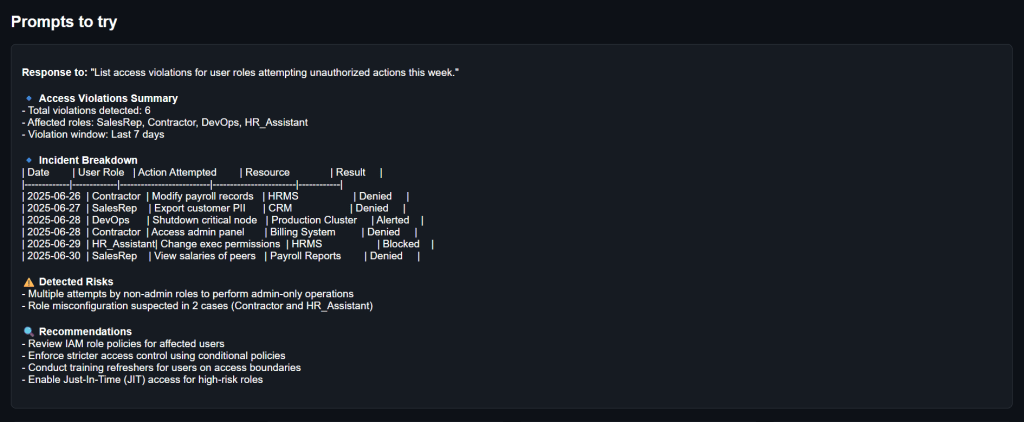
Scenario: You’re testing a document-sharing system with different user roles: viewer, editor, admin. You need to confirm that access is correctly restricted.
Prompt to Copilot: “List access violations for user roles attempting unauthorized actions this week.”
How It Helps:
- Identifies attempts by lower-permission roles to access restricted features
- Shows if alerts or logs are generated for those attempts
- Helps you validate enforcement of access control policies
4.3 Threat Modeling Before Feature Testing
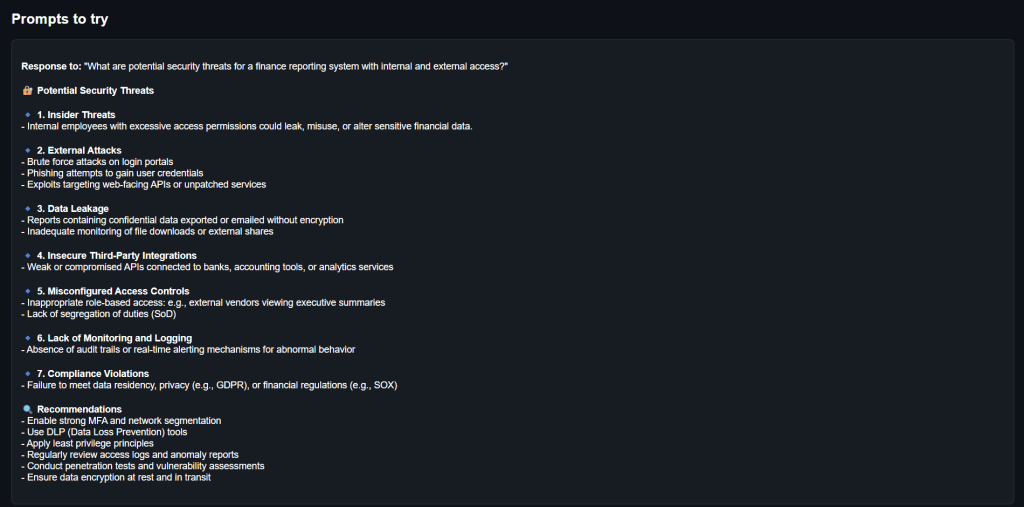
Scenario: You’re preparing to test a new financial reporting module and want to anticipate key security risks before designing your test cases.
Prompt to Copilot: “What are potential security threats for a finance reporting system with internal and external access?”
How It Helps:
- Identifies threats like data leakage, unauthorized downloads, injection risks, etc.
- Helps you design exploratory test scenarios around those risks
- Encourages early, proactive test planning
5. The Future of Testing with AI-Powered Security
As AI and security converge, testers will take on more strategic roles. We’ll move beyond just “does it work” to “is it safe,” “can it be abused,” and “what happens if it’s attacked.” Tools like Microsoft Security Copilot make that evolution possible—turning functional testers into full-stack defenders.
As Microsoft continues to expand Copilot capabilities across its ecosystem, we can expect:
- Tighter integration with DevOps pipelines
- Auto-suggested security test cases
- Deeper log intelligence for pre-release testing
6. Conclusion
Microsoft Security Copilot doesn’t replace testers—it empowers them. It’s a bridge between QC and security, enabling testers to make smarter, faster, and more security-aware decisions without needing to be cybersecurity pros.
7. References
Google image – Security Copilot