



what is GOLDILOCKS?
Setting Kubernetes resource requests and limits just right is a major challenge. to make this challenge easy for you, Goldilocks is here. The Fairwinds open-source tool, Goldilocks, is a tool that can help you identify an exact point for resource requests and limits. It provides a dashboard that gives recommendations on how to set your resource requests.
There are two types of resource configurations on every container in a pod: requests and limits.
Request defines the minimum resources that containers need. A limit defines the maximum number of resources the container can use. Setting resources helps to stop you from over-utilizing resources, while protecting your resources for other deployments.
How does Goldilocks provide recommendations?
Goldilocks uses the Vertical Pod Autoscaler (VPA). It uses the recommendation engine that VPA provides to give you good recommendations on how to set your resource requests and limits. The way recommendation engine works is simple. It runs the controller in the cluster that looks for namespaces that are labeled with goldilocks.fairwinds.com/enabled=true. Within those enabled namespaces, it looks for every deployment object and creates a VPA object for it.
Types of recommendation
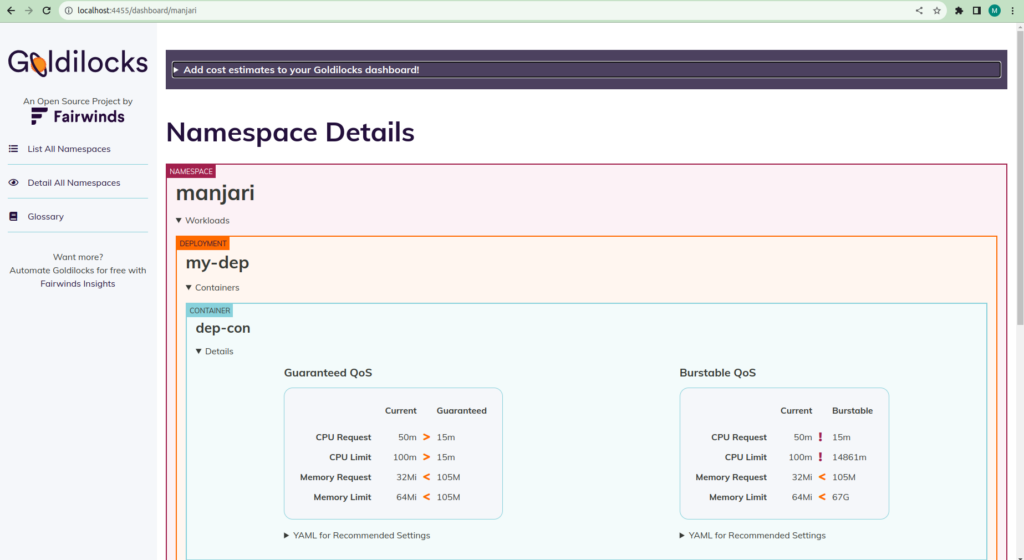
Goldilocks provides two types of recommendations. These recommendations are based on Kubernetes Quality of Service (QoS) classes. QoS Class provides different ways of setting your resource requests and limits. it generates two different recommendations from the historical data:
Guaranteed – In this class, you set your resource requests and limits to exactly the same values which is recommended. It guarantees that the resources requested by the container will be available to it when it gets scheduled.
Burstable – This implies that your resource requests are lower than your limits, which means the application will be guaranteed a minimum level of resources but will receive more if and when available.
Installing Goldilocks
The prerequisites for goldilocks are:
1. Kubectl
2. metric server enabled
3. Helm
You can install Goldilocks using helm chart, by running the following commands:
$ helm repo add fairwinds-stable https://charts.fairwinds.com/stable
$ helm upgrade –install goldilocks fairwinds-stable/goldilocks –namespace goldilocks –create-namespace –set vpa.enabled=true
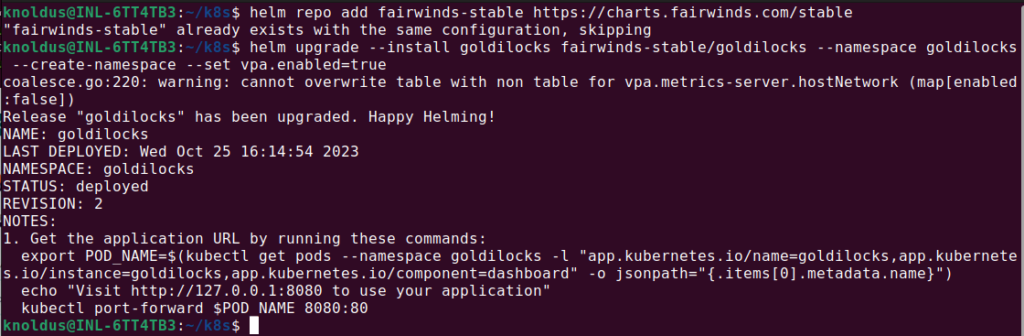
To check the goldilocks pods, run the following command:
$ kubectl get pods -n goldilocks

And then you can access the goldilocks dashboard using port-forward:
$ kubectl -n goldilocks port-forward svc/goldilocks-dashboard 8080:80
To see the recommendations of the deployment, you need to label the namespace in which your deployment is.
Following is the command to label your namespaces (replace ns-name with your namespace name and If you want to label all your namespaces, replace “ns-name” with “–all” ):
$ kubectl label namespaces ns-name goldilocks.fairwinds.com/enabled=true
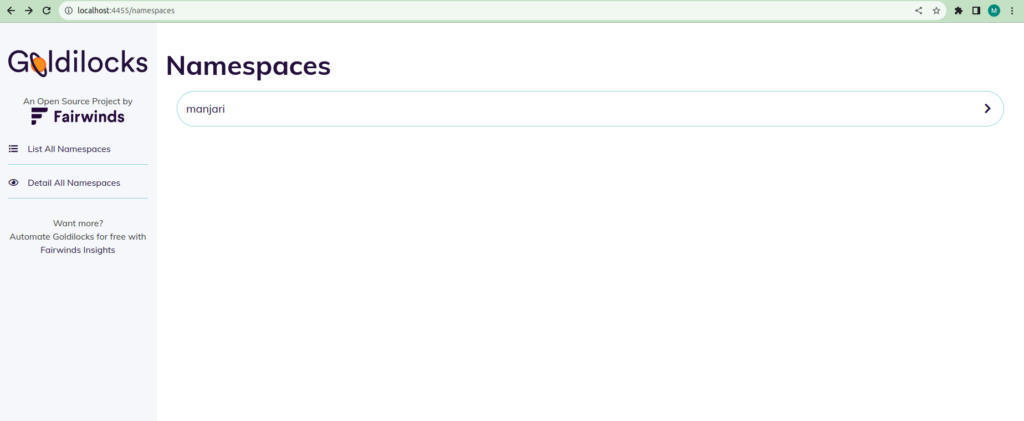
After following the above steps your goldilocks dashboard will look like this:
Conclusion
In summary, using Goldilocks doesn’t just help improve how resources are managed. It enhances performance, saves money, and makes your Kubernetes setups more reliable. This can mean spending less on larger deployments.