


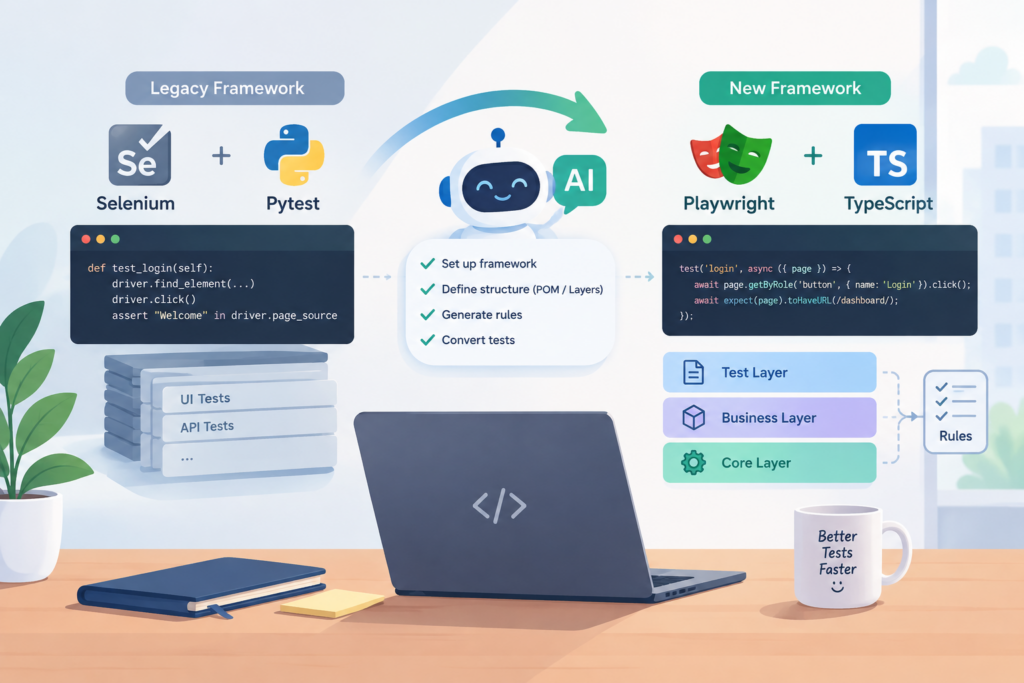
A few months ago, our team started migrating a legacy Selenium/Pytest test suite, covering thousands of UI and API tests accumulated over several years, to Playwright -TypeScript. This migration wasn’t just about replacing an aging tool — it came from a project requirement to consolidate several sub-projects, each maintained with its own separate Selenium/Pytest setup, into one unified Playwright/TypeScript framework. Different teams, different conventions, years of drift between them. AI was brought in to do most of the actual conversion work, which raised two questions: “is this even worth it?” and, the one that actually mattered, “how do you keep a fast AI-assisted conversion from quietly producing tests that pass without verifying anything?”
Here’s the migration sequence we settled on, along with one practice that applies throughout the entire.
Step 1 — Establish the architecture first, then evolve the rules as you migrate
Before converting a single test, decide the architecture the new framework will follow — a layered structure, commonly taught as Core / Business / Test layer:
| Layer | What lives here | Depends on |
| Core | Base API client, shared base page class, generic utils (dates, retries, strings) — zero product knowledge | Application |
| Business | Page objects, API helpers, test data/constants — knows the application’s domain | Core |
| Test | The actual test specs | Business + Core |
Why order matters:
- A test depends on the business layer; the business layer depends on the core layer.
- Convert the test layer first, and either tests can’t run yet, or — more commonly with AI — each one quietly invents its own throwaway page object/helper because the shared one doesn’t exist.
- Repeat this across fifty test files before the shared Business layer exists, and you risk ending up with fifty slightly different implementations of the same functionality.
So: Core layer first (if it isn’t already stable), then the Business layer for whatever area you’re migrating, then — only then — the Test layer.
What I learned about defining rules with AI:
Instead of trying to specify every coding convention upfront, I used Claude to help document the rules as the framework structure and implementation patterns became clearer.
As we worked through the Core and Business layers, specific conventions became easier to identify — from locator naming to reusable helper patterns and where assertions should belong.
This approach helped me turn concrete requirements and implementation decisions into persistent rules that Claude could follow during subsequent conversions. The rules still needed to be reviewed and refined to ensure they matched the framework’s intended design.
Step 2 — Audit and prioritize the Test layer backlog before converting it
With Core and Business layers in place, list everything left in the Test layer and rank it:
- Tier 0 — the critical gate: smoke tests, release-blocking checks. Convert first, review hardest.
- Tier 1 — regular regression coverage. Convert next.
- Tier 2 — edge cases, rarely-run suites, anything near deprecated. Convert last, or not at all.
Do this before converting the first test file, not while converting — sorting priority mid-conversion means whichever file comes up first gets it, regardless of how much it matters.
Step 3 — Convert in manageable batches and review before pushing
- Avoid converting the entire backlog at once and postponing all reviews until the end.
- Work in manageable batches, then review the generated code before pushing it. This makes it easier to identify incorrect patterns while the relevant changes are still fresh and limits the scope of fixes when something goes wrong.
- For AI-assisted migration, the goal is not just to convert tests quickly, but to catch incorrect assumptions and duplicated implementations before they spread across the framework.
🚨 IMPORTANT — THE ONE THING THAT ISN’T A STEP
So, is it worth it?
- Worth it if the legacy suite is actively maintained, has a large unprioritized backlog, and the team genuinely reviews every batch — not just runs it and moves on.
- Not worth it yet if the suite is near deprecated, small enough to convert by hand, or “review every batch” won’t realistically happen — a slower manual conversion beats a fast one nobody checks.
Finally
AI accelerated the conversion, but reliability still depended on how carefully we reviewed and validated the results. Whether the result verifies anything is still, and will stay, a human responsibility: exercised at every layer, every batch, every time.