


Let’s create a VPC and subnet in AWS using Terraform.
What is Terraform?
Terraform is an infrastructure as a code solution from HashiCorp, It enables you to specify cloud and on-premises resources in human-readable configuration files that you can reuse, distribute, and version.
Prerequisite:
- Terraform must be Installed.
- AWS Account API Keys (Access Key & Secret Key)
- AWS account.
Vpc (Virtual Private Cloud):
A Virtual Private Cloud (VPC) is an isolated, secure private cloud hosted on the public cloud as this virtual network has the advantage of using the scalable infrastructure of AWS Similar to how you would run a traditional network in your own data center.
What is Subnet in Vpc:
Each VPC network is composed of one or more. Subnets are local resources with corresponding IP address ranges.
Now, let’s create a VPC with a subnet in AWS.
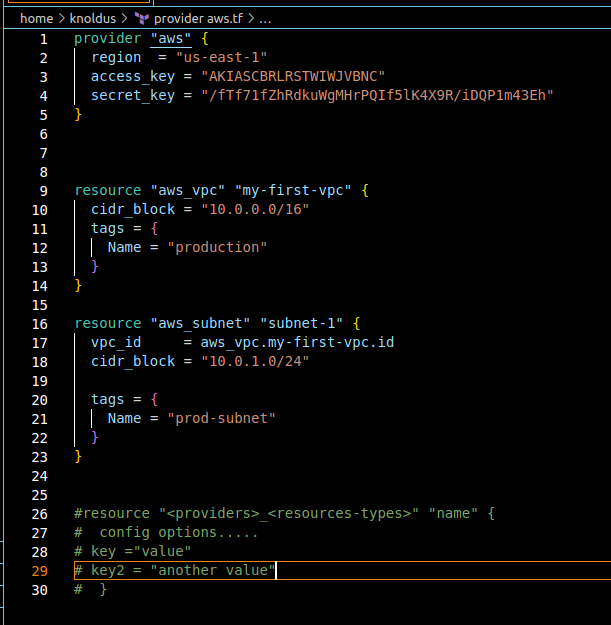
Create a Vpc and subnet to use the following steps.
1 Step: Create a provider
- Create a provider -> Aws
- Specify the region-> US-East (North-Virginia)-east-1
- Provide (Access key and Secret key)
2 Step: Create a VPC resource
- Create a VPC resource -> “my-First-vpc”
- Provide a Cidr_block-> 10.0.0.0/16 ( should fall in the range)
- Tags-> Name -> Production
3 Step: Create Subnet Resource for VPC
- Create Resource for VPC
- Provide the Vpc id-> aws_vpc.my-first-vpc.id
- Tags -> Name -> prod-subnet
Let’s proceed and run terraform init:
terraform init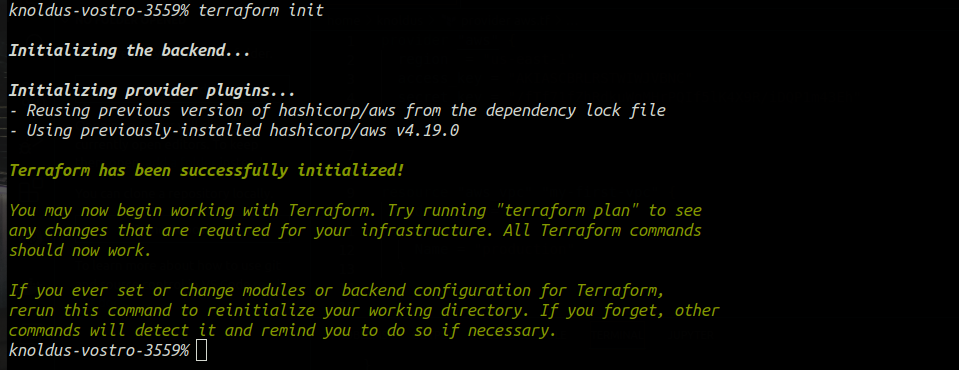
Now we will run terraform apply
terraform apply
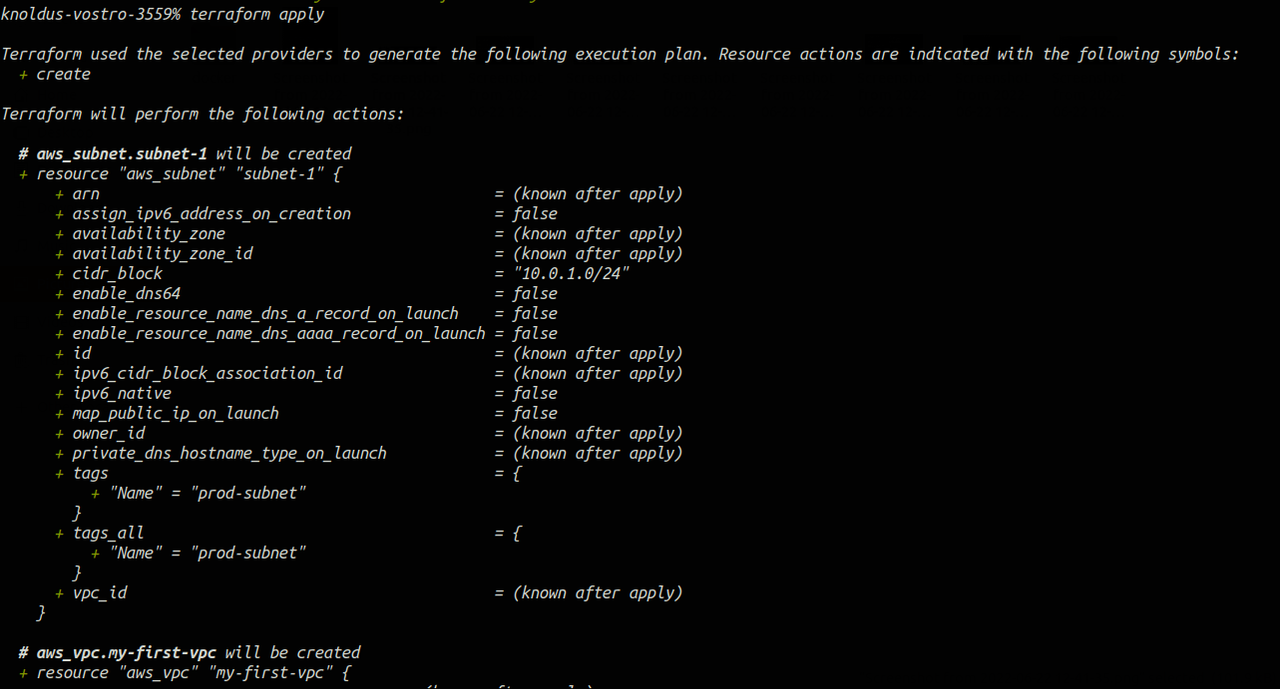
Once the terraform apply command has successfully run then You can visit the console and verify this also.
Go to the AWS console and check.
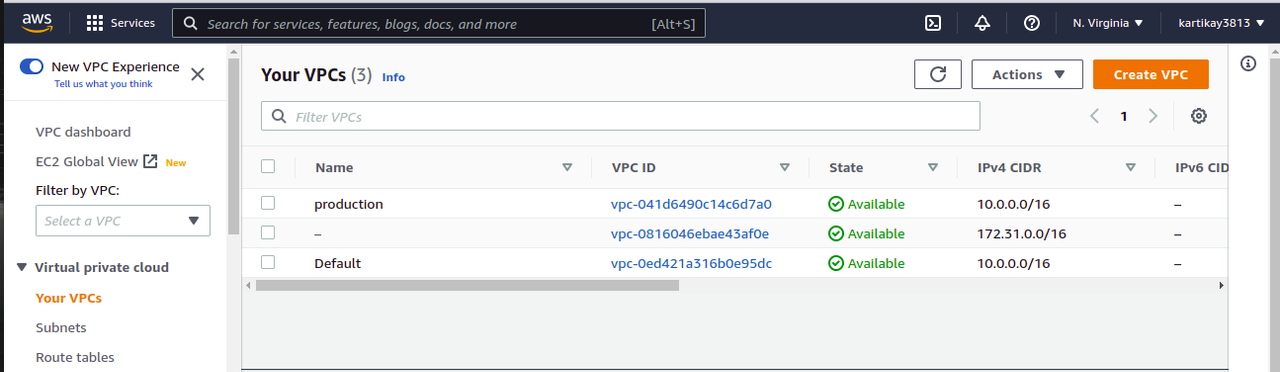
Go and check.
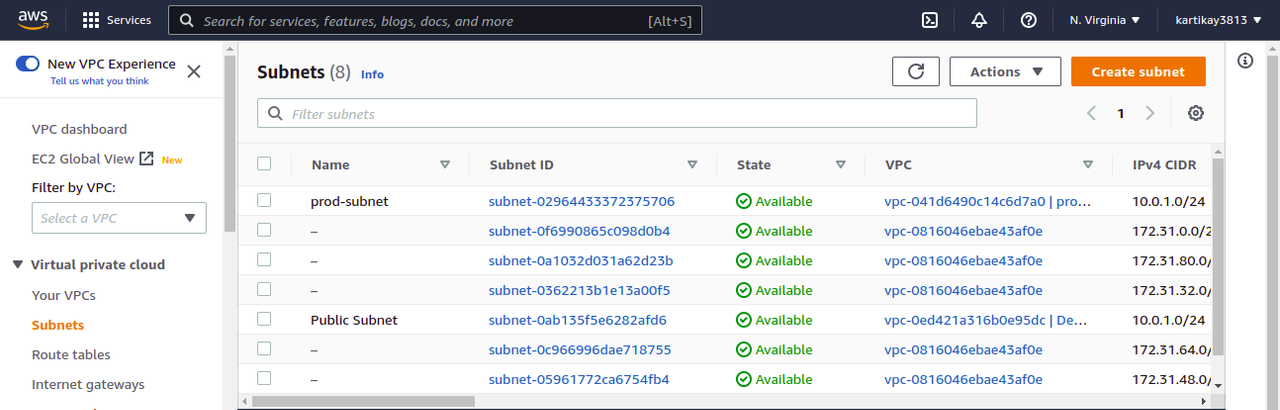
As you can see it has created a VPC resource and under that, it has created one subnet in the US East (N. Virginia)us-east-1.
Now once all the work is done and we have to delete all the VPC and subnet which is created just run a simple command terraform destroy.
terraform destroy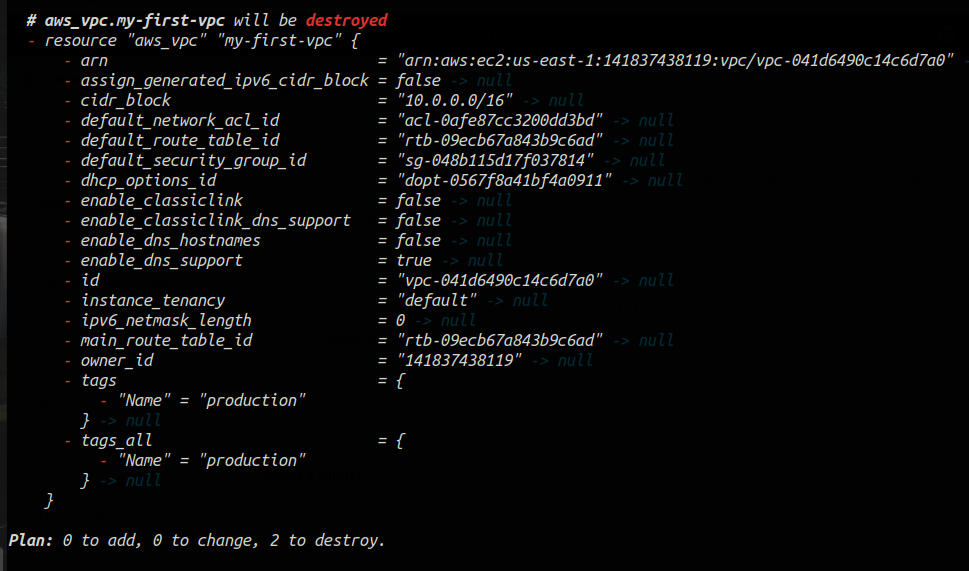
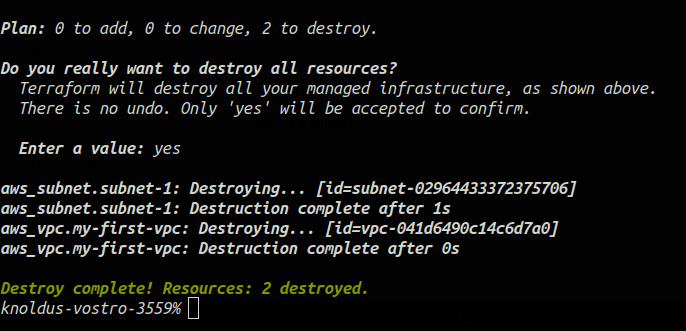
Conclusion:
This was all about how you can use terraform to create VPC and subnet in AWS. Please like, comment, and share this blog if you enjoyed it. This will inspire me to create other blogs of this nature.