



Hello Readers!! We are again back with an exciting topic I.e how to save EC2 from accidental termination. Amazon Elastic Compute Cloud (EC2) instances are the backbone of cloud computing environments, which provides scalability and flexibility to computing power. However, on the other hand, it also comes with the risk of accidental termination, which can result in data loss and service disruptions. In this blog post, we’ll explore how we can save our EC2 instances from accidental termination.
Enable Termination Protection:
This is one of the simplest methods that we can use. We can enable termination protection to save our EC2 instances from accidental termination. Termination protection is a feature provided by AWS that prevents an instance from being terminated, either intentionally or unintentionally, through the AWS Management Console, CLI, or API.
We can enable termination protection during the process of ec2 creation as well as after its creation.
To enable termination protection during the ec2 creation:
I am launching here an ec2 instance. Move to advanced details > Termination protection > Enable.
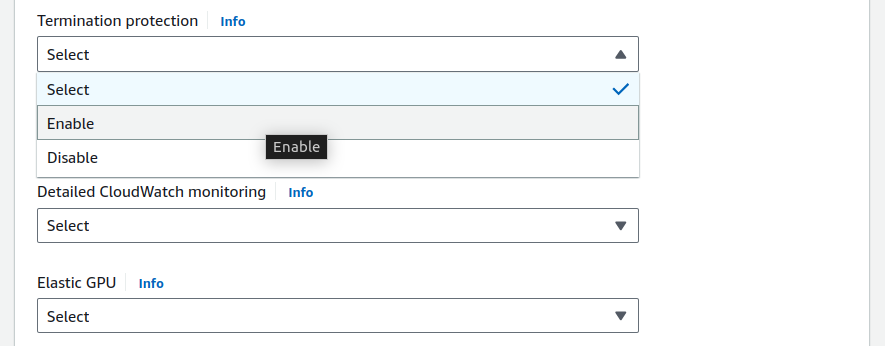
Configure other details. Click on launch. My ec2 has been launched with enabled termination protection here.
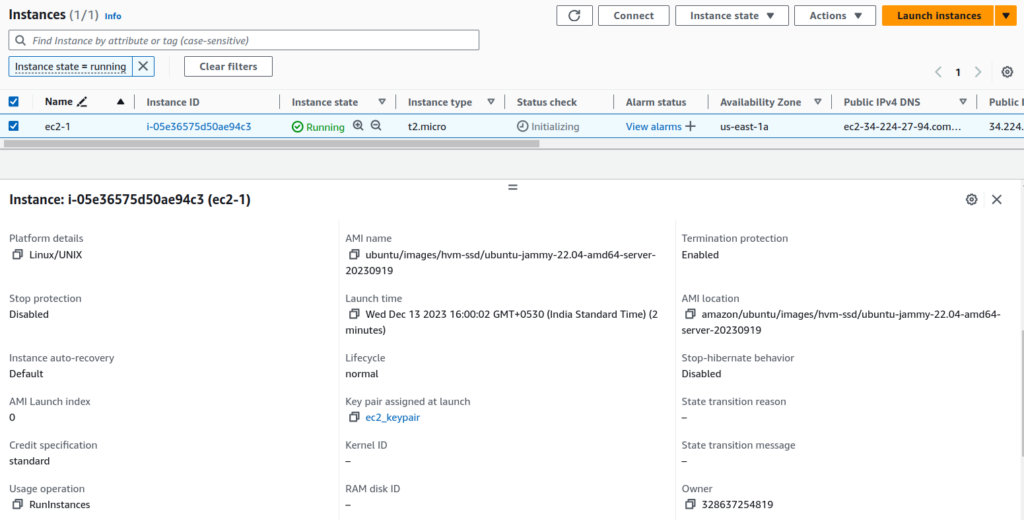
When you will try to terminate this instance, you will not be able to do so.
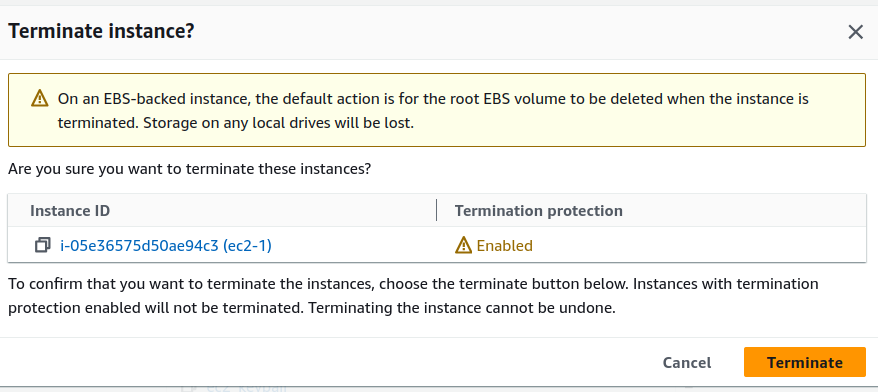
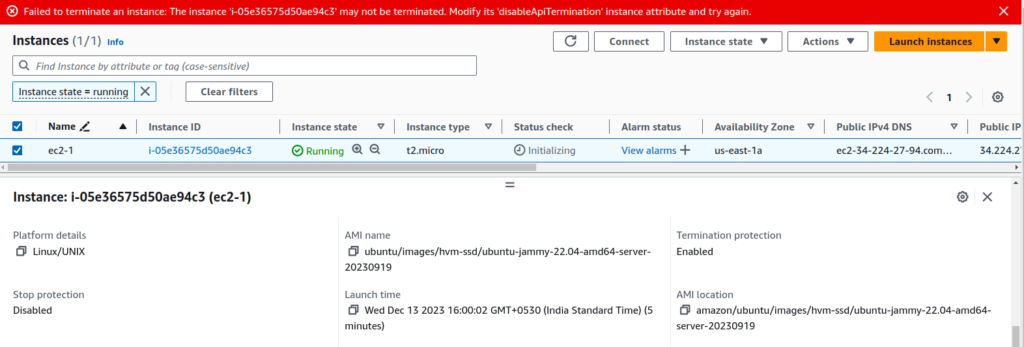
To enable termination protection after the ec2 instance creation:
Navigate to the EC2 Dashboard in the AWS Management Console.
Select the target instance.
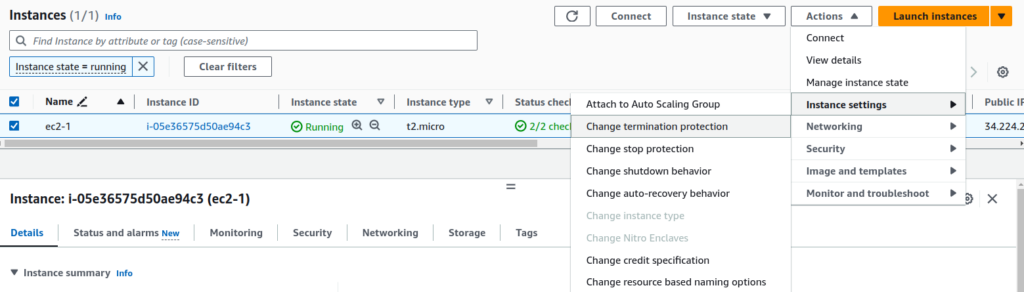
Under the “Actions” menu, choose “Instance Settings” and then “Change Termination Protection.”
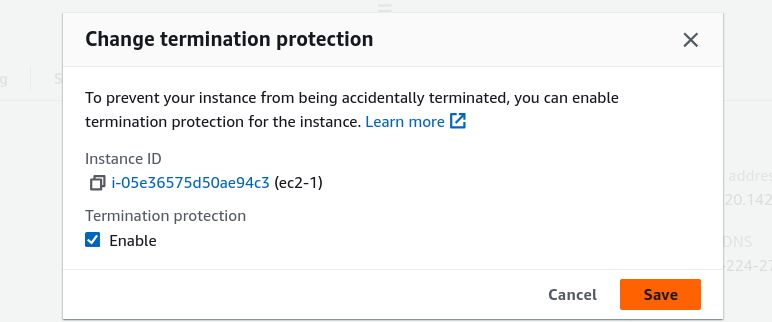
Click on Enable and save. Enabling termination protection adds an extra layer of security to your instances, reducing the likelihood of accidental terminations.
That’s all for this time!
Conclusion:
Thank you for being with me till the end. In this post, we have seen how easily we can protect our EC2 instances from accidental termination. If this blog helped you somewhere do like this post and share this with needful. If you have any queries, you can reach out to me at Naincy.kumari@Nashtechglobal.com.
Happy Reading!!!