



Hello Readers!! We are again back with an exciting topic i.e. how to translate text with AWS Translate. In today’s era, the ability to communicate effectively across languages is more important than ever. Here language translation plays a very crucial role in breaking down barriers and fostering understanding. In this blog we will see how we can use AWS Translate to translate text and documents effortlessly.
AWS Translate:
AWS Translate is a powerful service offered by AWS, which makes language translation more efficient than ever before. Using this service, we can easily translate a very large amount of text to a wide range of languages that can later be used for analysis. It also allows us to customize our translation process according to our specific needs. By using this service developers can easily integrate translation capabilities into their websites, applications etc.
AWS Translate provides two options for translation based on the user’s requirements:
- Real-time translation: It’s an on-demand translation of the text or document. AWS Translate provides a real-time translation capability through its API. It allows developers to integrate translation functionality directly into their applications.
- Batch translation: Batch translation, involves translating a large volume of text in bulk rather than in real-time. In this scenario, text is collected and processed in batches, typically on a scheduled basis. This approach is well-suited for tasks such as translating documents, articles, or large datasets where the translation process doesn’t need to happen instantaneously.
Real-time translation with AWS Translate:
Login to your AWS Console, search for AWS Translate. Let’s see how we can perform real-time translation. In real-time translation we have here two options, text and documents. Let’s try real-time text translation first.
Source language: It’s the language of the input text which we want to translate.
Target language: The language to which we want to translate our input text.
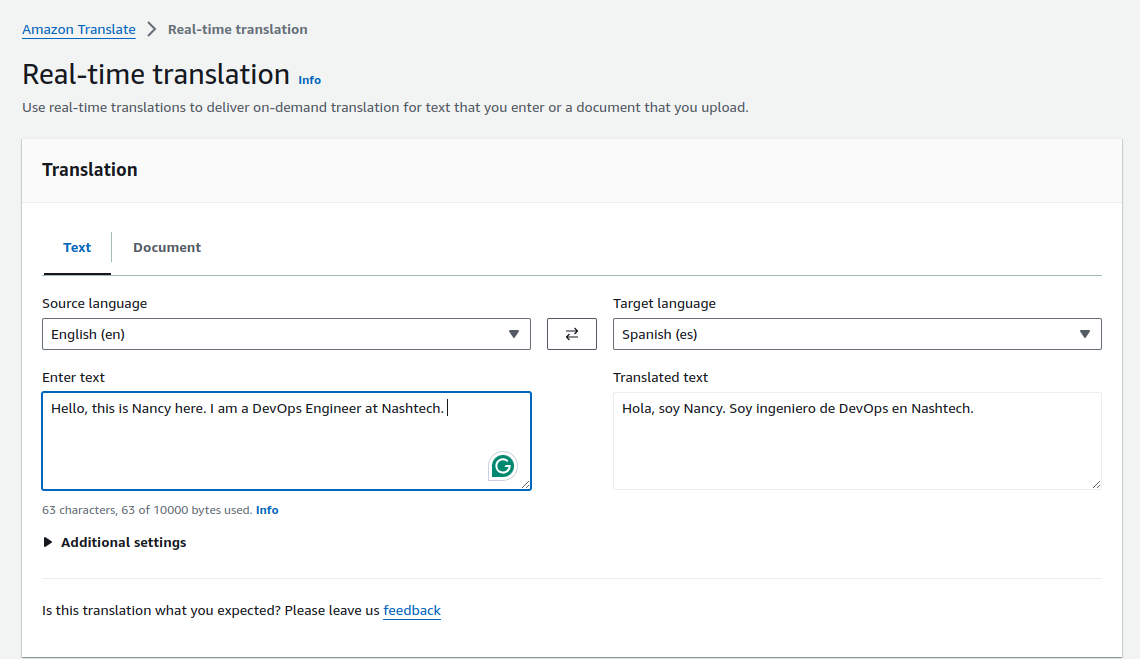
Here our source language is English and target language is Spanish. So, I am translating my real time input text to Spanish. Here you can look its translating in real time text data.
Now, let’s see how we can translate documents in the same way. We get here option for uploading our text document which we want to translate. Similarly select source language which will be the language of your text in the document. After that select your target language, the language to which you want to translate. Select document type. The maximum file size is 100kb for now.
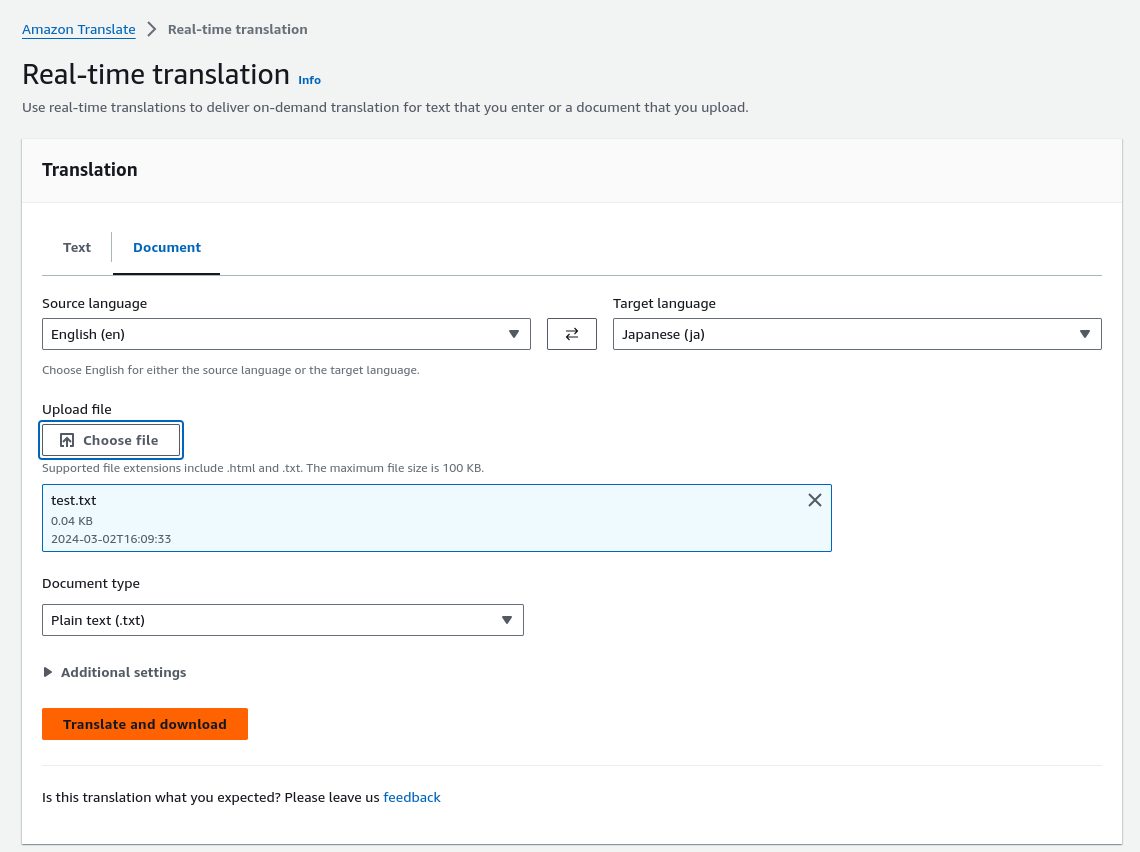
And finally, click on the button ” Translate and Download”. It will translate our uploaded text document to the target language chosen and will download the file.
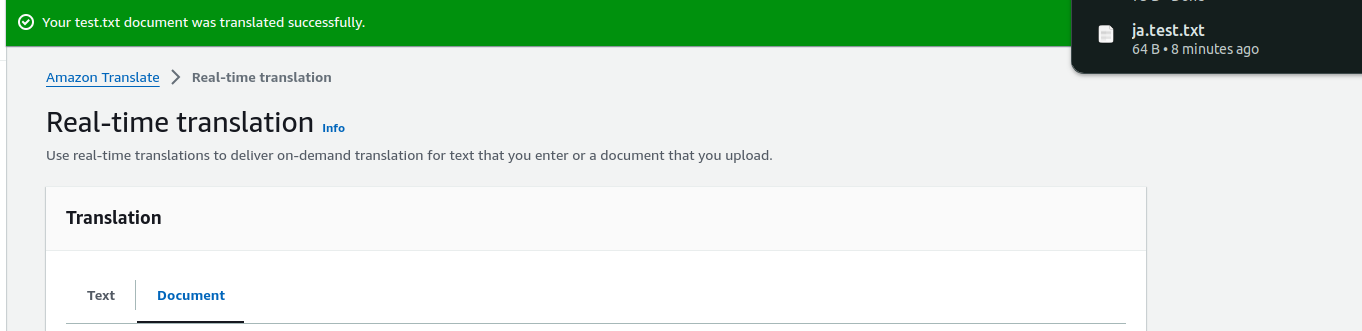
It’s downloaded successfully, let’s verify its language.
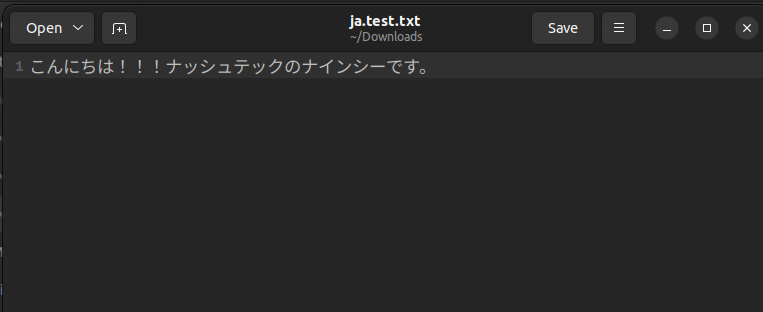
Its in Japanese. It’s done that’s it we have to follow here.
Batch Translation with AWS Translate:
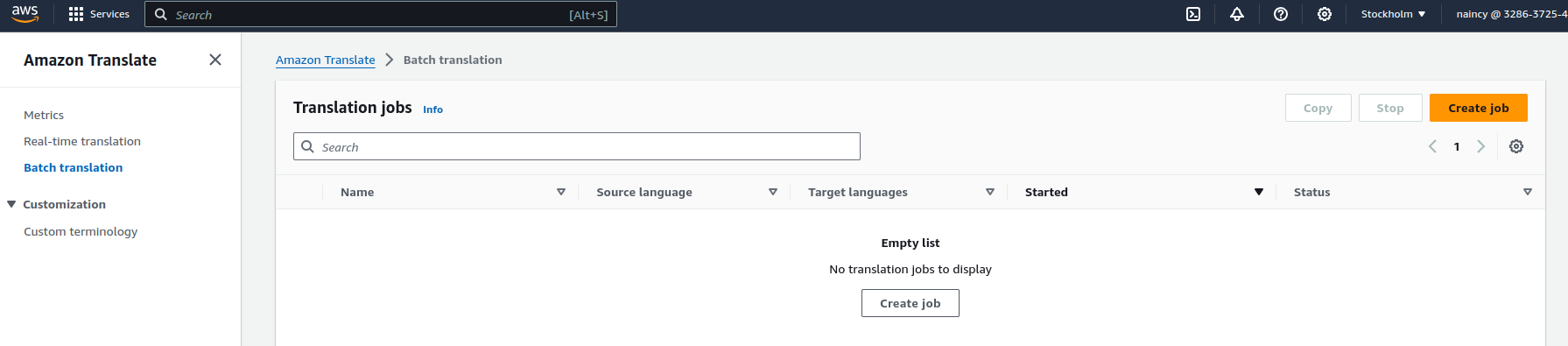
Let’s see how we can perform batch translation. Here we need to create translation job. Click on Create job.
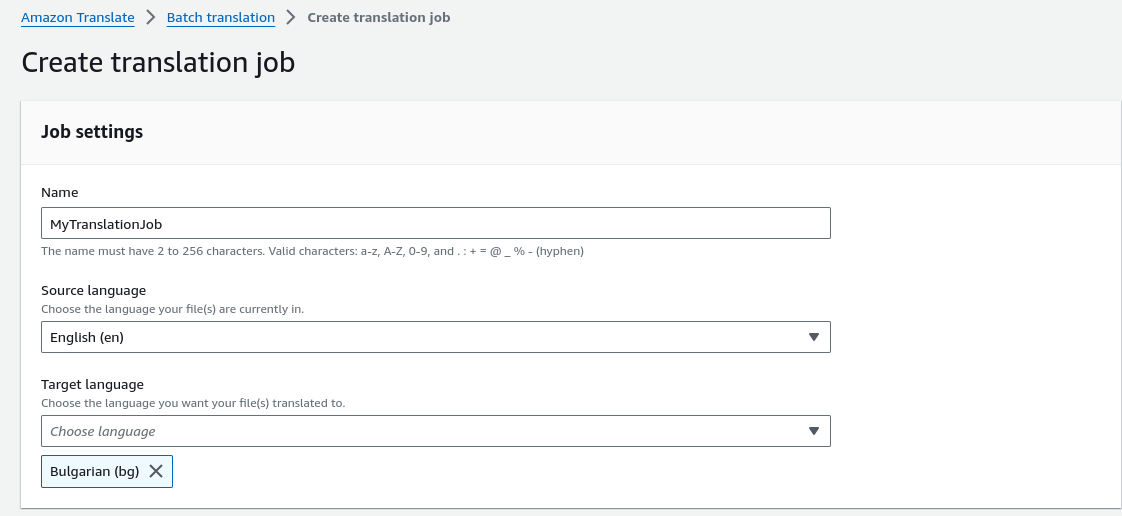
Mention here a job name, select your source and target language.
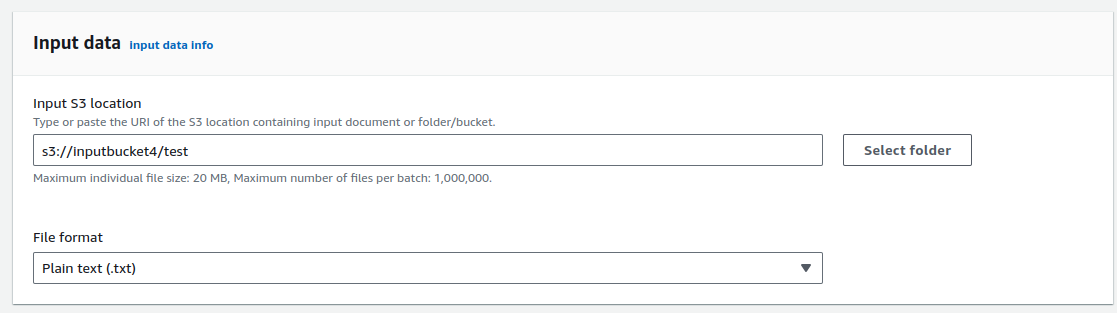
Now, we need to give input date here. We must select input S3 location and input file format.
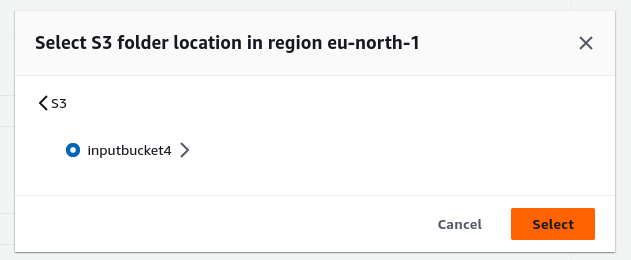
After this select output data location..
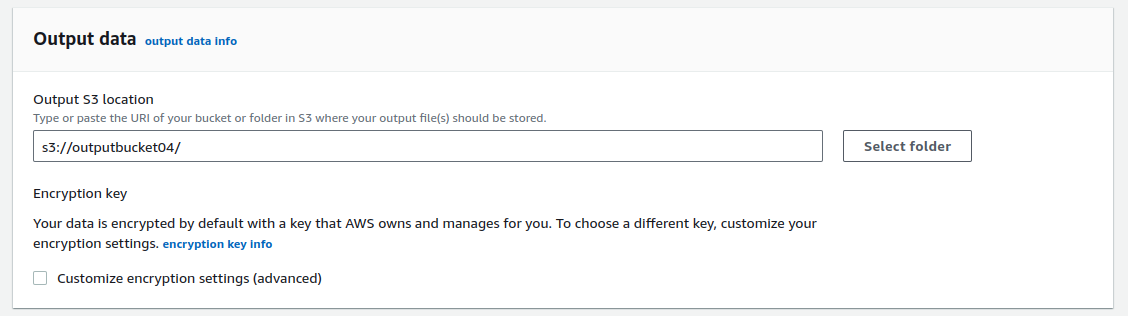
For access permission, we need to create a role, or we can use existing IAM role.
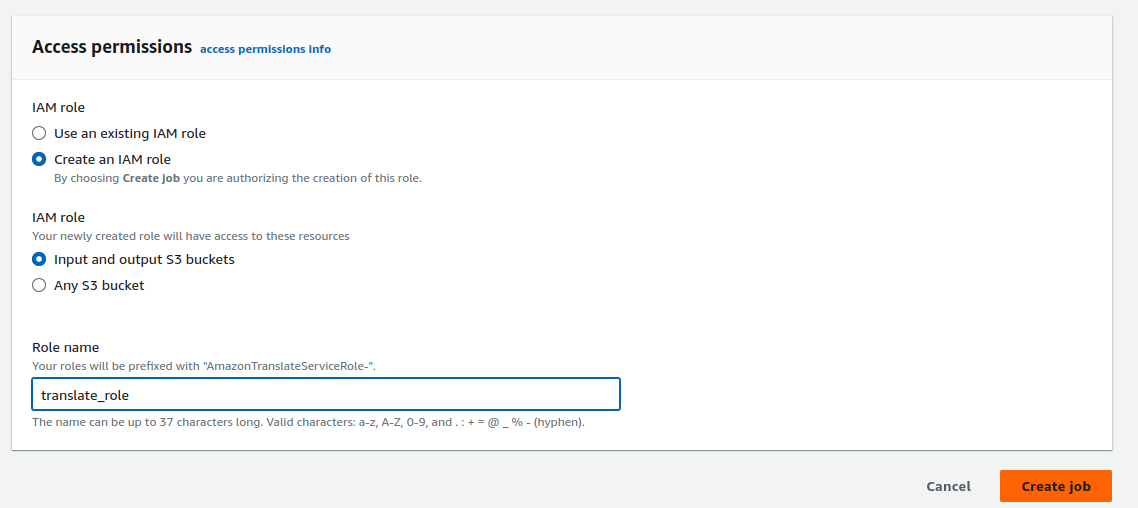
Review your final settings and click on Create Job.
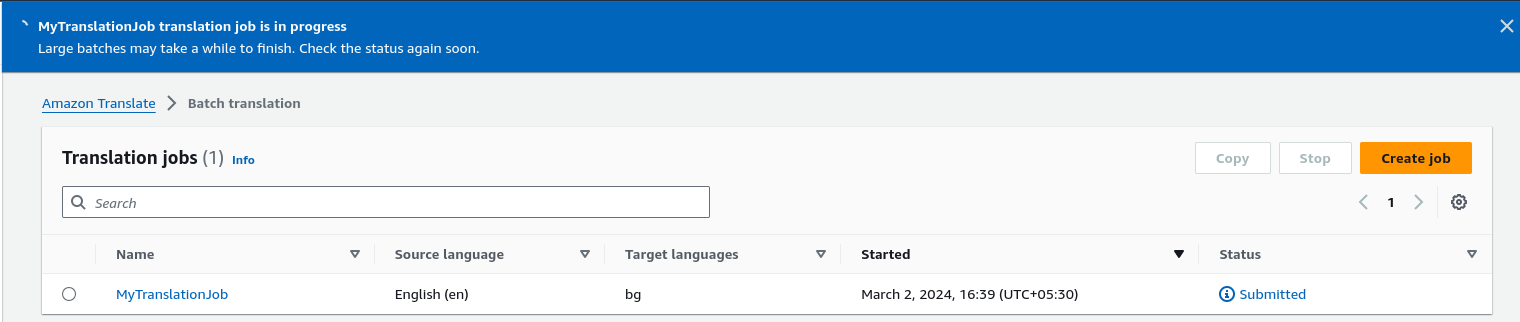
We can see here our translation job is in progress. It will take some time to finish. After getting finished it will update here its status soon.
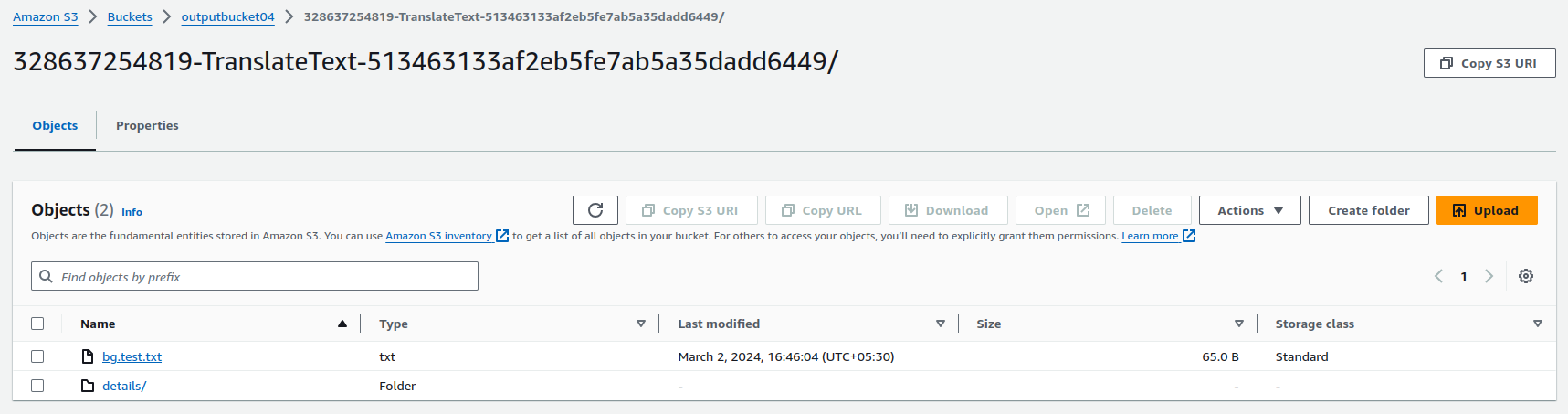
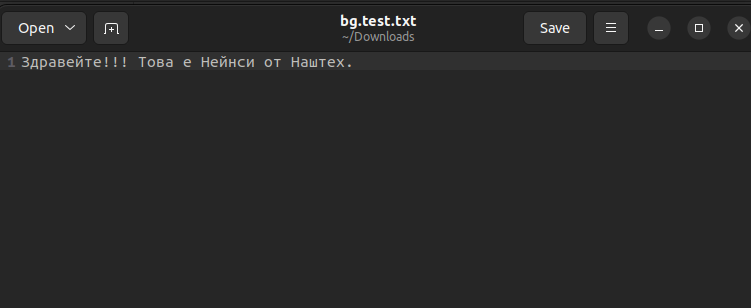
This is my output s3 bucket containing bg.test.txt file, the translated text file.
And my translated file looks like this after I downloaded it.
We are done now!!! I hope you enjoyed doing this.
Conclusion
Thanks for sticking with me till the end. In this blog, we have explored another powerful AWS service i.e. AWS Translate. It’s so efficient and effortless to use. If this blog helped you somewhere, do like this blog and share this with needful. If you have any queries, please contact me at Naincy.kumari@Nashtechglobal.com.