


Requirement of processing messages in order
In reality, there might be a lot of situations where we need to process the messages from a queue in the exact order that we sent them. That might be a simple task if we build a simple application running on a local machine, however how do we preserve the ordering of messages while we still want to process at scale to increase the performance? We can use Azure Function with Service Bus trigger but by default, the order of processing is not guaranteed.
Let’s examine an example:
Suppose that we are building a messaging system to handle patient treatment activities. Each patient has four activities (messages) that need to be processed in order:
- Arrives the hospital
- Assigned a room
- Got treatment
- Discharged
We want to definitely avoid the situation where messages are processed out of order, for example discharging a patient before he/she got treatment.
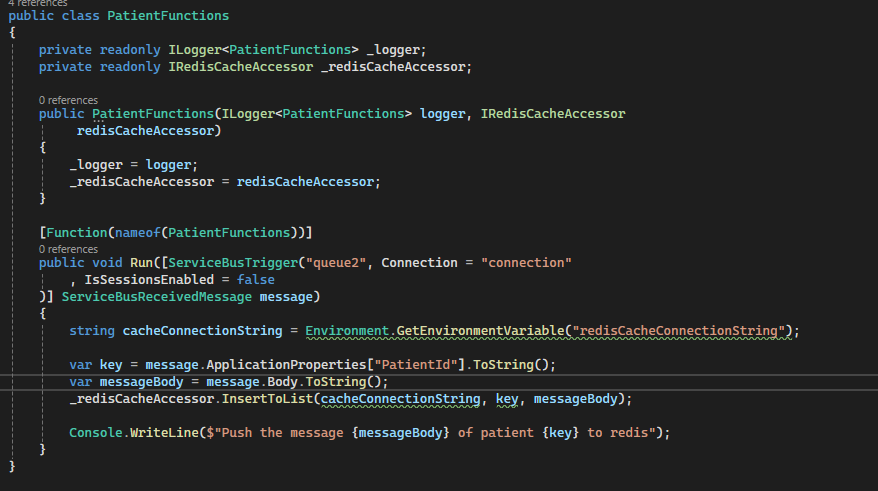
Let’s setup the experiment with Azure function and Service Bus trigger. The Azure function listens to the queue and write the message into a list in local Redis. After that, we will observe the message order in Redis to see what the order will be.
Experiment with Azure Function and Service Bus
First, we will send the messages of 2 patients into the queue, there are four messages associating with each patient like above (step 1 to 4). This can be easily done via a simple Console application. After that, let’s run the following Azure function to append each message to a list in Redis:
Let’s see the results in Redis:


We can see for both patient 1 and 2, the order of messages are not as our expectation, for example with patient 1, the message order is 2, 3, 4, 1 (the patient was discharged before arrived) which does not make sense and cause an problem to our application.
So how to solve this issue, one possible solution is to limit scale out and concurrency on Azure Function but that causes a significant performance issue.
Solution: limiting scale out and concurrency
By default, Azure Functions process 32 messages at a time with a single scaled instance. We can set the “maxConcurrentCalls” to 1 in host.json, this will make sure each instance only process 1 message at a time. Is that enough? No, we also need to disable the scale out feature of the function app. Let’s see the message order after limiting concurrency:
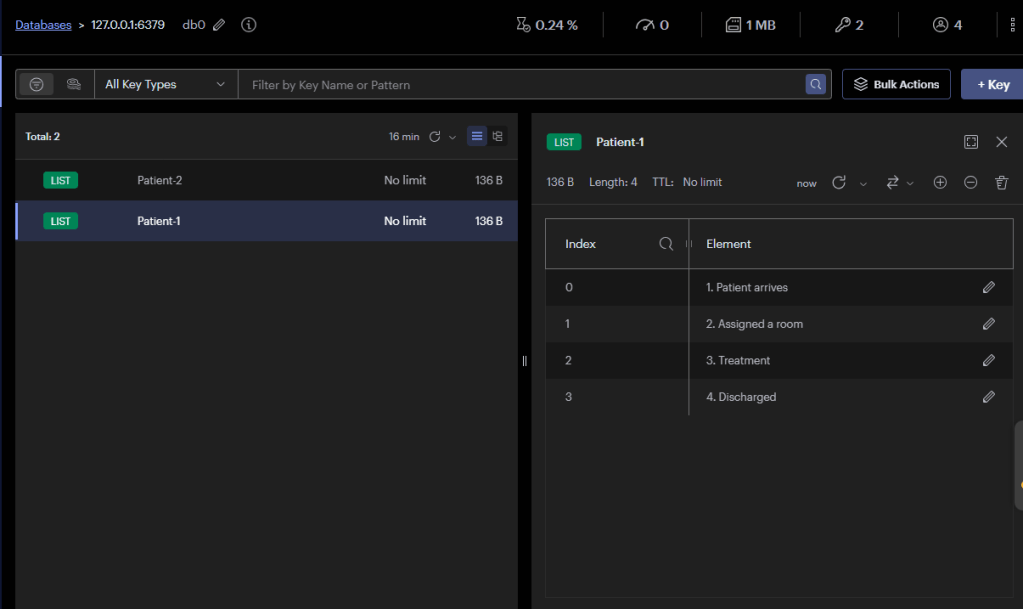

By doing all of these, we can get the proper processing order but there is another issue that our application will be super slow. What happens if we need to process millions of patients in the queue? It must take days or weeks to complete those messages that is unacceptable. So is there a better solution? Sessions come!
Solution: Azure Function and Service Bus with Sessions
Sessions enable us to grab a bunch of messages into a group by the Session ID property of the message. In this case, we set the Session ID to be the Patient ID when sending messages to the queue. Sessions enables us to preserve order when processing even at high scale with multiple instances of Azure function apps.
Let’s try the experiment first and find out Sessions later. To enable Sessions on Azure Service Bus, we need to make sure Sessions is enabled when creating the queue. This can be done via Azure Portal or Azure CLI. After that, please make sure the “IsSessionsEnabled” is set to true in the Azure Function.

After the function finishes processing, the results in Redis look like:
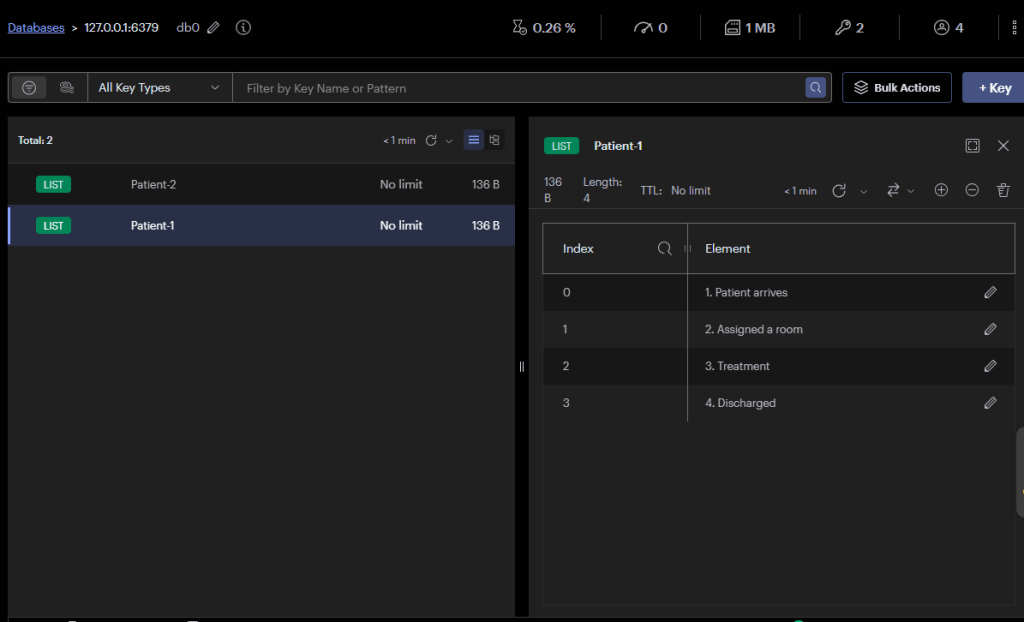
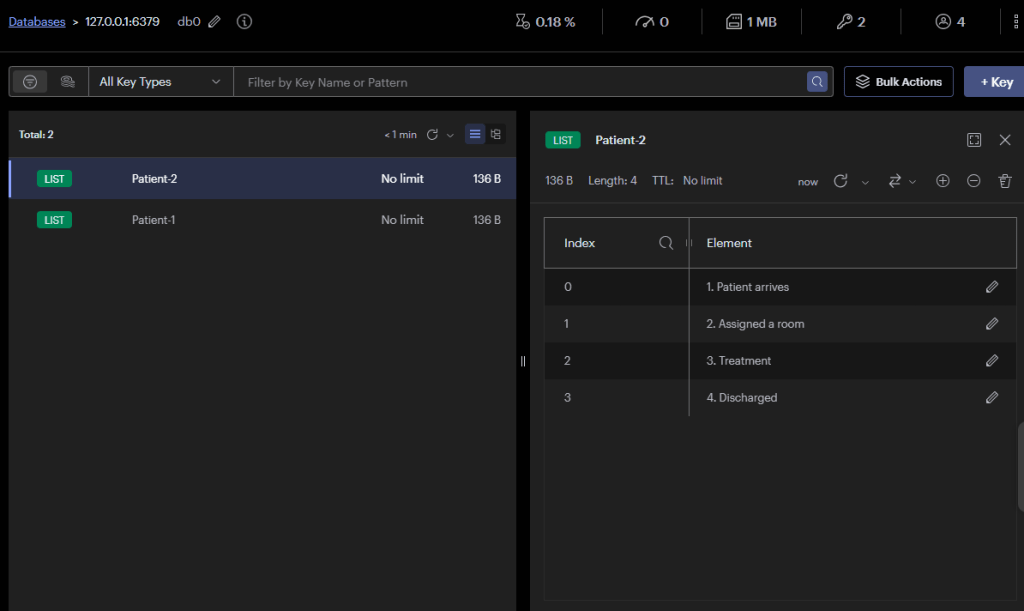
We can see for both patients, the processing orders are now correct. We did nothing but enabling the Session on Azure Service Bus queue, that’s amazing. But how did that work behind the scene?
How Sessions on Azure Service Bus help us
In reality, messages belonging to different Session ID (Patient ID in our example) can be interleaved placed. Without Session feature, if we need to process those messages in order, we first need to split those messages into their own group and write the code to process groups in parallel. Luckily, Sessions on Azure Service Bus do all the thing for us, it provides concurrent demultiplexing of interleaved messages while preserving and guaranteeing order.
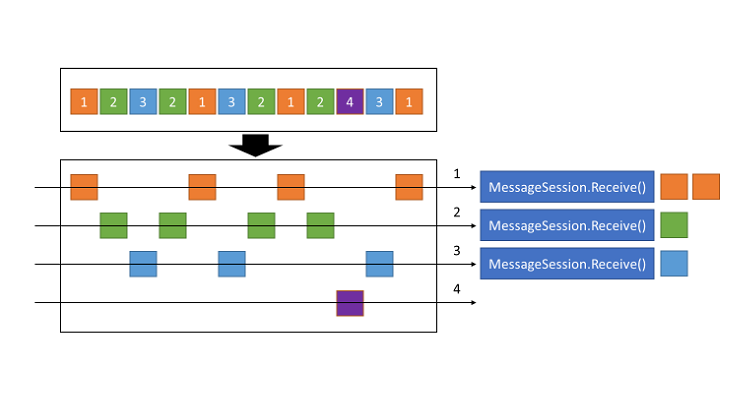
Behind the scene, messages belonging to the same Session Id are grouped into their own sub-queue. The locking mechanism is also applied, it holds exclusive locks on all messages having the same Session ID until we call close methods or when the lock expires.
We do not need to worry about the conflict when the function app is scaled out because the implementation from Microsoft has already covered that. Therefore, we do not need to limit the concurrency and scalability of Azure Function app. Please read this if you need more details.
Key takeaways
When designing messaging applications with Azure Service Bus and Azure Functions that require messages to be processed in our expected order, the Sessions feature should be first considered. It guarantees the processing order even in the context of concurrency and multiple instance of Azure Function apps. It is time-saving to use the Sessions feature because it requires minimal development effort but still guarantee the performance of the applications by leveraging the scalability of Azure Function app.