


As you may know, Github Copilot is an AI-powered code completion tool developed by GitHub in collaboration with OpenAI. It assists developers by providing code suggestions and autocompletions directly within their integrated development environment. It’s very useful not only to the developers but also to the automation tester. In this article, I’d like to share some tips for using Github Copilot effectively in automation testing.
1.How can Github Copilot support automation testing?
Based on our experience in applying Github Copilot in implementing automation testing script, we found that it can support us in:
- Generate automation testing script
- Apply Page Object Modal design pattern
- Generate test data for testing script
- Optimize existing script
- Provide suggestions for fixing the script
- Generate documentation for the script
- Explain the current script or the errors
You can refer to this article for more detailed information related to how Github Copilot supports automation testing
2. Tips for using Github Copilot effectively
2.1 Use chat variables for context
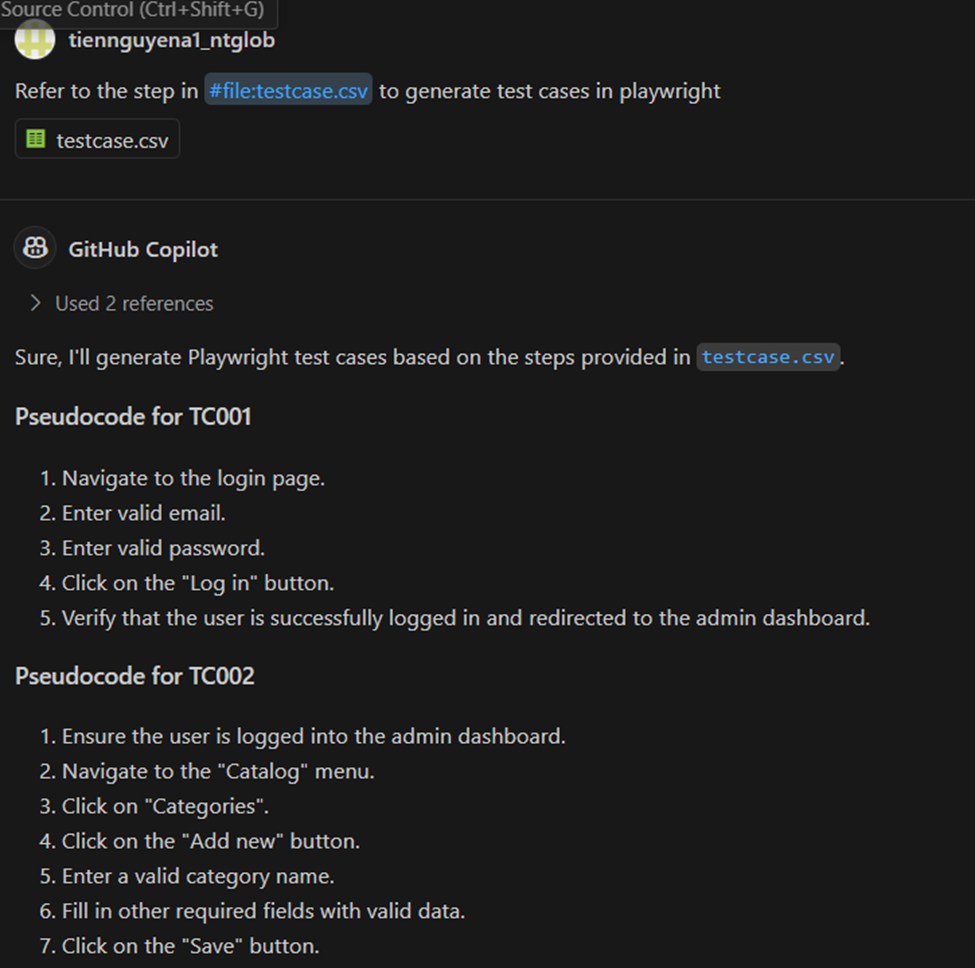
In the real project, we expect that the generated script will have the same coding convention or leverage the existing script. For doing this, we should use variables like @workspace, @vscode or #file to help Github Copilot to understand the context or the file it should refer to.
2.2 Open your relevant file
For generating script effectively, we should open the relevant files and close the irrelevant ones. Github Copilot will use the opened file to generate the script
2.3 Set includes and references
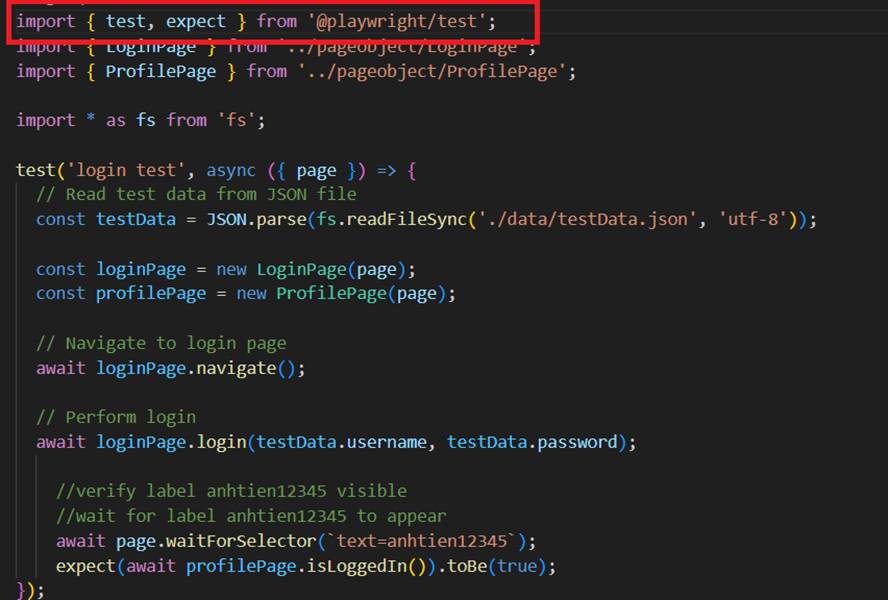
Try to import the related libraries/modules manually. For example, if we want to generate the script with the fixture of Playwright, we should import the test fixture first and tell Github Copilot to generate script later.
2.4 Be specific and keep it simple
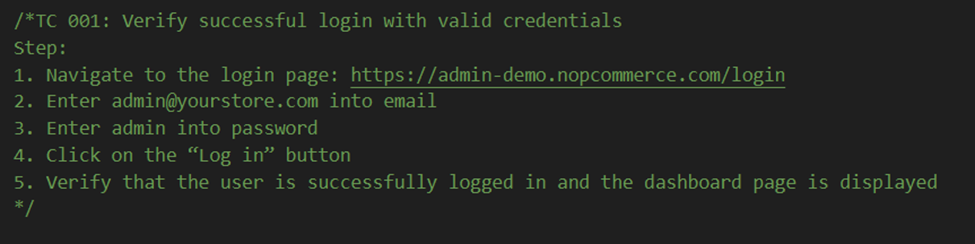
Github Copilot can generate better script if you can provide specific information for it. For example, instead of telling Github Copilot to login to the application, we should share the detailed steps for it as below.
Github Coplilot can also read the content of the csv file and generate test scripts, so we can leverage it. We can export the test case step from test management tool like Azure Test Plan, X-ray into csv format and tell Github Copilot to generate the script from file.
Avoid using sentences or work like “Could you please”,”Please”, “Can you”, “Help me to”, it not necessary.
2.5 Provide sample code
Maybe, Github Copilot lack of the knowledge related the library, the tool you want to use or the test data format you want to generate. Therefore, we need to provide it the sample code so that it can generate as our expectation. I have experience implementing the API script with Playwright. At the first time, Github Copilot cannot use APIRequestContext library of Playwright to call API. After I created a sample function for 1 API manually, Github Copilot can generate the functions for other API well.
2.6 Conversation organization
Github Copilot supports the chat feature so that we can send the request for it easier. While working, we can ask Github Copilot in various kind of topics. We should organize our conversation with thread and remove the irrelevant request in the chat so that Github Copilot can focus on the history to understand us better.
Conclusion
Although using Github Copilot can support us to increase the productivity a lot, don’t forget to review the generated script by Github Copilot and make it better. Hope that the tips I shared can support you more in using Github Copilot in your work.
Reference
- https://github.blog/developer-skills/github/how-to-use-github-copilot-in-your-ide-tips-tricks-and-best-practices/
- https://github.blog/developer-skills/github/how-to-write-better-prompts-for-github-copilot/