


1. Introduction
Welcome to the world of software development, where the reliability and performance of APIs (Application Programming Interfaces) are essential. That’s where Insomnia comes in – a powerful API testing tool that simplifies the testing process, boosts productivity, and empowers developers to create sturdy applications.
In this blog, we’ll discover what makes Insomnia unique, how it streamlines API testing, and why it’s a must-have for developers worldwide.
Insomnia is more than just a testing tool – it’s a game-changer. Let’s dive in and explore its key features and benefits.
2. What is Insomnia?
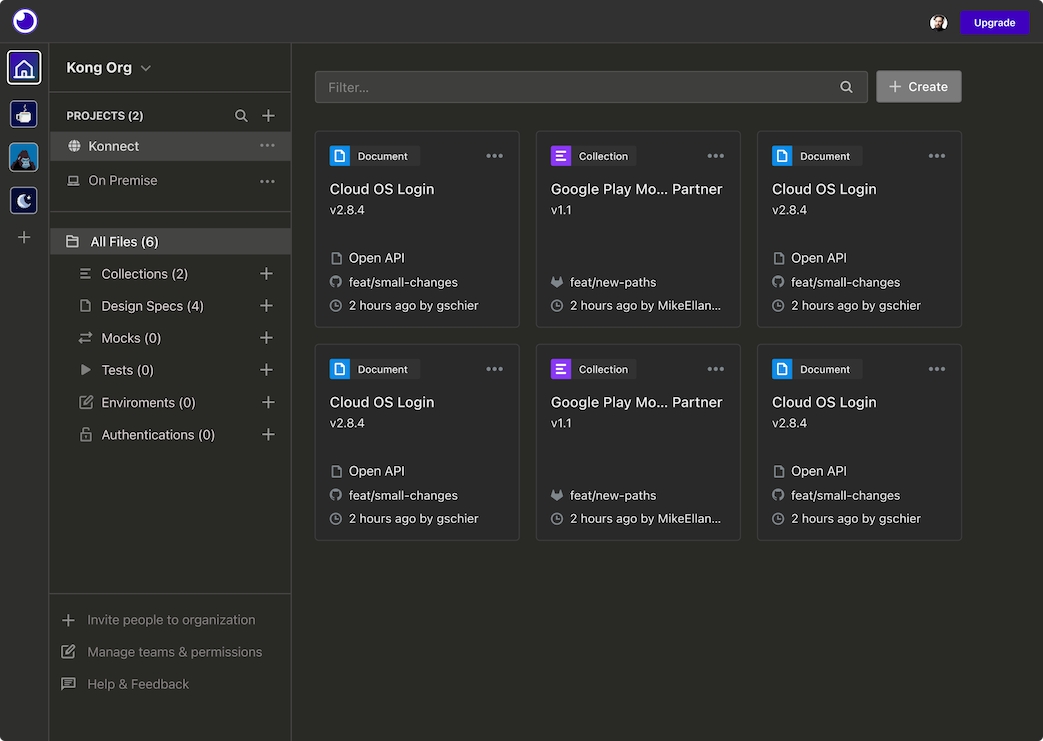
Insomnia is a feature-rich API testing platform that enables developers to design, debug, and test APIs with ease. Whether you’re working on web applications, mobile apps, or microservices, Insomnia provides the tools and functionality needed to ensure the reliability and performance of your APIs.
3. Why Choose Insomnia?
Insomnia stands out as a premier API testing tool for several reasons:
3.1 Easily organize your requests
Everything begins here.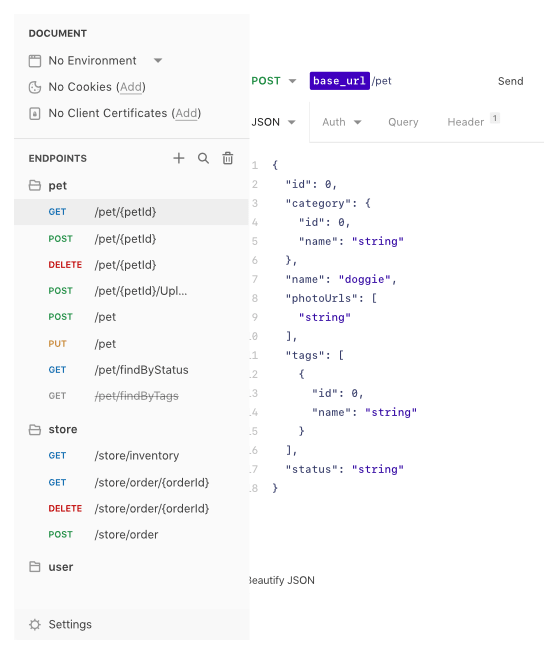
Organize your requests to reflect your workflow or your API data-model.
Group and order your API requests to your heart’s desire.
3.2 Manage multiple environments
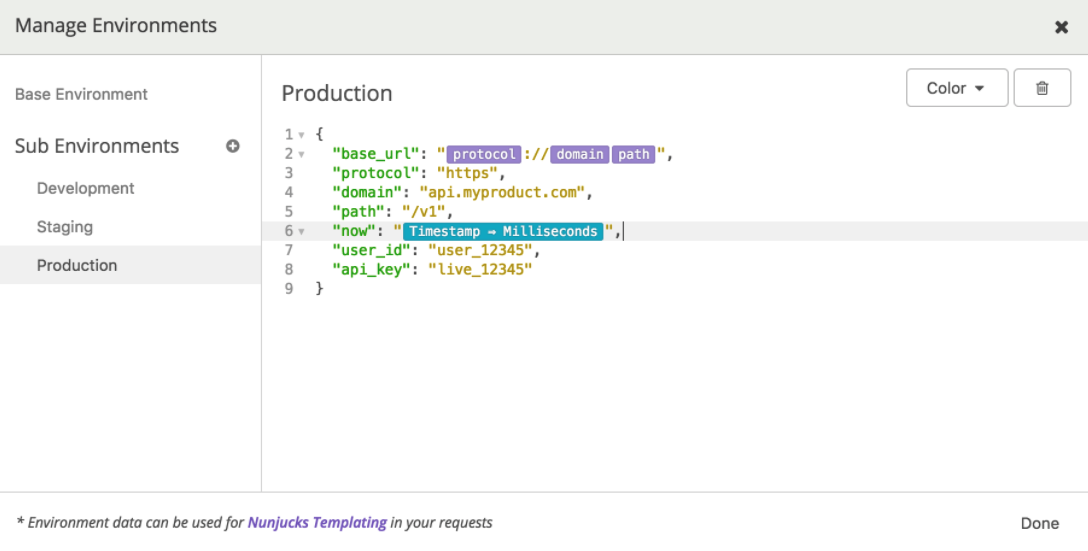
Define environment variables like authentication credentials, tokens, or session IDs for re-use globally or within a public/private environment for a seamless development / production workflow.
3.3 Automate API testing
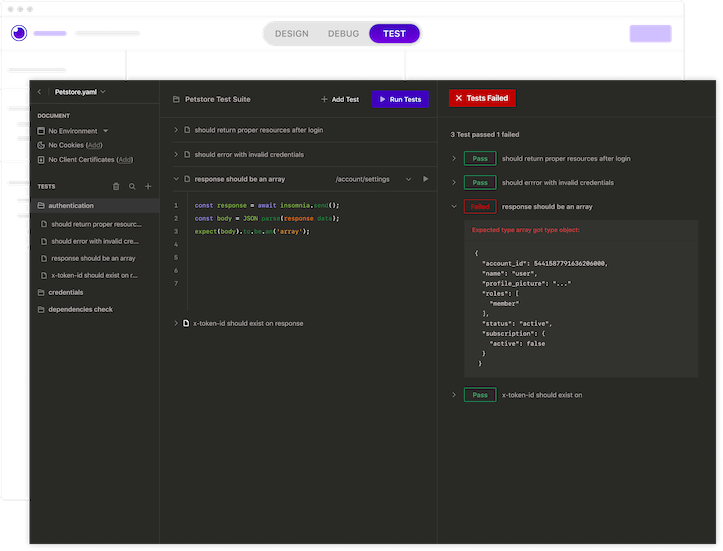
Fully automate the API lifecycle.Build tests and linting to improve reliability with Kong Insomnia’s native CLI and CI/CD integrations.
3.4 Active Community and Support
Despite being a relatively newer entrant compared to Postman, Insomnia has garnered a dedicated community of users and contributors. The community actively participates in discussions, provides support, and contributes plugins and extensions to enhance the functionality of the tool.
3.5 Performance and Stability
Insomnia is known for its performance and stability, even when handling large-scale API testing and development tasks. Users often report smooth performance and minimal crashes or bugs, contributing to a positive experience overall.
3.6 Privacy and Security
Insomnia prioritizes user privacy and security by offering features like encrypted data storage and the ability to work offline. This aspect is particularly important for developers working with sensitive or proprietary information.
4. How to Get Started
Getting started with Insomnia is simple:
4.1 Download and Install:
Insomnia is available for download on Windows, macOS, and Linux platforms. We can simply download the appropriate version from the Insomnia website: https://insomnia.rest/download

or Insomnia’s GitHub repository: https://github.com/Kong/insomnia/releases
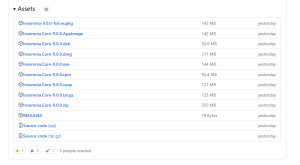
Once downloaded, installing Insomnia is straightforward. For further information, you can refer to https://docs.insomnia.rest/insomnia/install.
4.2 Insomnia Accounts:
To sign up or login for Insomnia, simply click on the ‘Sign Up’ or ‘Login’ button located on the top bar of the Insomnia Desktop App, on the right-hand side, and follow the subsequent steps. For more detailed instructions, you can refer to https://docs.insomnia.rest/insomnia/accounts.”

4.3 Organize and Run Tests:
Organize your requests into collections, set up environments, and run tests to validate the functionality and performance of your APIs.
4.3.1 Organize Requests into Collections:
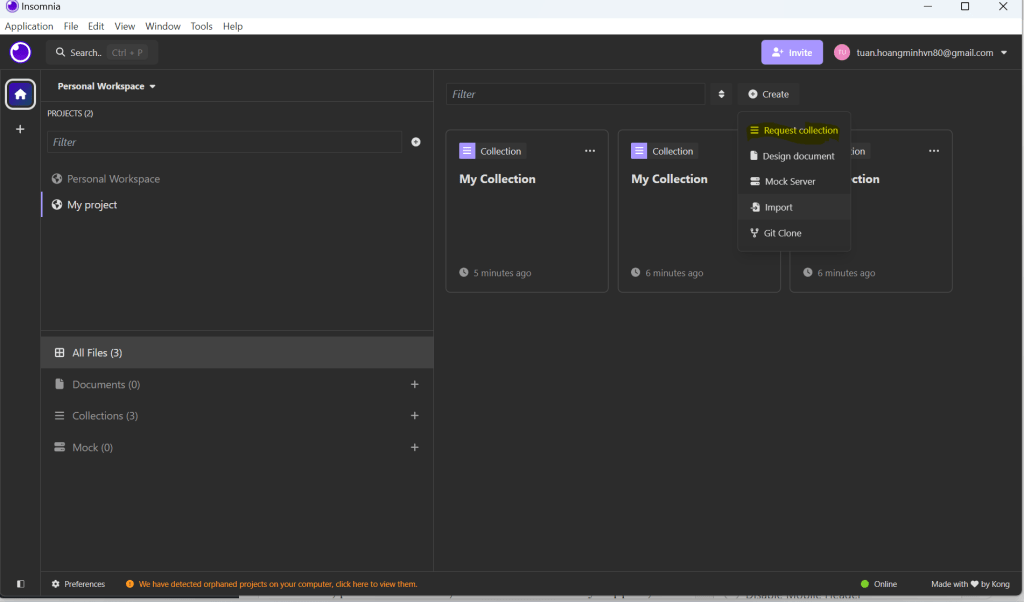
Insomnia simplifies the process of organizing API requests by allowing developers to group them into collections. Collections provide a structured way to manage endpoints, making it effortless to navigate and maintain various API interactions. Whether you’re working on a small project or a complex system with numerous endpoints, collections help keep your requests organized and accessible.
You can create, delete, and switch between Request Collections and Design Documents and tests from the Dashboard.
4.3.2 Initialize Environment Variables
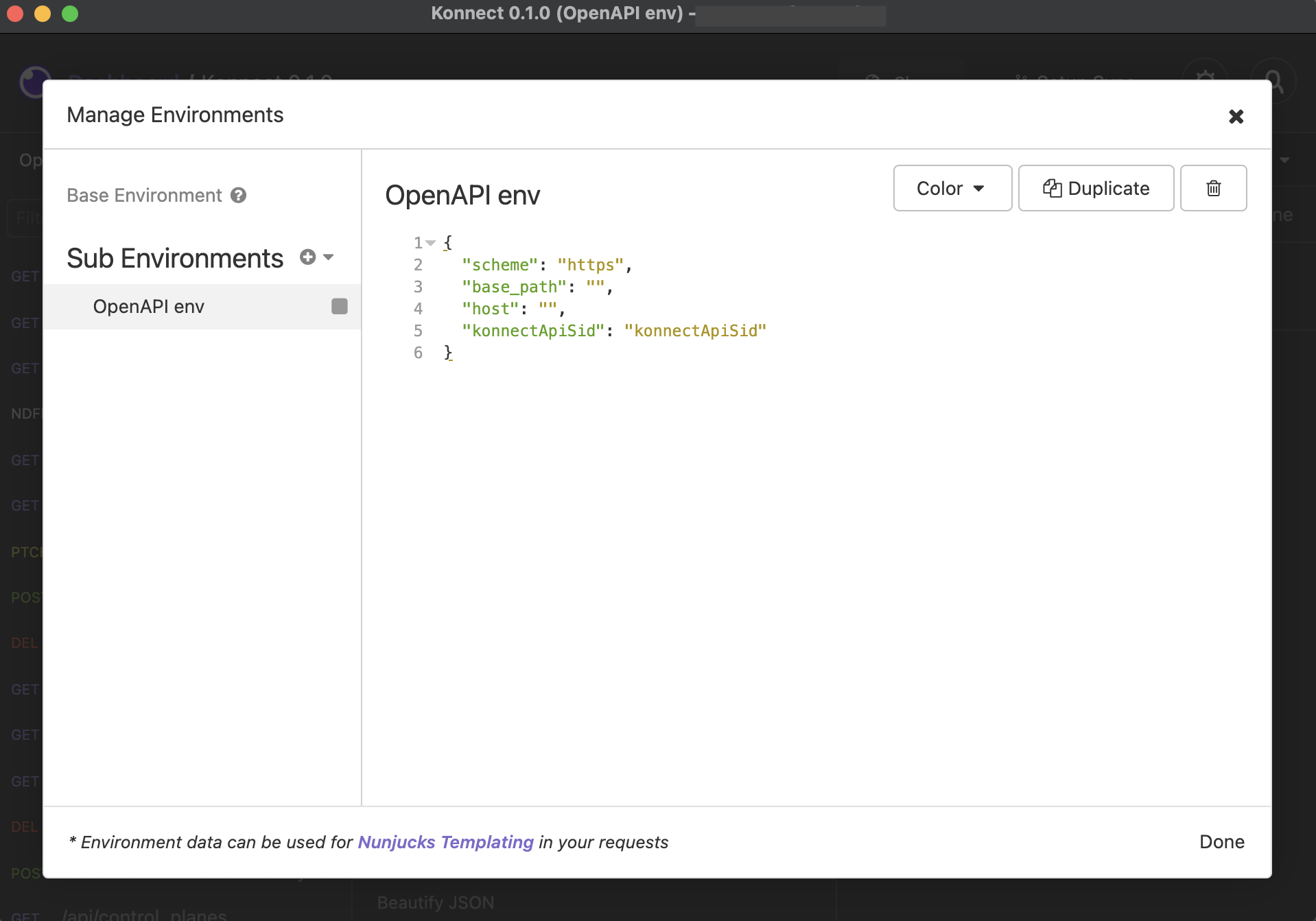
Managing different environments such as development, staging, and production is a common challenge in software development. Insomnia addresses this by enabling developers to define environments and switch between them effortlessly. By configuring variables specific to each environment, you can seamlessly transition between different settings without the hassle of manual adjustments. This flexibility streamlines the testing and development process, ensuring consistency across environments.
You can configure basic environment settings or create sub-environments.
Basic environment
Sub-Environment
4.3.3 Sample Test Cases
4.3.3.1 Get Request
- From your Insomnia dashboard, create a new Document or Collection.
- In a Collection, select New Request.
- In the New Request modal: Enter a request name like Get All Books
- Enter https://demoqa.com/bookstore/v1/books in the request URL input and choose Get method
- Click Send

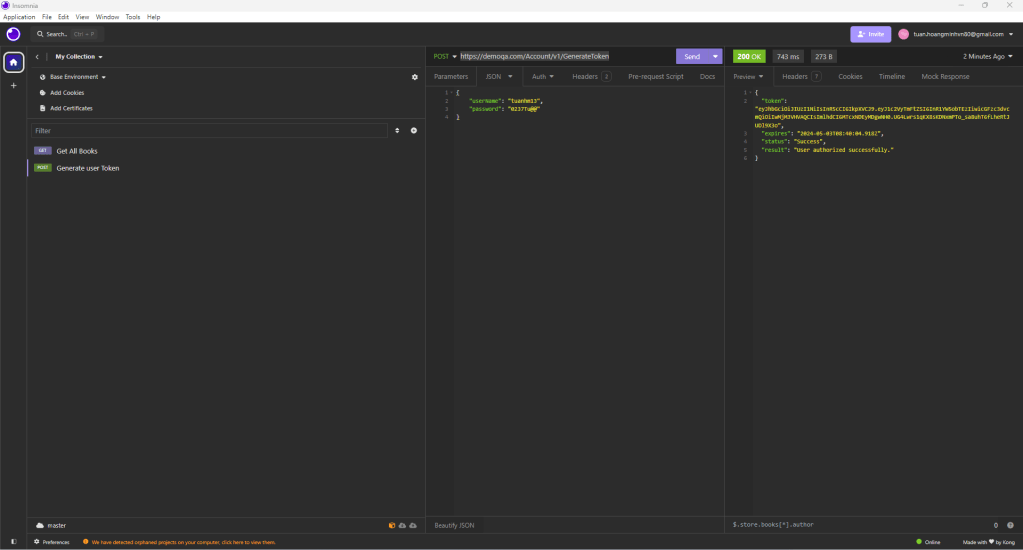
4.3.3.2 Post Request
- In a Collection, select New Request.
- In the New Request : Enter a request name like Generate User Token
- Enter https://demoqa.com/Account/v1/GenerateToken in the request URL input and choose POST method
- You can input suitable headers and body content in Insomnia. Insomnia supports various file formats for both headers and body, allowing for flexible testing and development
- Click Send
5. Conclusion
Ultimately, the choice between Insomnia and Postman depends on individual preferences, project requirements, and workflow considerations. While Insomnia may lack some features compared to Postman, its plugin system allows users to extend its functionality to suit their specific needs. This flexibility, combined with its simplicity and modern design, makes Insomnia a compelling choice for developers seeking a customizable and user-friendly API testing and development tool.