🌦️ Weather Agent: Strands Agents + Gemini/Mistral + MCP server tools
A next-generation AI application that demonstrates the power of the Model Context Protocol (MCP) and Strands Agents.
This project decouples AI logic (the Agent) from tool logic (the MCP Server), allowing us to switch between cloud models (Gemini, Mistral) while using the exact same set of tools.
🚀 Why This Architecture?
1. The Power of Model Context Protocol (MCP)
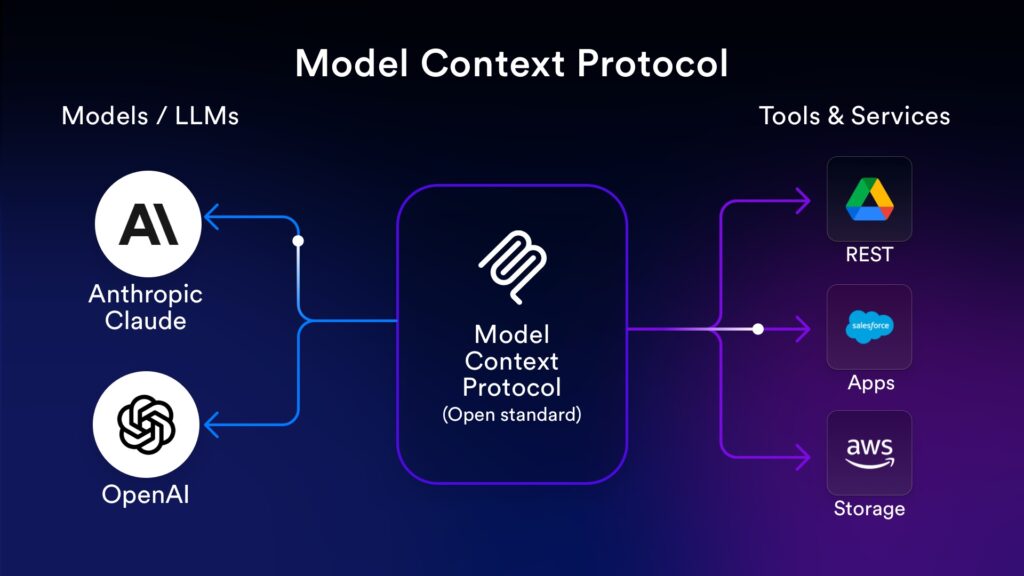
Traditionally, connecting an LLM to external APIs (like a weather API) required writing custom code specific to that model’s SDK. If we switch from OpenAI to Gemini, we must re-write the tool definitions.
MCP address this issue. , it acts like a “Common Interface for various type of AI applications”.
- Write Once, Run Anywhere: We built a single “Weather MCP Server”. This same server can be used by Claude Desktop, IDEs like Cursor, or—as shown here—a custom Python AI agent.
- Standardization: The tool definition, argument validation, and execution logic are standardized. The Agent simply “discovers” what the server can do.
- Decoupling: Our tools run in a separate environment. This allow us to update the API logic without touching the AI agent code.
2. The Power of Strands Agents
Strands is a model-driven agent framework that makes integrating MCP tools incredibly simple.
- Automatic Tools Discovery: With
MCPClient, Strands automatically fetches the list of available tools (get_weather,get_daily_forecast,get_air_quality) from the MCP server and injects them into the model’s context. - Dynamic Switching Models: This project demonstrates switching between Gemini 2.5 Flash and Mistral Large 3 (both on Cloud via API keys). The MCP server and the AI agent logic remain exactly the same while switching between models.
📂 Project Structure
.
├── mcp-server/             # 🛠️ The Tool Provider
│   └── main.py             # MCP server with Weather, Forecast & Air Quality tools
├── gen-ai-app/             # 🧠 The AI Agent & UI
│    ├── main.py            # FastAPI backend utilizing Strands Agent
│    └── static/
│        └── index.html     # Chat UI with Tailwind CSS
├─ Dockerfile
├─ docker-compose.yml
└── requirements.txt
✨ Features
- MCP Server:
- Real-time Data: Fetches live weather, forecasts, and air quality using Open-Meteo (No API key required for weather data).
- Dynamic Tooling: Tools are served over HTTP (streamable-http). Adding a new tool to MCP server makes it instantly available to the Agent without restarting the frontend.
- Gen AI Application:
- Multi-Models Support: Allow switching between Gemini and Mistral via the UI, while the AI agent code remains unchanged.
- Modern UI: Chat interface with Dark/Light mode support, markdown rendering, and model indicators.
🛠️ Prerequisites
-
Docker and Docker Compose installed.
-
Google Gemini and Mistral API keys.
⚡ Installation & Setup
-
First, we must config the API keys
GEMINI_API_KEY=YOUR_GEMINI_KEY MISTRAL_API_KEY=YOUR_MISTRAL_KEY -
Run this command
docker compose up -
Access the Gen AI app at http://localhost:8001
🎮 Usage
-
Gen AI App run on http://localhost:8001 with UI and API handler, while MCP server run on http://localhost:8000.
-
Go to the UI on http://localhost:8001 then select Model: Choose “Gemini 2.5 Flash” or “Mistral Large 3”.
-
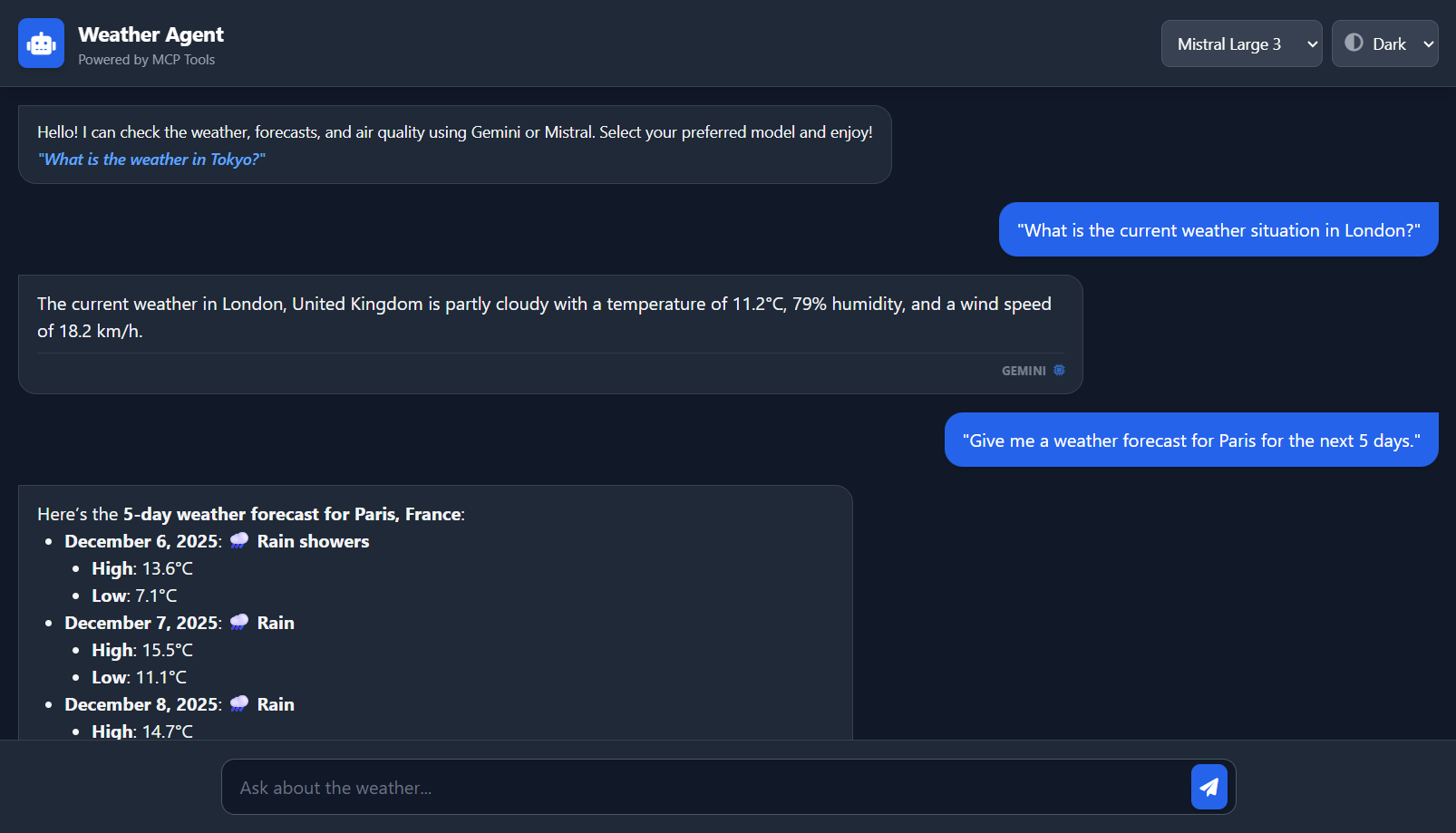
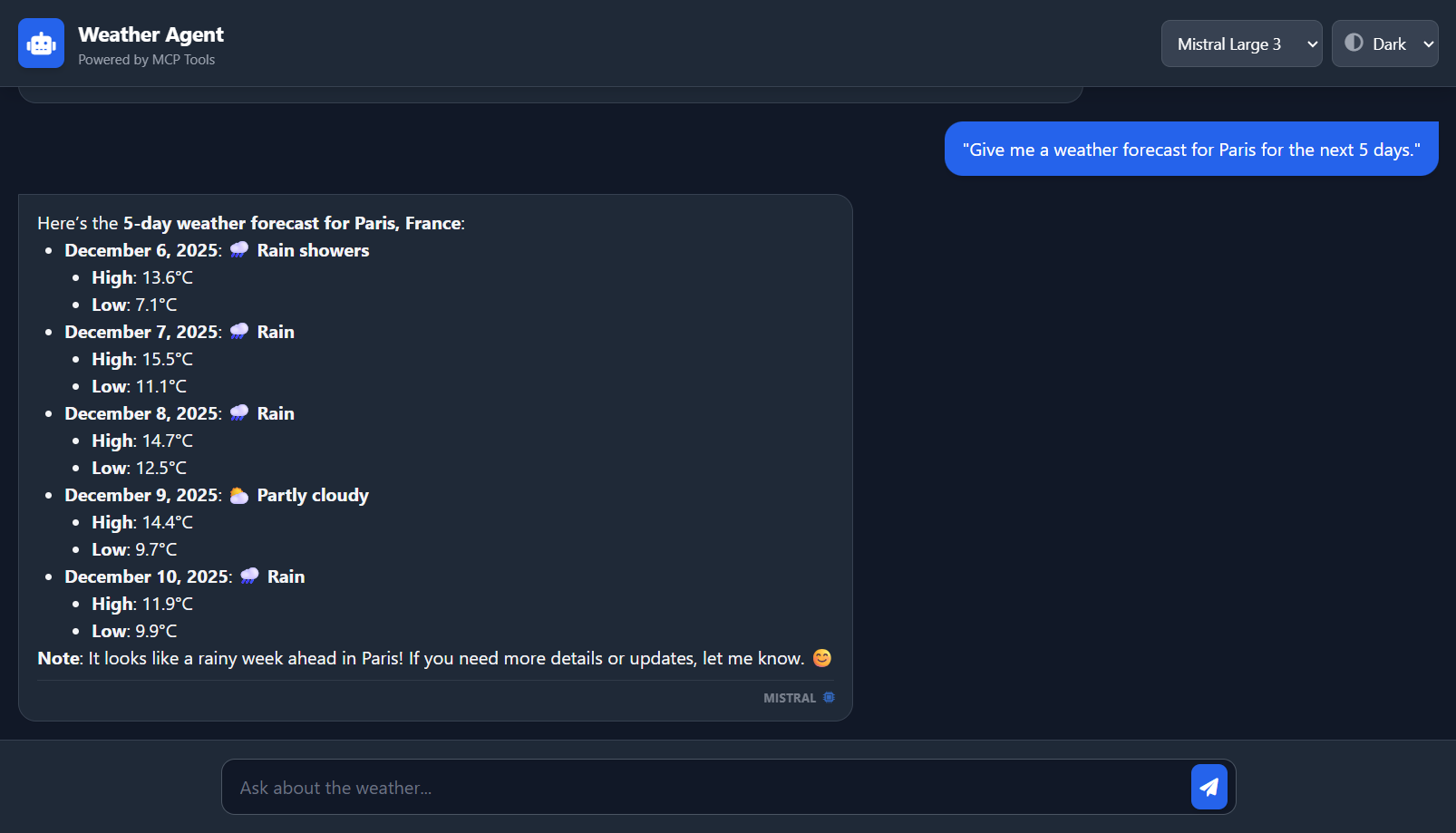
Ask questions related to weather to invoke MCP tools:
-
“What is the current weather situation in London?”
-
“Give me a weather forecast for Paris for the next 5 days.”
-
“How is the air quality in Beijing right now? Is it healthy?”
-
-
Observe: The Agent will autonomously decide which tool to call on the MCP server, execute it, and formulate a natural language response.
🧩 Extending
To add a new tool (e.g., a Stock Price checker):
-
Open mcp-server/main.py.
-
Add a function decorated with @mcp.tool().
-
Restart the MCP server.
-
The Strands Agent in the Gen AI App will automatically discover the new tool on the next request.
✨ Demo