


INTRODUCTION
Hello Readers, I hope you have heard about Boto3, So In this blog we are going to know about Boto3 and how we can install this in our system.
Boto is a software development kit (SDK) designto enhance the use of the Python programming language by Amazon Web Services. It is now the official AWS SDK for Python. Boto versions include Boto, Boto3, and Botocore.
Boto3 is the latest version of the SDK and provides support for Python versions 2.6.5, 2.7, and 3.3. It includes some service-specific features to facilitate development. It is an Amazon Web Services (AWS) Software Development Kit (SDK) for Python that allows Python developers to create software that uses services such as Amazon S3 and Amazon EC2.
INSTALLATION
Let’s see how we can install Boto3 in our local machines. To install this you need to go through some of the steps given below:
STEP 1: Firstly you need to update your server before installing any tools.So run the following command to update your server
sudo apt-get update

STEP 2: Ansible runs in the Python interpreter and it is the AWS SDK FOR Python, so you need to install Python before you can install it. Run the following command to install python3.
sudo apt-get install python3 -y
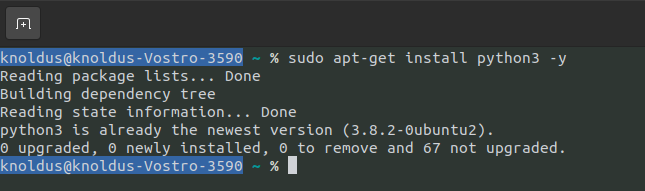
Check for the python version by :
python3 --version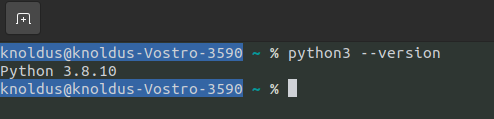
STEP 3 : Now that you have completed the prerequisite, you are ready to install Ansible.
sudo apt-get install ansible -y
Check for ansible version by :
ansible --version
STEP 4: As we are done with the installation of python3 and ansible. Let’s see how we can install. Firstly you need to install pip3 ,so run the following command:
sudo apt-get -y install python3-pip
I have already installed pip in my system, but you can run above command to install.
Check version as:
pip3 --version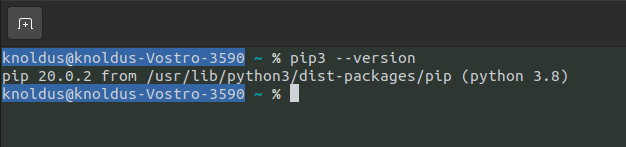
STEP 5: Now install Boto3, by running the command:
pip3 install boto3
STEP 6: Ensure that it is correctly installed & configured on your server.
CONCLUSION
In this blog we learnt about how we can install boto3 in our local machine.