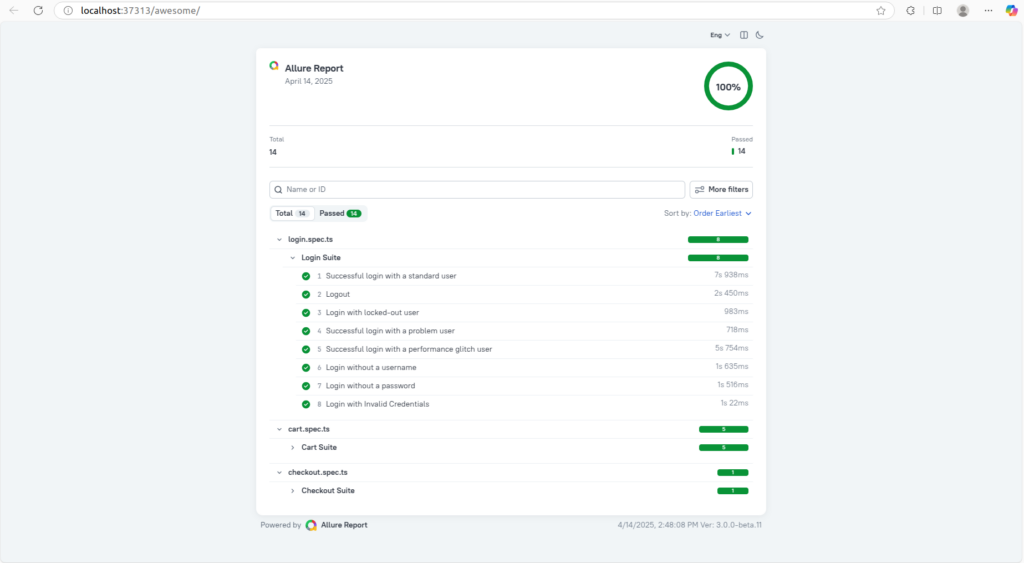
Playwright, a robust framework for end-to-end testing, offers excellent tools for writing and executing tests. However, an all-inclusive reporting system is necessary for efficiently visualising and analysing test data. The Allure Framework is useful in this situation. Test execution results from Allure are rich, interactive, and simple to distribute. Developers can obtain comprehensive insights about test failures, faulty tests, and the general health of the test suite by combining Playwright with Allure.
Playwright excels in automating browser interactions, enabling comprehensive UI and API testing. Raw test output, however, might be challenging to interpret. Allure is at its best here. Through the integration of Allure with Playwright, we convert obscure logs into reports that are both aesthetically pleasing and simple to understand.
The Synergy
- Playwright as the Executor: Playwright executes the tests, capturing critical data points like steps, logs, and screenshots.
- Allure as the Reporter: Allure collects this data and generates comprehensive reports featuring:
- Clear Test Results: Status breakdowns (passed, failed, broken, skipped) for each test case.
- Hierarchical Structure: Grouping tests by suites, classes, or any custom category.
- Step-by-Step Execution: Detailed logs for each step of a test, facilitating debugging.
- Attachments: Integration of screenshots and other relevant artifacts for better context.
- Test History: Tracking test results over time to identify regressions.
Why Allure with Playwright?
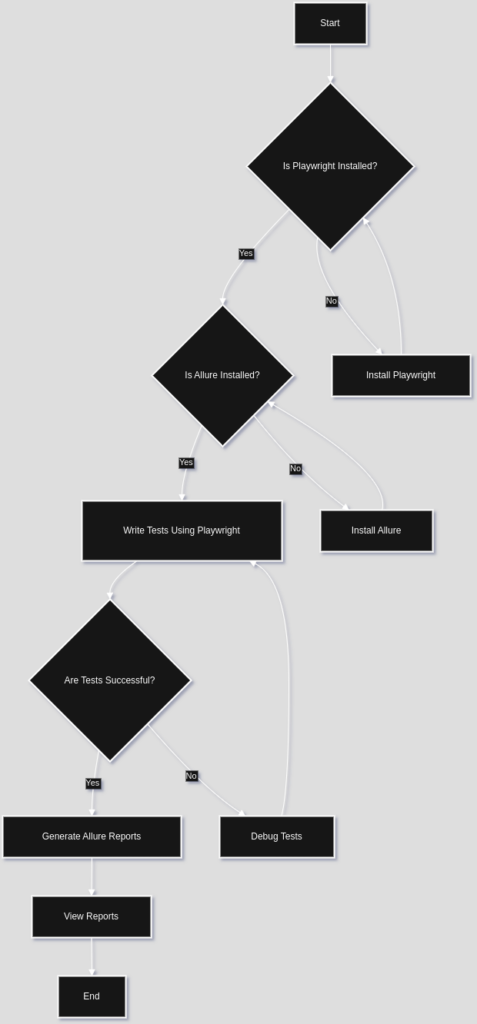
Before we dive into the practical aspects, let’s understand why combining Allure and Playwright is a winning combination:
- Rich Visualization: Allure transforms simple test results into interactive, visually compelling reports. These reports offer a much deeper understanding of test execution than basic console outputs or text-based reports.
- Hierarchical Structure: Allure organizes tests into a hierarchical structure, making it easy to navigate and understand the overall test suite. You can drill down from suites to test cases, steps, and even individual attachments.
- Test Case Labeling and Categorization: Allure supports labeling and categorizing tests using features like severity, story, feature, and epic. This allows you to filter and analyze test results based on specific criteria, helping you prioritize your debugging efforts.
- Integration with CI/CD Pipelines: Allure seamlessly integrates with popular CI/CD platforms like Jenkins, GitLab CI, and CircleCI, making it easy to automate report generation as part of your build process.
- Attachments and Artifacts: You can attach screenshots, logs, videos, and other relevant artifacts to test cases, providing developers with the necessary context to quickly diagnose and fix issues.
Leveraging the Power of Allure
Implementation is straightforward:
- Install the Allure report
- There are multiple methods of installing Allure Report. Most of them are dependent on the operating system you use:
- Install the necessary dependencies (@playwright/test and allure-playwright)
// Execute below on terminal
npm install --save-dev @playwright/test allure-playwright- In the playwright.config.ts file, add Allure Playwright as a reporter. Here are some other options that can be defined, see Configuration
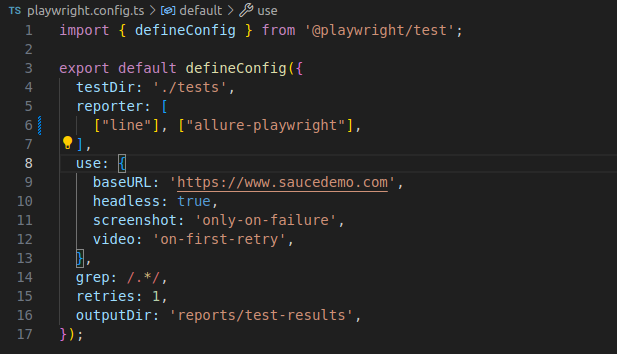
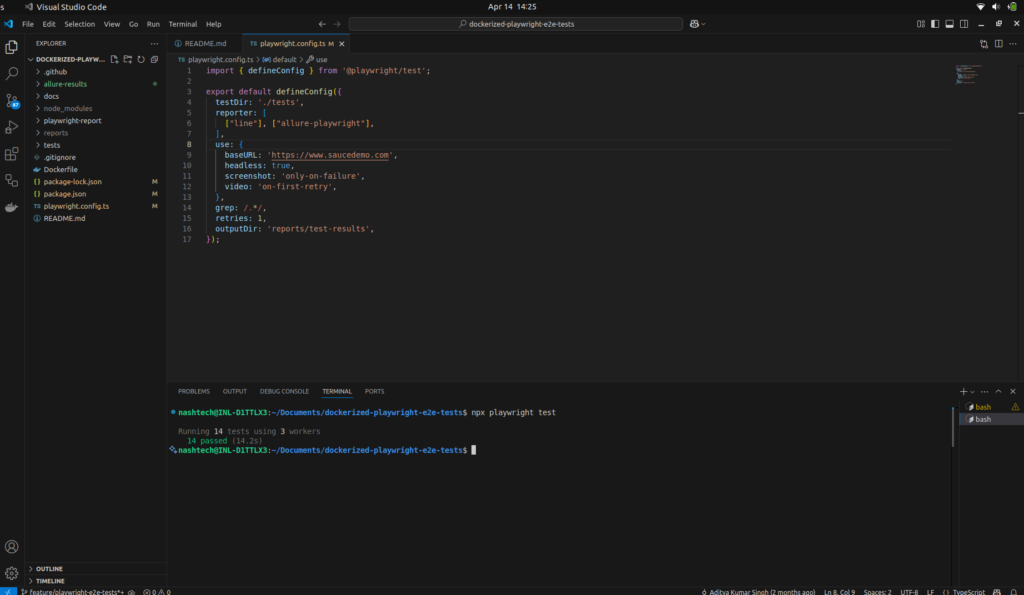
- Running Tests, run your Playwright tests the same way as you would run them usually. For example:
// Execute below on terminal
npx playwright test
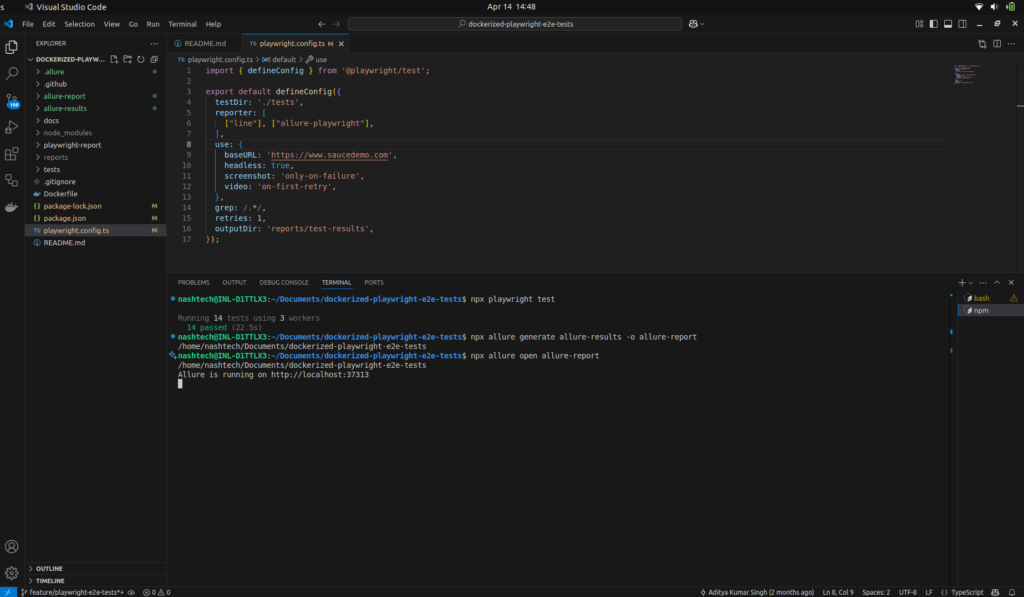
Depending on the settings, this will save the required data into allure-results or another directory. The new files will be appended to the existing files in the directory if it already exists, allowing a future report to be based on them all.
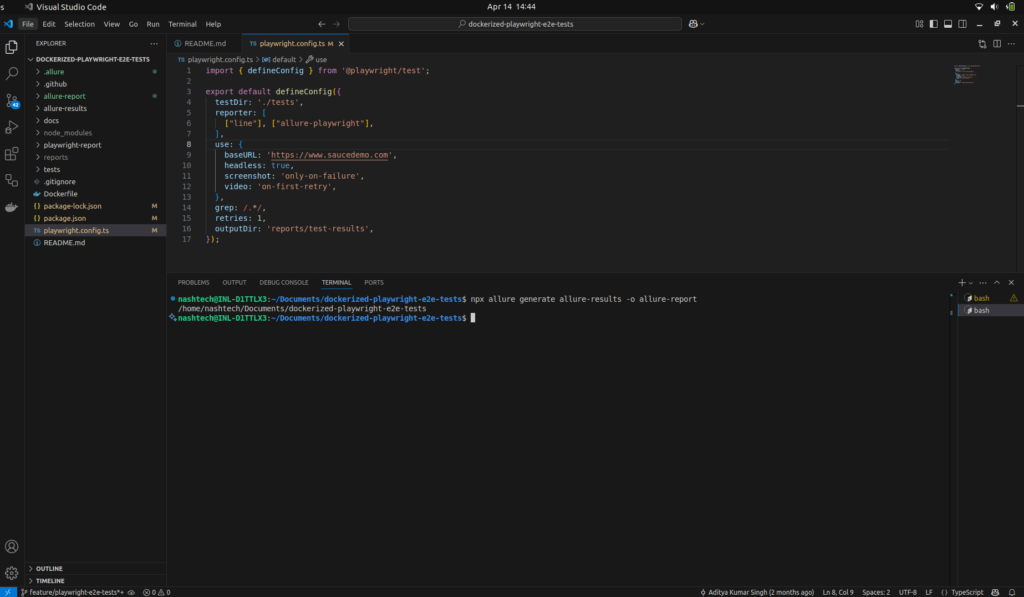
- Generating the Allure report, To create an HTML report from the test results, execute Allure last. Your browser will launch automatically so you can view the report.
// Execute below on terminal
npx allure generate allure-results -o allure-report
- Serving the report, To view the report, serve the allure-report directory using a web server or the Allure command-line tool itself:
// Execute below on terminal
npx allure open allure-report