


.NET Aspire is a comprehensive, cloud-ready framework designed for building observable, production-ready, distributed applications. Available as a set of NuGet packages, Aspire effectively addresses various cloud-native service discovery challenges and promotes consistent setup patterns. In the world of .NET cloud-native applications, the trend is towards smaller, interconnected components or microservices, moving away from traditional monolithic code structures. These applications generally depend on multiple services such as databases, messaging systems, cloud resources, and caching solutions
1. Introduction to .NET Aspire
The .NET Aspire application is a dedicated initiative designed to improve the development experience for .NET cloud-native apps within the .NET ecosystem. It offers a cohesive and opinionated suite of tools and design patterns, making it easier to build and manage distributed applications. The primary goals of the .NET Aspire starter application include
- Orchestration: .NET Aspire orchestration offers robust capabilities for managing multi-project applications and their complex dependencies. This functionality ensures smooth execution and seamless connectivity between various components of .NET projects.
- Components: The components provided by .NET Aspire orchestration are encapsulated within NuGet packages, representing commonly used services such as local Redis container resources or Postgres. These components feature standardized interfaces, ensuring consistent and seamless integration with your application. By utilizing these pre-packaged components, developers can speed up the development process and maintain greater interoperability and configurability in cloud-native applications using .NET Aspire project templates
- Tooling: .NET Aspire starter templates include a comprehensive set of tools designed to streamline the development workflow. These project templates and tooling experiences are seamlessly integrated into Visual Studio and the .NET CLI, enabling developers to create and interact with .NET Aspire apps effortlessly. This robust tooling framework enhances productivity and provides a cohesive environment for developing and managing .NET Aspire app configurations and project templates
In essence, .NET Aspire serves as a comprehensive solution, addressing critical aspects of cloud-native concerns such as orchestration, component integration, and tooling. It aims to enhance the efficiency and consistency of building and deploying .NET cloud-native applications.
2. Getting Started with .NET Aspire
Before engaging with .NET Aspire, ensure that the following components are locally installed:
- .NET 8.0: Make sure to have .NET 8.0 installed on your system.
- .NET Aspire Workload: Acquire the .NET Aspire workload by either utilizing the VS installer or executing the “dotnet workload install aspire” command.
- Integrated Developer Environment (IDE) or Code Editor: Visual Studio 2022 should be installed on the system beforehand.
If all these requirements are met you are good to go with the development of your first .NET Aspire components that handle apps.
3. Create a New .NET Aspire Project
To create .NET Aspire apps, follow the following steps.
- Open Visual Studio and click on Create a new project.
- A new window will appear. In this new window, search Aspire on the search bar.
- A list will appear below, from that list select the Aspire Starter apphost project and package references and click on Next.
- A new window will appear. In this new window write the project name and click on Next.
- In this window select the target framework and click on the Create button.
The .NET Aspire application will be created in a few seconds, and you will be good to get started with the development and customization.
4. Running and Testing the .NET Aspire application
Once the project is created just click on the Run button, it will take some time to create a build and after that, it will open a web page of our Aspire web application Home page. This home page will contain our .NET Aspire Cloud-native apps stack for building observable production-ready .NET Aspire starter applications.
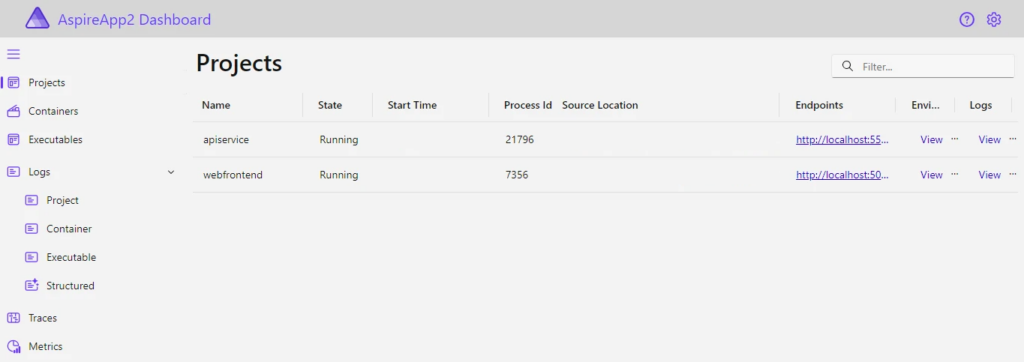
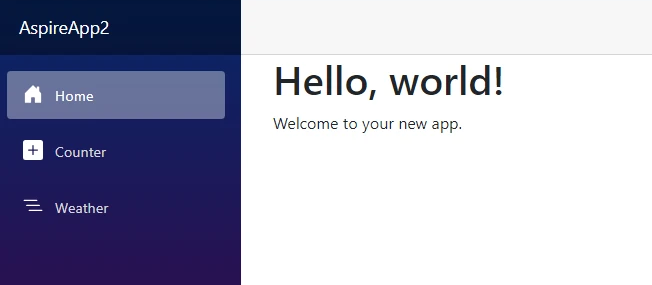
Now click on the links to interact with .NET. For now click on the web frontend project and package references link. It will open the new webpage with a different port name.
6. Conclusion
.NET Aspire is a pivotal framework designed for developing robust, observable, and distributed applications in the cloud environment. By offering a cohesive set of tools and design patterns, .NET Aspire simplifies the complexities of building cloud-native applications, ensuring seamless orchestration, component integration, and a user-friendly tooling framework. With a focus on scalability, resilience, and manageability, .NET Aspire aligns with the paradigm shift towards microservices and distributed architectures. If your organisation looking for a partner to help with this solution or DevOps transformation in general, keep in touch at: IT Consulting Services & Solutions | Technology Services – NashTech (nashtechglobal.com)