



What is .NET Aspire?
.NET Aspire is a modern framework designed to facilitate the development of cloud-native applications using the .NET ecosystem. It aims to simplify the complexities associated with building scalable, observable, and reliable applications that can thrive in cloud environments. As organizations increasingly move towards microservices and distributed architectures, .NET Aspire provides the necessary tools and best practices to help developers create robust applications efficiently.
Key Features
Cloud-Native Focus: .NET Aspire is built with cloud-native principles in mind, promoting the use of microservices, containers, and serverless architectures.
Observability: The framework includes built-in observability features, allowing developers to monitor application performance, track logs, and analyze metrics easily.
Resiliency: .NET Aspire incorporates patterns such as circuit breakers and retries to enhance application reliability and fault tolerance.
Modular Architecture: The framework is designed to be modular, enabling developers to use only the components they need for their applications.
Benefits of .NET Aspire
- Enhanced Observability
- One of the standout features of .NET Aspire is its focus on observability. And the framework provides a dashboard that allows developers to monitor their applications in real-time. This includes – Logging, Metrics and Tracing.
- Simplified Orchestration
- .NET Aspire simplifies the orchestration of various application components. It provides a development environment where developers can easily manage dependencies and configurations. Key aspects include:
- Service Discovery: Automatic detection of services within the application, allowing them to communicate seamlessly.
- Configuration Management: Centralized management of application settings, making it easier to maintain different configurations for development, testing, and production environments.
- Pre-Built Components
- The framework includes a set of pre-built components that integrate commonly used libraries and services. These components are available as NuGet packages and include:
- Database Access: Libraries for connecting to various databases, including SQL Server, PostgreSQL, and NoSQL databases, with built-in resiliency features.
- Messaging: Support for messaging systems like RabbitMQ, Azure Service Bus, and Kafka, enabling asynchronous communication between services.
- HealthChecks: Built-in health checks for popular services to monitor them in realtime.
- Container-Based Deployment
- NET Aspire is designed with containerization in mind. It supports deployment to various platforms, including:
- Azure Container Apps: Simplifies the process of deploying applications to Azure, allowing for easy scaling and management.
- Kubernetes: Provides support for deploying applications in Kubernetes clusters, enabling orchestration and management of containerized applications.
- Increased Developer Productivity
- By providing a set of defaults and best practices, .NET Aspire enables developers to focus on building features rather than dealing with boilerplate code and configuration. Benefits include:
- Rapid Development: Developers can quickly set up new projects and start building features without extensive configuration.
- Consistent Patterns: The framework encourages the use of consistent coding patterns and practices, making it easier for teams to collaborate and maintain codebases.
Pre-requisites for getting started
- .Net 8 SDK
- Docker
- IDE – Visual Studio / VS Code
Adding .NET Aspire to existing projects
- If you have Visual Studio 2022 17.10 or higher then Aspire workload is installed by default. Or you can install it using following command:
dotnet workload install aspire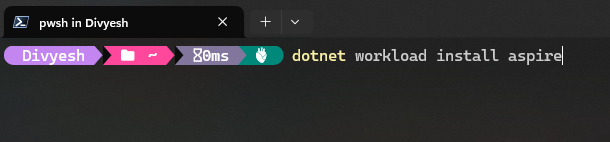
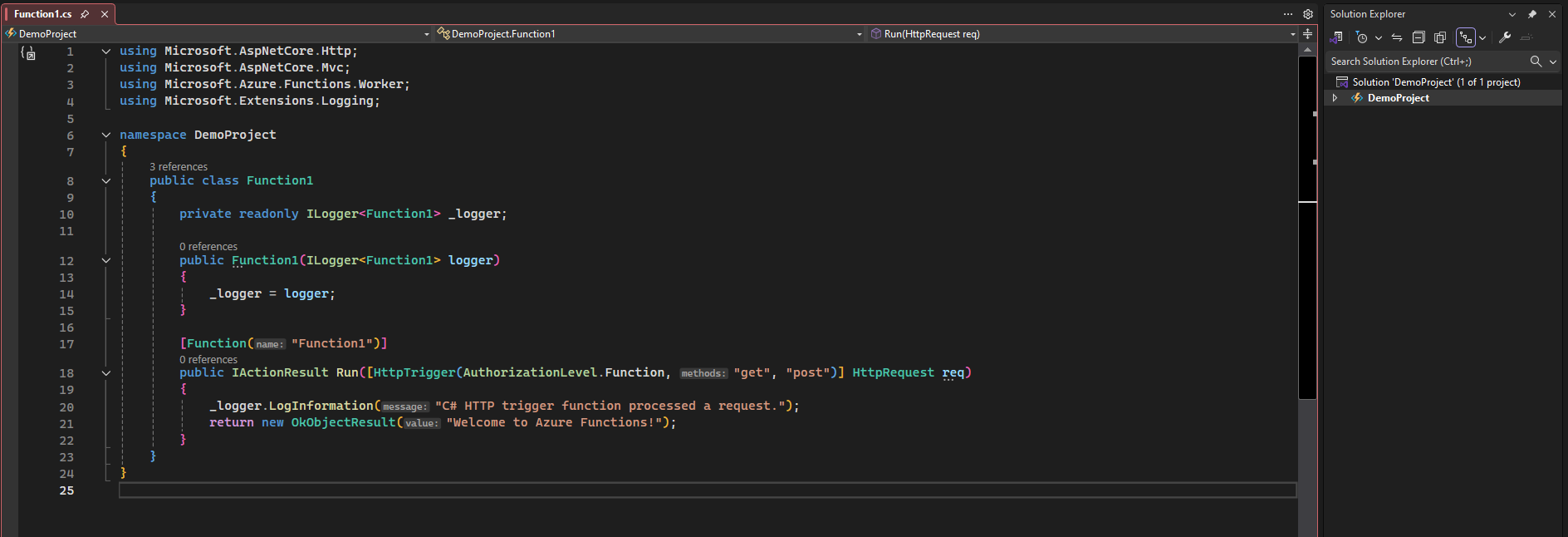
- Open you .Net solution
- Right click on project -> Add -> .NET Aspire Orchestrator Support -> Ok
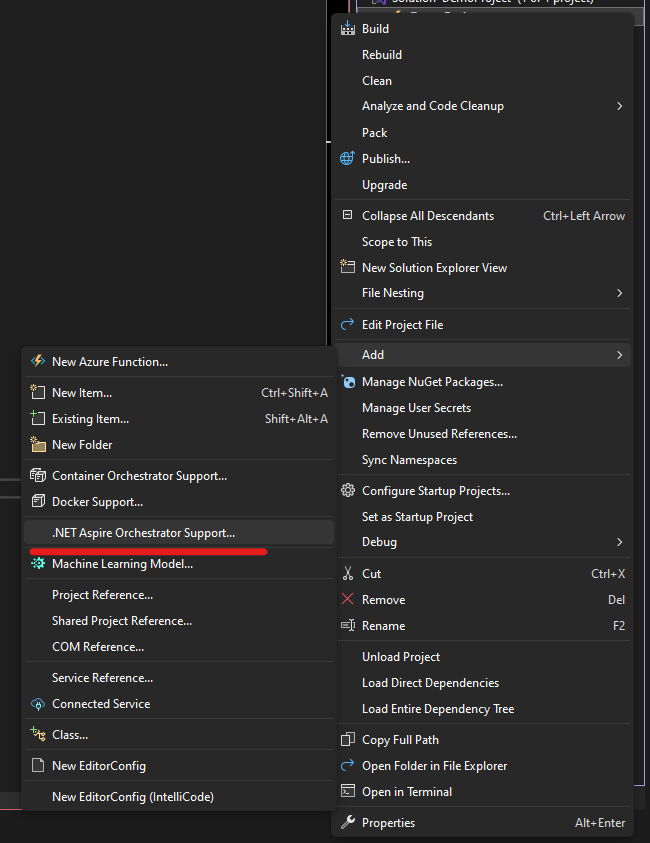
- You’ll see 2 new projects will be created with suffixes – AppHost & ServiceDefaults
- Let’s explore and see what’s in them. Go to Program.cs in AppHost project
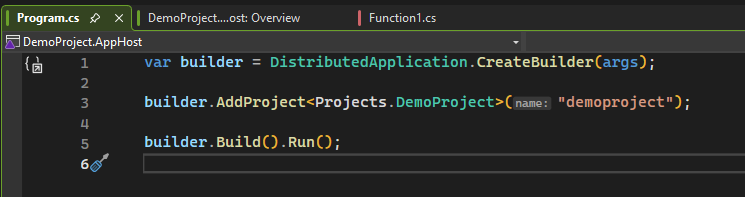
This code creates a new DistributedApplicationBuilder and adds reference to our DemoProject which will be later used in Service Discovery and Orchestration. This project is not included when you publish. This project is purely meant for Development time orchestration and is used to bind dependencies into one single entry point. - Next, if we look at Extension file in ServiceDefaults project, there are some extension methods written for us which adds healthchecks, configures OpenTelemetry and configures HttpClient with resiliency by default.
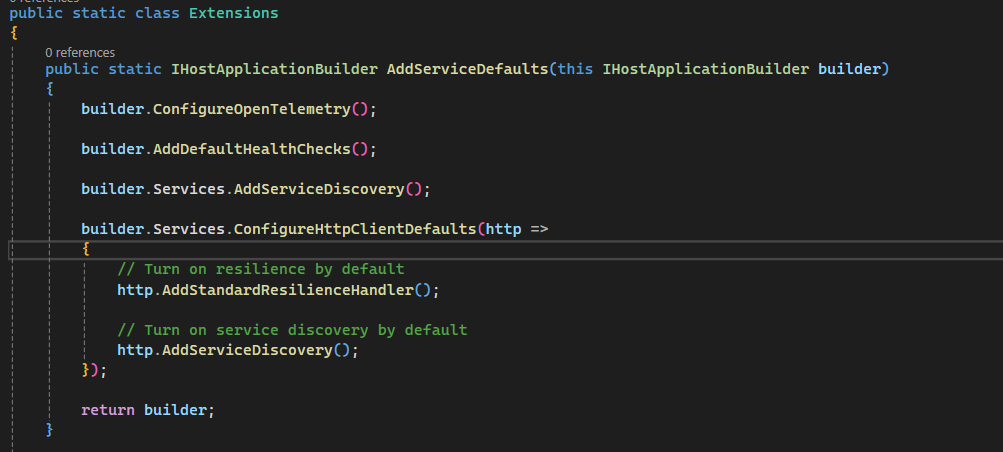
There is a reason why ServiceDefaults project gets scafolded instead of getting installed as a package and the reason is to allow users for extensibility and add things that are common for the projects which includes cross-cutting concerns like health checks, OTEL, Logging, etc. You can expand this further to your needs.
Solution structure with .NET Aspire
- AppHost Project:
- Serves as the orchestrator for your application
- Defines the application’s architecture and component relationships
- Manages configuration and environment setup
- ServiceDefaults Project:
- Contains shared configuration and defaults for all services
- Sets up common health checks, logging, and telemetry
- Your Service Projects:
- Individual projects for each microservice or component in your application
- Can be various types like web APIs, gRPC services, or worker services
Conclusion
.NET Aspire is a powerful framework that significantly enhances the development of cloud-native applications within the .NET ecosystem. By providing built-in observability, resiliency, and modular components, it empowers developers to create scalable and reliable applications quickly and efficiently. The benefits of .NET Aspire, including enhanced observability, simplified orchestration, and increased developer productivity, make it an attractive choice for organizations looking to modernize their application development processes. Additionally, its support for microservices, serverless architectures, and real-time applications positions it well for the demands of contemporary software development.