


In this blog, we will understand the use and implementation of the InPlaceUpdate feature provided by Openkruise. If you are new to this blog and want to know more about the basics of Openkruise first, do check the previous blogs in this series.
Pre-requisites:
- Kubernetes cluster (>=1.16)
- Helm v3 installed
Install helm v3:
curl –fsSL -o get_helm.sh https://raw.githubusercontent.com/helm/helm/master/scripts/get-helm-3
chmod 700 get_helm.sh
./get_helm.sh
Install Openkruise:
We will begin by installing openkruise and its related components via helm. Use the following cli commands to install Openkruise:
- Add the helm repository
helm repo add openkruise https://openkruise.github.io/charts/ - Install the latest version of kruise
helm install kruise openkruise/kruise –version 1.5.2# You can check the official doc to see the latest version
- Install the Kruise state metrics
helm install kruise-state-metrics openkruise/kruise-state-metrics –version 0.1.0
Openkruise: Cloneset
Update Features of Cloneset
CloneSet provides 3 update strategies:
- ReCreate: Deletes the existing pods and create new ones
- InPlaceIfPossible: Update the features without recreating the pod thereby preserving its identity, if possible.
- InPlaceOnly: Update the limited features without recreating the pod thereby preserving its identity
We are already familiar with ReCreate strategy in deployments so here we will look at InPlaceUpdateIfPossible strategy of s Cloneset.
InPlaceUpdateIfPossible
Let’s assume you have a Pod with multiple containers. If you want to update the image of one container, you might have to recreate the pod which will spin the pod again with a new UID, podIP and it is not necessarily placed in the same node (until you have 1:1 mapping of pod and node).
With the InPlaceUpdate feature of Openkruise, we can update the parameters like container’s image without having to recreate the pod.
Lets start by creating a CloneSet yaml which will manage two replicas of pod with 2 containers in each. Container1 will be of nginx and container2 will be of busybox.
apiVersion: apps.kruise.io/v1alpha1
kind: CloneSet
metadata:
labels:
app: demo
name: demo
spec:
updateStrategy:
type: InPlaceIfPossible
inPlaceUpdateStrategy:
gracePeriodSeconds: 10
replicas: 2
selector:
matchLabels:
app: demo
template:
metadata:
labels:
app: demo
spec:
containers:
– name: con1
image: nginx:alpine
– name: con2
image: busybox:1.34.1
command: [“sleep”, “60000”]
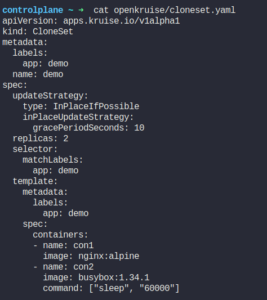
Apply the yaml to create the CloneSet

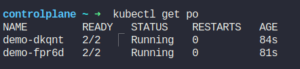
Check the pods and their status:
Describe the pods to verify the image and other configurations of the pod (PodIP and UUID)
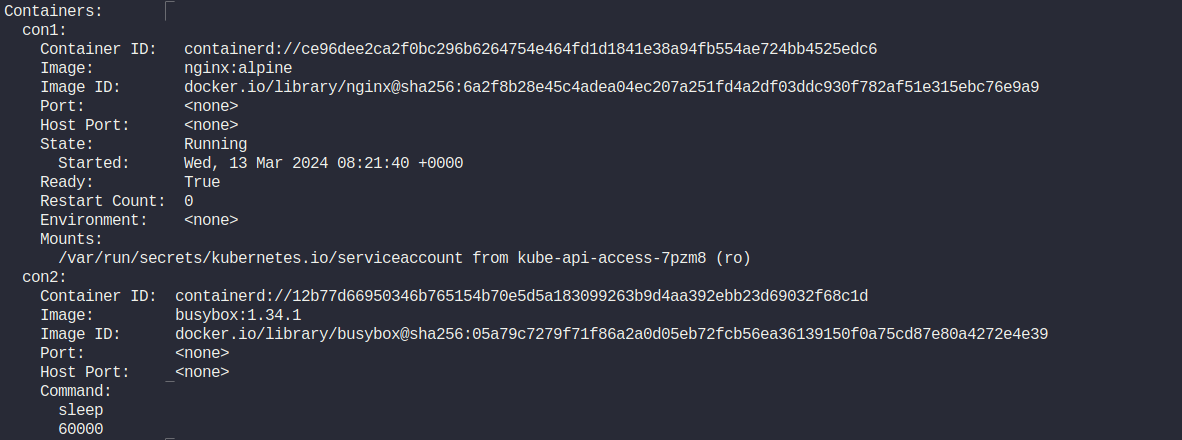
As you can see the image of busybox container has an image with a tag of 1.34.1.
We will update this image to use a different tag -> 1.35 . Since we have configured InPlaceUpdate field in the definition of the CloneSet, this should not recreate the pod and update the container image of busybox in place.
You can edit the cloneset via cli or change the tag of the image in the yaml and apply it again.
List the pods again after you have updated the image tag:
kuebctl get po
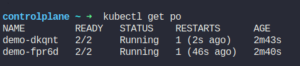
Pod wasn’t re-created as expected. Lets describe the pod to see if the image is updated.
kubectl describe po <POD-NAME>
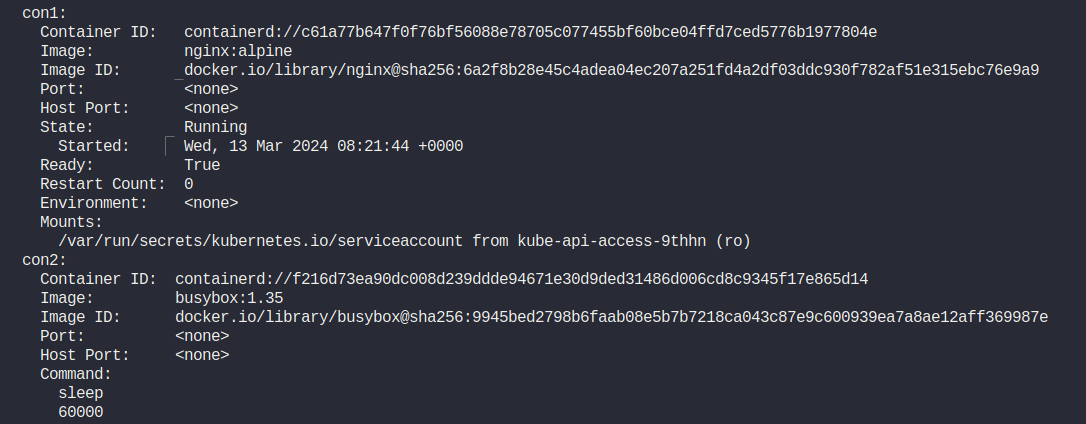
The image of busybox has now a new tag (1.35) .
This was the InPlaceUpdate feature of the Openkruise workloads using Cloneset. You can perform similar operations in Advanced StatefulSet and Advanced DaemonSet as well.
Hey, readers! Thank you for sticking up till the end. This was a brief on spinning AWS resources using Spacelift and Terraform. If you have any questions/feedbacks regarding this blog, I am reachable at vidushi.bansal@nashtechglobal.com. You can find more of my blogs here.