


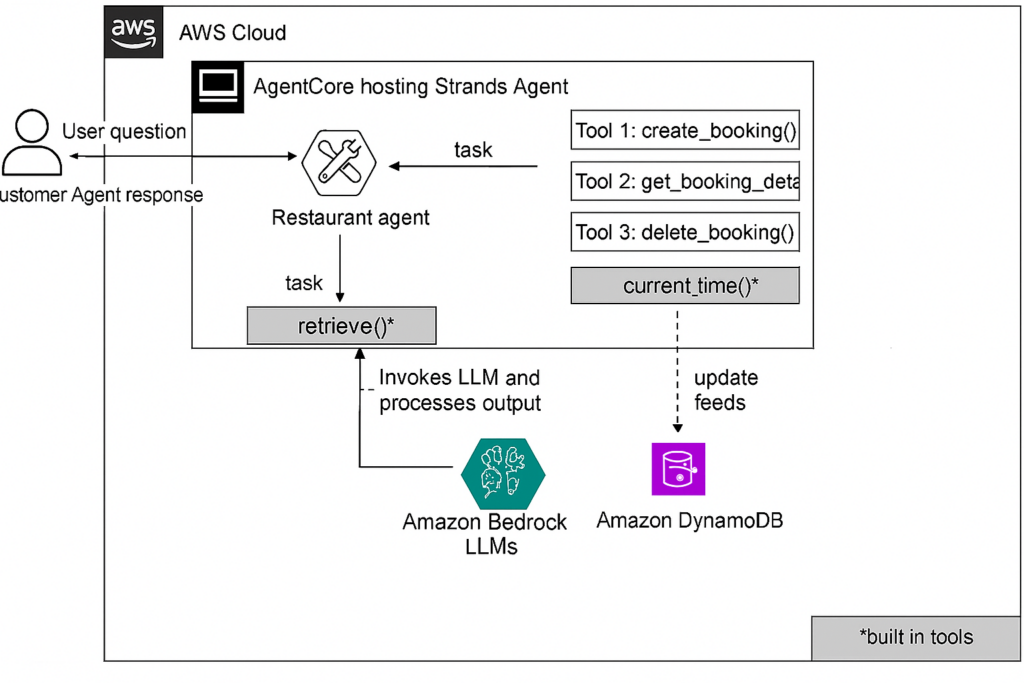
Welcome to our another blog of Amazon Bedrock deep dive series. In our last article, A Step-by-Step Guide to Implementing RAG with Amazon Bedrock, we went through the full process of implementing a RAG with Amazon Bedrock Knowledge Base. We also highlighted some rough edges and saw how to make everything work end‑to‑end.
In this post, we’ll learn how to spin up an Amazon Bedrock Agent that can Manage (Create/Get/Delete) restaurant reservations for users using LLM. The LLM is further backed by a Amazon Lambda function + DynamoDB.
Why Agents?
In simple terms, an Agent is a conductor – routing users’ intent to tool calls and retrieve while keeping the model prompt (instructions) consistent. Agents in Amazon Bedrock specifically, give us a hosted, serverless orchestration layer for LLMs that can do three big things:
- Call tools like Lambda or API Gateway with OpenAPI schema
- Maintain state (per conversation, optionally via memory)
- Or, Consult a Knowledge Base (RAG against the content in S3 via a vector store)
Building our First Agent
Here we’ll build a Restaurant Agent that can do the following:
- Create a reservation (store in DynamoDB)
- Get a reservation by Booking ID
- And, delete a reservation
Step 1: Create the Agent
- Open Amazon Bedrock
- Select Agents from the left panel
- Click on Create Agent
- Name it restaurant-agent
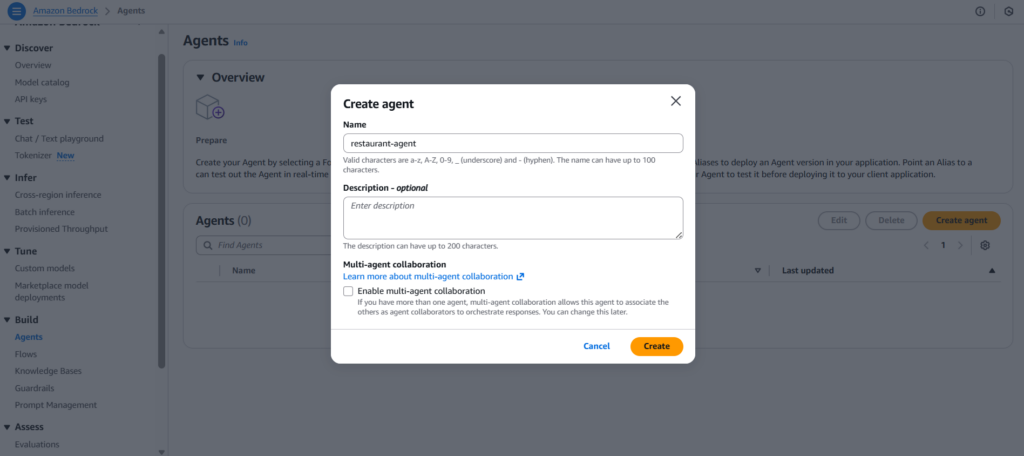
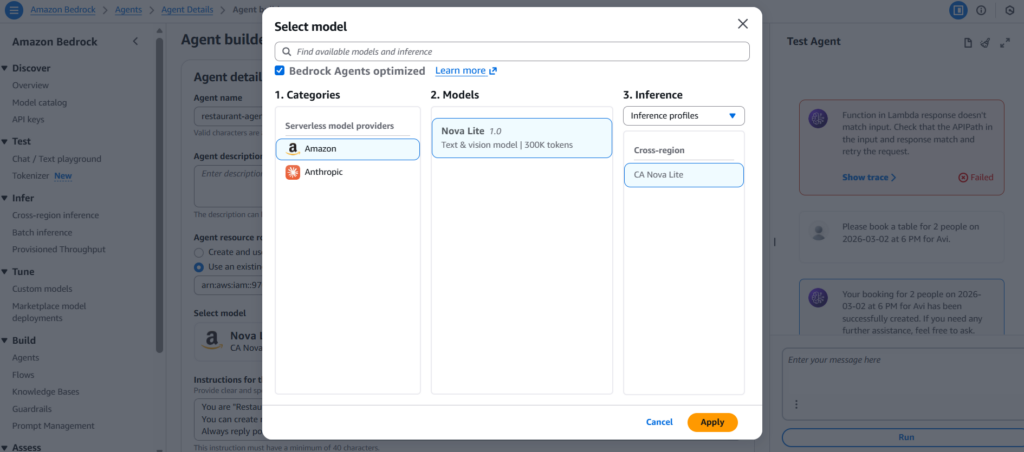
- Choose a preferred LLM. For this blog, we’ll be selecting Amazon Nova Lite 1.0, since, it is fast & cost-effective.
- Provide a clear, task-oriented prompt (instruction) to the agent. For instance, “You are a restaurant assistant. You can create, retrieve, and delete reservations. Ask for missing parameters before executing actions. Confirm before performing destructive operations.“
- For now, we’ll keep the Memory disabled, since we’ll be requiring single conversation queries only.
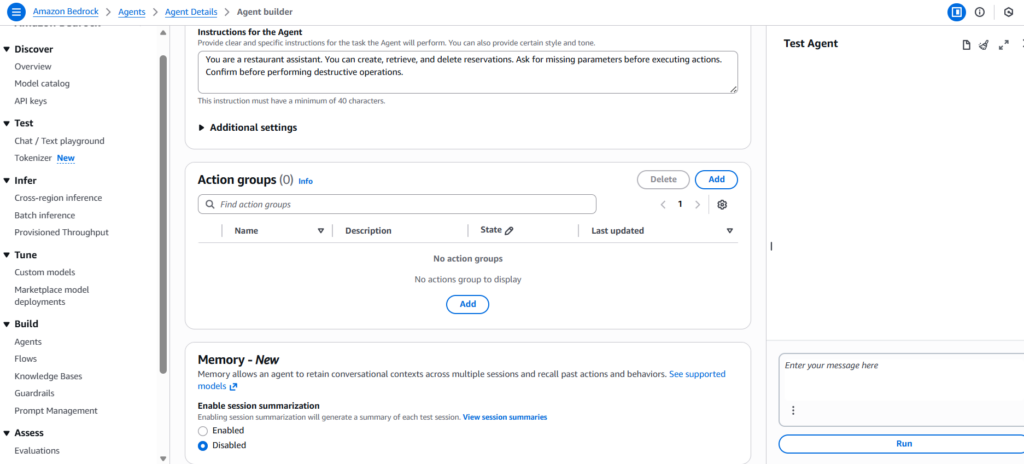
- At last, save the agent.
Step 2: Add an Action Group and Write Functions
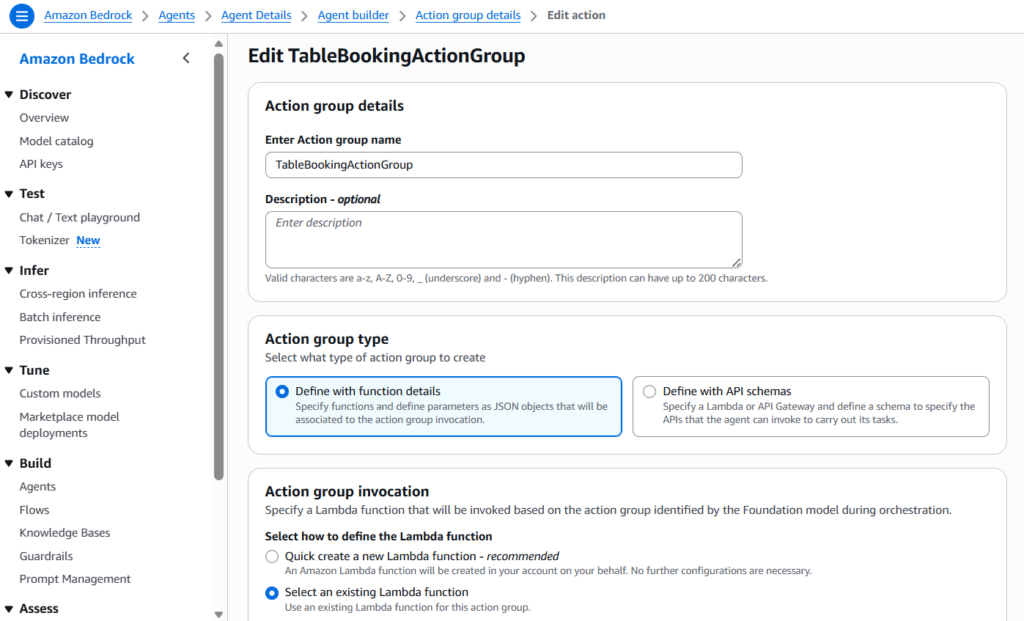
In this step, we’ll define an Action Group (e.g., TableBookingActionGroup) and write the following Functions:
createBooking— creates a reservationgetBookingDetails— retrieve a reservation by bookingIddeleteBooking— delete a reservation by bookingId
2.1 Action Group Addition
- In the Agents section, navigate to Action Groups
- Select Add action group
- Choose Create a function
- At last, name the action group –TableBookingActionGroup
2.2 Write Functions
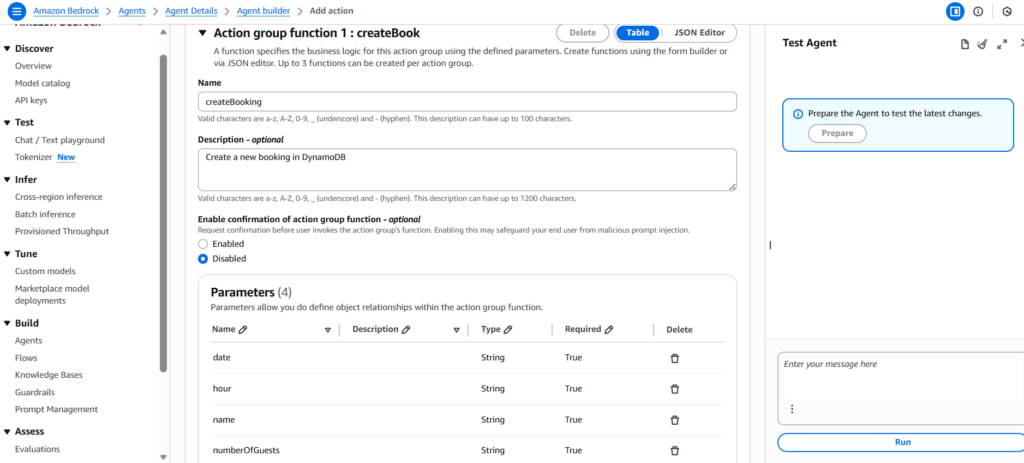
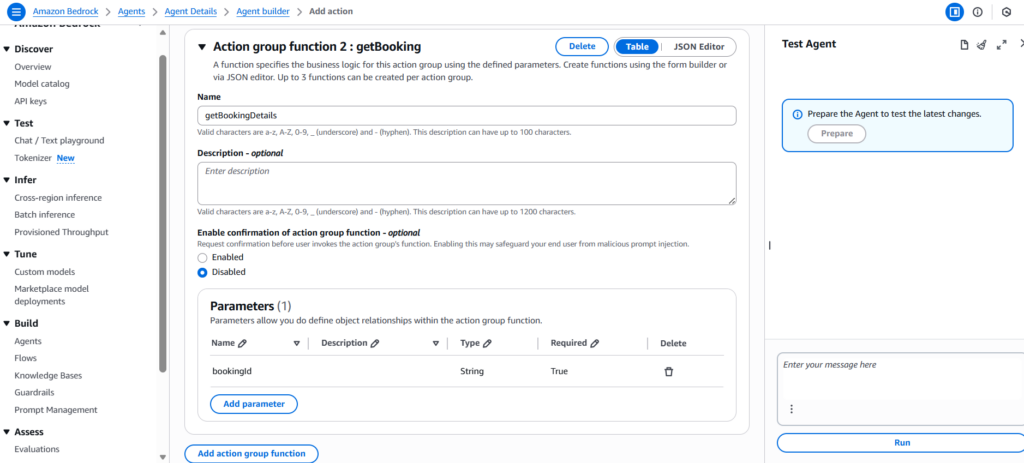
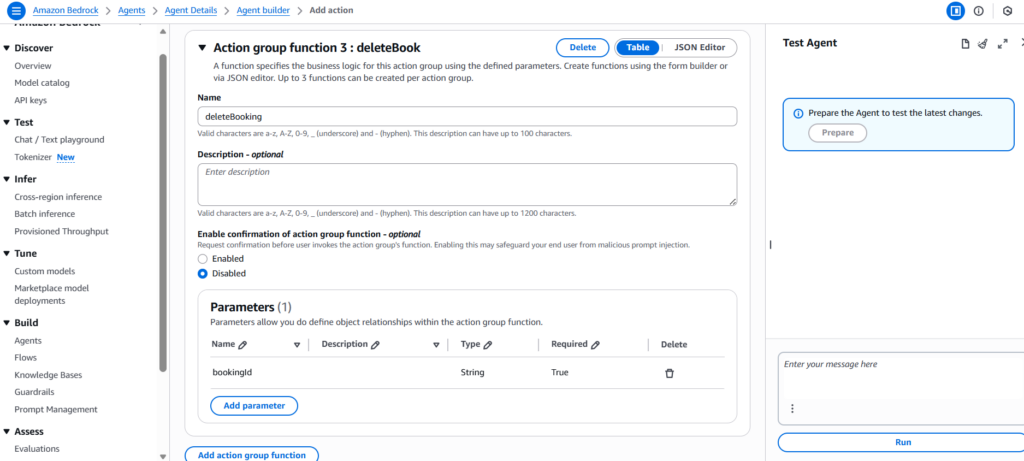
Next, we need to define each function (schema) with a name, description, and parameters. For instance,
createBooking- Description: Create a new booking in DynamoDB
- Parameters (all required):
date(string, e.g.,YYYY-MM-DD)hour(string or integer, e.g.,18:00or18)name(string)numberOfGuests(integer)
getBookingDetails- Description: Get booking details by bookingId
- Parameters:
bookingId(string, required)
deleteBooking- Description: Delete booking by bookingId
- Parameters:
bookingId(string, required)
- Next, click on Create
- At last, Save the changes done to the agent
Step 3: Implement the Lambda
Next step is to open the generated Lambda and paste a handler that can do the following:
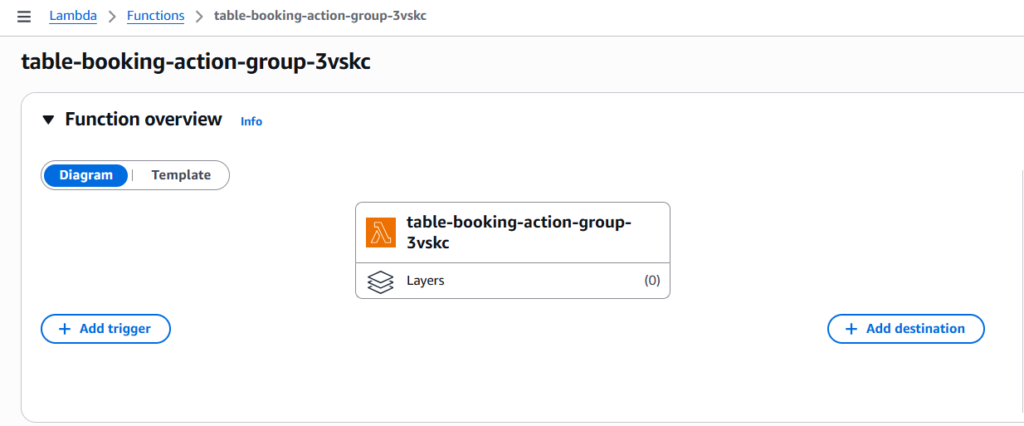
- Reads
actionGroup,function, andparametersfrom the event - Routes to
createBooking,getBookingDetails,deleteBooking - Uses
boto3to write/read/delete in DynamoDB
import json
import os
import uuid
import boto3
from boto3.dynamodb.conditions import Key

dynamodb = boto3.resource('dynamodb')
TABLE_NAME = os.environ.get('BOOKINGS_TABLE', 'restaurant_bookings')
table = dynamodb.Table(TABLE_NAME)

def response(body, statusCode=200):
    return {
        "messageVersion": "1.0",
        "response": {
            "actionGroup": "TableBookingActionGroup",
            "apiPath": "/createBooking",
            "httpMethod": "POST",
            "httpStatusCode": statusCode,
            "responseBody": {
                "application/json": {
                    "body": json.dumps(body)
                }
            }
        }
    }

def createBooking(params):
    # required: date, hour, name, numberOfGuests
    booking_id = str(uuid.uuid4())[:8]
    item = {
        "bookingId": booking_id,
        "date": params["date"]["stringValue"],
        "hour": params["hour"]["stringValue"],  # or numberValue, depending on schema
        "name": params["name"]["stringValue"],
        "numberOfGuests": int(params["numberOfGuests"]["numberValue"])
    }
    table.put_item(Item=item)
    return {"message": "Booking created", "bookingId": booking_id, "details": item}

def getBookingDetails(params):
    booking_id = params["bookingId"]["stringValue"]
    res = table.get_item(Key={"bookingId": booking_id})
    item = res.get("Item")
    if not item:
        return {"message": "Booking not found", "bookingId": booking_id}
    return {"message": "Booking found", "details": item}

def deleteBooking(params):
    booking_id = params["bookingId"]["stringValue"]
    table.delete_item(Key={"bookingId": booking_id})
    return {"message": "Booking deleted", "bookingId": booking_id}

def lambda_handler(event, context):
    function = event.get("function")
    params = event.get("parameters", {})

    try:
        if function == "createBooking":
            body = createBooking(params)
        elif function == "getBookingDetails":
            body = getBookingDetails(params)
        elif function == "deleteBooking":
            body = deleteBooking(params)
        else:
            return response({"error": f"Unknown function: {function}"}, 400)
        return response(body, 200)
    except Exception as e:
        return response({"error": str(e)}, 500)
Step 4: Create the DynamoDB Table
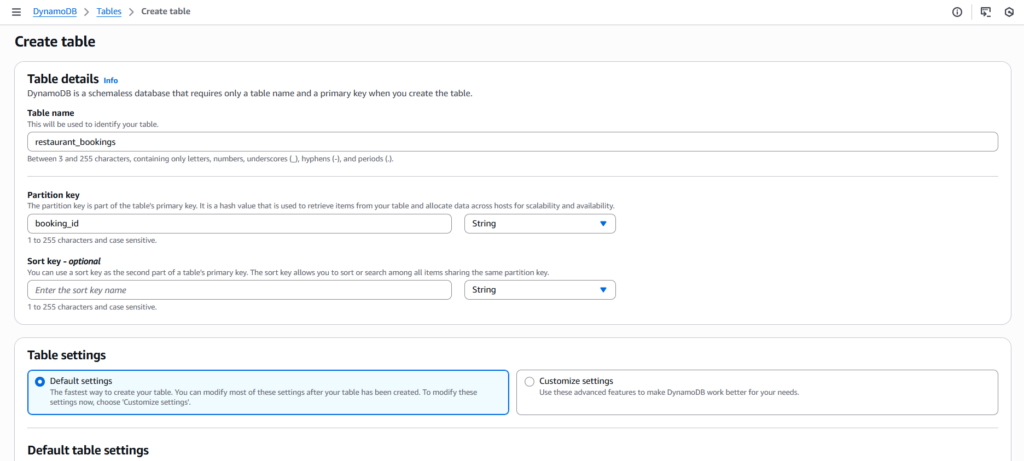
To persist the reservations (bookings) we need a store. Here we are creating a DynamoDB table to persist the bookings:
- Table name:
restaurant_bookings - Partition key:
bookingId(String)
Step 5: Updated IAM Permissions
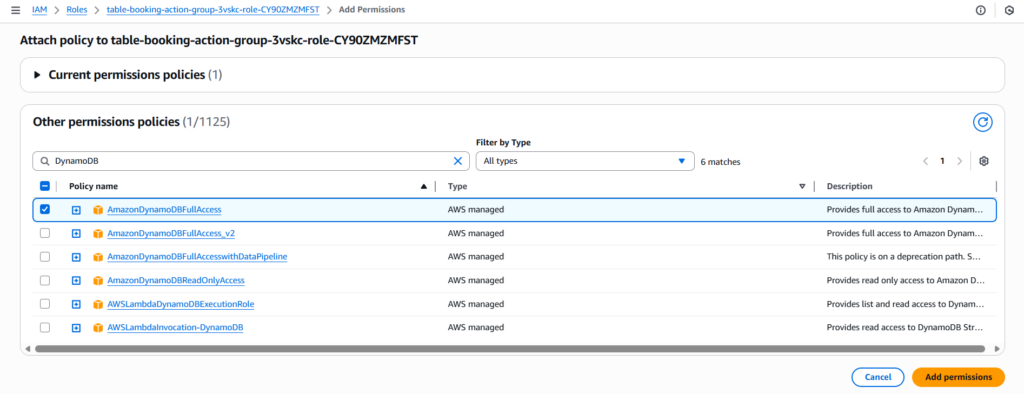
To allow Amazon Bedrock Agent to read/write from DynamoDB, we need to update the IAM permissions in Lambda. There we need to select DynamoDB and attach a policy that allows Put/Get/Delete on the table created.
Step 6: Prepare the Agent
In Amazon Bedrock, on Agents section, we need to click Prepare for the agent created. This will package the latest configuration, i.e., instructions, tools, knowledge base, and security in the agent.

Step 7: Test the Agent
At last, we’ll use the agent’s Test panel, to test the agent.
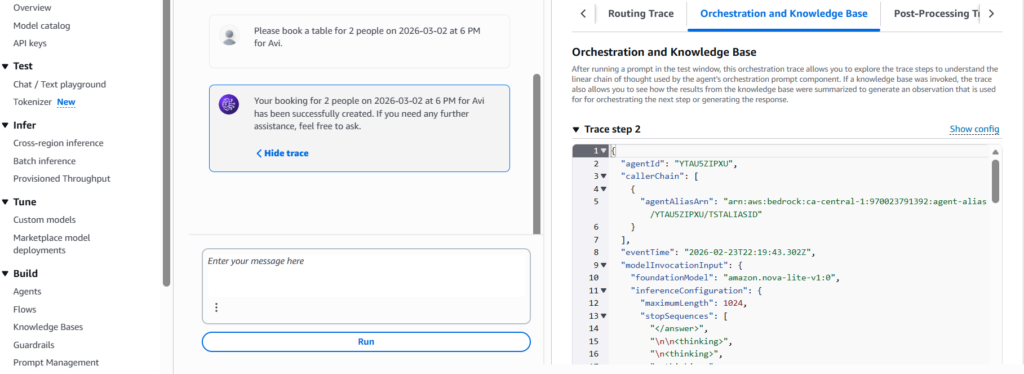
Note: Via Trace view we can verify whether the agent called the correct function or not. Basically a way to debug/fine-tune the agent’s prompt, action group, or function(s).
In Summary
At last, we have an Amazon Bedrock agent, that can manage bookings using action groups, functions, lambda, and DynamoDB. This way we can create multiple agents doing specific designated tasks. Also, now we know how to create AI-powered workflows in our applications using Amazon Bedrock. Hope you found this blog post helpful, if so, please share your thoughts via comment(s) 🙂