


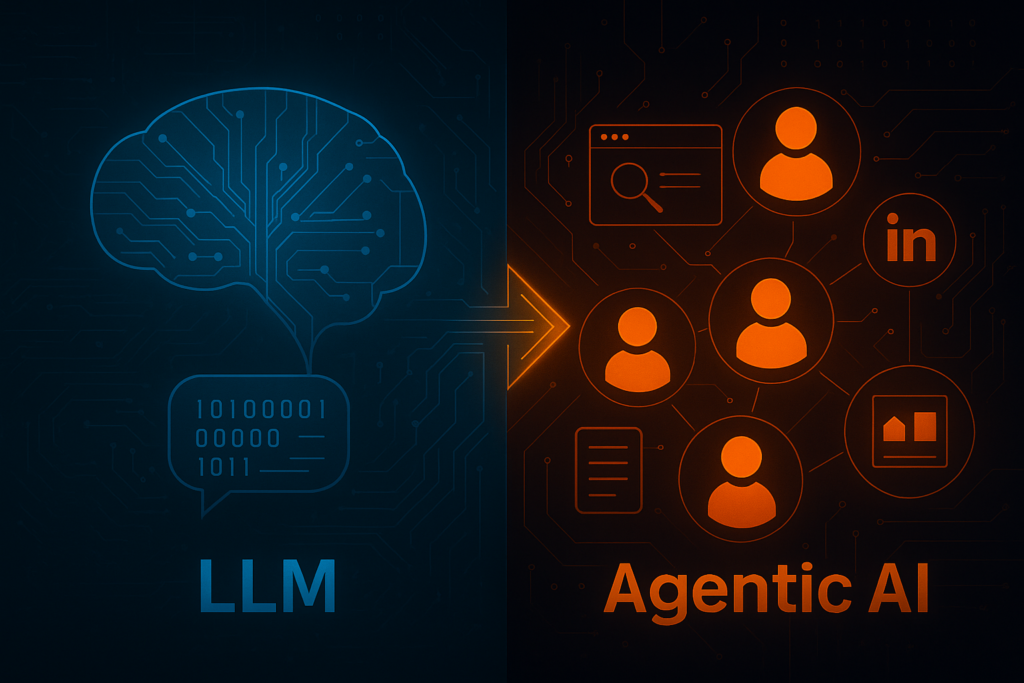
Last week, Playwright released a new feature called Playwright Agents, and this promises to be a new breakthrough in the use of AI with Playwright. In this article, let’s see how Playwright Agents can support us in testing as well as the key differences between Playwright Agents and Playwright MCP.
1.Playwright Agents
1.1 What is Playwright Agents?
AI agents are autonomous software systems which leverage AI to create plans, make decisions and take actions to achieve complex pre-defined goals from the users. Moreover, it also can learn from new experiences and data.
Last week, Playwright released the agents related to testing including:
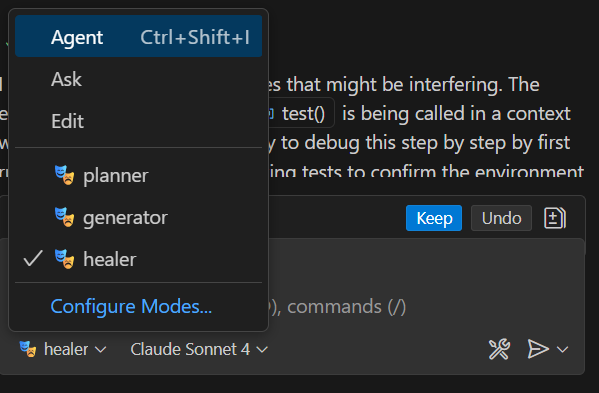
- 🎭 planner explores the app and produces a Markdown test plan
- 🎭 generator transforms the Markdown plan into the Playwright Test files
- 🎭 healer executes the test suite and automatically repairs failing tests
1.2 Set up Playwright Agents
- Upgrade Playwright version in your project to the latest version 1.56.0
- Update VS code version to the latest version 1.105
- Login Github Copilot account to VS Code
- Run the following command “npx playwright init-agents –loop=vscode”
- After running above comment, you can validate the installation for playwright agent by checking the new modes in Github Copilot chat
1.3 Agents usage
In the release, Playwright has implemented 3 agents with different purposes so that they can focus on the main tasks assigned to them. Thanks to that, the generated result will be better and more exact. These agents can be used independently, sequentially, or as the chained calls in the agentic loop.
1.3.1 Planner Agent
Before starting the test execution, we need to spend effort to create a test plan or design test cases. Planner Agent will supportsus to generate the test plan quickly by sharing the application to it as below.
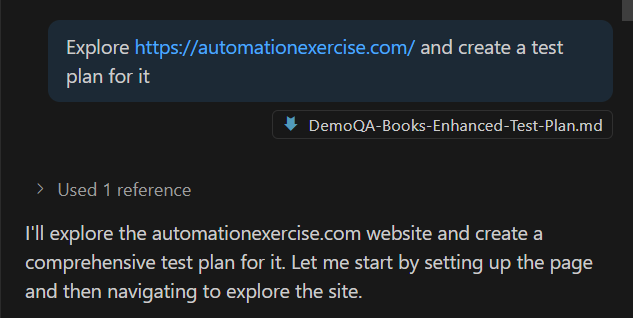
By leveraging Playwright MCP, the agent will navigate to the application and propose a test plan in MD format with different section like Application overview, Test Scenarios, Environment Setup, Risk Assessment, Success Criteria. Especially, in the Test Scenarios, the generated content will include function and non-functional scenarios(performance, security, accessibility)
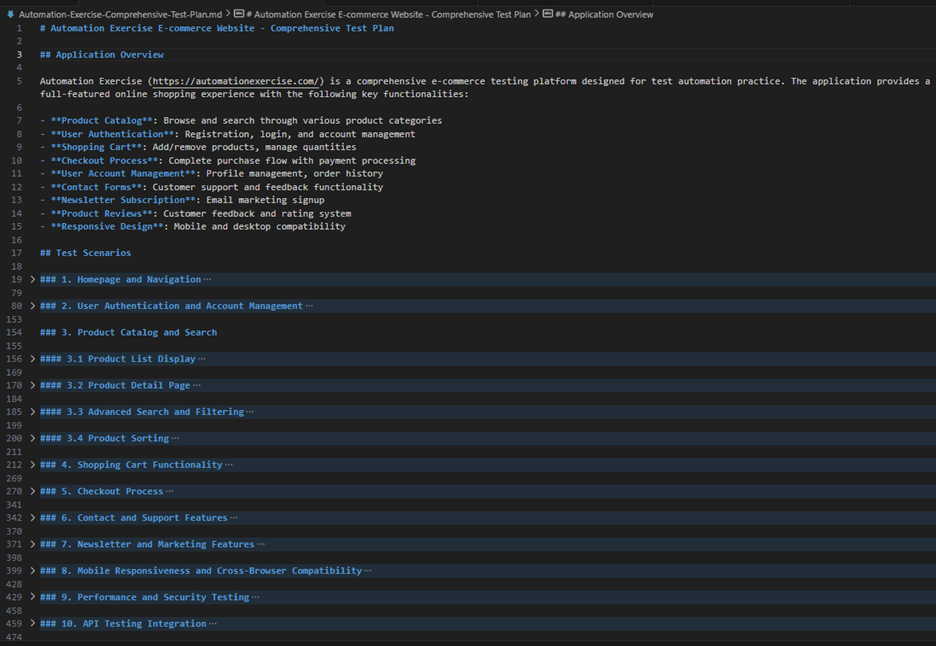
It will help us save the effort to design/review the test cases. In case you want to optimize the Planner agent, you can modify the file 🎭 planner.chatmode.md in .github/chatmodes folder. For each test scenario, we’ll have the detailed test steps and expectations which can be used for generating automation test script.
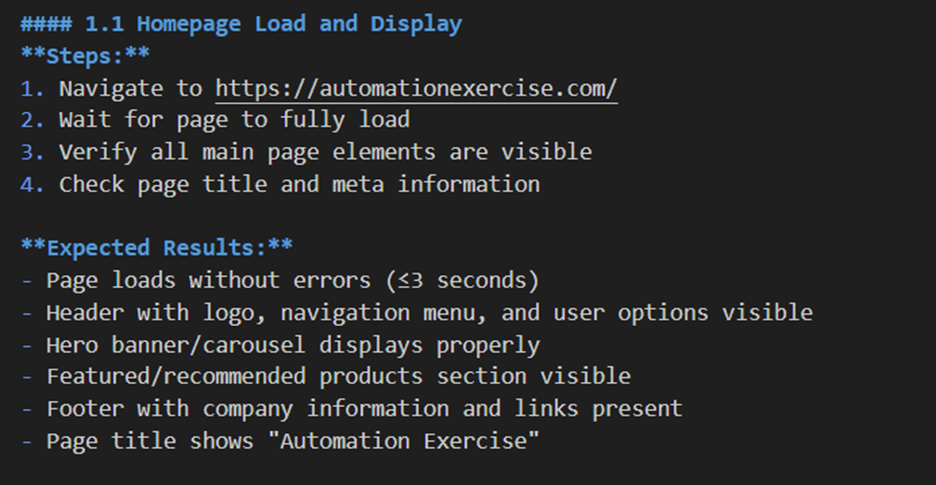
In my opinion, this will be useful in Exploratory testing or review the existing test plan. In the real project, we usually apply shift-left testing in which we’ll try to design the test cases before the application is developed and deployed. Therefore, if we use this to create the test plan after the deployment, it’s quite late.
1.3.2 Generator Agent
After we have the test plan with a lot of test scenarios, we can leverage the next part of Playwright Agent called Generator Agent to generate the automation script.
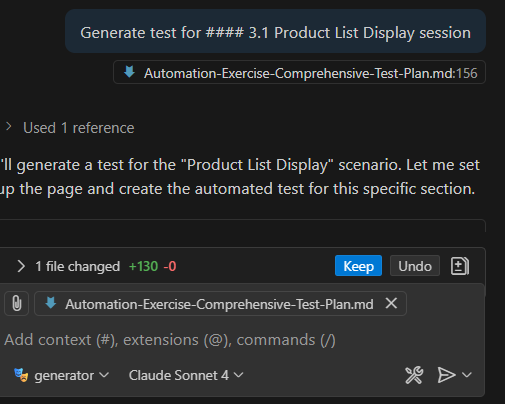
Of course, this agent will continue leveraging Playwright MCP to generate the script based on the test scenarios defined in the test plan. Moreover, with the rules and best practices defined in 🎭 generator.chatmode.md, Playwright Agents can give a good output for us. We can update this file to add more rules or define the project structures.
1.3.3 Healer Agent
Another popular challenge related to automation test is locator change. Whenever the UI is changed, we’ll need the effort to fix the script. The last on in the Playwright agent sequence will help us to overcome the issue by fixing the script automatically when the script is failed.
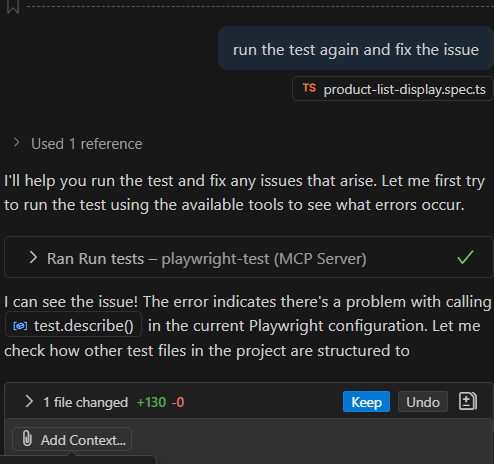
After running the test case, this agent can help us investigate the failure and update script for us. However, please be careful when using this feature because it can make your script pass despite the real bug on the application. Therefore, we need to review the fix carefully before applying it.
2. Playwright Agents and Playwright MCP
Playwright MCP has been popular during 2025, and it also helps us a lot in automation testing. If you’re interested in it, you can find it in my previous blog here. For now, Playwright continues releasing Playwright Agents, so what are the key differences between Playwright Agents and Playwright?
| Playwright MCP | Playwright Agents | |
| Core responsibility | Bridge between LLM/Agent to interact with browser | Leverage MCP to manage broader workflow: generate plans, create tests, heal tests. |
| Authoring vs execution vs maintenance | Only execute and provide feedback for agent to decide next. MCP does not by itself plan or write tests. | Includes planning, test code generation, automatically reacting to failures and updating tests. |
| Human oversight / intervention | MCP itself doesn’t decide what to test. We need to direct it via agents. | Agents include planning and auto-repair; but there we need to review plans, fix things. The healer is not perfect. |
| Risk / Flakiness | Based on the steps we provided and the snapshot of the application, it will be less flakiness. | Agents reduce flakiness via healer, but healing may cause tests to wrong-pass. |
Based on the above table, we can see that the Playwright Agents are built on top Playwright MCP. In case you want to implement customize agents, you can leverage Playwright MCP to do that.
Conclusion
Playwright Agents promise to help us solve the challenges related to testing like creating test plans, automation and save human effort for them. Based on the real project, we can’t wait until an application is deployed and create a test plan for it. However, for the Planner Agent, we can use it for exploratory testing. Last but not least, we need to review the output from an AI tool carefully before applying it.
Referrence: https://playwright.dev/docs/test-agents
4 thoughts on “Playwright Agents – new AI agents for testing”
Tiny issue in heading level of 1.3.3
thanks a lot Thanh
Amazing! thanks for owner, It’s extremely helpful!!
it’s a useful article