



What are Cloud Functions?
A cloud function represents a compact piece of code designed to execute in response to specific events within a cloud environment. These events can encompass a broad spectrum, ranging from HTTP requests and messaging service notifications to file uploads, database modifications, and virtual machine instance creations. Essentially, cloud functions encapsulate logic tailored to trigger and perform designated actions when particular events occur, facilitating automated, efficient, and scalable operations in the cloud.
Prerequisites
- Install the Google Cloud SDK.
- Set up authentication for Google Cloud using
gcloud auth login. - Enable the Cloud Functions API in your GCP project.
Create a function
In the console, click the Navigation menu () > Cloud Functions.
Click Create function.
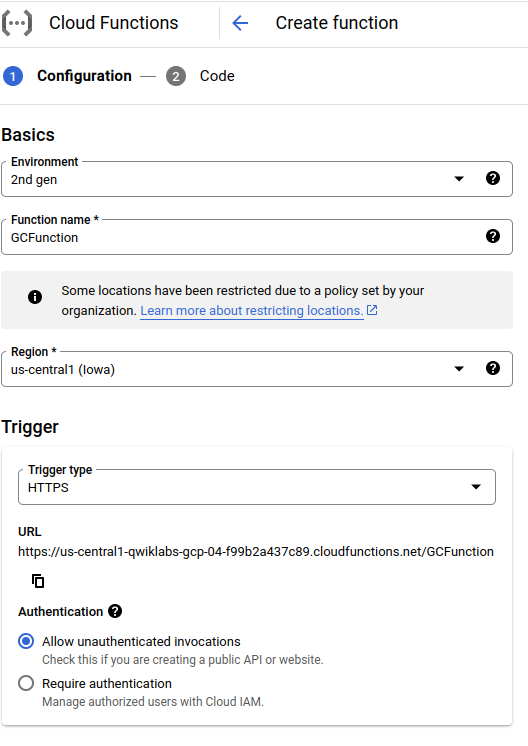
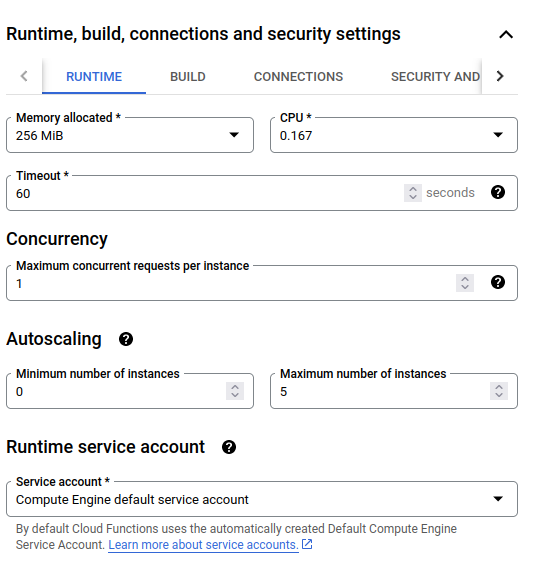
We’re setting up our Cloud Function with these options to make sure it works well and fits our needs perfectly :
- Environment (2nd Gen): Choosing 2nd Gen gives us advanced features and performance boosts.
- Function Name: We use “GCFunction” for clear identification and management in Google Cloud.
- Region: Picking the right region reduces latency, making data processes faster.
- Trigger Type (HTTPS): Using HTTPS ensures secure and smooth web interactions.
- Authentication: Allowing unauthenticated invocations offers easy access for specific tasks.
- Memory Allocation: Sticking to default memory keeps performance stable and reliable.
- Autoscaling (Max Instances: 5): Setting it to 5 adapts resources based on workload needs.
Deploy the function
In the “Create function” window, choose the “Inline editor” option. Use the pre-written helloWorld code in the index.js file as a starting point for your function.
const functions = require('@google-cloud/functions-framework');
functions.http('helloHttp', (req, res) => {
res.send(`Hello ${req.query.name || req.body.name || 'World'}!`);
});
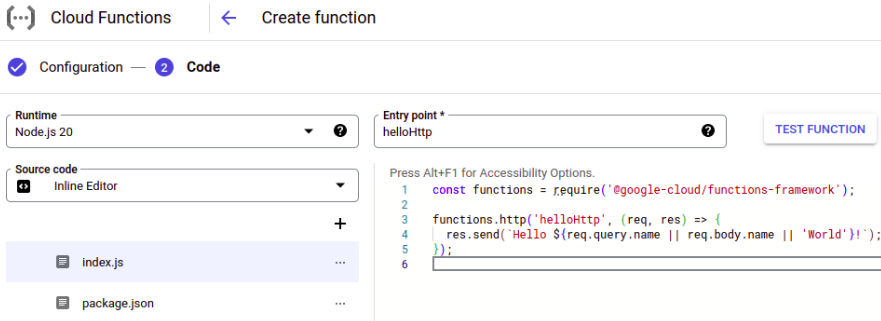
After you click Deploy, the console redirects to the Cloud Functions Overview page.
Test the function
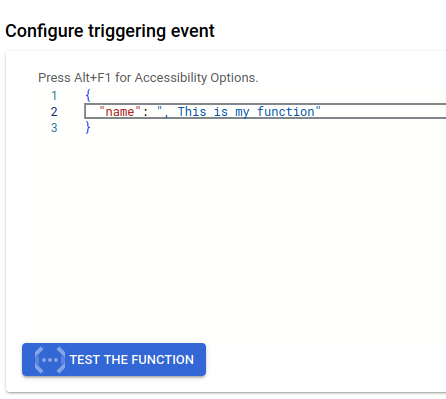
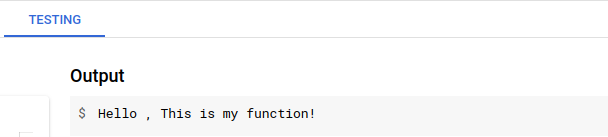
To test the function, you can click on the function details dashboard, you can initiate a test for your function by selecting “TESTING.” Within the Triggering event field, input the specified text enclosed within the curly brackets {}, and then proceed by clicking the “Test the function” button to execute the test case.
{
  "name": "This is my function"
}
View logs
To check the logs, Display the menu for your function, and click View logs

Conclusion
Cloud Functions are small bits of code that run in the cloud and respond to specific events. They automate tasks, making processes smoother and more efficient. By handling events, they reduce manual intervention and streamline operations. This serverless approach ensures applications scale seamlessly based on demand. Overall, they enhance performance and responsiveness in cloud environments.