


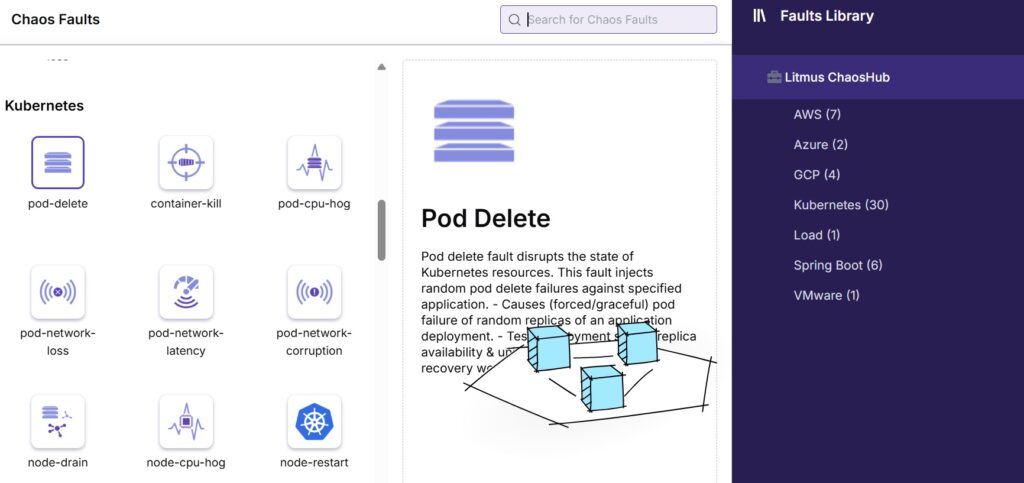
In the previous article, I’ve shared with you about the overview of Litmus tools as well as how it works. In this one, let’s try the simple steps to create an experiment on sample application.
1. Install Litmus
1.1 Pre-requisite
- Linux environment/Windows Subsystem for Linux (WSL)
- Docker & Docker Compose installed
1.2 Install Minikube
If you have already had Kubernetes cluster, you can ignore this section. For playing with Litmus, we need a Kubernetes cluster, one of the easiest ways to install it is installing Minikube
curl -LO https://storage.googleapis.com/minikube/releases/latest/minikube-linux-amd64
sudo install minikube-linux-amd64 /usr/local/bin/minikube
minikube start
1.3 Install Helm
For installing Litmus easily, we need to use Helm. Run the following command to install Helm.
curl https://raw.githubusercontent.com/helm/helm/main/scripts/get-helm-3 | bashFor validating the installation, you can check Helm version with following command
Helm version1.4 Install Litmus
We need to add Litmus Helm repository first.
helm repo add litmuschaos https://litmuschaos.github.io/litmus-helm/
helm repo update
Install Litmus with the following command
helm install litmuschaos litmuschaos/litmus --namespace litmus --create-namespaceAfter that, you can validate the installation with following commands


Please ensure that all the pods and services start like the above pictures.
1.5 Expose the frontend
For accessing the Litmus portal, we need to expose the Litmus frontend port
kubectl port-forward svc/litmuschaos-frontend-service -n litmus 9091:9091&Now we can access the portal with http://localhost:9091
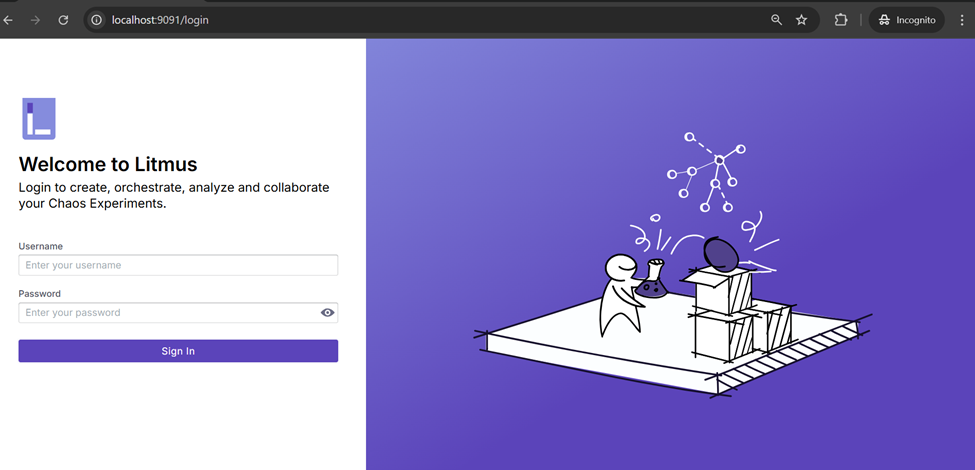
The default account is admin/litmus, and we can change password after the first login.
2. Install AUT
In this demo, we will use the Book info application as the AUT. Please refer to the following repository for installing the application.
https://github.com/digitalocean/kubernetes-sample-apps/tree/master/bookinfo-example
3. Create Chaos experiment
3.1 Create test environment
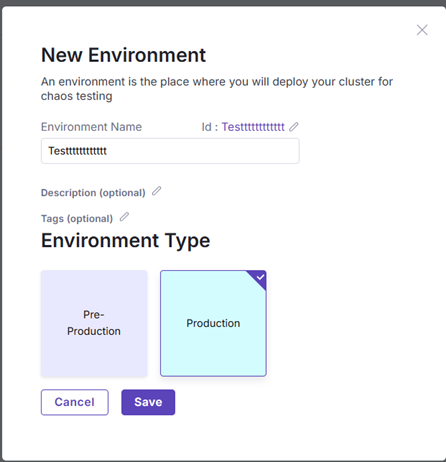
In the portal, we need to create a test environment first.
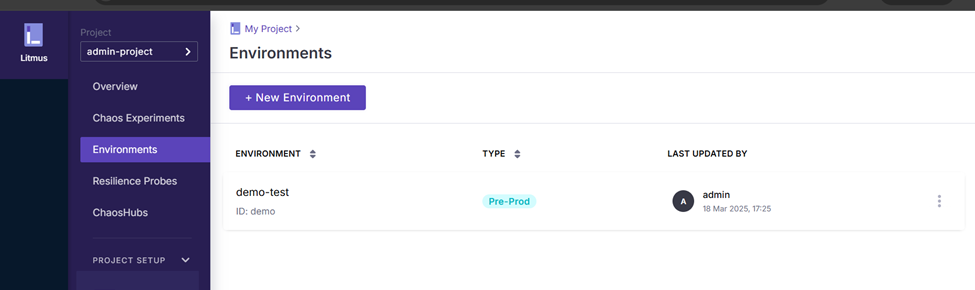
For environment type, we can select either Pre-production or Production.
3.2 Enable Chaos
The next step is enabling Chaos, which will help us create the Kubernetes resources which are used for executing the chaos experiments. From the portal, selecting the target environment and click on the Enable Chaos button.
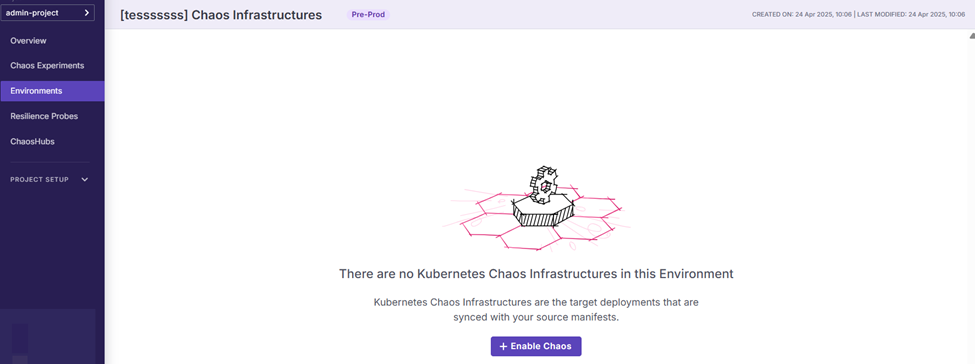
Then we can input the chaos name and configure the chaos infrastructure.
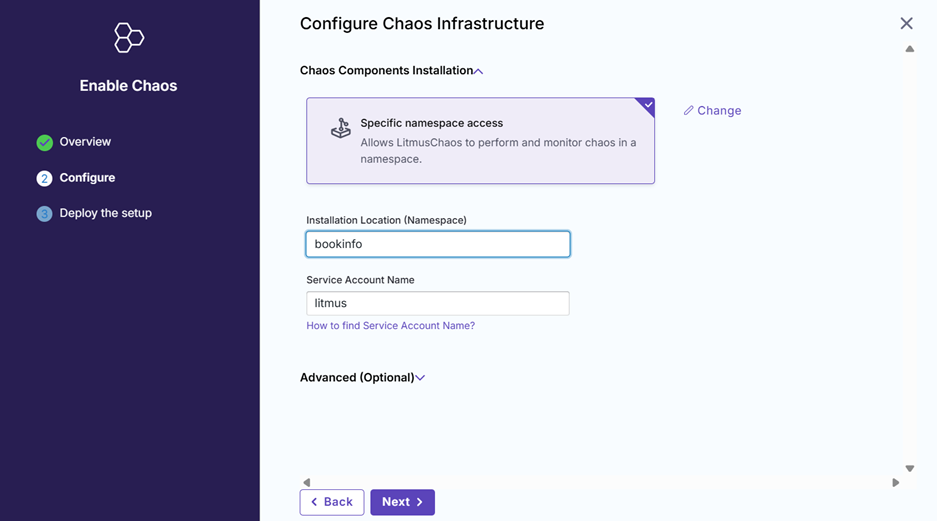
After that, Litmus will create an yml file for us.
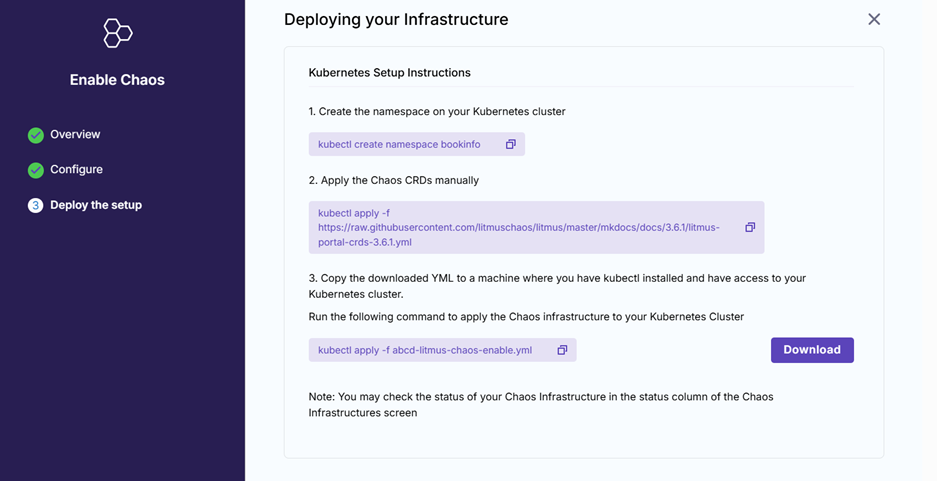
After downloading the file, please update the SERVER_ADDR configuration for subscriber-config.
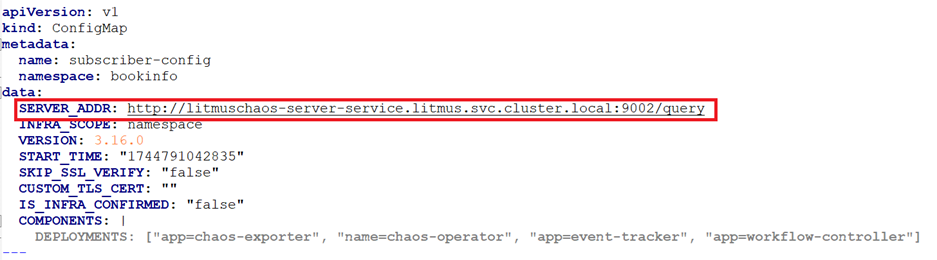
Then, apply the updated file to installing Chaos infrastructure.
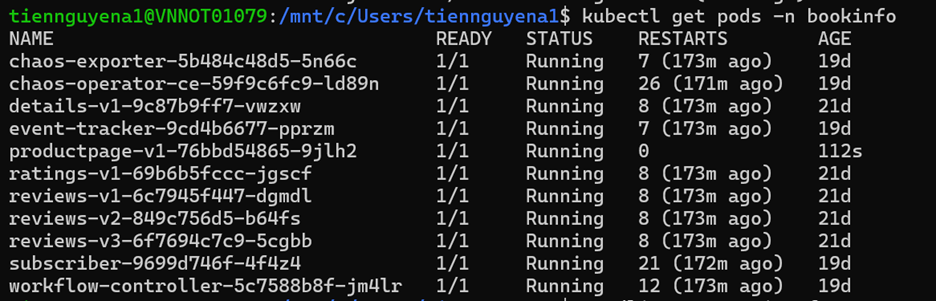
kubectl apply -f test-litmus-chaos-enable.ymlWe can validate the installation with the following command to ensure that the chaos pods( chaos-exporter, chaos-operator, event-tracker, subscriber, workflow-controller pod) start successfully.
3.3 Create Chaos Experiments
From Chaos Experiments section, we can add a new experiment.
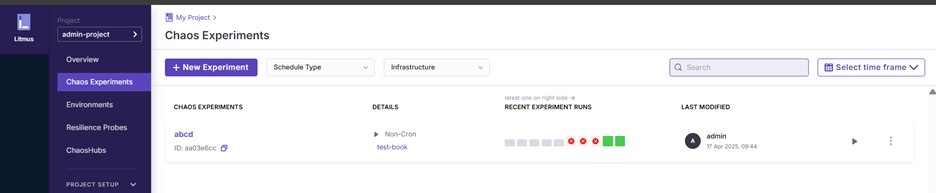
After inputting the Chaos Experiments name, we can select the chaos infrastructure which created in above section.
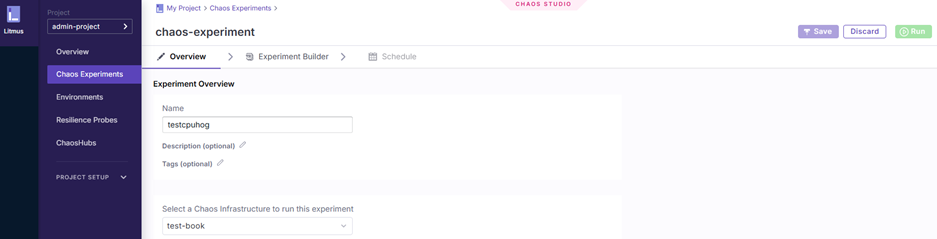
We can choose existing experiments, but in this article we will select a blank one.
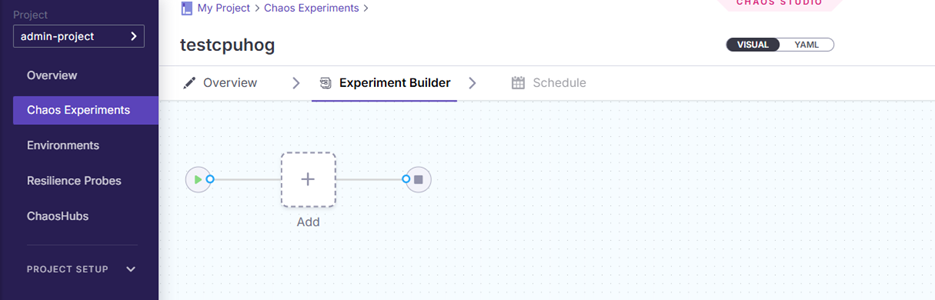
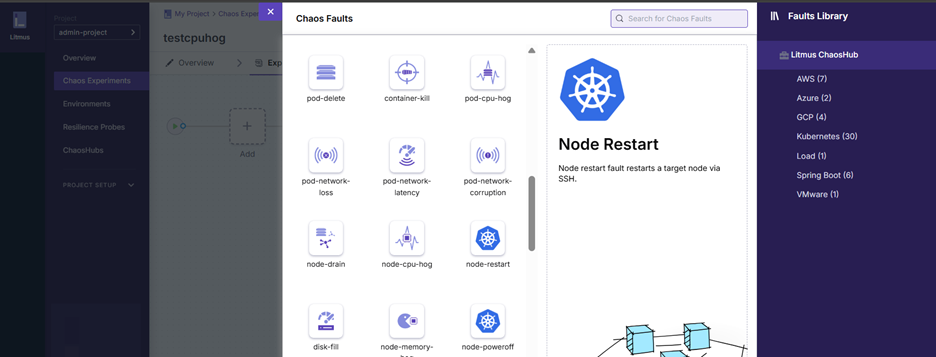
Now we can click the Add square to add the fault. In this example, we’ll choose pod-delete faults.
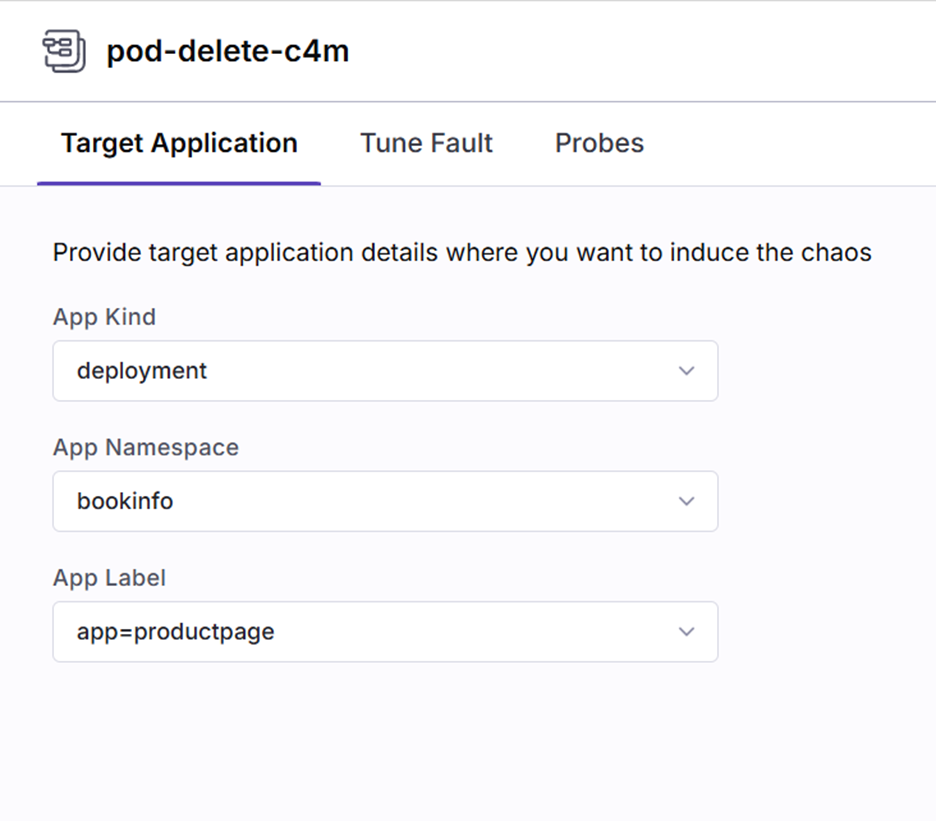
Add the fault configuration as below to delete the productpage pod in bookinfo namespace.
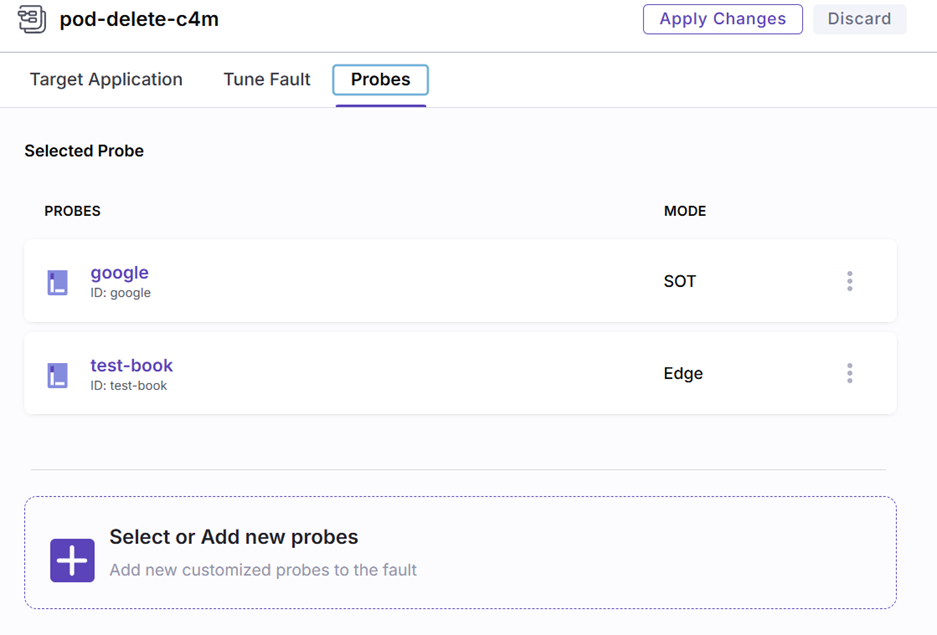
For adding the validation of the experiment, we can go to the Probes tab and select the existing probe.
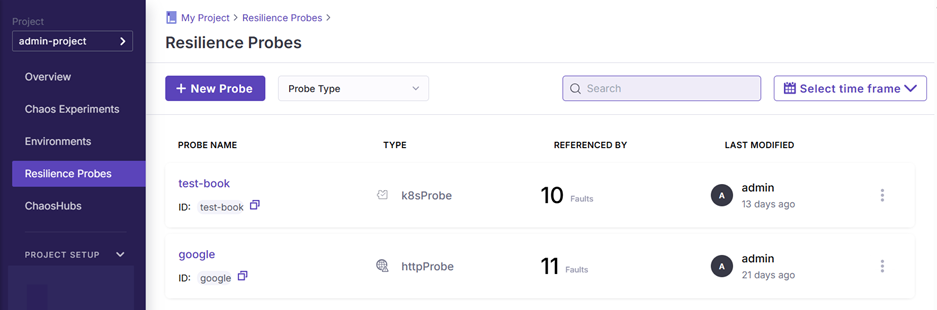
For creating new probes, we can go to Resilience Probes.
In this example, we’d like to check that after deleting the productpage pod, it will be re-created automatically. Therefore, we’ll choose Kubernetes probe with the following configuration.
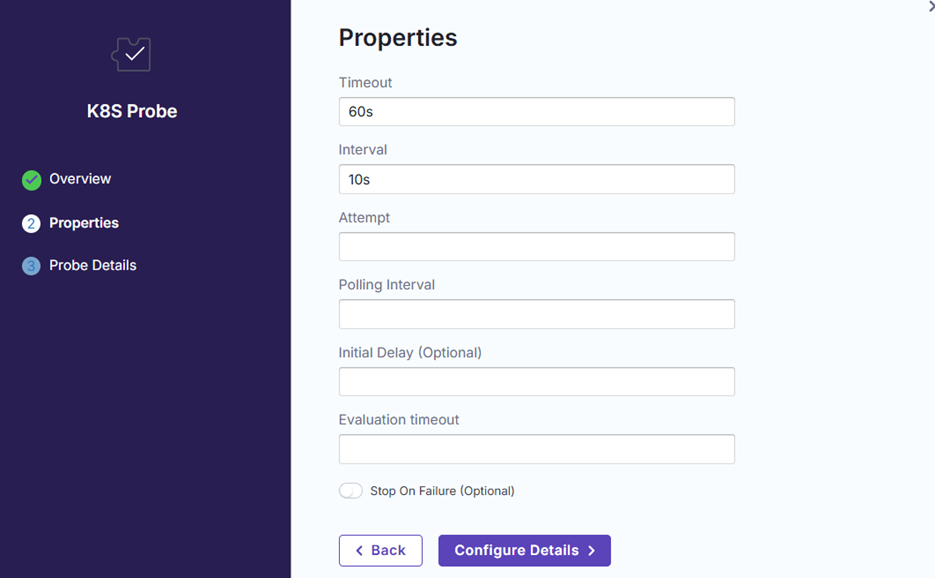
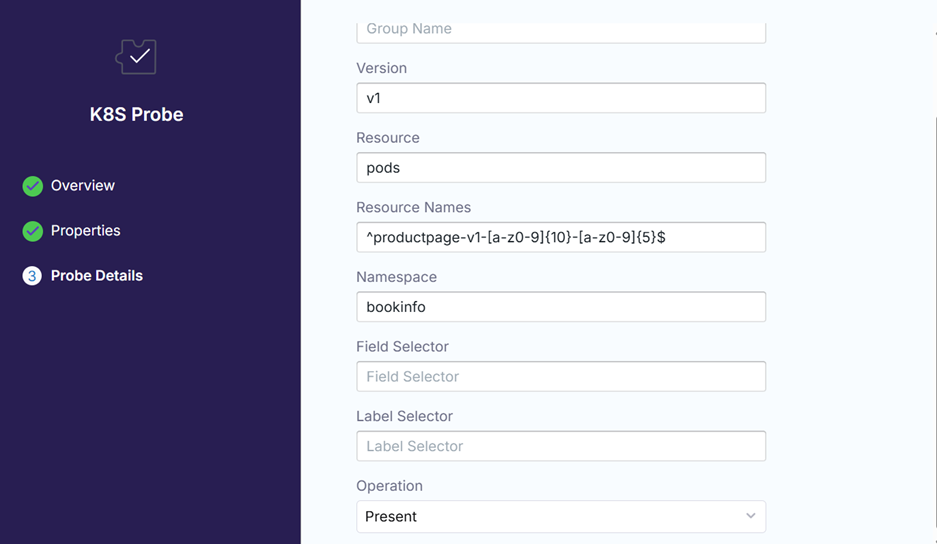
Then we can go back to the experiment and add the probe into it.
4.Execute Chaos experiment
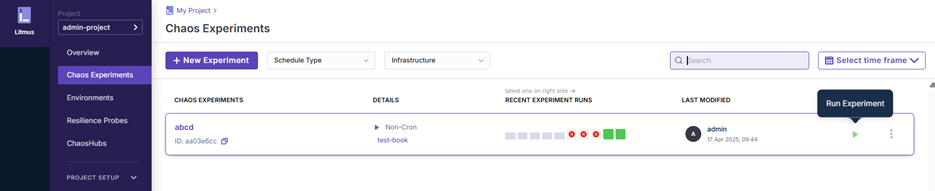
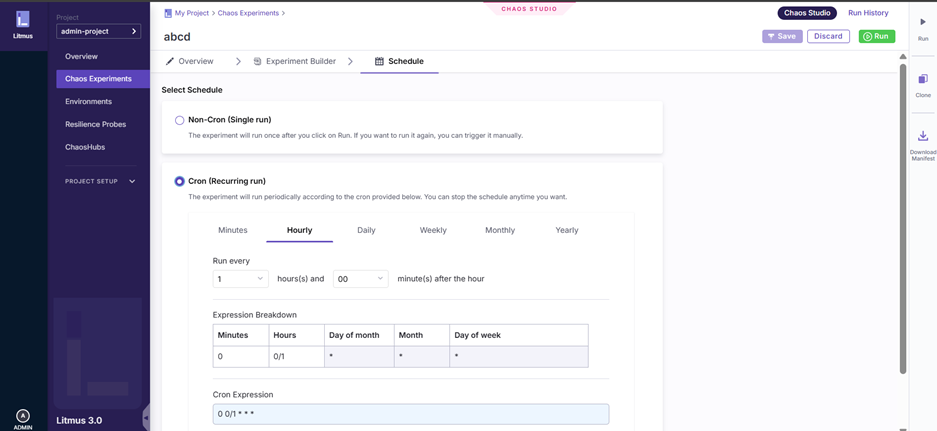
For executing the Chaos experiment, we can trigger manually or schedule the execution.
For manual trigger, we can click on Run Experiment button.
For scheduling, we can go inside the experiment and configure it in Schedule tab
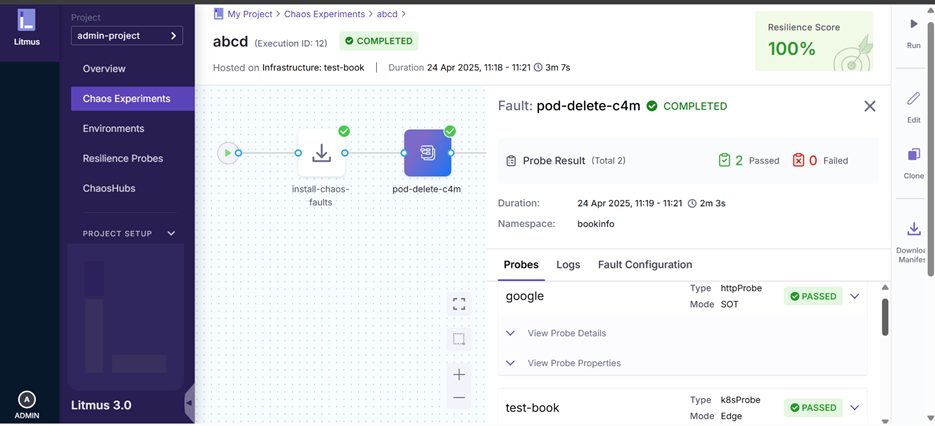
After running the experiment, we can review the result of the execution.
Conclusion
As you see, with Litmus portal, we can set up the Chaos experiments easily. However, for installing and using it, we need to have the Kubernetes knowledge and permission to access the infrastructure of our application. If you’re familiar with Kubernetes, you can also create customized faults for Chaos experiments.