



Hello Readers!! So we are again back with an exciting topic I.e how we can restore RDS database from AWS S3 backet in just few steps. As we all know Amazon RDS (Relational Database Service) is a fully managed database service provided by AWS, offering support for various database engines like MYSQL, PostgreSQL, MariaDB, oracle and many more. One critical aspect of database management is the ability to restore databases from backups. In this blog post, So I will show you the process of restoring an Amazon RDS database from an AWS S3 bucket, provides you an efficient recovery solution.
Steps to Restore RDS Database from AWS S3 bucket:
Firstly, navigate to the AWS console > RDS > Databases > Restore from S3. Locate and select the S3 bucket containing the RDS database backup.
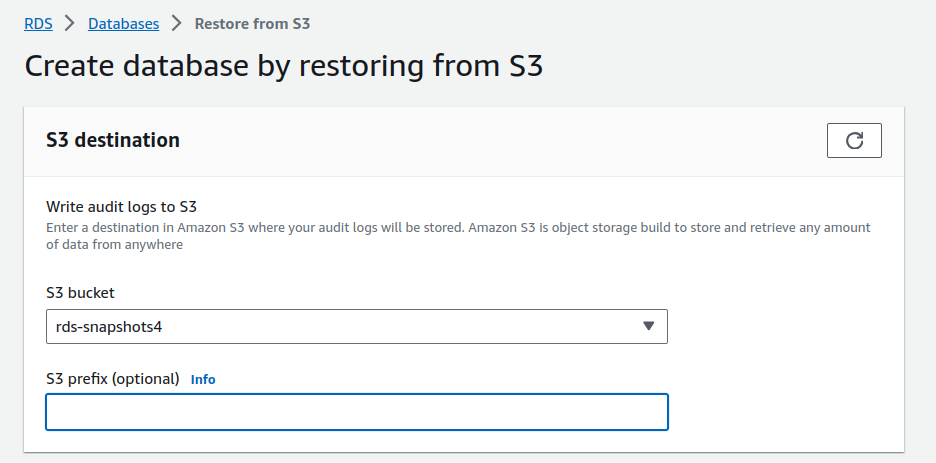
Select the engine option suitable for your database.

Select or you can create a new IAM role to grant write access to your S3 bucket for creating database.

Select the DB instance configurations option. So enter the name as your choice. Manage the credentials settings according to your requirement for database.
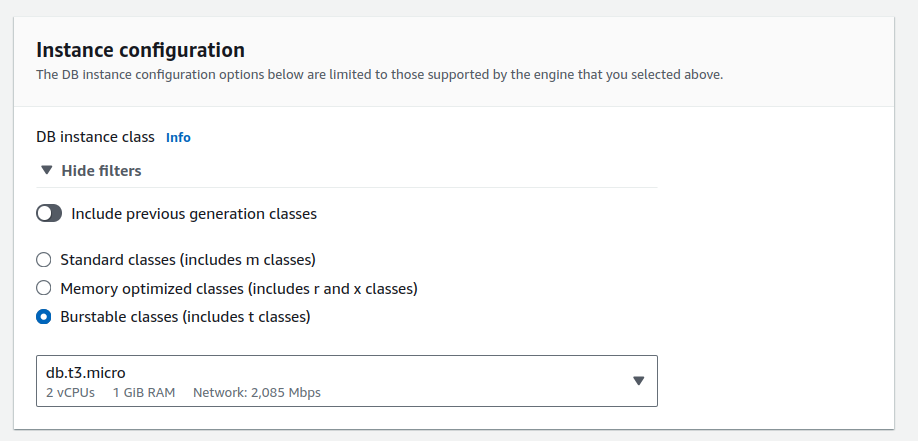

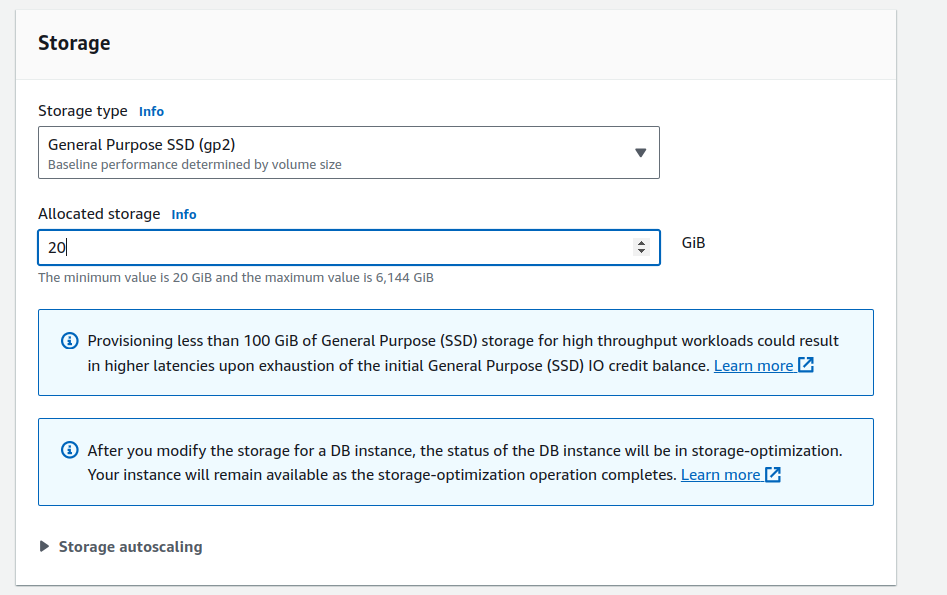
Choose storage type and the amount of storage you need to allocate to database.
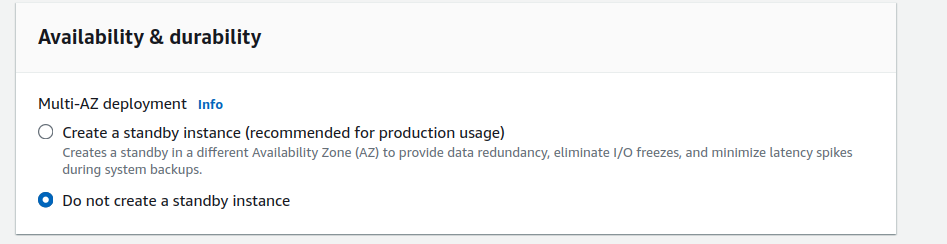
For high availability and durability, you can select multi availability zone deployment.
Configure connectivity options here.
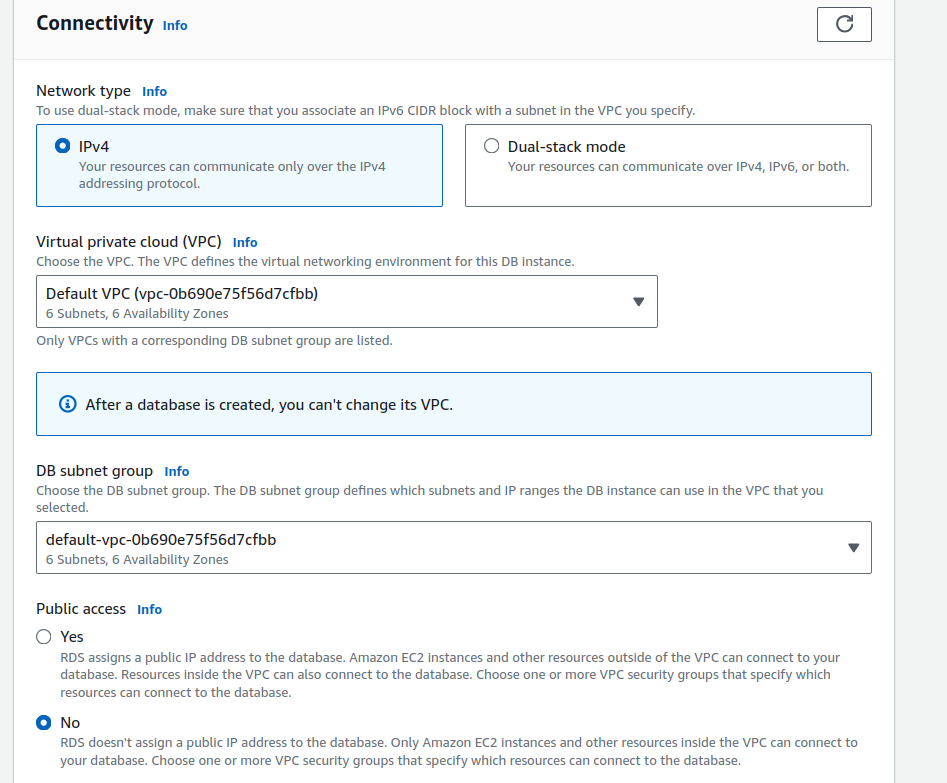
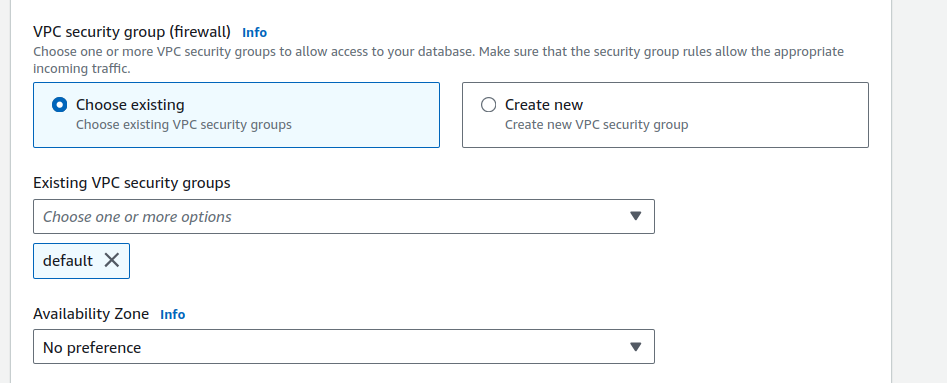

After verifying all the configuration once, click on create database.
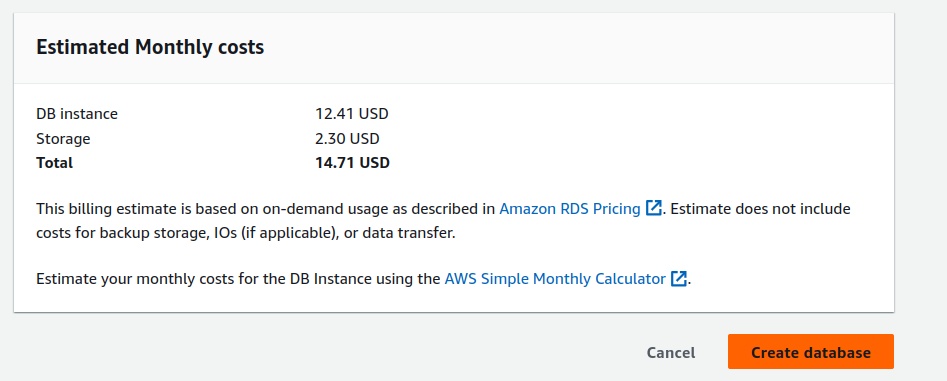
So wait for some time, it will create your database as you can see below.

It’s all done now!!!
Conclusion
In this blog, we have seen how easily we can how we can restore RDS database from AWS S3 backet in just few steps. So if you find this blog helpful do like and share this blog. Thanks for being with me till the end. For any queries contact Naincy.kumari@Nashtechglobal.com.
Happy Learning!!!
1 thought on “Restore RDS Database from AWS S3 bucket ”
Hi @Naincy . My requirement is also the same to “Restore RDS Database from AWS S3 bucket”. could you please help me that what’s need to add more or what permission is required to restore from S3.
1. Exported my RDS snapshot to S3 backet.
2. Now i wanted to restore the same from S3 to RDS.
I followed the below steps -:
created IAM Policy and attached to my role and given the permission to my username.
but i am getting the ERROR -: “We’re sorry, your request to create DB instance database-1 has failed.
Files from the specified Amazon S3 bucket cannot be downloaded. Make sure that you have created an AWS Identity and Access Management (IAM) role that lets Amazon RDS access Amazon S3 for you.”
My IAM-Policy —-:
{
“Version”: “2012-10-17”,
“Statement”: [
{
“Effect”: “Allow”,
“Action”: [
“s3:ListBucket”,
“s3:GetBucketLocation”
],
“Resource”: [
“arn:aws:s3:::my-bucket-name”
]
},
{
“Effect”: “Allow”,
“Action”: [
“s3:GetObject”,
“s3:PutObject”,
“s3:ListMultipartUploadParts”,
“s3:AbortMultipartUpload”
],
“Resource”: [
“arn:aws:s3:::my-bucket-name/*”
]
}
]
}
******************************************
Role Trust relationship –:
{
“Version”: “2012-10-17”,
“Statement”: [
{
“Effect”: “Allow”,
“Principal”: {
“Service”: “rds.amazonaws.com”
},
“Action”: “sts:AssumeRole”
}
]
}
*****************************************************************************************
Thanks