


Hello Readers!! We are again back with an exciting usecase i.e. How we can run webassembly modules in docker. WebAssembly (Wasm) is changing how we run code across platforms, not just in the browser, but also on servers, edge devices, and containers. One powerful combination is Docker + Wasm, it allows developers to run Wasm modules in lightweight, isolated environments.
In this post, we’ll see:
- Compile a C program to WebAssembly
- Run it using
wasmtime(a Wasm runtime) - Package and run it inside a Docker container
Let’s dive in.
Why Use WebAssembly in Docker?
- Portability: We can run and compile code in any language on any machine.
- Security: WebAssembly executes in sandboxed environment.
- Efficiency: It is smaller and faster to start than full containerized apps.
- Language flexibility: We can use multiple programming language such as C, Rust, Python (via Pyodide), and more.
Prerequisites:
Ensure that we have the following installed:
- Docker
- Emscripten (
emcc) for compiling C to Wasm - Wasmtime (Wasm runtime for CLI execution)
Install Wasmtime:
$ curl https://wasmtime.dev/install.sh -sSf | bash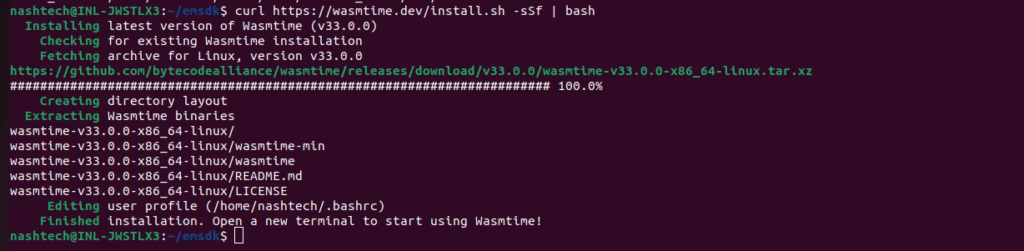
Step-by-step:
- Create a file named
hello.c:

2. Now use Emscripten to compile:
$ emcc hello.c -o hello.wasm -s WASM=1 -s STANDALONE_WASM
This gives us a portable .wasm binary.
3. Now, let’s run this WebAssembly file inside Docker using Wasmtime.
Create a file named Dockerfile:
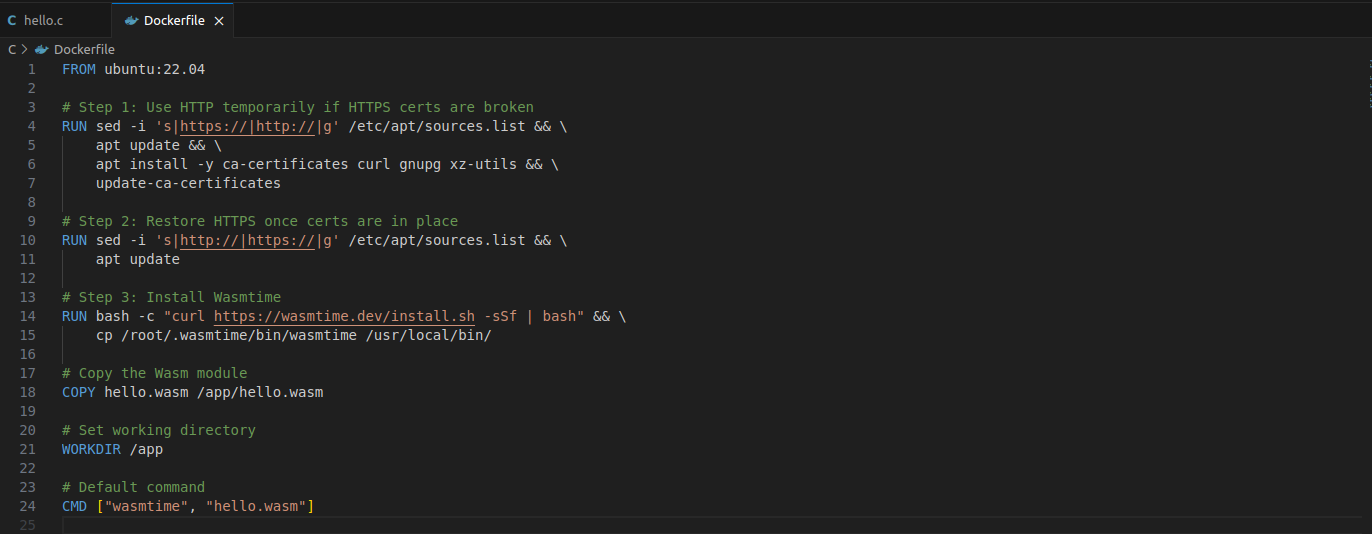
4. Let’s build the docker image.
$ docker build -t my-wasmtime-app .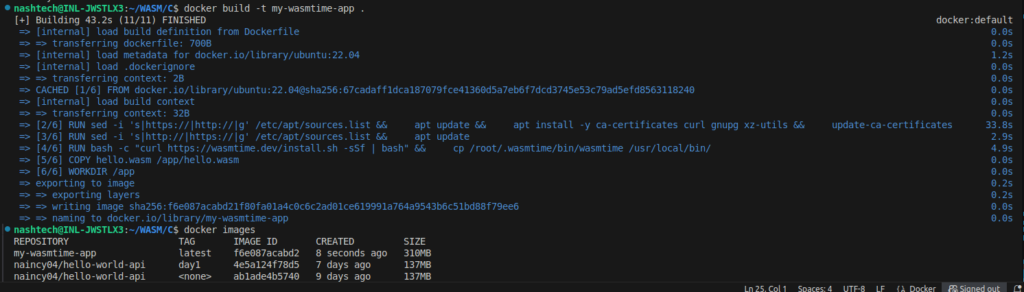
5. Run the container.
$ docker run --rm my-wasmtime-app
Here we just ran a C program compiled to WebAssembly inside a Docker container.
We are all done now!! Hope you enjoyed learning this.
Conclusion
Thanks for being with me till end. So, in this blog we have learnt all about how we can webassembly modules using docker. Therefore, it’s quite really interesting and easy to explore. If this blog helped you somewhere do like and share this blog with the needful.
HAPPY READING!!!