



1. Introduction
We have all felt that moment of hesitation. You see a new AI agent feature that can “write and execute code,” and your Tester brain immediately screams:
Is this safe? What if it accidentally deletes a database or leaks our API keys?
These fears are completely normal. Giving an AI direct access to your system sounds risky. However, the industry is shifting toward something called “Code Mode“, where AI writes code to solve complex problems rather than just chatting with you.
The good news? We don’t have to rely on trust. We can rely on architecture. This post explores two key concepts that keep AI safe: Dynamic Sandboxes and Bindings
2. The Sandbox: Isolation by Design
To run AI-generated code safely, we need a secure environment – a sandbox. But not all sandboxes are created equal.
2.1 Why “Isolates” are better than Containers

Traditionally, when we think of sandboxing, we think of Docker containers. But containers can be heavy and slow to start. For AI agents that need to run code instantly, we use something lighter called Isolates.
Think of an isolate as a tiny, lightweight workspace. Unlike a container, it starts in milliseconds. This speed allows for a powerful security model:
- Create: The system makes a fresh workspace on demand.
- Run: The AI executes its code.
- Throw Away: The workspace is immediately destroyed.
This means every piece of code runs in a brand-new, clean environment.
2.2 The “Air Gap” (No Internet)

For testers, the most comforting feature of this sandbox is what isn’t there: the Internet.
In this secure mode, the sandbox is totally isolated. If the AI writes code that tries to use standard fetch commands to reach a website like:
fetch('http://malicious-site.com')The system simply blocks it and throws an error. The AI is effectively in a “padded room”. It can do math and logic, but it cannot send your data to the outside world.
3. The Workflow: How it Happens Step-by-Step
To understand how the AI actually gets work done without internet access, let’s look at the flow.
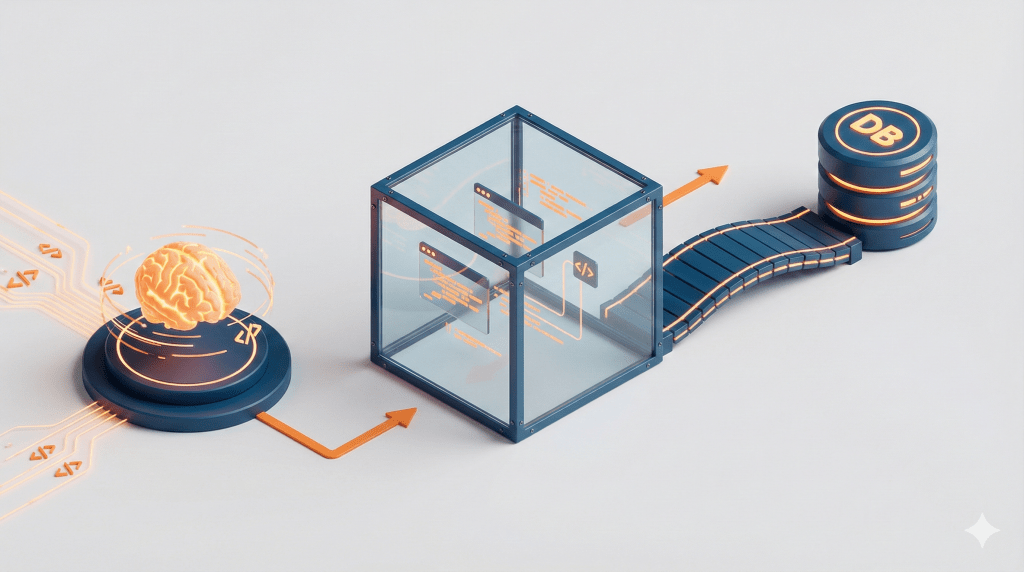
- Schema Loading: The system converts available tools (like “Get Weather” or “Query SQL”) into a TypeScript API definition.
- Code Generation: The LLM writes code against this API to solve the user’s problem.
- Sandboxed Execution: The code runs inside the secure Isolate Sandbox. It cannot access the internet directly.
- Binding Call: When the code needs data, it calls a “Binding” (a secure object provided by the host).
- Safe Execution: The Binding connects to the external server (MCP server) securely behind the scenes to fetch the result.
4. The Bindings: No More API Keys

This workflow solves the “API Key” problem. Usually, developers give code an API Key string to prove who they are. The danger is that an AI might print that key into a log file.
With Bindings (Live Objects):
- The authentication happens “out-of-band” (hidden from the code).
- The AI calls a function, not an API endpoint.
- The AI never sees the API key, so it can never leak it.
5. How to Test This (QA Checklist)

As Quality Engineers, how do we verify this? Here is a quick checklist for testing AI agents using this architecture:
- Verify Network Blocks: Write a test case that forces the AI to execute a
fetch()command to an external URL. Confirm that it fails with a specific error. - Check Permissions: Ensure the “Bindings” only allow the specific actions intended (e.g the AI can read a file, but not delete it).
- Audit Logs: Review the execution logs to confirm that no raw API tokens or credentials ever appear in the output.
6. What’s Next?
The architecture of Isolates and Bindings sounds secure on paper, but how do we actually implement it? How do we spin up a V8 environment without the overhead of Docker?
In the next post of this series, “Hands-on: Building Your First Secure AI Agent,” we will move from concept to code. We will cover:
- Setting up the Environment: How to configure the Worker Loader API to create sandboxes on demand.
- Writing Secure Bindings: A step-by-step guide to coding “Live Objects” that connect to your database.
- The Demo: We will build and test a simple AI Agent running in a fully isolated environment to see the security blocks in action.
7. Conclusion
Running AI-generated code doesn’t have to be a security nightmare. By moving away from heavy containers to Isolates and swapping risky API keys for Bindings, we can give AI the tools it needs without handing over the keys to the castle.
This architecture is not just a trend; it is becoming the standard for secure AI agents. Master these concepts today, and get your IDE ready. We will start coding in the next post!