



Introduction
As software development continues to evolve, automated testing has become an essential part of the process. However, tests often fail when elements in the application change—like buttons moving or field names getting updated—leading to frustration. But what if your tests could automatically adapt and fix themselves when this happens? That’s exactly where Self-Healing in Katalon steps in.
What is Self-Healing Mechanism?
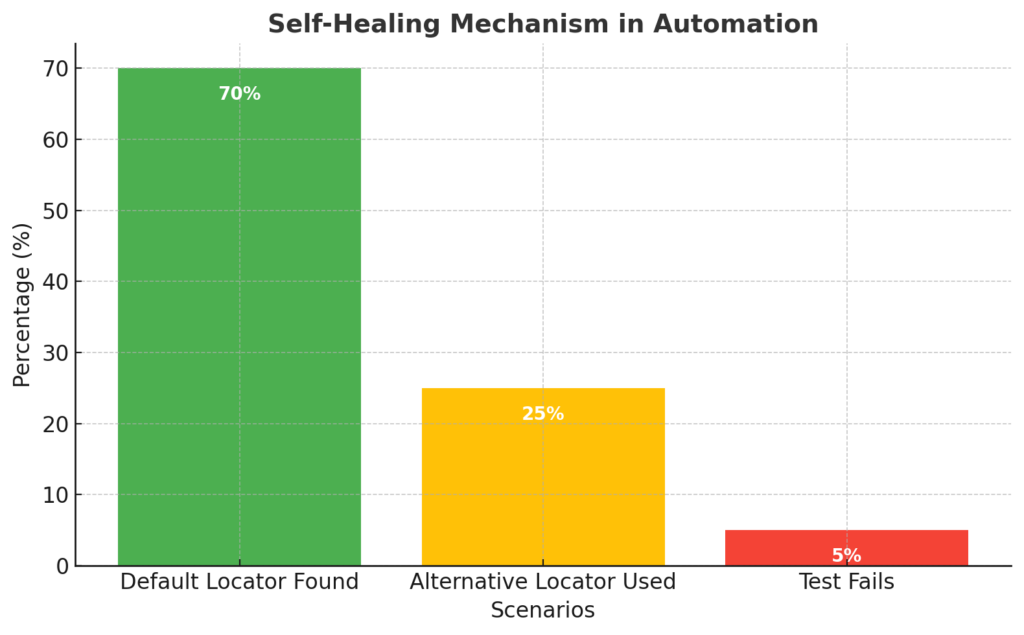
Self-Healing is a feature that helps your test run smoothly, even when there are changes in the application’s interface. For example, if Katalon can’t find the default locator (like an ID or XPath), it will automatically look for alternative locators. This way, your test keeps running instead of failing.
Katalon and Self-Healing
Katalon has a built-in self-healing feature. When enabled, it reduces test failures caused by UI changes, making your automation more stable.
If Katalon can’t find the default locator of a web object, it will try other pre-configured locators, ensuring that the test continues without interruption. Once the test is complete, if it worked well with an alternative locator, you can replace the original locator with the new one permanently.
How to Enable Self-Healing in Katalon?
Install Katalon Studio
- Download and install Katalon Studio from the official website.
Create or Open a Test Case
- Open Katalon Studio, and either create a new test case or open an existing one.
Enable Self-Healing
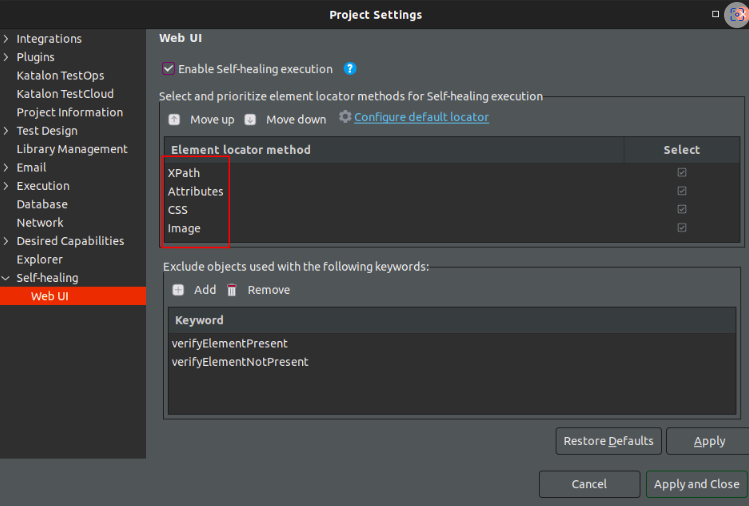
- Go to Project → Settings → Execution → Self-Healing.
- Enable the self-healing option for your test scripts.
Supported Locator Types
Katalon’s Self-Healing feature supports four locator types: XPath, CSS Selector, Attribute, and Images.
Run Your Test
- Once your test starts running, Katalon will search for alternative locators (such as XPath, CSS, Attribute, or Images) if it cannot find the default locator.
Example of Self-Healing in Action:
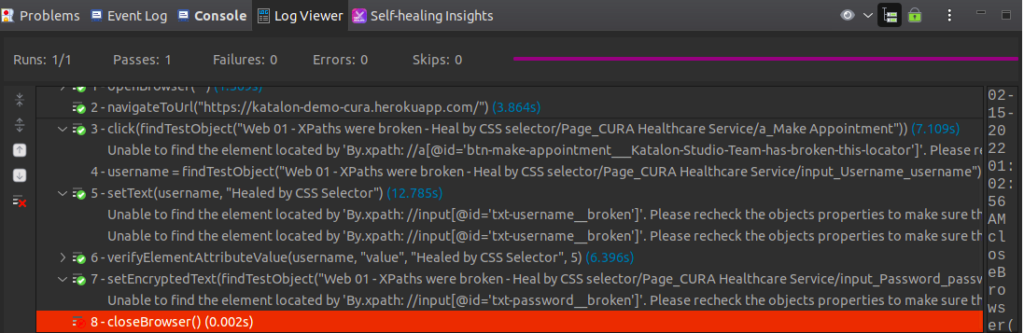
- During the test, Katalon encounters broken objects (e.g., a username field, password field, or “Make Appointment” button).
- Katalon will automatically find new locators for these objects and continue running the test without failure.
Self-Healing Insights and Approving Locator Changes
- After test execution, Katalon provides the option to replace the old locators with the new ones.
- You can review all self-healed objects under Self-Healing Insights.
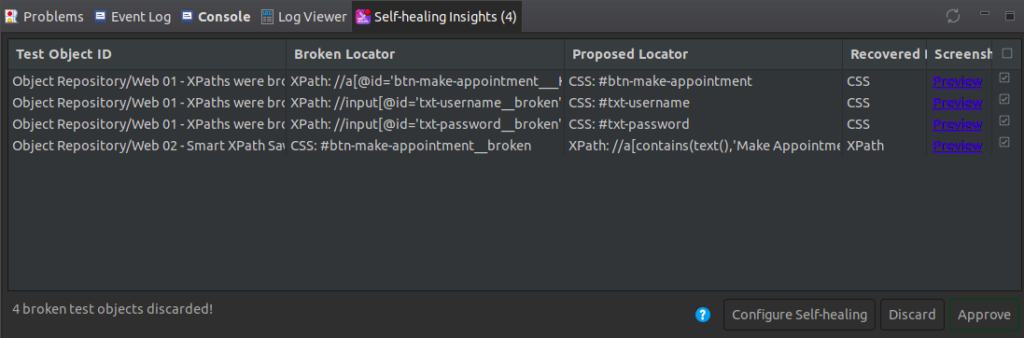
- In the insights, you’ll find detailed information about the broken locator, the alternative locator used, and other relevant details. Once you approve, Katalon will permanently replace the broken locator with the new one.
Conclusion
Self-healing in Katalon is a powerful feature that makes automated testing more flexible, time-efficient, and less prone to failures. With self-healing, your tests automatically recover from UI changes, saving time, reducing maintenance, and ensuring more reliable test results.
For a detailed step-by-step guide on how to install and set up Katalon Studio, please visit: Katalon Studio Installation Guide.