



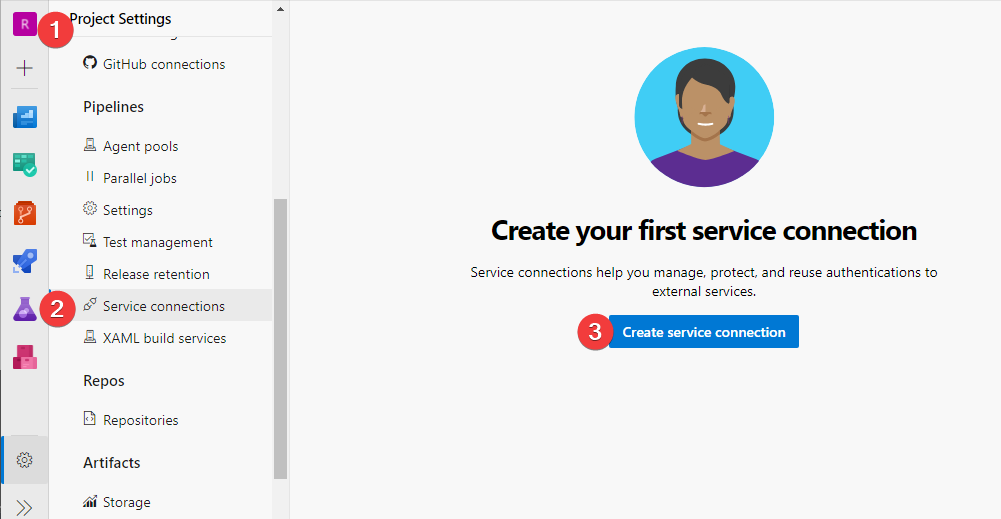
Today we will learn to create service connection in Azure. Hello Everyone and Welcome to the series of Cloud Informative.
As we know Infrastructure as a Service (IaaS) allows us to create resources in the cloud like storage accounts, events and many more
Steps to Create a Service Connection in Azure
We will create the terraform module to implement the creation of a connection :
module
|________main.tf
|________variables.tf
|________providers.tf
|________terraform.auto.tfvars
Let’s start with the providers.tf file :
terraform {
  required_providers {

    azuredevops = {
      source  = "microsoft/azuredevops"
      version = "0.10.0"
    }
  }
  required_version = ">= 0.13"
}

provider "azuredevops" {
  personal_access_token = var.adotoken_VV
  org_service_url         = var.organization_service_url_VV
}
Here is the variables.tf file which contains all the variables to be utilise:
variable "adotoken_VV" {
  type        = string
  description = "Personal Access Token to create Service Connection"
}

variable "organization_service_url_VV" {
  type        = string
  description = "Organisation Service URL"
}

variable "azure_devops_project_VV" {
  type        = string
  description = "Name of Azure DevOps Project"
}

variable "azure_devops_build_definition_VV" {
  type        = string
  description = "Name of Azure DevOps Pipeline"
}

variable "name_VV" {
  type        = string
  description = "Common Name"
}

variable "service_principal_id_VV" {
  type        = string
  description = "ID of Service Principal"
}

variable "service_principal_key_VV" {
  type        = string
  description = "Key of Service Principal"
}

variable "tenant_id_VV" {
  type        = string
  description = "ID of Tenant"
}

variable "subscription_id_VV" {
  type        = string
  description = "ID of Subscription"
}

variable "subscription_name_VV" {
  type        = string
  description = "Name of Subscription"
}
And, this is our main.tf file which contains the main module :
locals {
  service_endpoint_name = var.name_VV
}

data "azuredevops_project" "project" {
  name = var.azure_devops_project_VV
}

resource "azuredevops_serviceendpoint_azurerm" "service_connection" {
  project_id                                    = data.azuredevops_project.project.id
  service_endpoint_name                     = local.service_endpoint_name
  service_endpoint_authentication_scheme = "ServicePrincipal"

  credentials {
    serviceprincipalid  = var.service_principal_id_VV
    serviceprincipalkey = var.service_principal_key_VV
  }
  azurerm_spn_tenantid      = var.tenant_id_VV
  azurerm_subscription_id   = var.subscription_id_VV
  azurerm_subscription_name = var.subscription_name_VV
}
We can also generate our terraform.auto.tfvars as per our requirement:
Like:
Name_of_Variable = "Value" Conclusion
In last, you can also download our TechHubs template, and follow for more by clicking here.