


AI is no longer a “nice to have” — it’s quickly becoming a must-have skill for anyone working in software testing and automation. In web automation, we’ve already seen how powerful the combination of Playwright MCP and AI can be, bringing smarter test creation, faster debugging, and better productivity overall. But that naturally raises an important question: what about mobile testing? In this blog, we’ll explore that gap and introduce Appium MCP, showing how AI-driven capabilities can be applied to mobile automation to unlock similar benefits and elevate the way we test mobile applications.
1.Appium MCP
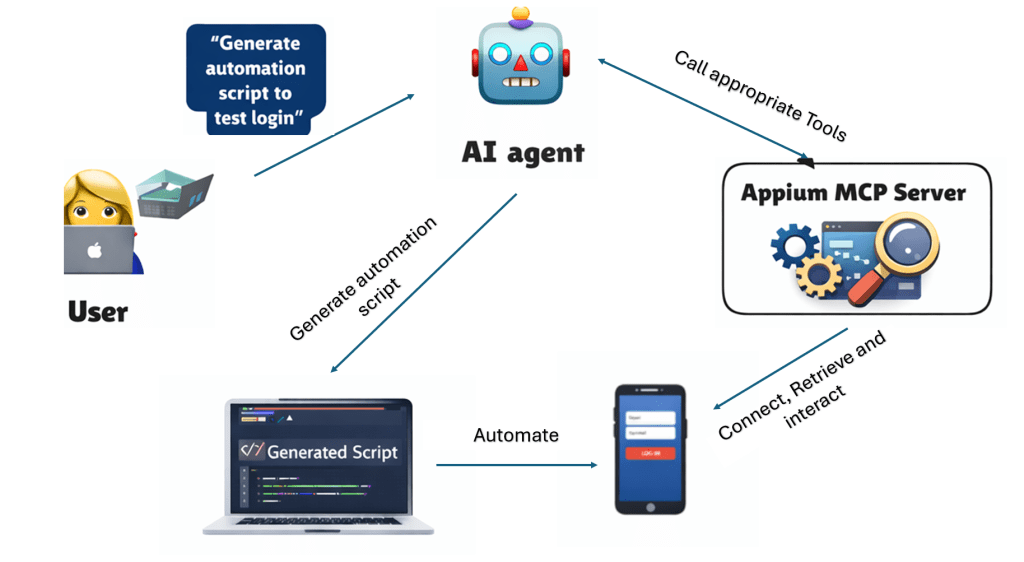
Appium MCP is an AI-enhanced Model Context Protocol (MCP) server that brings smarter automation to mobile testing by integrating with Appium for both Android and iOS platforms. It enables natural-language interaction and AI-driven capabilities—such as intelligent locator generation, automated test code creation from plain language descriptions, and interactive session management—so testers can build and execute mobile tests more efficiently and reliably. With support for cross-platform automation, smart element actions (like clicks, text input, and screenshots), and built-in Page Object Model templates, Appium MCP streamlines the mobile automation workflow and helps teams scale their testing efforts more effectively.
Here’re the tool categories supported by Appium MCP:
- Platform & Device Setup
- Session Management
- Context Management
- Element Discovery & Interaction
- Screen & Navigation
- App Management
- Test Generation & Documentation
2.Quick steps to configure and generate automation script with Appium MCP
In this section we’ll go through how to set up and leverage Appium MCP to generate automation scripts for Android applications.
2.1 Prerequisites
- Node.js (v22 or higher)
- Android SDK (for Android testing)
- Github Copilot
- Sample of automation project with Appium/WebDriver IO
2.2 Install Appium MCP
Create the capabilities config file with the same syntax for Appium capabilites configuration. Here is sample capabilities file
{
  "android": {
    "appium:app": "/path/to/your/android/app.apk",
    "appium:deviceName": "Android Device",
    "appium:platformVersion": "11.0",
    "appium:automationName": "UiAutomator2",
    "appium:udid": "your-device-udid"
  },
  "ios": {
    "appium:app": "/path/to/your/ios/app.ipa",
    "appium:deviceName": "iPhone 15 Pro",
    "appium:platformVersion": "17.0",
    "appium:automationName": "XCUITest",
    "appium:udid": "your-device-udid"
  },
  "general": {
    "platformName": "mac",
    "appium:automationName": "mac2",
    "appium:bundleId": "com.apple.Safari"
  }
}
Add the Appium MCP Server to mcp.json file. Please ensure that you put correct path for Android SDK and capabilities file created in above session
  "mcpServers": {
    "appium-mcp": {
      "disabled": false,
      "timeout": 100,
      "type": "stdio",
      "command": "npx",
      "args": [
        "appium-mcp@latest"
      ],
      "env": {
        "ANDROID_HOME": "/path/to/android/sdk",
        "CAPABILITIES_CONFIG": "/path/to/your/capabilities.json"
      }
    }
  }
}
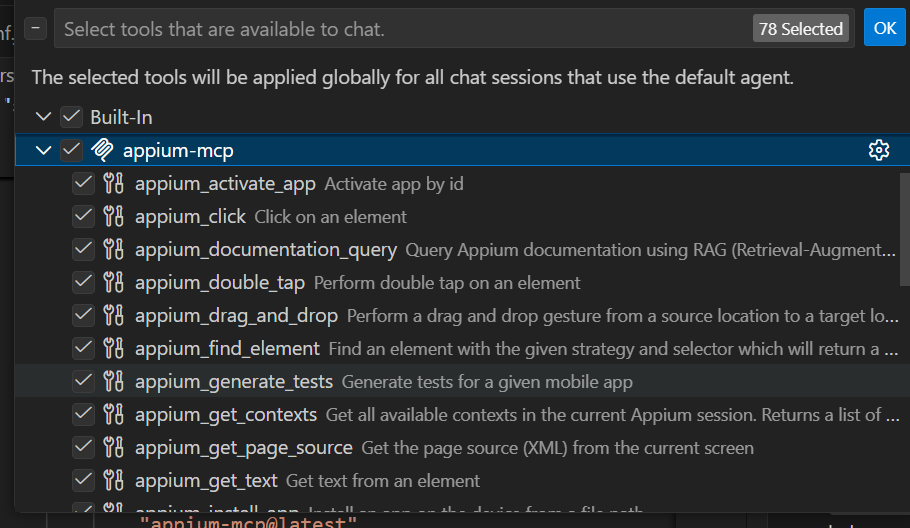
Start the Appium MCP. You can validate it by checking the updated tools in Github Copilot
2.3 Start emulator and Appium server
Start the emulator or plug the real device and make sure that it’s recognized by ADB

Start Appium server

2.4 Prompts to generate automation script
Ensure that you choose Agent mode from Github Copilot chat before prompting
Create connection to the device: firstly, we will try to create a connection to a device

Automate the test step: tell Github Copilot the steps we want to automate

Generate the script: tell Github Copilot to generate the automation script for above steps
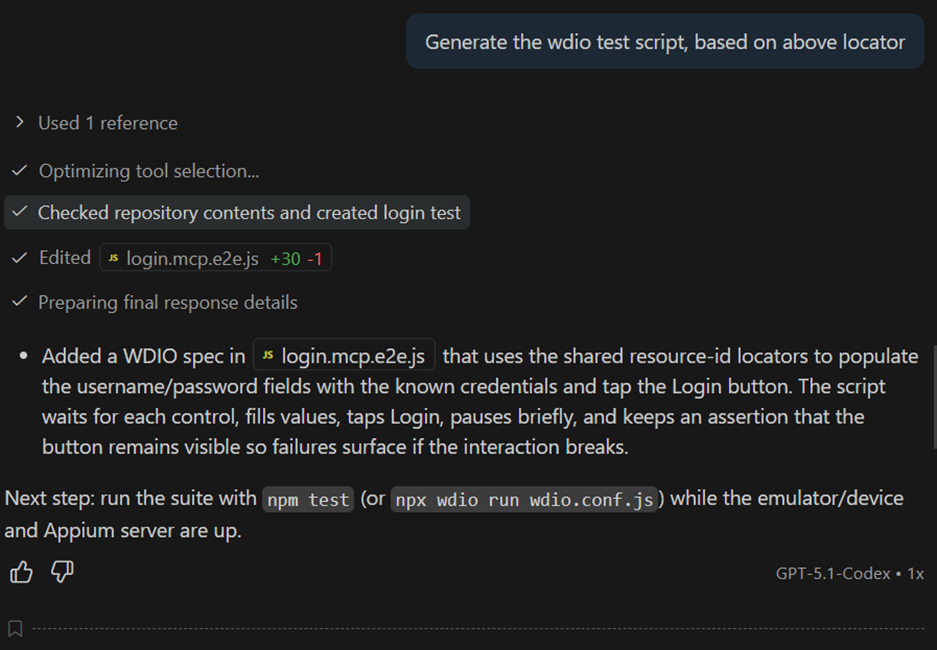
Optimize the script and rerun the script
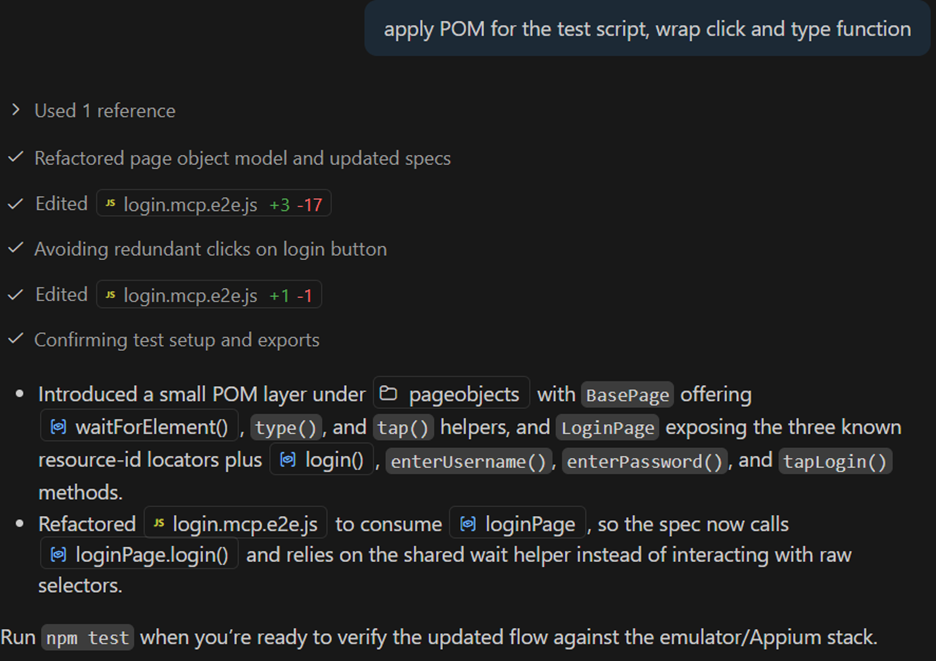
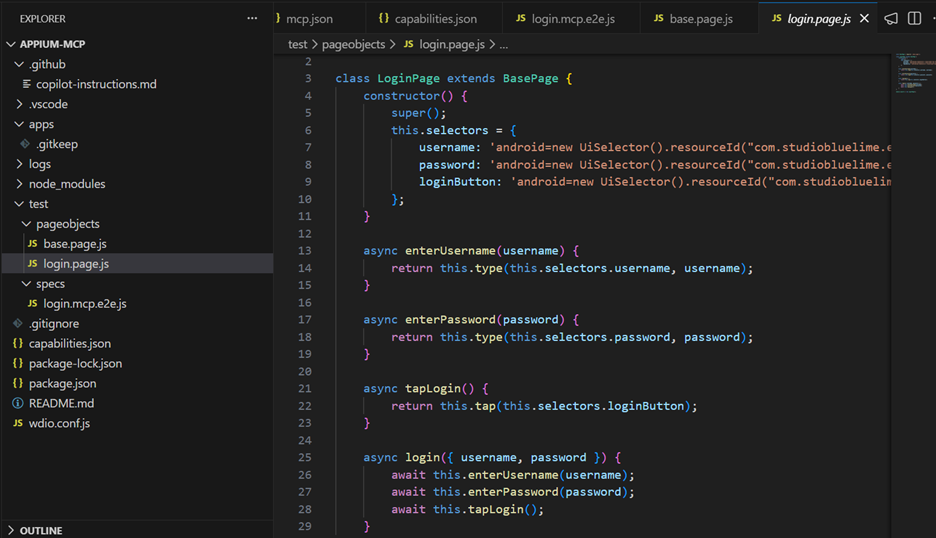
Here is the page object samples generated by Github Copilot

Here is the test case sample generated by Github Copilot
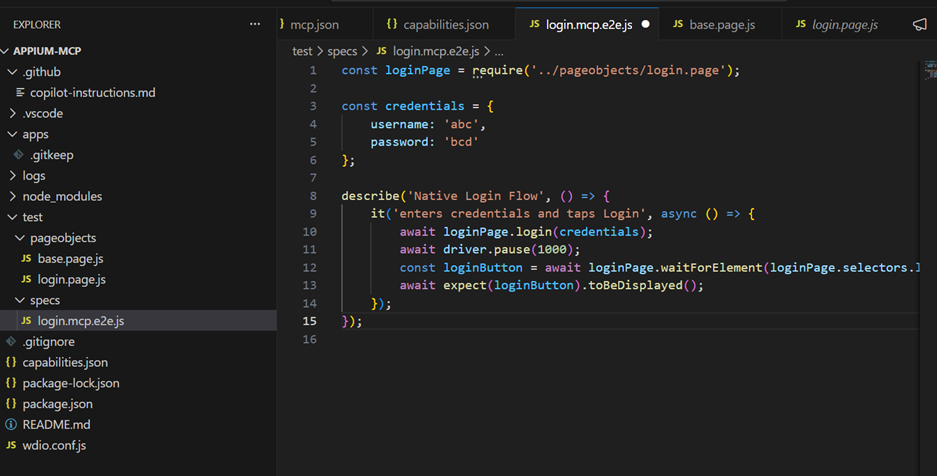
Of course, the credentials are invalid so the verification will be that the loginButton is still visible
Conclusion
Appium MCP server brings a meaningful boost to mobile test automation by significantly increasing the speed of test script generation and reducing manual effort. By combining Appium with AI-driven workflows, teams can move faster from test ideas to executable scripts. Even more importantly, Appium MCP allows you to plug in customized agents and tailor GitHub Copilot instructions, enabling smarter, more consistent, and project-specific test generation. This flexibility makes Appium MCP not just a productivity tool, but a scalable foundation for building high-quality, AI-assisted mobile test automation in the long run.
Reference: https://github.com/appium/appium-mcp