


1. Introduction
With the rapid evolution of digital security and user authentication, biometric authentication has emerged as one of the most secure and convenient methods for verifying identity. From mobile banking to airport check-ins, biometric systems are widely integrated into everyday technology. However, with this advancement comes the complexity of testing and quality control across various platforms and devices.
The concept, types, use cases, and practical testing challenges of biometric authentication, with a particular focus on real-world scenarios encountered by Quality Control (QC) Engineers during testing on iOS and Android devices will be mentioned.
2. Understanding Biometric Authentication
2.1. Definition
Biometric authentication is a security mechanism that verifies or identifies a user by measuring and analyzing unique biological characteristics. These characteristics are either:
- Physiological: fingerprints, facial features, iris patterns, hand geometry
- Behavioral: voice patterns, signature dynamics, typing rhythm
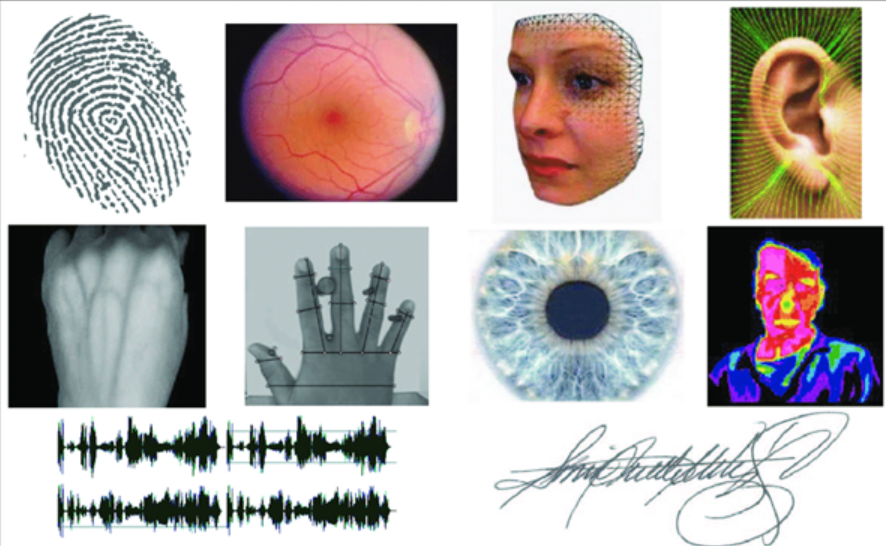
Unlike passwords or PINs, biometric traits are inherent to the user and are difficult to duplicate, making this method more resistant to many forms of cyberattacks.
3. Types of Biometric Authentication in Practice
Although biometric technology encompasses many methods, the most commonly adopted in consumer electronics are:
3.1. Fingerprint Scanning
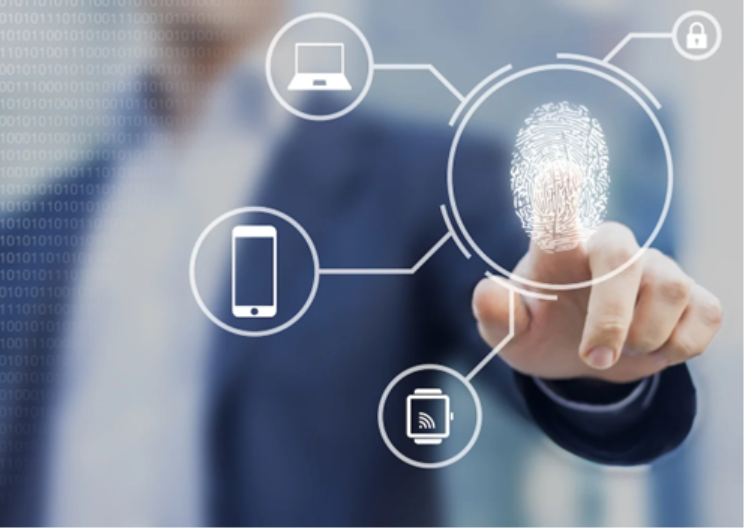
Fingerprint scanning is one of the oldest and most widely used biometric techniques. It works by detecting the unique ridges and valleys on a person’s fingertips.
Pros:
- Fast and widely supported
- Simple user experience
Challenges:
- Accuracy can degrade due to moisture, dirt, or skin damage
- Varies in quality across device manufacturers
3.2. Facial Recognition
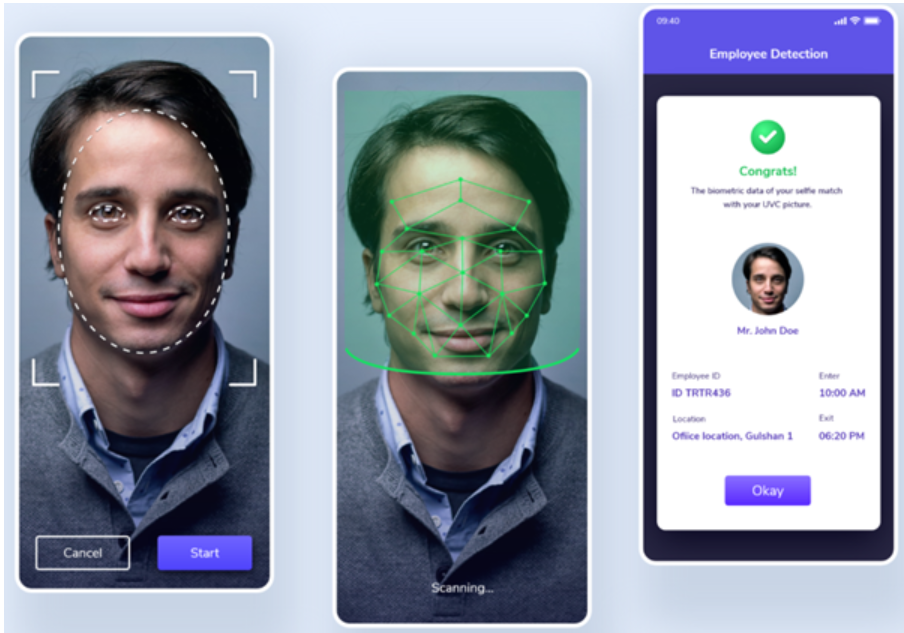
Facial recognition uses advanced computer vision to map the geometry of the face, including the distance between eyes, nose width, and jawline. The system creates a mathematical representation and matches it against stored templates.
Pros:
- Hands-free, seamless experience
- Integrated into modern devices (e.g., iPhone FaceID)
Challenges:
- Can struggle in low-light conditions
- Vulnerable to spoofing techniques (e.g., using photos or 3D masks)
- Inconsistencies across devices and operating systems
4. Use Cases of Biometric Authentication
The adoption of biometric authentication has grown rapidly across several key sectors:
4.1. Financial Services and Banking
Many mobile banking apps now rely on biometric authentication (mainly fingerprint or facial recognition) to provide secure and convenient access to user accounts. Over 50% of top financial apps now support biometric login.
4.2. Healthcare Sector
Hospitals and clinics use biometrics to:
- Authenticate patients
- Access and update Electronic Health Records (EHR)
- Prevent medical identity theft
- Ensure only authorized personnel access sensitive patient data
4.3. Travel and Hospitality
- Airlines deploy facial recognition during self-check-in and boarding
- Hotels experiment with biometric check-in kiosks and smart room access
- Border control agencies use iris and face scans to improve security and speed up immigration processes
5. Challenges in Testing Biometric Authentication
Despite its advantages, testing biometric authentication systems across platforms presents complex QA challenges. Below are practical insights from testing biometric features on iOS and Android devices.
5.1. iOS Testing Challenges
Apple’s biometric framework is standardized but version-dependent.
Key Observations:
- FaceID (available from iPhone X onward) requires explicit user permission for authentication. This process can interrupt automated tests or be overlooked during manual testing.
- TouchID (used in iPhone 5S to iPhone 8/9) does not prompt permission dialogs, which may lead testers to assume uniform behavior across devices.
Testing Implication:
Test Engineers must categorize iOS devices and tailor their test cases accordingly:
- Create distinct test scenarios for FaceID vs. TouchID
- Account for app-level biometric permission requests
- Validate fallback mechanisms (e.g., PIN fallback)
5.2. Android Testing Challenges
Unlike Apple, the Android ecosystem is fragmented, with biometric APIs and capabilities varying widely by manufacturer and device model.
Key Scenarios:
- Some Android phones only support fingerprint authentication
- Others, like Samsung S9 and S10, support multiple biometric types, including iris and face recognition
- Biometric features may be branded differently or implemented using proprietary SDKs
Testing Implication:
- Not all biometric types are available or enabled by default
- Some biometric features are incompatible with third-party apps or require specific OS versions
- Engineers must maintain close communication with development teams to determine:
– What is supported by the app
– What is supported by the device
– What is an actual bug vs. a non-supported scenario
6. Recommendations for Test Engineers
To ensure thorough biometric authentication testing:
- Maintain a device matrix to track biometric capabilities per device/OS version
- Develop modular test cases based on biometric type (FaceID, TouchID, fingerprint, etc.)
- Engage in regular knowledge-sharing with developers to avoid false positives
- Test edge cases, such as:
– Biometric changes (e.g., face with/without glasses)
– Rejected inputs (e.g., wet fingers)
– Disabled permissions or unsupported devices
7. Conclusion
Biometric authentication enhances security and user experience, but its implementation and testing are non-trivial, especially across heterogeneous platforms like iOS and Android. By understanding the underlying biometric technologies, their use cases, and testing pitfalls, Test Engineers can ensure comprehensive coverage and high product reliability. As adoption grows across industries, robust biometric testing strategies will be essential in safeguarding data and preserving user trust.