I. Common problems
In today’s mobile era, the common problems faced by mobile software developers are:
-
- Not enough equipment.
- No complete testing processes.
- Unable to access the device when needed.
- Slow and inefficient in debugging.
- Not effective when combined with other teams.
- Takes a long time to install and update the operating system.
- Waiting for the remote device to be restored.
- Lost or damaged equipment must be replaced.
II. Introduce Sauce Labs
Sauce Labs is a full-scale testing platform that supports every stage of your software development and operations lifecycle to ensure complete digital confidence every time a user hits your website or app, regardless of the device, browser, or operating system from which it is being accessed.
Key features of Sauce Labs:
-
- Real device Cloud.
- Support the most extensive range of iOS and Android device.
- Integration with popular open-source frameworks and tools all in one place.
III. Benefits of Sauce Labs
- Make mobile app testing faster and easier.
- Get instant access to the latest devices.
- Run automated testing to workflow and run more tests faster.
- Quickly determine the root cause of test failures and errors.
- Share test results and resolve issues with the team.
- Spend less time debugging and more time creating an amazing mobile experience.
III. Features of Sauce Labs
1. Supported devices, browsers and platforms
-
- Sauce Labs support thousands of browser/operating system combinations, including 1700+ emulators and simulators, and 6000+ iOS and Android real devices across our global data centers.
- Chrome
- Edge
- Firefox
- Safari
- iOS
- Android
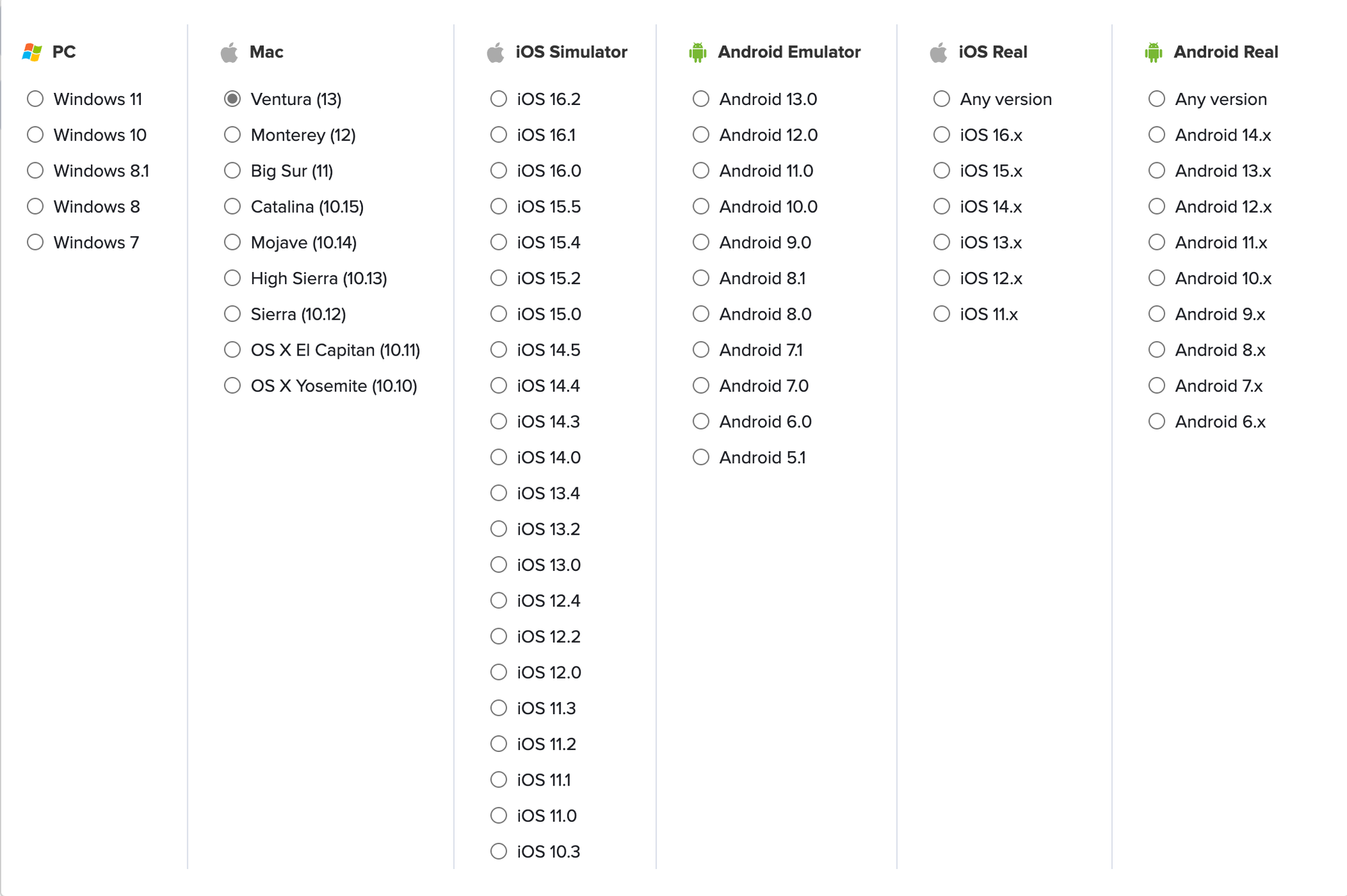
- Supported platforms:
- Sauce Labs runs on 2 platforms: virtual and real devices:
- Sauce Labs support thousands of browser/operating system combinations, including 1700+ emulators and simulators, and 6000+ iOS and Android real devices across our global data centers.
-
- Virtual
- PC: Window 7 → Window 11
- Mac: OS X Yosemite (10.10) → Ventura (13)
- iOS Simulator: iOS 10.3 → iOS 16.2
- Android: Android 5.1 → Android 13
- Real device
- iOS
- Android
- Virtual
2. Supported CI/CD tools
Sauce Labs can integrate with CI/CD tools like:
-
-
-
- GitLab
- Azure
- Jenkins
- Bamboo
- TeamCity
-
-
3. Compare with BrowserStack
a. What is BrowserStack?
-
-
-
- BrowserStack is primarily a web and mobile testing platform. This service is used to test the applications that are developed. These applications can be websites or even mobile applications.
-
-
b. Sauce Labs and BrowserStack comparison:
-
-
-
- The main difference between BrowserStack and Sauce Labs is the secure testing protocols of BrowserStack are less effective when compared to Sauce Labs.
- BrowserStack uses real-world testing machines while Sauce Labs provides a cloud-based automated testing platform
- BrowserStack has limited browsers to test on, while Sauce Labs uses 500+ browsers to test any developed application.
- BrowserStack has a shortcoming in the testing aspect as it does not perform any requirement-based testing procedures while Sauce Labs is a master.
- The price for subscribing BrowserStack services is less when compared to Sauce Labs.
-
-
IV. Configuration, Test Execution and Test Report
1. Configuration Guide:
-
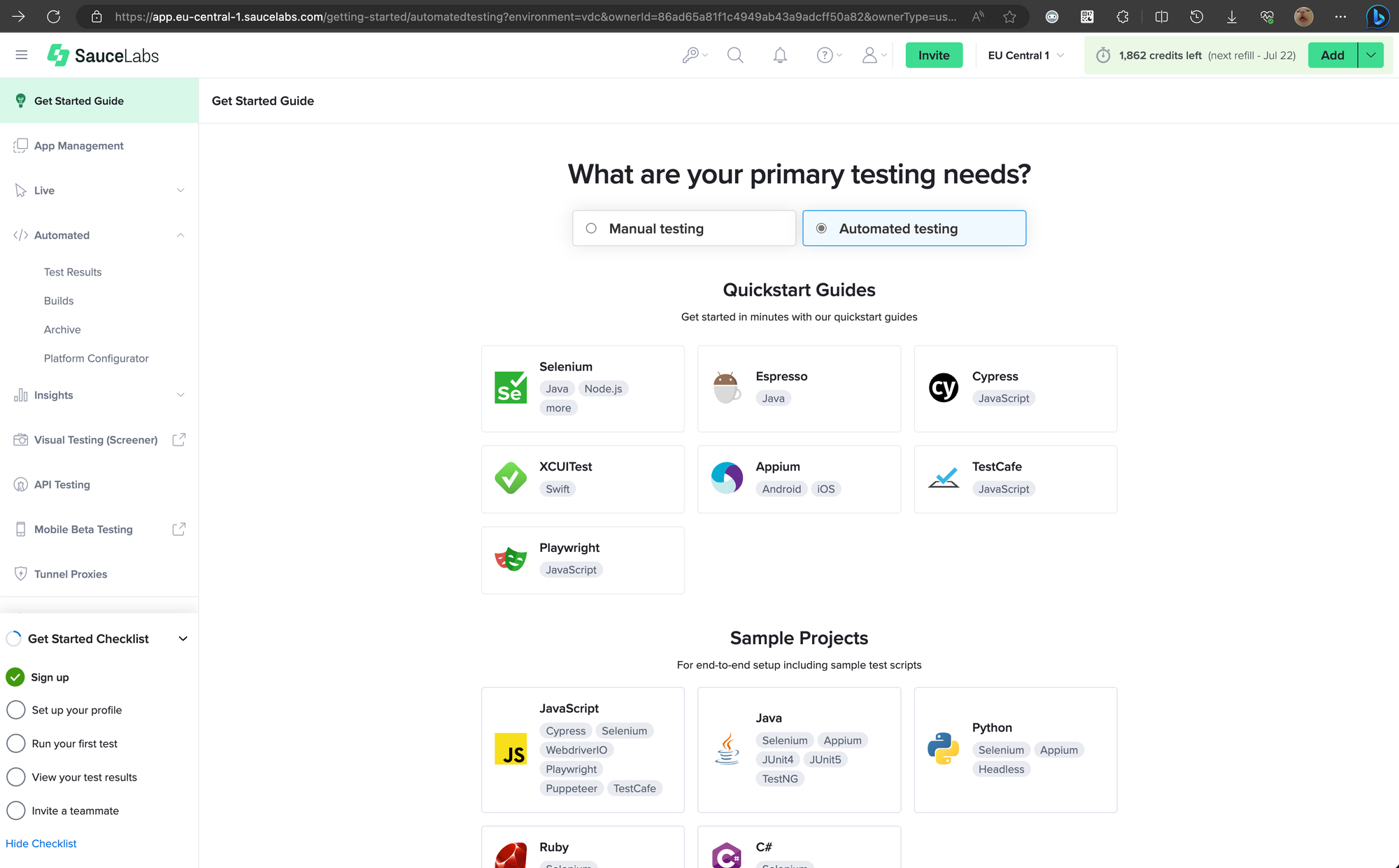
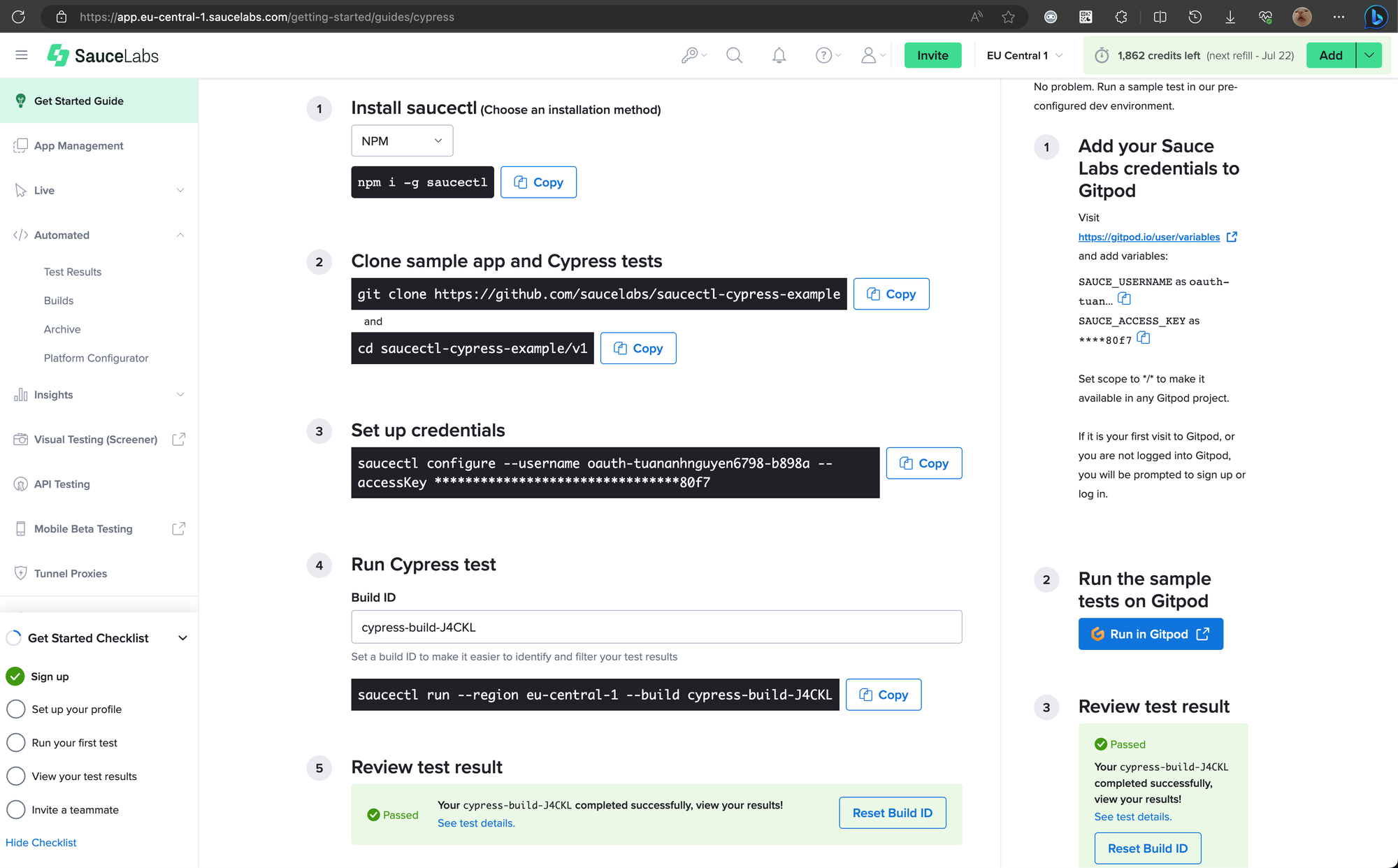
- When you successfully create an account with Sauce Labs, you will be redirected to the Getting Started Guide page.
-
- You can select the framework of your choice. For instance, I chose Cypress:
2. Test Execution:
-
- Execute the script using the Build ID provided by Sauce Labs
saucectl run --region eu-central-1 --build <buildId>
3. Test Report:
-
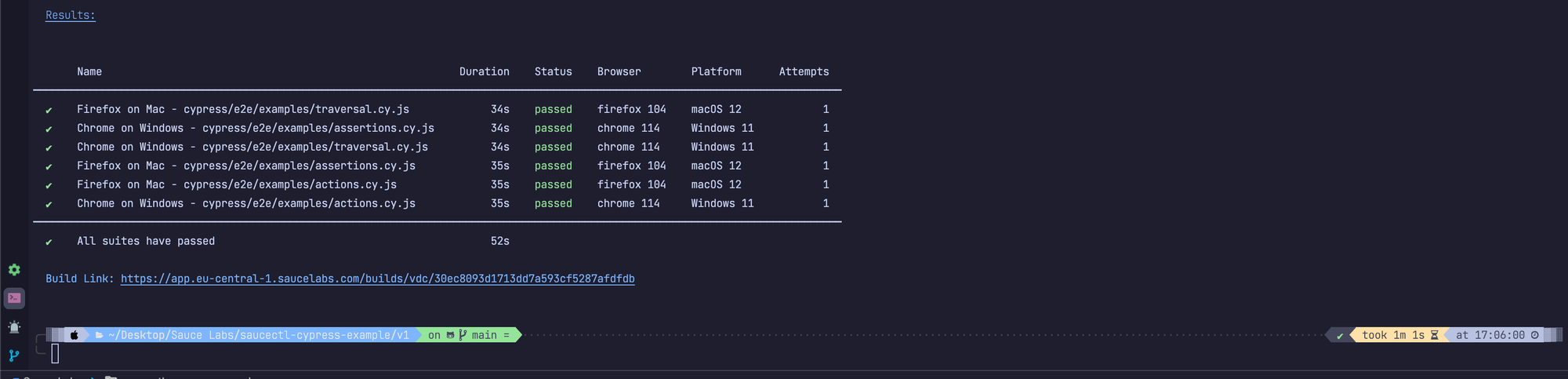
- You can view the report in the command prompt/terminal after running the test
-
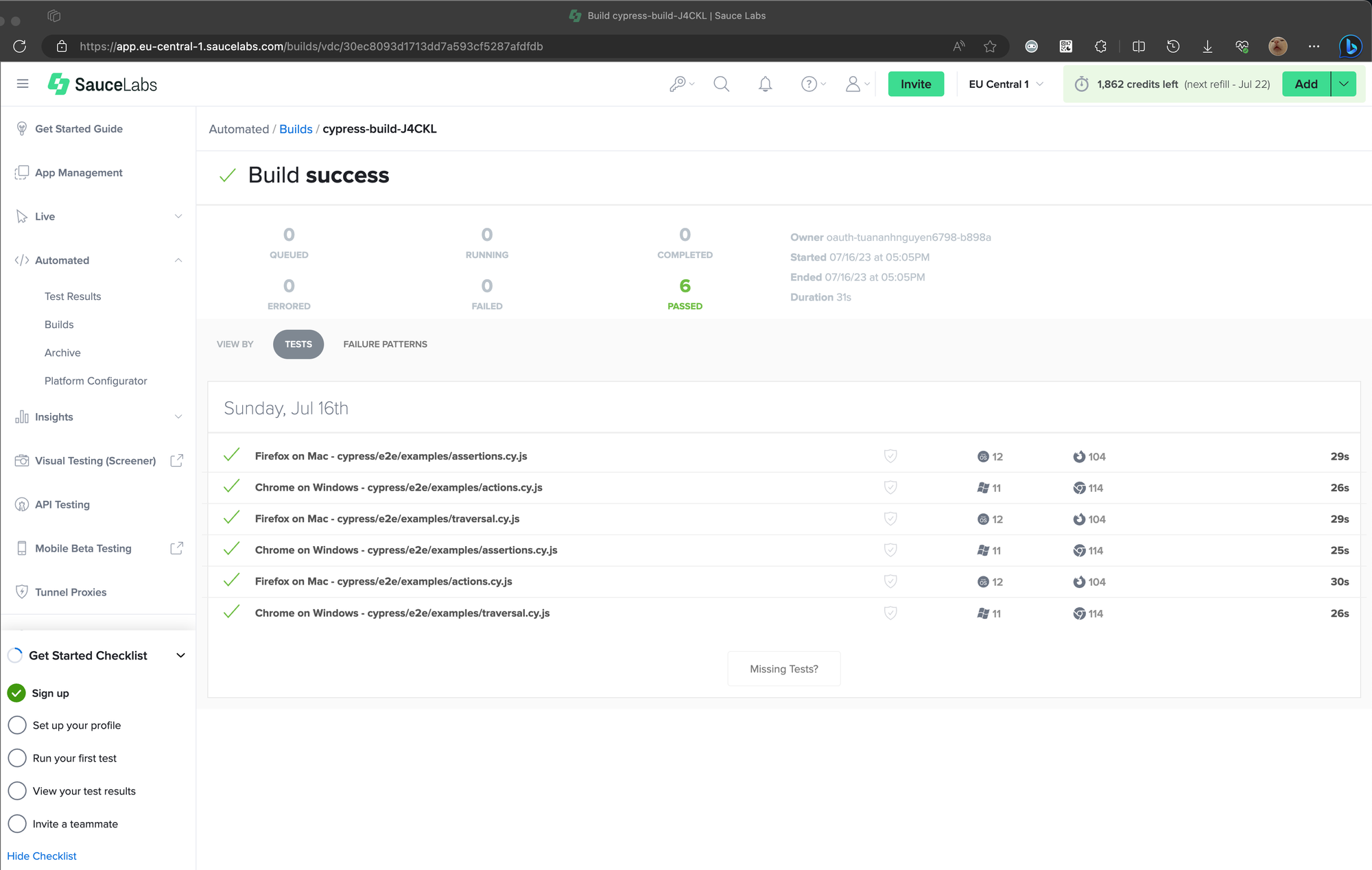
- Or you can view the report in Sauce Labs