



GitHub Copilot is transforming the developer experience with intelligent code suggestions and chat-based interactions. One of its most powerful features is GitHub Copilot Chat, a conversational assistant embedded right into your IDE. To help you navigate it efficiently, here’s the ultimate GitHub Copilot Chat cheat sheet—a concise yet detailed guide to mastering the most useful commands.
🔍 1. /explain – Understand Code Instantly
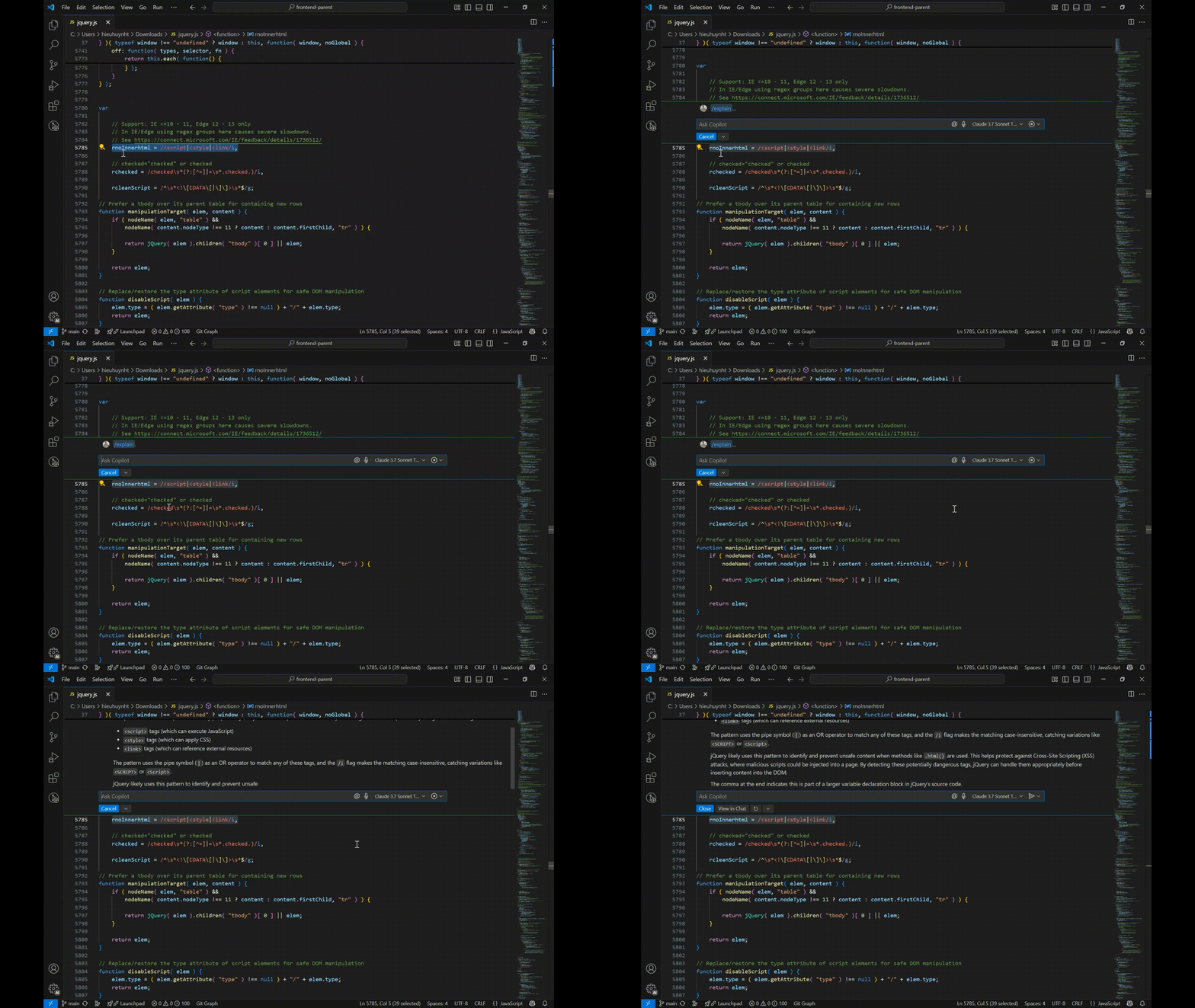
The /explain command allows GitHub Copilot to analyze and describe how a piece of code works. It’s perfect for onboarding, working with legacy code, or simply learning new syntax.
Select a block of code, run the command, and Copilot will break it down in plain English.
🔄 2. /clear – Start a New Chat Session
Use the /clear command to begin a fresh conversation. This is especially useful when your current thread becomes cluttered or diverges from the topic. Think of it as hitting the reset button for focused assistance.
After running this, you can prompt Copilot Chat with a new topic or issue.
🛠️ 3. /fix – Troubleshoot and Repair Code
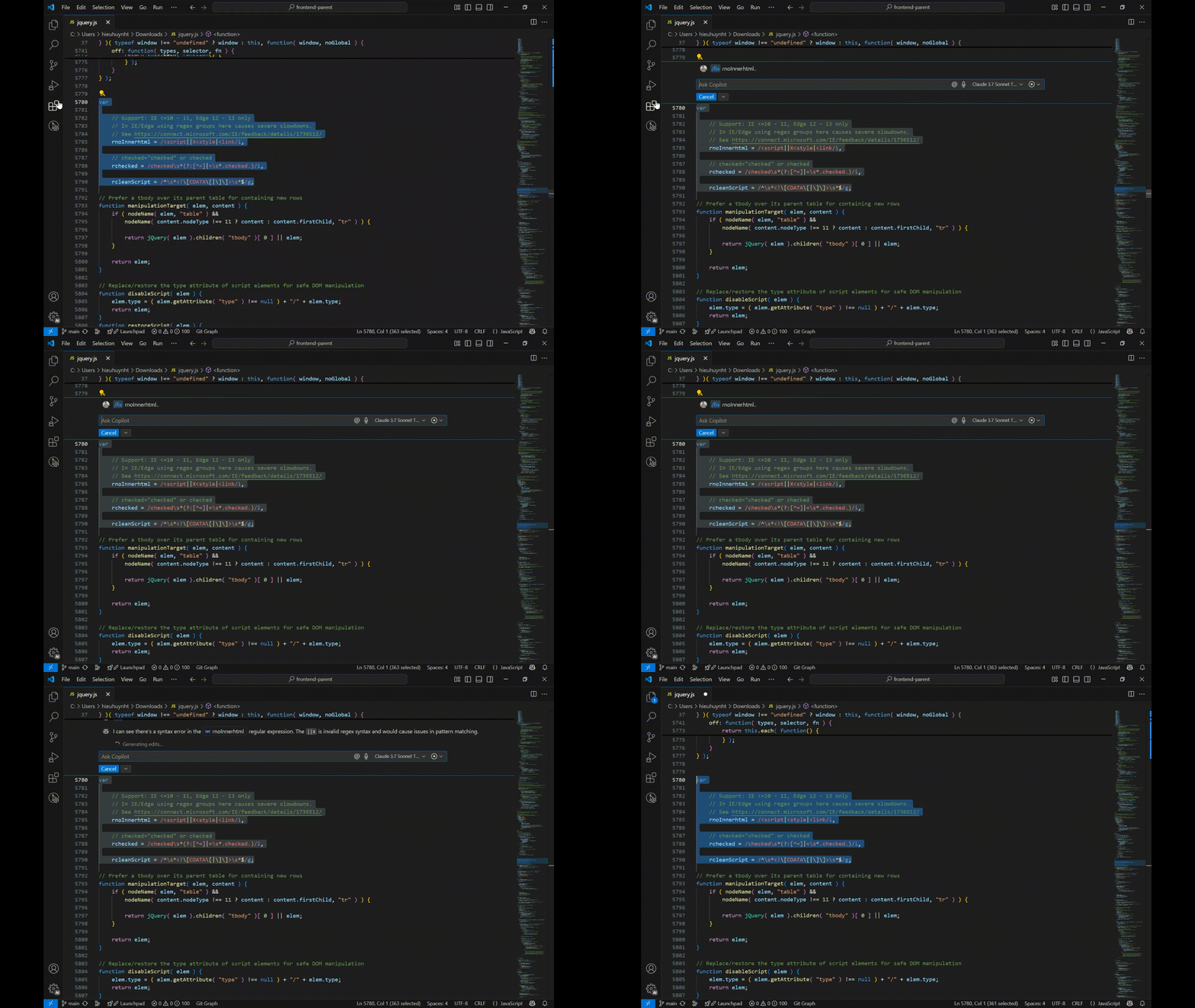
Encountered a bug? The /fix command tells Copilot to review the selected code and propose improvements or fixes. It saves hours of debugging time and helps maintain code quality.
After highlighting problematic code, Copilot will suggest corrections and explanations.
✅ 4. /fixTestFailure – Solve Failing Unit Tests
Unit test failing but not sure why? Use /fixTestFailure to let GitHub Copilot identify the problem and recommend a fix.
This command is ideal for test-driven development (TDD) workflows, helping you stay productive and on track.
🧪 5. /tests – Generate Unit Tests with Ease
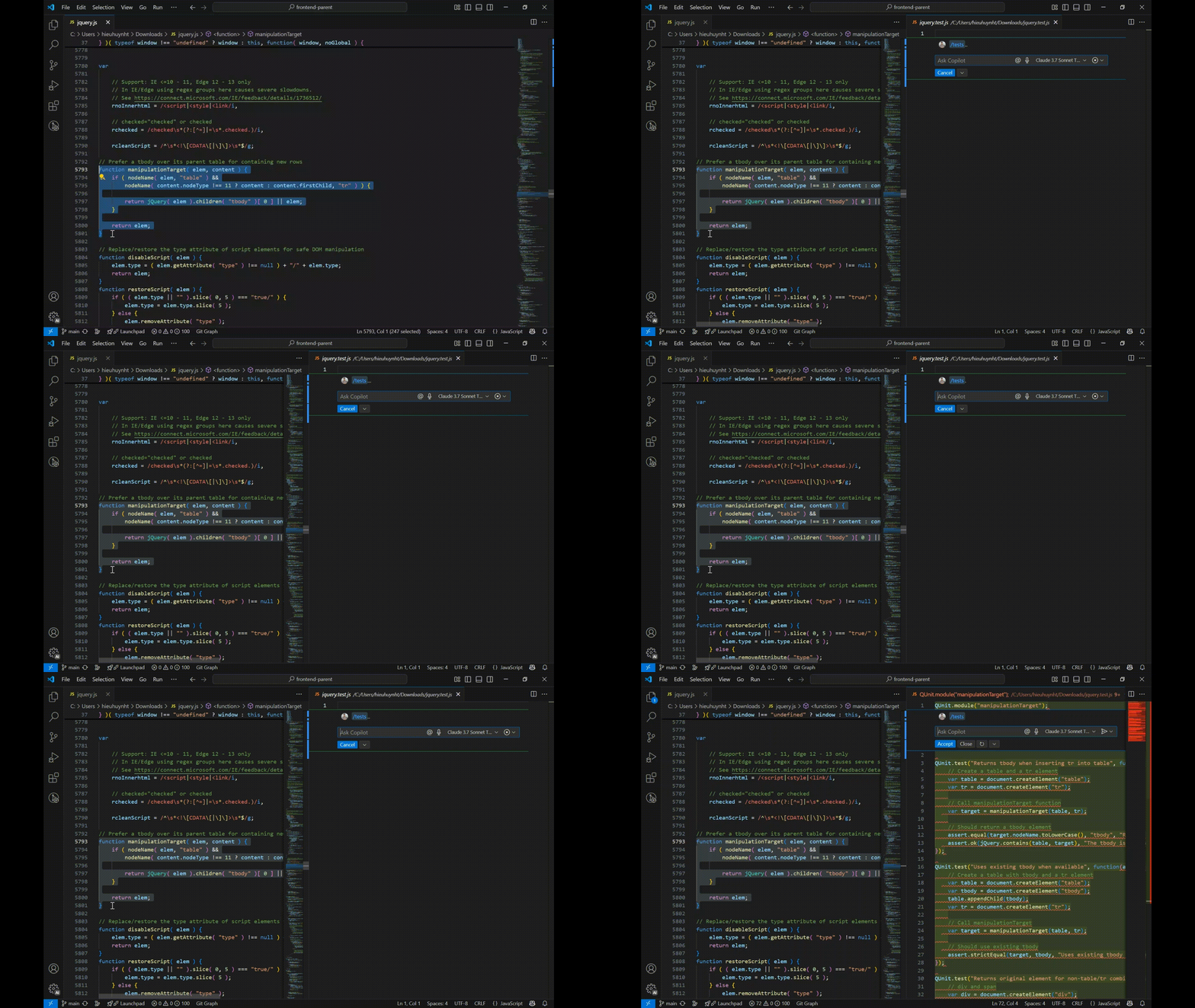
Writing tests manually can be tedious. The /tests command tells Copilot to auto-generate unit tests for your selected code, following best practices and common testing frameworks.
Ideal for improving test coverage and catching edge cases you might miss.
🚀 6. /new – Create a New Project Quickly
Use /new to start a brand-new project. Copilot will help you scaffold files, set up configurations, and kickstart your development process.
Specify the type of project—like React, Node.js, or Python—and let Copilot handle the boilerplate.
Final Thoughts
This GitHub Copilot Chat cheat sheet is your quick-start guide to making the most out of AI-powered development. From writing and debugging code to testing and explaining logic, GitHub Copilot streamlines every step of the software development lifecycle.
By mastering these essential Copilot Chat commands, developers can enhance productivity, write cleaner code, and reduce cognitive load. Start using GitHub Copilot Chat today and experience the future of coding—powered by AI.