


User Interface (UI) testing is an essential part of web development. Testing the user interface ensures that a website or web application looks and functions as intended on various browsers and devices, contributing to a seamless user experience and satisfaction.
Usually, UI testing requires meticulous attention to detail, and it usually consumes a lot of time but is error-prone. So, in this blog, I will introduce some browser extensions that are simple to use but work a lot better for UI testing.
Why use browser extensions for UI Testing?
Browser extensions are typically free and offer powerful functionalities. Using these extensions makes UI testing more manageable, saving time and costs, and ultimately improving the efficiency and productivity of work. These extensions offer features such as:
Real-time functionality: Browser extensions allow users to access UI components, test them, and make real-time changes. This eliminates the need to switch between testing tools and the website, making testing faster and more efficient.
Advanced accessibility: Many browser extensions incorporate accessibility testing features, which scan, review, and highlight accessibility issues on websites. This ensures that web interfaces comply with accessibility standards and are accessible to a wider audience.
Design consistency: Tools for managing color, size, and fonts help maintain a consistent look and feel throughout the UI, ensuring visual harmony.
Seamless communication: Browser extensions often include features for recording and sharing UI testing scenarios, making it easy to communicate issues and expected behaviors with the development team.
Popular browser extensions for effective UI Testing
Now, I will introduce some browser extensions that I often use in projects to save time and improve efficiency:
- 1. VisBug
The “VisBug” is a deep-inspection tool favored by web designers. It allows immediate changes to the layout, styling, and content of web pages. It is designed for web designers, but its basic features can be used for quick UI testing.
Notable functions include guides for measuring distances between elements, quick inspection of text and image properties, and accessibility checks.

- 2. Fonts Infos
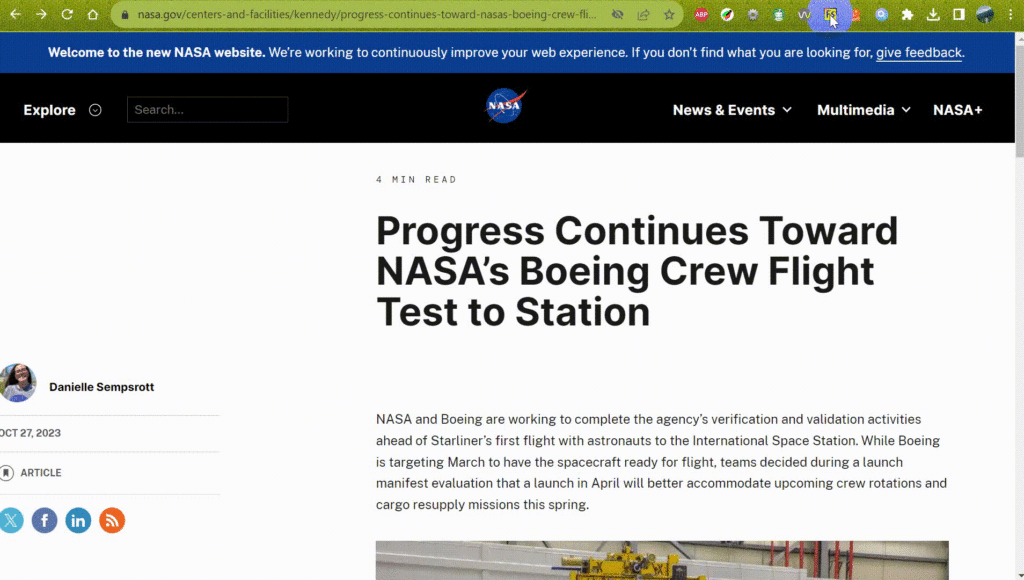
Fonts Infos” is a tool for checking fonts, including font style, size, and family on web pages. This tool ensures consistency and readability of fonts across the entire user interface.
- 3. Web Developer
The “Web Developer” extension, available for both Chrome and Firefox, is a comprehensive set of tools for inspecting and manipulating web UI components. It allows deep exploration of HTML and CSS and window resizing for flexible UI analysis.
Key functions include disabling features, managing cookies, and handling images,…

- 4. ColorZilla
The “ColorZilla” is an artist’s color palette tool designed for designers and UI testers. It enables color selection and checking on web pages. This feature helps maintain a consistent color scheme and ensures visual design harmony throughout the UI.

- 5. WAVE Evaluation Tool
The “WAVE Evaluation Tool” is a web accessibility evaluation tool developed by WebAIM.org. It provides real-time feedback by running as a browser extension. It helps identify accessibility issues on the website, ensuring compliance with accessibility standards.
While WAVE does not cover all accessibility testing aspects, it allows for quick detection of visual issues, saving time and testing costs.

- 6. Screencastify
The “Screencastify” is a screen recording tool that simplifies the process of capturing UI testing scenarios in video format. It is useful for effectively communicating issues, expected behaviors, and solutions to the development team.

Compare extensions
Each tool has its own advantages and disadvantages, depending on the specific needs, we can choose the most suitable tool. Below is a comparison table of the advantages and disadvantages of the extensions VisBug, Fonts Infos, Web Developer, ColorZilla, WAVE, and Screencastify:
| Extension | Advantages | Disadvantages |
| VisBug | – Easy to use for editing and inspecting the interface directly on a website. – No need for deep programming knowledge. – Well-compatible with many browsers. | – Limited features compared to professional design tools. – Cannot save changes directly to the site, changes are only temporary. |
| Fonts Infos | – Quickly displays detailed information about the font used on a website. – Supports recognition of various font types. | – Only provides basic font information, no advanced editing or analysis features. – May not correctly identify the font in some cases. |
| Web Developer | – Comprehensive toolkit for web developers. Integrates many useful tools for web developers, such as CSS inspection, JavaScript debugging, and HTML analysis. – User-friendly interface with many options. | – Can slow down the browser if too many features are used simultaneously. – Requires users to have basic technical knowledge for effective use. |
| ColorZilla | – Easily pick colors from any part of a website. – Includes color palette, gradient generator, and other color-related tools. | – Cannot directly apply selected colors to the website, only saves the color value. – Useful only for tasks related to colors, lacks other features. |
| WAVE | – Powerful web accessibility testing tool, helps detect accessibility issues. – Supports evaluation of compliance with web accessibility standards. | – Focuses only on accessibility, not other aspects. – Reports can be too detailed and difficult to understand for non-expert users. – Does not auto-fix issues, only provides suggestions and guidance. |
| Screencastify | – Easily record screen and webcam directly from the browser. – Integrates basic video editing features after recording | – Free version is limited in recording time and features. – Recorded video quality may not be as good as that of dedicated tools. – Some features are only available in the paid version. |
Conclusion
User interface testing is crucial, and browser extensions can enhance testing efficiency. They help in identify issues early, maintain design consistency, ensure accessibility compliance, and effectively communicate with the development team. This contributes to improving the efficiency of interface testing, saving costs, and enhancing customer satisfaction.
As we begin the UI testing process, do not hesitate to integrate these browser extensions into the workflow to boost UI testing efficiency.
Reference
The image is from https://www.witty.works/