


JavaFx Introduction
JavaFX is a set of graphics and media packages that enables developers to design, create, test, debug, and deploy rich client applications that operate consistently across diverse platforms.
To develop GUI Applications using Java programming language, the programmers rely on libraries such as Advanced Windowing Toolkit and Swing. After the advent of JavaFX, these Java programmers can now develop GUI applications effectively with rich content.
Key Features:-
- Java APIs. JavaFX is a Java library that consists of classes and interfaces that are in native Java code. The APIs are designe to be a friendly alternative to Java Virtual Machine (Java VM) languages, such as JRuby and Scala.
- FXML and Scene Builder. FXML is an XML-based declarative markup language for constructing a JavaFX application user interface.
- WebView. A web component that uses WebKitHTML technology to make it possible to embed web pages within a JavaFX application. JavaScript running in WebView can call Java APIs, and Java APIs can call JavaScript running in WebView.
- Swing interoperability. Existing Swing applications can be update with new JavaFX features, such as rich graphics media playback and embedded Web content.
- Built-in UI controls and CSS. JavaFX provides all the major UI controls required to develop a full-featured application.
- Canvas API. The Canvas API enables drawing directly within an area of the JavaFX scene that consists of one graphical element (node).
- Multitouch Support. JavaFX provides support for multitouch operations, based on the capabilities of the underlying platform.
- High-performance media engine. The media pipeline supports the playback of web multimedia content. It provides a stable, low-latency media framework that is based on the GStreamer multimedia framework.
JavaFX – Architecture
JavaFX provides a complete API with a rich set of classes and interfaces to build GUI applications with rich graphics. The important packages of this API are −
- javafx.animation − Contains classes to add transition based animations such as fill, fade, rotate, scale and translation, to the JavaFX nodes.
- javafx.application − Contains a set of classes responsible for the JavaFX application life cycle.
- javafx.css − Contains classes to add CSS–like styling to JavaFX GUI applications.
- javafx.event − Contains classes and interfaces to deliver and handle JavaFX events.
- javafx.geometry − Contains classes to define 2D objects and perform operations on them.
- javafx.stage − This package holds the top level container classes for JavaFX application.
- javafx.scene − This package provides classes and interfaces to support the scene graph. In addition, it also provides sub-packages such as canvas, chart, control, effect, image, input, layout, media, paint, shape, text, transform, web, etc. There are several components that support this rich API of JavaFX.
The following illustration shows the architecture of JavaFX API. Here you can see the components that support JavaFX API.
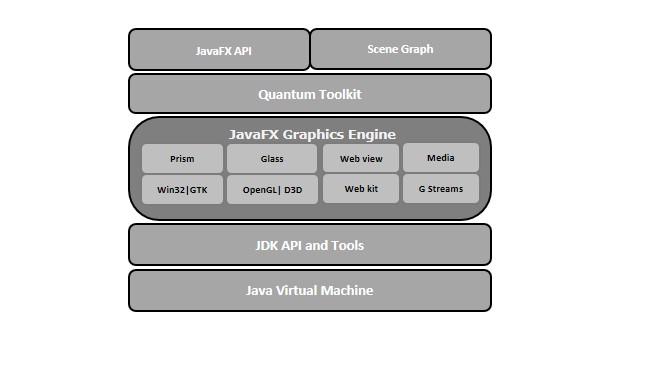
JavaFX Application Structure
In general, a JavaFX application will have three major components namely Stage, Scene, and Nodes as shown in the following diagram.

Stage
Stage in a JavaFX application is similar to the Frame in a Swing Application. It acts as a container for all the JavaFX objects. The primary Stage is created internally by the platform. Other stages can be further by the application. The object of the primary stage is the pass to start method. We need to call show method on the primary stage object in order to show our primary stage.
Scene
The scene actually holds all the physical contents (nodes) of a JavaFX application. Javafx.scene.Scene class provides all the methods to deal with a scene object. The creating scene is necessary in order to visualize the contents on the stage.
In one instance, the scene object can only add to one stage. In order to implement Scene in our JavaFX application, we must import javafx.scene package in our code. The Scene can be created by creating the Scene class object and passing the layout object into the Scene class constructor. We will discuss the Scene class and its method later in detail.
Scene Graph
Scene Graph exists at the lowest level of the hierarchy. It is the collection of various nodes. A node is an element that visualizes on the stage. It can be any button, text box, layout, image, radio button, check box, etc.
The nodes are implemented in a tree kind of structure. There is always one root in the scene graph. This will act as a parent node for all the other nodes present in the scene graph. However, this node may be any of the layouts available in the JavaFX system.
The Best JavaFX Libraries and Frameworks
The open-source JavaFX libraries offer something that you often need in a project. And it was organized by topic: layout, testing, icons, and so on. So we’ll follow that path and cover the JavaFX libraries
Best JavaFX Layout Libraries
MigLayout
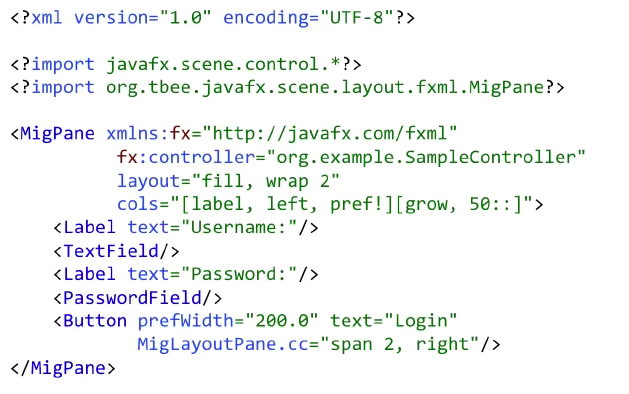
MigLayout is a layout engine is written in pure Java, which values simplicity, power, and automatic per platform fidelity. User interfaces created with MigLayout are easy to maintain, you most likely will understand how the layout will look just by looking at the source code. You can whip up a pretty UI that is reasonable about aligning your elements into rows and columns automatically in no time.
Best JavaFX Widget Libraries
Medusa
Medusa is a JavaFX library for Gauges by Gerrit Grunwald. The main focus of this project is to provide Gauges that can be configured in multiple ways. It has beautiful widgets for reporting metrics, available under the Apache 2.0 License and if you’re doing any reporting, you should check it out.
JSilhouette
If you need to use custom shapes in your application, like maybe a star or a donut, or arrows, you can use JSilhouette. The shapes in the default JavaFX library are limited, and this is a very useful extension library.
RichTextFX
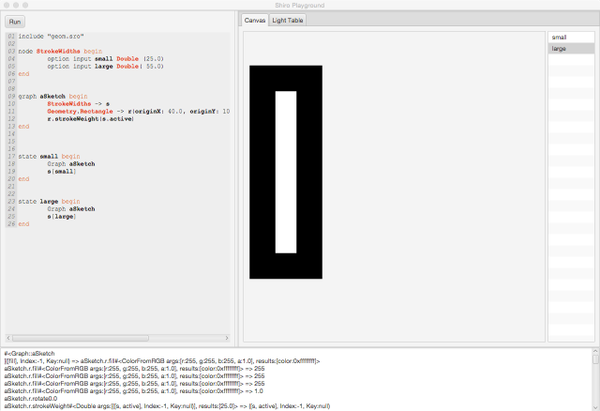
RichTextFX provides a text area for JavaFX with API to style ranges of text. It is intended as a base for rich-text editors and code editors with syntax highlighting. If you need to display complicatedly formatted text or have a custom syntax highlight, RichTextFX is the library to check out.
JFXtras
JFXtras is an open-source library of components that a Java developer would like to have at their disposal, but which are missing from the JavaFX library. You can get calendar widgets, different sorts of date and time picker widgets, menus that pop up on click, and so on. If a component is not that mature yet it can temporarily reside in the JFXtras-labs library, but after some time and exposure it will be promoted to the main one.
ControlsFX
You can think of ControlsFX as a playground or an incubator for the widgets that will be eventually integrated into the JavaFX. Currently, you can find widgets like the bread-crumb-bar, different button bars, decorators for the input fields for CSS, fonts, and so on.
Gluon Maps
There isn’t that much to say about a map library, Gluon Maps provides a nice-looking map controller. It has a dual licensing, GPL3, or a dual license that you can purchase and use in a non-GPL3 app. The widget comes with a backend that knows how to feed the data information to your map. And you can use different backends for that: OpenStreetMap or such.
OrsonCharts
Finally, if you’re into charts you should check out OrsonCharts. It has a wide range of various charts that are better looking than the standard JavaFX solutions. It also has a dual license, so you should be careful not to overstep the licensing boundaries.
Best JavaFX Styling Libraries
The great thing about JavaFX is that most widgets support custom styling with CSS.
JFoenix
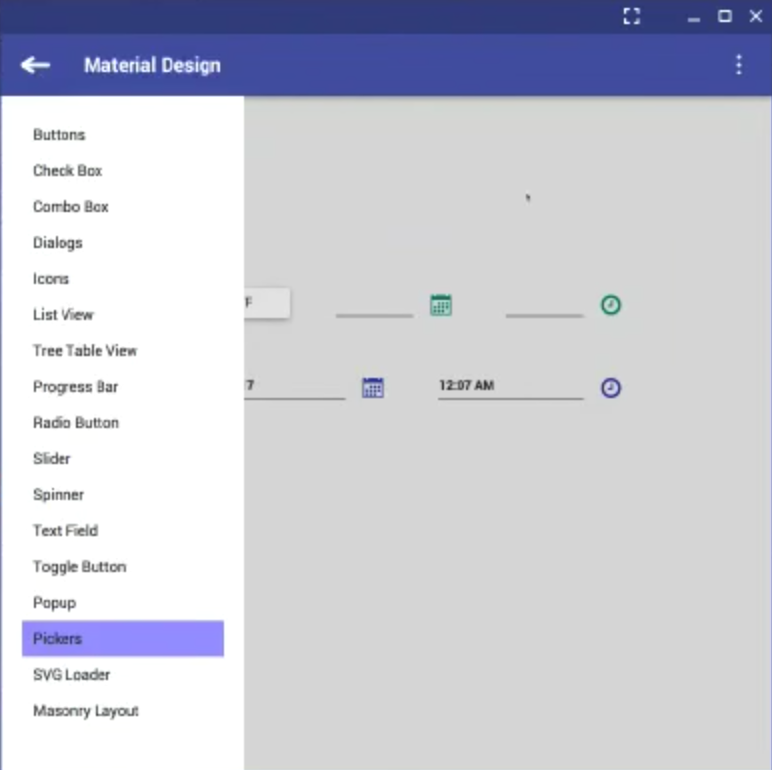
JFoenix is an implementation of the material design. It comes with a lot of components looking pretty close to the material design guidelines and all the required animations: sliding menus, flying in and out popups, color pickers, and much much more.
BootstrapFX
Another look and feel library that you should consider using is the BootstrapFX. BootstrapFX is a partial port of Twitter Bootstrap for JavaFX. It provides a CSS stylesheet that closely resembles the original while being custom-tailored for JavaFX’s unique CSS flavor.
Ikonli
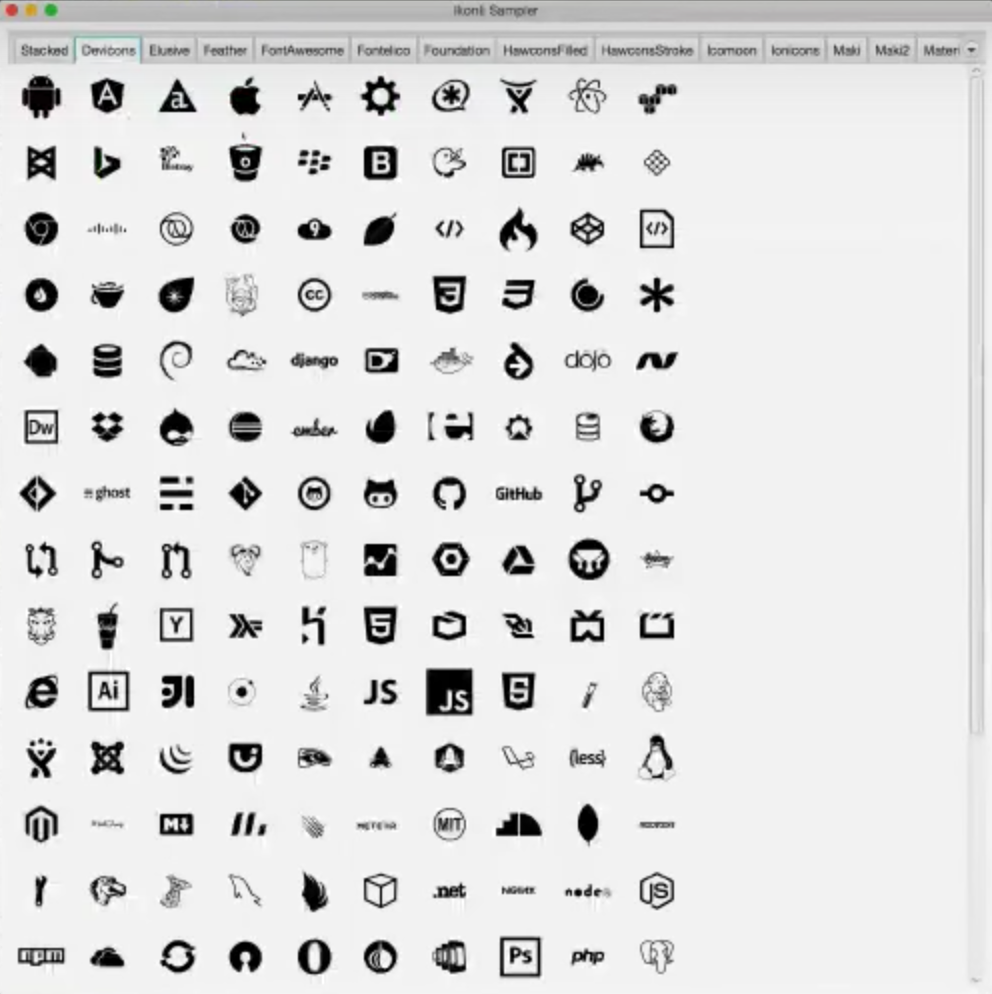
Ikonli is another project that deals with icons. These also provide you access to font-awesome, developer icons, weather icons, etc. And what is even better is if offers more possibilities to customize these, including stacked icons so that you can have an icon in a circle or something.
Best JavaFX Frameworks
As with any development platform, with JavaFX, you might have questions about what is the best architecture for your code. Where should you put your resources, how to tie together the controllers responsible for the business logic and the UI handling user actions, and so on. Luckily, there are several great JavaFX frameworks that give you different tradeoffs when answering JavaFX architecture questions.
JacpFX
JacpFX is a UI application framework based on JavaFX, supporting developers to structure an application with loosely coupled, reusable components. It separates the task execution from UI changes in your client application, so you don’t hang the UI thread. JacpFX also includes a pre-configured event bus, so you can easily tie all your components together into a single system that communicates through asynchronous messages.
MvvmFX
MvvmFX is an application framework that provides you necessary components to implement the Model-View-ViewModel pattern with JavaFX.
Griffon

Griffon is a desktop application development platform for the JVM. Heavily inspired by Grails, Griffon leverages the use of Groovy and convention over configuration. The Swing toolkit is the default UI toolkit of choice however others may be used, for example, JavaFX. Griffon encourages the use of the Model-View-Controller architecture and encourages you to concentrate on your business logic.
Conclusion
First of all, JavaFX is fun to play with! We really think you should download it and try it out to see for yourself. The new syntax does take some time to get used to. You can tell that JavaFX is still an early version, the documentation isn’t complete and the tools for designers do not yet match competing tools like Adobe Flash. Sun is currently addressing these shortcomings and when JavaFX reaches a more mature level it may well become the default choice for creating rich Internet applications that it strives to be.
