


How can you ensure your product provides the best possible user experience? Usability testing offers the answer. When you observe how real users interact with your app, website, or prototype, you can uncover insights that lead to more intuitive and user-friendly designs.
In this blog post, we’ll dive into the benefits of usability testing, the various methods available, and how to use them to improve your product’s overall usability.
1. What is usability testing?
Usability testing is a process where you evaluate how easy it is for people to use a product. This involves observing whether the product’s design meets users’ expectations and allows them to interact with it efficiently and effectively.
2. What is the purpose of a Usability Test?
Gathering user feedback is crucial in designing a product that meets their expectations. Whether it’s an object we use daily, like a remote control or kitchen blender, or a digital format like a website, or mobile app, it must align with users’ natural instincts when navigating and using it. This way, we can create an optimal user experience that satisfies their needs and preferences.
3. Usability testing vs. User testing vs. UX testing
User testing, UX testing, and usability testing assess how users interact with a product, but they focus on different aspects. Usability testing is a more specific type of testing that checks how easily users can use a product. It focuses on non-functional issues that could prevent users from completing tasks effectively.
UX testing, or user experience testing, is broader and encompasses usability testing. It includes any test that affects the overall user experience. While it might gather a lot of feedback for the product team, not all of it will relate directly to usability issues unless it affects users’ success with the product. User testing is the broadest term and involves testing on users. It covers functionality, content, and aesthetics – in addition to usability. User testing can also include various methods beyond the structured experiments associated with usability testing.
Example
Here’s an example to illustrate these differences using a new fitness-tracking app:
- Usability testing assesses how easily users can log workouts, set goals, and track progress. It looks for obstacles, like confusing buttons or unclear instructions, that may hinder users’ ability to complete tasks.
- UX testing, beyond usability, also checks the app’s rewards system, the interface’s intuitiveness, and the overall appeal of the design and color scheme. This feedback helps improve the app’s emotional impact and visual aesthetics.
- User testing tests the app’s overall performance, including how well it syncs with wearable devices and the clarity of instructional content. This includes various methods, such as surveys and interviews, to gain comprehensive feedback on functionality, content, and aesthetics.
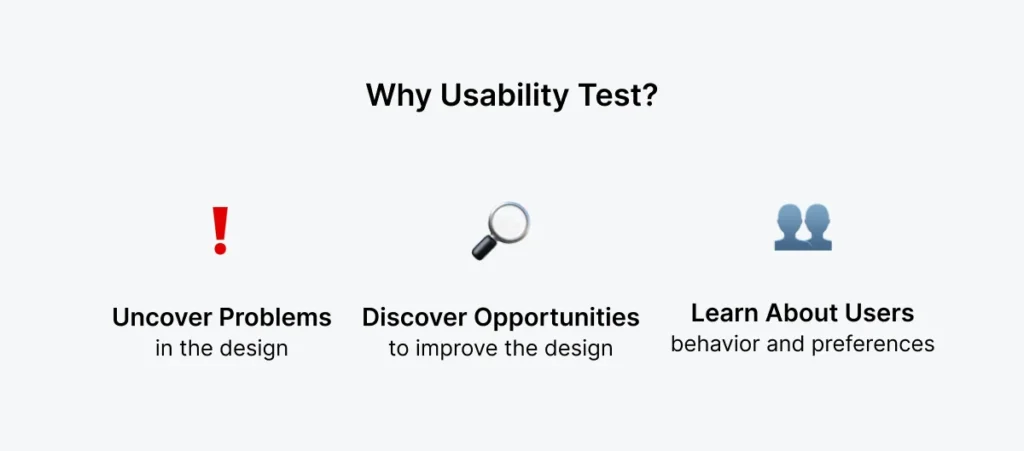
4. Why should you undertake Usability Testing?
There are many different reasons for undertaking usability tests. For example:
4.1. Increased user success = more money!
It is important to identify usability issues mainly for commercial reasons. Improving usability can lead to better commercial performance, and research by the NN group has found a 135% return on investment in usability.
Usability impacts all product usage and growth aspects, making it a crucial factor for success. When users are more satisfied with a product, they are more likely to continue to use it, leave positive reviews, and recommend it to others, leading to more signups.
4.2. Pinpoint problem areas
Usability testing helps identify problem areas by observing real users interacting with a product. It reveals where users struggle, encounter confusion, or make errors while completing tasks.
Through participant feedback, task success rates, and behavioral observations, usability tests pinpoint specific user interface design, navigation, content clarity, and functionality issues. This firsthand insight allows designers and developers to address these problems, ultimately improving the user experience and ensuring the product better aligns with user needs and expectations.
4.3. Drive user-centered design
Engaging real users ensures products are designed based on actual needs and preferences. Testing uncovers user pain points, preferences, and behaviors, providing valuable insights for design improvements.
Usability testing fosters a deep understanding of user perspectives, ensuring that the final product aligns with user expectations, resulting in higher user satisfaction and successful user-centered design.
4.4. Preventing expensive dev work
Identifying usability issues as early as possible in the product process can be useful in preventing software with usability issues from reaching production.
5. When should you conduct Usability Testing?
Usability testing is a versatile method that can be applied at any point in the design or development process. You can perform usability tests on early-stage design prototypes and use the results to inform future designs, as well as test later-stage products such as live websites or apps.
To achieve the best results, consider conducting multiple rounds of usability testing throughout development. This iterative approach allows you to identify and address usability issues early on, providing ample time for adjustments.
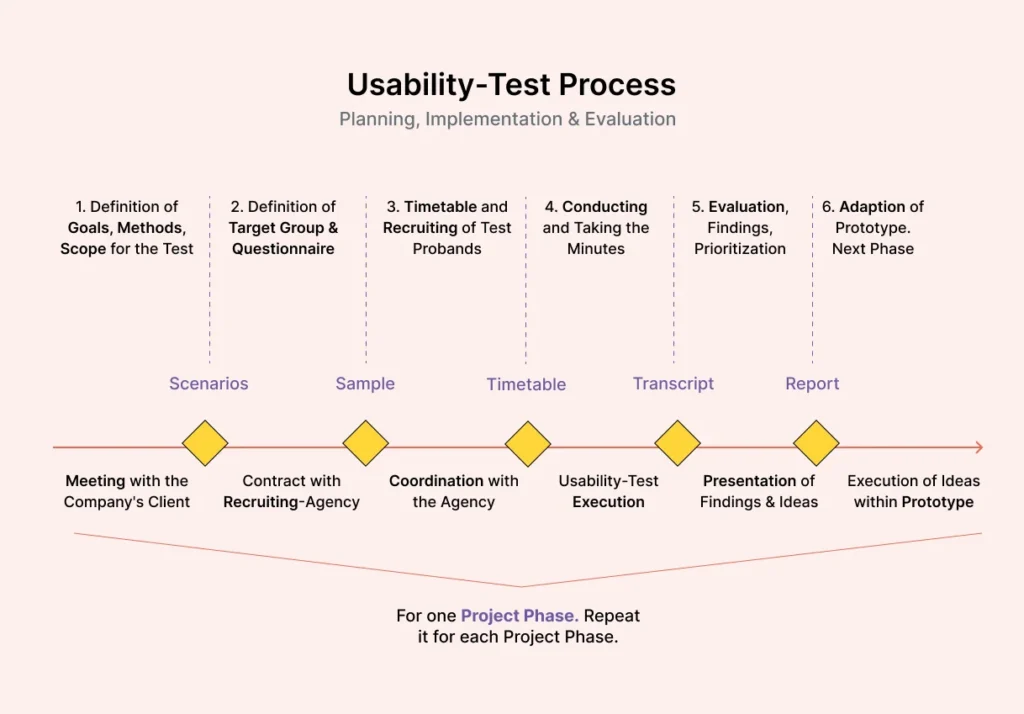
Begin by creating a usability testing plan to establish when you’ll conduct tests during the process. Here are some common phases for testing the usability of products:
- Prototyping phase: Testing during this phase can prevent costly issues down the line. Conduct usability tests on interactive prototypes before development begins to ensure user-friendly designs and smooth functionality from the outset.
- Pre-launch: As your product nears completion, conduct a final round of usability testing to optimize user satisfaction and eliminate any remaining issues. Test complex user flows and observe how focus groups interact with the product to gather valuable insights.
- Before a redesign: When considering a redesign, usability testing helps identify what needs improvement in the existing design. Gather feedback from potential customers to understand the design’s shortcomings and gather suggestions for the new iteration.
- Regular checks: Conduct regular usability testing sessions, such as every six months, to keep up with changing user expectations and industry trends. Also, test major design changes to ensure they enhance the user experience rather than detract from it.
Conclusion
Usability testing is not merely a box to check in the development process; it is a fundamental practice that bridges the gap between design assumptions and real-world user needs. By observing just a handful of participants attempt specific tasks, you gain invaluable insights that can transform a confusing interface into an intuitive and engaging product.
The benefits—from catching costly errors early to significantly improving user satisfaction—are undeniable. Whether you opt for simple, unmoderated tests or formal, moderated sessions, the core principle remains: the user is the final arbiter of your product’s usability.
References
https://www.globalapptesting.com
https://www.softwaretestingmaterial.com/