



Introduction
In today’s digital world, securing user authentication and authorization is more important than ever. Therefore, security is a key concern in modern web and mobile applications, particularly regarding authentication (verifying who you are) and authorization (determining what you can access). In other words, authentication confirms identity, while authorization defines access levels. As a result, implementing a secure authentication and authorization framework is essential for protecting user data and preventing security breaches. OAuth 2.0 has become the standard for allowing third-party applications to access user data securely—without exposing sensitive credentials.
But here’s the catch: a poorly implemented OAuth 2.0 flow can lead to serious security threats, such as token theft, phishing attacks, and unauthorized access.
In this blog, we’ll break down OAuth 2.0 security in simple terms and explore:
- How test automation can help detect and prevent these vulnerabilities
- How OAuth 2.0 differs from OAuth 1.0 and why it matters
- Common security threats that attackers exploit
What is OAuth 2.0?
OAuth 2.0 is a system that allows one service to grant limited access to another without sharing passwords. For example, when you sign in to an app using your Google account, OAuth 2.0 enables Google to verify your identity while keeping your password secure. Furthermore, it ensures that the app receives only the permissions it needs—for instance, reading your profile but not accessing your emails. As a result, OAuth 2.0 enhances both security and privacy by restricting data access based on user consent. In other words, it provides a safer way to authenticate users without exposing sensitive credentials.
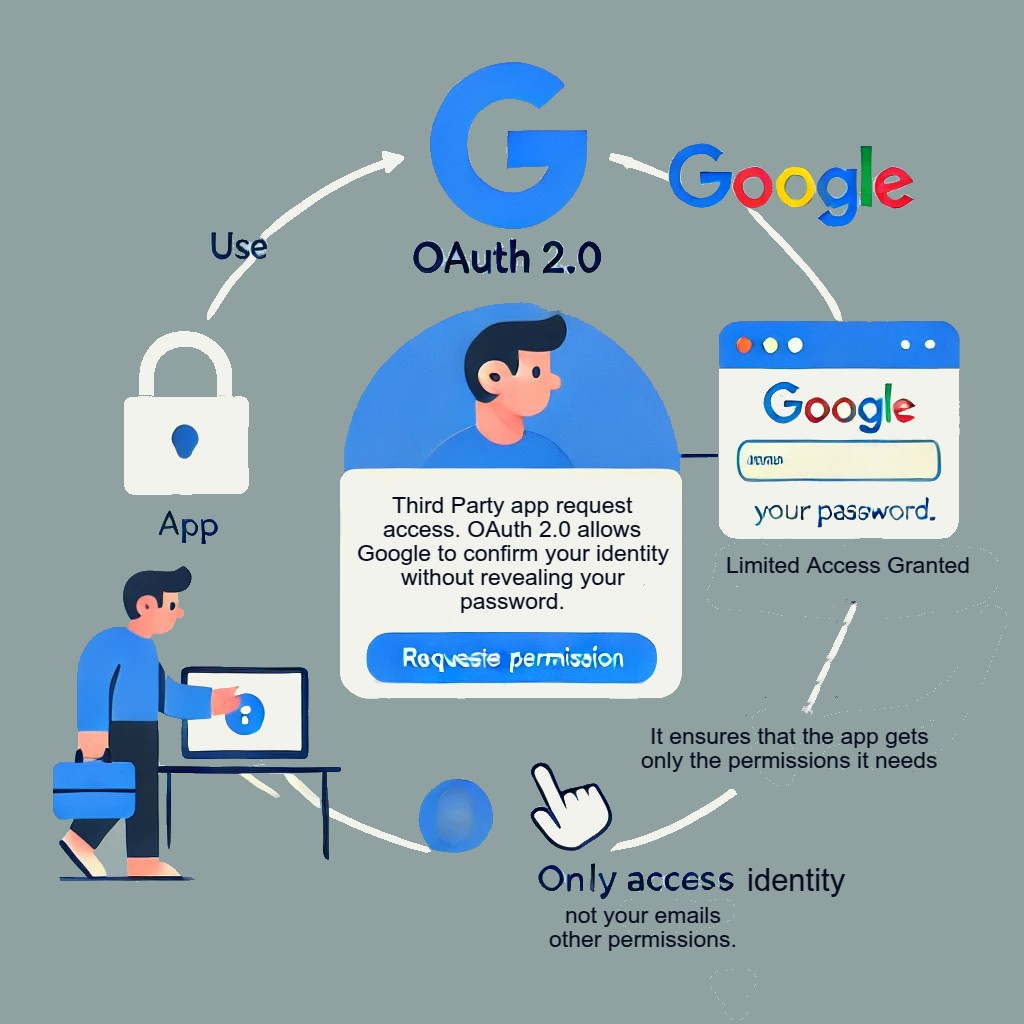
Understanding OAuth and OAuth 2.0
Before diving into threat modelling, let’s clarify the differences between OAuth 1.0 and OAuth 2.0.
OAuth 1.0 vs. OAuth 2.0
| Feature | OAuth 1.0 | OAuth 2.0 |
|---|---|---|
| Authentication Type | Based on cryptographic signing (HMAC-SHA1) | Uses bearer tokens (simplified, but less secure) |
| Token Exchange | Complex two-legged flow | Simplified token-based flow |
| Security Mechanism | Requires cryptographic signatures in every request | Relies on HTTPS for security |
| Flexibility | Less flexible, harder to implement | More extensible (supports web, mobile, IoT) |
| Refresh Tokens | Not supported | Supported, improving user experience |
👉 Why OAuth 2.0?
OAuth 2.0 is more flexible, scalable, and widely adopted, but it introduces new security risks. Let’s explore those risks through threat modelling.
Why is Threat Modeling Important in OAuth 2.0?
Since OAuth 2.0 is used in authentication (OpenID Connect) and authorization flows, attackers target weaknesses such as token theft, misconfigured scopes, and authorization code interception.
✅ Threat modelling helps identify and mitigate security risks in OAuth implementations, ensuring that authentication and authorization are secure.
How Does OAuth 2.0 Work?
Before we go into its inner workings, let’s go over the terminology.
1️⃣ Resource Owner – The user who owns the data
2️⃣ Client – Application requesting access to a protected resource on behalf of the Resource Owner.
3️⃣ Authorization Server – Server that authenticates the Resource Owner and issues Access Tokens after getting proper authorization
4️⃣ Resource Server – Server hosting the protected resources. This is the API that you want to use.
OAuth 2.0 Flow
- User Authentication → The user logs in and grants permission. Typically, this is the end-user.
- Authorization Code → The app receives an authorization code.
- Token Exchange → The authorization code is exchanged for an access token.
- Access Granted → The client uses the token to fetch data.
🔴 Each step is a potential security risk. Attackers can steal tokens, intercept requests, or manipulate permissions.
Threats in OAuth 2.0 & How to Test for Them
This section will describe the threats faced by OAuth 2.0 implementations and their impact. Let’s break down common OAuth 2.0 vulnerabilities and how we can test for them using test automation.
🎭 (A) Phishing & Rogue Client Attacks
⚠️ Threat: Malicious applications or attackers can trick users into authorizing rogue clients, leading to credential theft or unauthorized API access.
✅ Solution:
- Allow only verified OAuth clients by enforcing strict client registration policies.
- Implement PKCE (Proof Key for Code Exchange) to prevent attackers from using stolen authorization codes.
- Restrict redirect URIs to trusted domains only and disallow wildcards (*).
🔍 How to Test:
- Simulate phishing attempts using automated security tests by intercepting OAuth requests with incorrect redirect URIs.
- Perform penetration testing using tools like Burp Suite and OWASP ZAP to detect open redirect vulnerabilities.
- Validate authorization server logs to ensure only pre-registered clients can initiate authentication flows
🛡️(B) Token Theft (Man-in-the-Middle)
⚠️ Threat: Attackers can intercept access tokens using packet sniffing or session hijacking. For example, an attacker monitoring network traffic may capture unencrypted tokens.
✅ Solution:
- Use HTTPS to encrypt communication.
- Implement short-lived tokens with refresh tokens.
- Use JWT (JSON Web Token) signing to prevent tampering.
💻 Test Case: Verify API Enforces HTTPS
We can automate this test using Postman scripts:
// Test: Ensure token exchange only happens over HTTPS
pm.test("Check HTTPS enforcement", function () {
    pm.expect(pm.request.url.protocol).to.eql("https");
});
✔ Expected Result: Any token exchange over HTTP should fail.
🔓(C) Authorization Code Interception
⚠️ Threat: An attacker can gain access if an authorization code is intercepted before it is exchanged for a token. Consequently, this can lead to unauthorized access and data exposure.
✅ Solution:
- Use PKCE to bind the authorization code to a secure client.
- Restrict redirect URIs to trusted domains only.
🔍 How to Test:
- Perform OAuth flow automation using tools like Postman.
- Verify PKCE implementation in API requests.
🔐(D) Weak Token Scopes & Over-Permission
⚠️ Threat: If an application requests excessive permissions, an attacker who gains access can exploit them.
✅ Solution:
- Follow the principle of least privilege (grant only required scopes).
- Implement token introspection to verify scope usage.
🔍 How to Test:
- Automate scope testing using OAuth tools (e.g., OpenID Connect Conformance Test Suite).
- Use API Gateway logs to monitor token usage.
🌐(E) Open Redirect Vulnerabilities
⚠️ Threat: Attackers exploit open redirects to steal tokens.
✅ Solution:
- Enforce whitelisted redirect URIs.
- Avoid wildcards (
*) in allowed redirect URLs.
🔍 How to Test:
- Write automated redirect tests using Selenium/WebDriver.
- Perform redirection validation tests in API automation frameworks like Postman or Karate.
🔐 (F) Refresh Token Abuse
⚠️ Threat: If a refresh token is stolen, an attacker can continuously generate new access tokens, maintaining unauthorized access.
✅ Solution:
- Enable Refresh Token Rotation: Invalidate the old token when issuing a new one.
- Implement Token Revocation APIs: Allow users and administrators to revoke compromised tokens.
🔍 How to Test:
- Automate Refresh Token Lifecycle Tests: Verify that expired or revoked tokens cannot be reused.
- Simulate Token Replay Attacks: Use API testing tools to check if previously used refresh tokens are rejected.
Best Practices for Automated Testing
- Use OAuth 2.0 Test Automation Frameworks → Postman, OAuth2-Proxy ✅
- Automate Token Expiry & Revocation Tests → Ensure tokens expire as expected ✅
- Perform Security Scanning in CI/CD → Integrate OAuth security tests in Jenkins, GitHub Actions ✅
- Monitor & Log OAuth Activity → Use logging tools like ELK Stack, Prometheus ✅
- Automate API calls to validate token issuance, expiration, and revocation. ✅
Conclusion
By leveraging threat modelling and automated security testing, we can proactively identify and mitigate risks in OAuth 2.0 implementations. This approach not only strengthens security but also ensures efficiency and resilience against evolving attack vectors. With AI-driven automation and robust security practices, we can create self-healing authentication frameworks that adapt to threats in real-time.
Stay tuned for more insights on securing authentication flows! For in-depth discussions, visit our Test Automation NashTech Blog.
Till then Happy Testing! 🚀🎭