



Introduction: Why the World is Moving to Graphs
- The limitations of relational databases for connected data: Relational databases (like SQL) are inefficient for highly connected data. Answering relationship-based questions (e.g., “friends of friends who like this movie”) requires numerous table
JOINoperations, which are computationally expensive and slow down dramatically as the data and query complexity grow. - What is a Graph Database? A simple, powerful analogy: A graph database is like a digital whiteboard. You draw circles for your data points (e.g., people, products) and draw lines between them to show how they are connected. Instead of storing data in rigid tables, it stores data as a network of these points and connections, making it incredibly fast to explore relationships.
- Introducing Neo4j: Neo4j is the industry-leading native graph database, first developed in 2007. It stores and processes data directly as a graph. Key features include the declarative Cypher query language (like SQL for graphs), high performance for traversing connected data, and a large, active community. It excels in use cases like fraud detection, recommendation engines, and knowledge graphs.
The Core Concepts: The Property Graph Model
The Property Graph Model is the foundation of Neo4j. It consists of four building blocks:
- Nodes: Represent entities or objects. Think of them as the nouns in your data.
- Example: A person, a movie, a company.
- Relationships: Represent the connections between nodes. They are directed and have a type, acting as the verbs.
- Example: A person
ACTED_INa movie.
- Example: A person
- Properties: Key-value pairs that store data attributes on nodes and relationships.
- Example: A person node can have a property
{name: 'Tom Hanks'}, and anACTED_INrelationship can have a property{role: 'Forrest'}.
- Example: A person node can have a property
- Labels: Group nodes into sets or categories.
- Example: The ‘Tom Hanks’ node can have the label
Person, and the ‘Forrest Gump’ node can have the labelMovie.
- Example: The ‘Tom Hanks’ node can have the label
Example: Friends, Movies, and Actors
Imagine the statement: “Tom Hanks acted in Forrest Gump, and he is friends with Meg Ryan.”
This is how it looks as a property graph:
- Nodes:
- A node with Label
Personand Property{name: 'Tom Hanks'}. - A node with Label
Movieand Property{title: 'Forrest Gump'}. - A node with Label
Personand Property{name: 'Meg Ryan'}.
- A node with Label
- Relationships:
- A directed relationship from ‘Tom Hanks’ to ‘Forrest Gump’ with Type
ACTED_IN. - A directed relationship between ‘Tom Hanks’ and ‘Meg Ryan’ with Type
FRIENDS_WITH.
- A directed relationship from ‘Tom Hanks’ to ‘Forrest Gump’ with Type
Sample Queries
CREATE
  (tom:Person {name: 'Tom Hanks'}),
  (forrest:Movie {title: 'Forrest Gump'}),
  (meg:Person {name: 'Meg Ryan'}),
  (tom)-[:ACTED_IN {role: 'Forrest'}]->(forrest),
  (tom)-[:FRIENDS_WITH]->(meg)

MATCH (n)
RETURN n;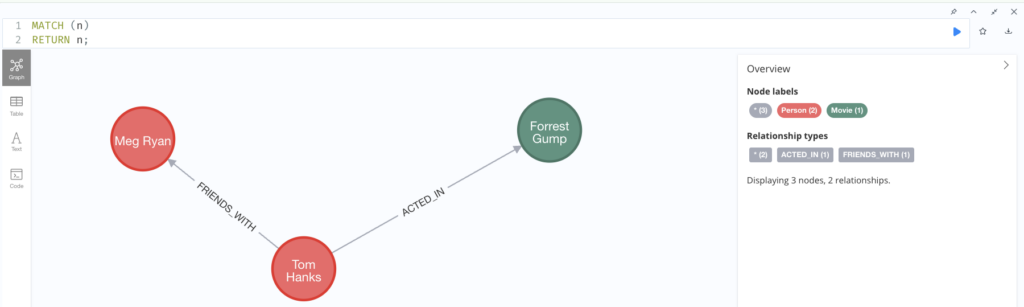
The Cypher Query Language: A Crash Course
Start Neo4J service using docker
Execute docker compose file below to create the Neo4J service on your local machine docker-compose up
services:
  neo4j:
    image: neo4j:5.26.0-community
    container_name: neo4j-community
    ports:
      - "7474:7474"
      - "7687:7687"
    volumes:
      - ./data:/data
      - ./logs:/logs
      - ./conf:/conf
      - ./plugins:/plugins
      - ./import:/import
    environment:
      - NEO4J_AUTH=none
    restart: unless-stopped
In case you got permission error related to directory, execute the following command to grant write permission to the mapping volumes
mkdir -p data logs conf plugins import
chmod -R 777 data logs conf plugins import
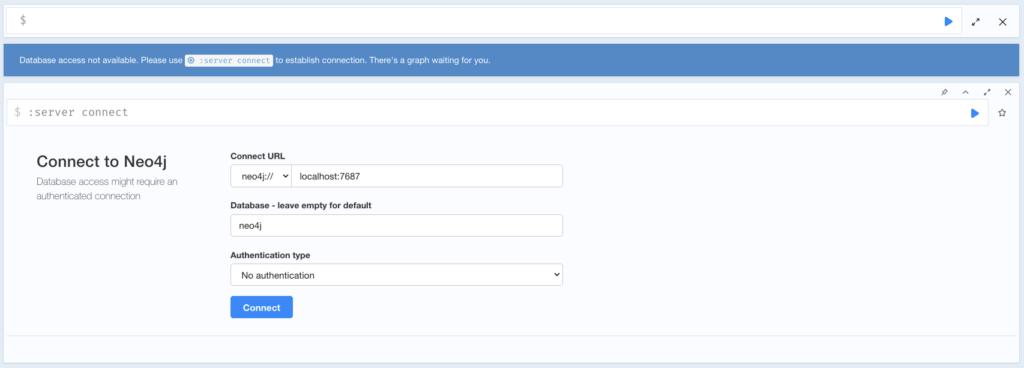
When the creation steps are done, open http://localhost:7474/browser/ in your browser. You should see a similar UI, since in the docker-compose.yml we specified the environment variable NEO4J_AUTH=none. Because of that, we can just choose No Authentication to log in.
The Cypher Query Language: An “ASCII-Art” Approach
Cypher’s syntax is often called “ASCII-Art” because it visually mimics the graph patterns you want to find. You essentially “draw” the data structure with your keyboard.
- Nodes are represented by parentheses
(), like circles on a whiteboard.- Example:
(p:Person)finds nodes with the label “Person”.
- Example:
- Relationships are represented by arrows with brackets
-[ ]->, like arrows connecting the circles.- Example:
-[r:KNOWS]->finds a directed relationship with the type “KNOWS”.
- Example:
Putting it together, a query to find a person who knows another person looks exactly like the pattern it describes:
Cypher
MATCH (person1:Person)-[:KNOWS]->(person2:Person)This intuitive, visual style makes Cypher remarkably easy to read and write, as your query is a direct textual representation of the graph pattern you’re searching for.
Core Clauses with practical examples: CREATE, MATCH, MERGE, WHERE, RETURN
We will use a practical data model for a movie database to illustrate these concepts, including multi-level relationships.
Our Data Model:
- Nodes:
:Person,:Movie,:Genre,:Country - Relationships:
[:ACTED_IN](with aroleproperty)[:DIRECTED][:PRODUCED_IN][:BORN_IN][:IN_GENRE]
This model allows for rich, multi-level queries, such as “Find actors who acted in Sci-Fi movies directed by someone born in the USA.”
1. Creating Data (CREATE)
This is how you add new nodes and relationships to your graph.
a. Create single Node
Create individual nodes with labels and properties.
// Create a Movie node
CREATE (m:Movie {title: 'The Matrix', released: 1999, tagline: 'Welcome to the Real World'});

// Create a Person node
CREATE (p:Person {name: 'Keanu Reeves', born: 1964});
b. Create Multiple Nodes
You can create several nodes in a single query.
CREATE (:Person {name: ‘Carrie-Anne Moss’, born: 1967});
CREATE (:Person {name: ‘Laurence Fishburne’, born: 1961});
CREATE (:Person {name: ‘Hugo Weaving’, born: 1960});
CREATE (:Person {name: ‘Lana Wachowski’, born: 1965});
CREATE (:Person {name: ‘Lilly Wachowski’, born: 1967});
c. Create Nodes and Relationships Simultaneously
This is the most powerful feature of CREATE. You define the entire pattern of nodes and their connections.
CREATE
  (keanu:Person {name: 'Keanu Reeves'}),
  (carrie:Person {name: 'Carrie-Anne Moss'}),
  (laurence:Person {name: 'Laurence Fishburne'}),
  (hugo:Person {name: 'Hugo Weaving'}),
  (lana:Person {name: 'Lana Wachowski'}),
  (lilly:Person {name: 'Lilly Wachowski'}),
  (matrix:Movie {title: 'The Matrix', released: 1999}),

  // Define relationships
  (keanu)-[:ACTED_IN {role: 'Neo'}]->(matrix),
  (carrie)-[:ACTED_IN {role: 'Trinity'}]->(matrix),
  (laurence)-[:ACTED_IN {role: 'Morpheus'}]->(matrix),
  (hugo)-[:ACTED_IN {role: 'Agent Smith'}]->(matrix),
  (lana)-[:DIRECTED]->(matrix),
  (lilly)-[:DIRECTED]->(matrix);
2. Selecting Data (MATCH, WHERE, RETURN)
This is how you query, search for, and read data from the graph.
a. Find Nodes by Label
MATCH (m:Movie)
RETURN m;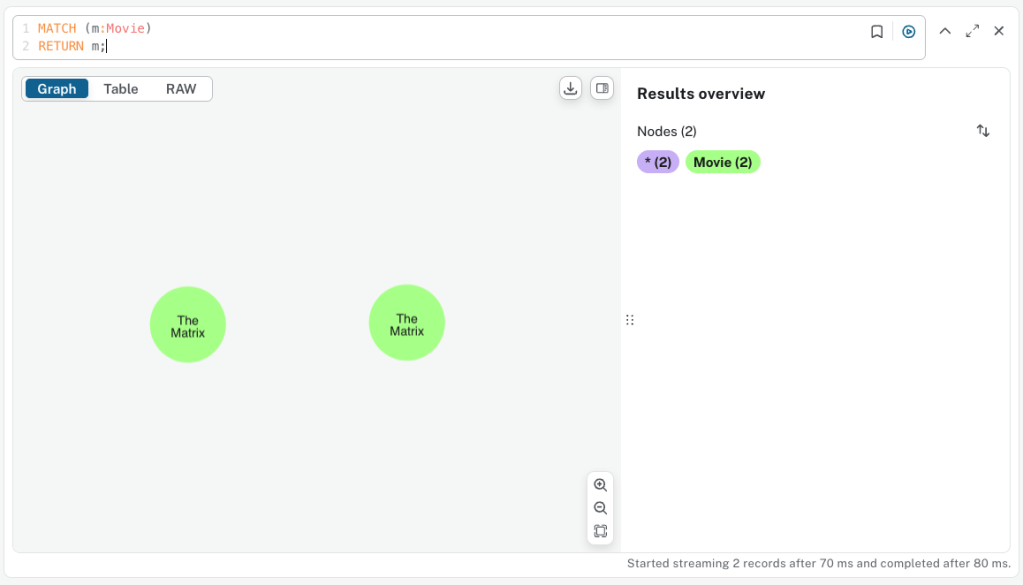
b. Find Nodes by Property (WHERE)
// Find a specific person by name
MATCH (p:Person)
WHERE p.name = 'Keanu Reeves'
RETURN p;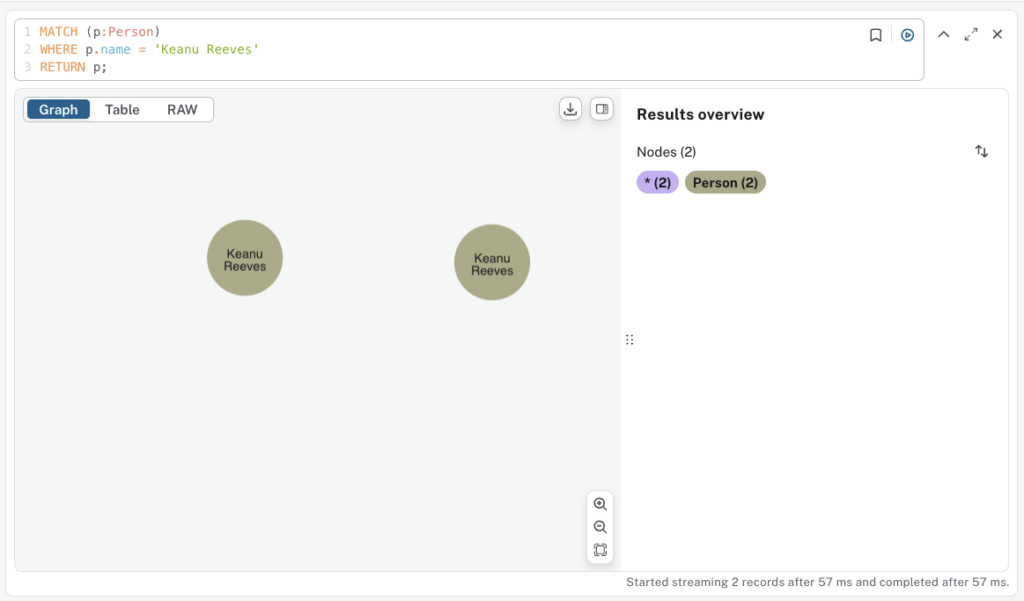
c. Pattern Matching: Following Relationships
// Find the movie(s) Keanu Reeves acted in
MATCH (p:Person {name: 'Keanu Reeves'})-[:ACTED_IN]->(m:Movie)
RETURN p.name, m.title;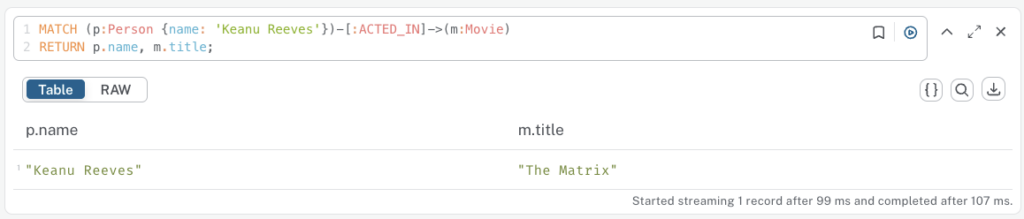
d. Pattern Matching: Multi-Level Relationships
// Find the directors of the movie 'The Matrix'
MATCH (d:Person)-[:DIRECTED]->(m:Movie {title: 'The Matrix'})
RETURN d.name;

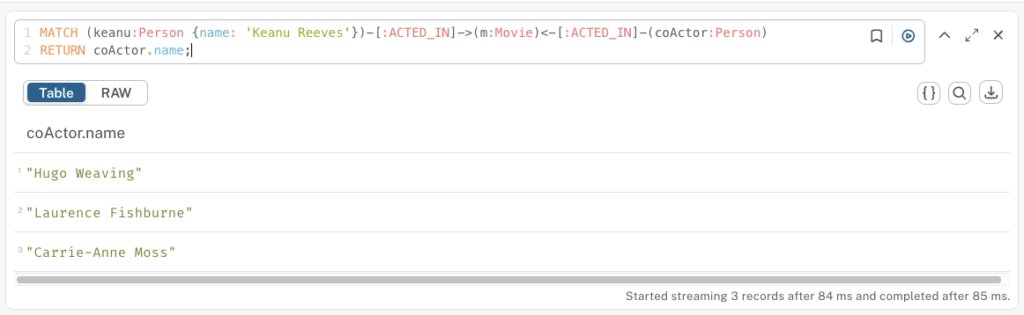
// Find co-actors of Keanu Reeves (actors who acted in the same movie)
// (Person)-[ACTED_IN]->(Movie)<-[ACTED_IN]-(Co-Actor)
MATCH (keanu:Person {name: 'Keanu Reeves'})-[:ACTED_IN]->(m:Movie)<-[:ACTED_IN]-(coActor:Person)
RETURN coActor.name;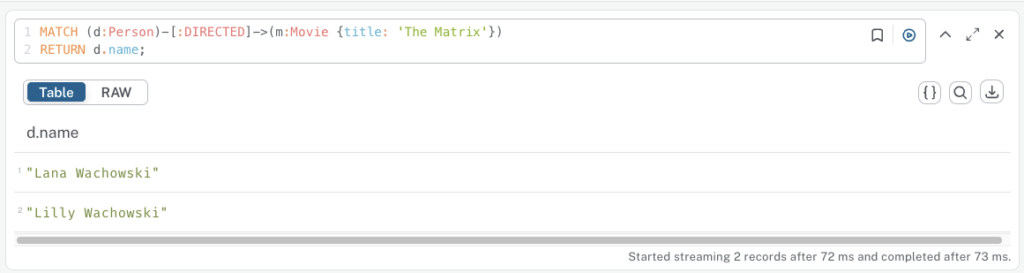
e. Deep, Multi-Level Example
Let’s add more data to demonstrate a more complex query.
// First, add Genre and Country nodes and connect them
CREATE (sf:Genre {name: 'Sci-Fi'});
CREATE (usa:Country {name: 'USA'});

MATCH (m:Movie {title: 'The Matrix'}), (sf:Genre {name: 'Sci-Fi'})
CREATE (m)-[:IN_GENRE]->(sf);

MATCH (p:Person {name: 'Lana Wachowski'}), (usa:Country {name: 'USA'})
CREATE (p)-[:BORN_IN]->(usa);
Now, we can ask: “Find all actors who acted in a Sci-Fi movie directed by someone born in the USA.”
MATCH (actor:Person)-[:ACTED_IN]->(movie:Movie)-[:IN_GENRE]->(genre:Genre {name: 'Sci-Fi'})
MATCH (director:Person)-[:DIRECTED]->(movie)
MATCH (director)-[:BORN_IN]->(country:Country {name: 'USA'})
RETURN DISTINCT actor.name, movie.title, director.name, country.name;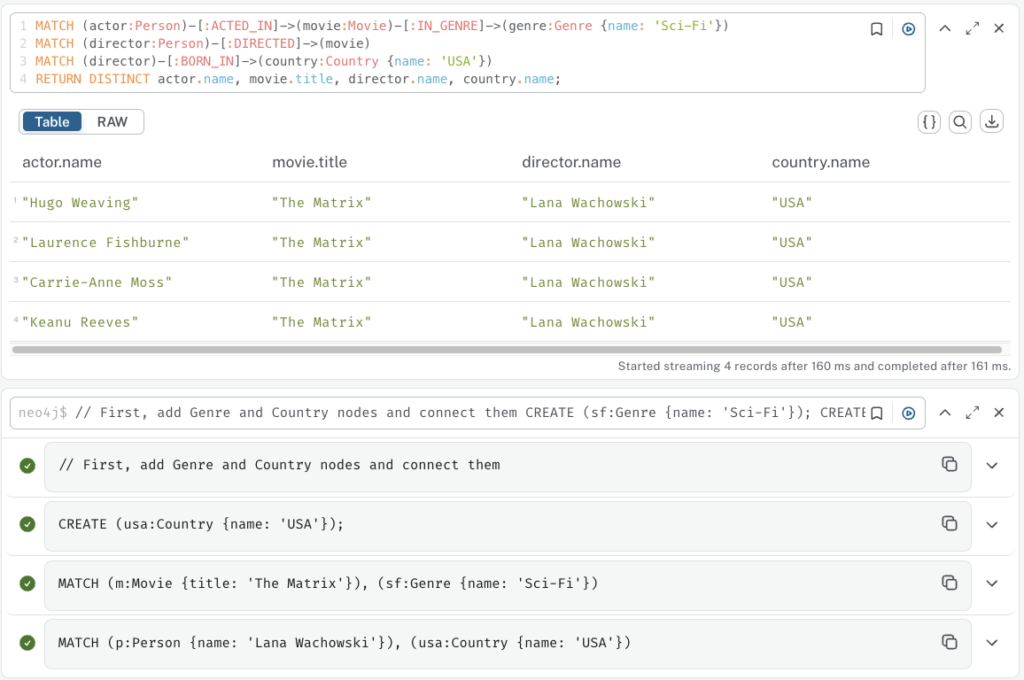
3. Upserting Data (MERGE)
MERGE is a combination of MATCH and CREATE. It will find a pattern if it exists, or create it if it doesn’t. This is perfect for avoiding duplicate data.
a. MERGE on a single node
This ensures a Genre node for ‘Action’ exists, but won’t create a second one if it’s already there.
MERGE (g:Genre {name: 'Action'});
b. MERGE with ON CREATE / ON MATCH
This allows you to perform actions depending on whether the data was found or created. It’s great for setting timestamps or updating counters.
Cypher
MERGE (p:Person {name: 'Tom Hanks'})
ON CREATE SET p.createdAt = timestamp(), p.born = 1956
ON MATCH SET p.lastChecked = timestamp()
RETURN p;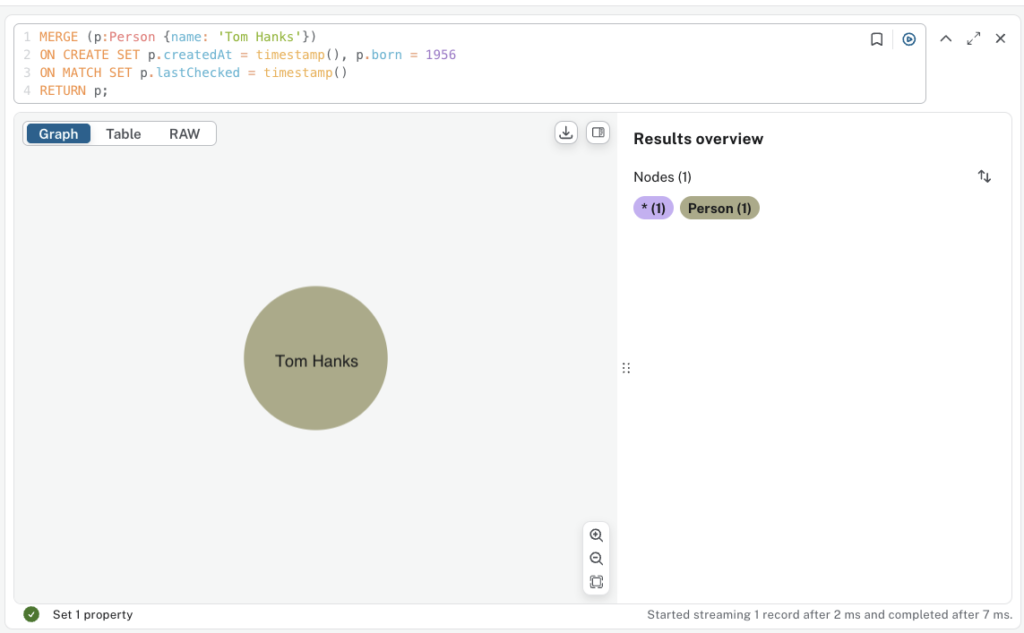
c. MERGE on a Full Pattern
This is the idiomatic way to connect two existing nodes without creating a duplicate relationship.
// Find the person and the movie first
MATCH (p:Person {name: 'Keanu Reeves'})
MATCH (m:Movie {title: 'The Matrix Reloaded', released: 2003}) // Assume this movie was created separately

// MERGE the relationship between them
MERGE (p)-[r:ACTED_IN {role: 'Neo'}]->(m)
RETURN type(r);
4. Updating Data (SET, REMOVE)
After finding nodes or relationships with MATCH, you can modify them.
a. Update a property with SET
MATCH (m:Movie {title: ‘The Matrix’})
SET m.rating = 8.7;
b. Add a new property with SET
MATCH (m:Movie {title: 'The Matrix'})
SET m.imdb_id = 'tt0133093';
c. Add a second label to a node with SET
MATCH (p:Person {name: 'Lana Wachowski'})
SET p:Director; // Now the node is labeled both :Person and :Director
d. REMOVE a property or a label
// Remove a property
MATCH (m:Movie {title: 'The Matrix'})
REMOVE m.rating;

// Remove a label
MATCH (p:Person:Director {name: 'Lana Wachowski'})
REMOVE p:Director;
5. Removing Data (DELETE)
This is how you delete nodes and relationships.
Important Rule: You cannot delete a node until all of its relationships have been deleted first.
a. Delete a specific relationship
// Let's say Hugo Weaving's role in The Matrix is incorrect and we want to remove it
MATCH (p:Person {name: 'Hugo Weaving'})-[r:ACTED_IN]->(m:Movie {title: 'The Matrix'})
DELETE r;
b. Delete a node and all its relationships (DETACH DELETE)
This is the most common and practical way to delete a node. It first detaches (deletes) all relationships connected to the node, and then deletes the node itself.
// Let's add a movie we want to delete
CREATE (:Movie {title: 'A Test Movie to Delete'});

// Now, find and delete it
MATCH (m:Movie {title: 'A Test Movie to Delete'})
DETACH DELETE m;
Common Pitfalls for Beginners
1. The Relational Mindset Trap
This is the most frequent anti-pattern. Developers accustomed to SQL instinctively think about “linking tables” and create intermediate nodes that act like join tables. In a graph, the relationship is the join, and it can have its own properties.
The Scenario: Tracking which users have rated which movies, and what score they gave.
The Wrong Way (Relational Thinking)
You create three “tables” (node labels): User, Movie, and Rating. Then you connect a User to a Rating node, and that Rating node to a Movie.
// ANTI-PATTERN: Creating a "join node" for ratings

// Create nodes
CREATE (u:User {name: 'Alice'})
CREATE (m:Movie {title: 'The Matrix'})
CREATE (r:Rating {score: 5, timestamp: timestamp()}) // The "join" node

// Create the links through the join node
CREATE (u)-[:GAVE_RATING]->(r)
CREATE (m)-[:RECEIVED_RATING]->(r)
The Problem: To find the movies Alice rated, your query is unnecessarily complex and less intuitive. You have to traverse through the intermediate Rating node.
Querying the Anti-Pattern:
Cypher
// Find all movies Alice rated with a score of 5
MATCH (u:User {name: 'Alice'})-[:GAVE_RATING]->(r:Rating)<-[:RECEIVED_RATING]-(m:Movie)
WHERE r.score = 5
RETURN m.title, r.score
This query is verbose and conceptually awkward. It translates to “Find a user named Alice, find a rating she gave, then backtrack from that rating to find the movie that received it.”
The Right Way (Graph-Native Thinking)
You model User and Movie as nodes and the rating action as a relationship with properties directly between them.
// GRAPH-NATIVE PATTERN: Storing data on the relationship

// Create nodes
CREATE (u:User {name: 'Alice'})
CREATE (m:Movie {title: 'The Matrix'})

// Create a single, direct relationship with properties
CREATE (u)-[r:RATED {score: 5, timestamp: timestamp()}]->(m)
The Proof: The query becomes incredibly simple, expressive, and performant. It directly matches the question we are asking.
Querying the Correct Pattern
// Find all movies Alice rated with a score of 5
MATCH (u:User {name: 'Alice'})-[r:RATED {score: 5}]->(m:Movie)
RETURN m.title, r.score
This query is a direct representation of the pattern: (User)-[:RATED]->(Movie). It’s easier to read, write, and is significantly faster because the database engine is optimized for traversing relationships, not for hopping between intermediate nodes.
2. Ignoring Relationship Direction
In a graph, every relationship has a start node and an end node. This direction is not just a technical detail; it provides crucial context and meaning. Ignoring it leads to ambiguous models and inefficient queries.
The Scenario: A social network where users can follow each other.
The Wrong Way (Ambiguous Direction)
You create a generic, directionless-in-meaning relationship like :CONNECTED_TO.
// ANTI-PATTERN: Using a generic, ambiguous relationship type
CREATE (alice:Person {name: 'Alice'})
CREATE (bob:Person {name: 'Bob'})
CREATE (charlie:Person {name: 'Charlie'})

// Bob is connected to Alice. But who followed whom? Ambiguous.
CREATE (alice)-[:CONNECTED_TO]-(bob)

// Charlie is also connected to Bob.
CREATE (charlie)-[:CONNECTED_TO]-(bob)
The Problem: The model cannot answer fundamental questions without ambiguity.
- Query: “Who follows Bob?”
- Attempted Answer:
MATCH (p:Person)-[:CONNECTED_TO]-(b:Person {name: 'Bob'}) RETURN p.name - Result: This returns both ‘Alice’ and ‘Charlie’. But what if Alice follows Bob, and Bob follows Charlie? The result is polluted and doesn’t answer the question correctly.
The Right Way (Specific, Directed Relationships)
Use a verb for your relationship type that clearly defines the action and its direction.
// GRAPH-NATIVE PATTERN: Using specific, directed relationships
CREATE (alice:Person {name: 'Alice'})
CREATE (bob:Person {name: 'Bob'})
CREATE (charlie:Person {name: 'Charlie'})

// The direction and type make the meaning clear
CREATE (alice)-[:FOLLOWS]->(bob)      // Alice follows Bob
CREATE (charlie)-[:FOLLOWS]->(bob)   // Charlie follows Bob
Querying the Correct Pattern:
“Who follows Bob?” (Find incoming relationships to Bob)
MATCH (follower:Person)-[:FOLLOWS]->(b:Person {name: 'Bob'})
RETURN follower.name
// Result: 'Alice', 'Charlie'. Correct and unambiguous.
“Who does Alice follow?” (Find outgoing relationships from Alice)
MATCH (a:Person {name: 'Alice'})-[:FOLLOWS]->(following:Person)
RETURN following.name
// Result: 'Bob'. Correct and unambiguous.
3. Storing Large Blobs in Properties
Graph databases are optimized for traversing relationships and accessing small property values. Loading large text blocks, JSON documents, or base64 encoded images into properties wrecks performance by polluting the memory cache.
The Scenario: Storing an article, its author, and its category. The article body is a very large block of text.
The Wrong Way (Large Blob in Property)
You store the entire article content directly on the :Article node.
// ANTI-PATTERN: Storing a huge text block as a property
CREATE (a:Article {
  title: 'Graph Databases for Beginners',
  // Imagine this string is 5MB long
  content: 'In the world of data, relationships matter. A graph database...'
})
The Right Way (Store a Pointer)
The graph node stores metadata and a pointer (like a URL or a file path) to the large blob, which is stored in a more appropriate system (like Amazon S3, a document store, or a simple file system).
// GRAPH-NATIVE PATTERN: Storing a pointer to the large data
CREATE (a:Article {
  title: 'Graph Databases for Beginners',
  content_url: 's3://my-articles-bucket/graph-db-beginners.txt',
  word_count: 5820
})
What’s next?
In the next section, we will discuss “Modeling, Querying, and Application Integration.”